AdminStudio - Standard - V8.6 - Sommario

di Acresso Software (formerly Macrovision) - Tipo prodotto: Applicazione

Sommario

AdminStudio Standard by Acresso Software (formerly Macrovision)

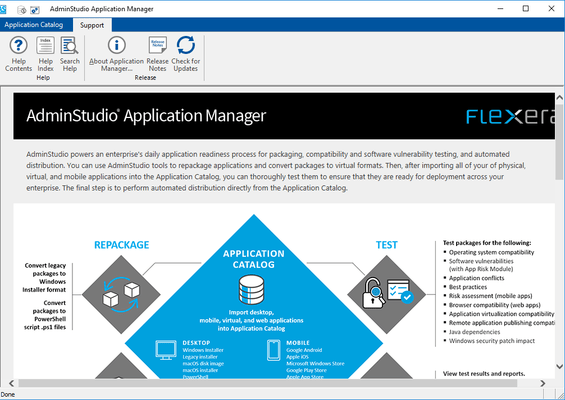
Reliable software packages prepared with automation and intelligence. With AdminStudio you can customize installations without having to edit Windows Installer database tables, or even write a single line of script. Developed specifically for System Administrators, Desktop Engineers and Corporate IT Project Teams, AdminStudio provides a wizard driven interface to navigate the repackaging process. Repackaging can be done with the standard default options or tailored to meet specific needs via detailed exclusion lists, the option to capture application or system-level changes, output preview, registry settings, and more.

Enterprise IT departments are under constant pressure to quickly deploy new applications, updates, and patches. But failing to properly prepare these packages for deployment poses serious risk. Deploying bad packages can crash critical applications and cost enterprises dearly in terms of help desk costs and lost productivity.

AdminStudio solutions enable enterprise IT departments to prepare reliable packages for deployment quickly and correctly. Whether you have one packaging team or multiple IT centers around the globe, AdminStudio standardizes and streamlines your software packaging process, improving the reliability of your applications, reducing desktop management costs, and increasing IT productivity.

AdminStudio provides IT with one of the most advanced solutions for quickly preparing reliable software packages for enterprise use. It combines automated software packaging technology with centralized process management tools to ensure the packages you deploy install successfully and behave reliably.

AdminStudio combines powerful software packaging technology with centralized process management tools to speed you through the packaging process.

Product Benefits:

Reduce your organization’s application management costs

Improve the reliability and availability of your applications

Increase IT productivity and collaboration across your organization

Help eliminate expensive and embarrassing deployment disasters

Make pre-deployment patch testing far more efficient and manageable (Professional Edition and above)

Feature Highlights:

ENHANCED! Speed packages through a proven, standardized process with intelligent, automated tools

NEW! Centrally manage your environment and the packaging process with new enterprise-class tools

ENHANCED! Convert any application, even InstallScript MSIs, to reliable Windows Installer packages

ENHANCED! Customize MSIs to meet the needs of any user group

ENHANCED! Identify and eliminate software conflicts before deploying applications and patches

ENHANCED! Run pre-deployment QA tests to ensure the reliability of new applications (Professional Edition and above)

ENHANCED! Hand off deploy-ready packages to any deployment system, including SMS, ZENworks®, LANDesk®, Tivoli®, and ManageSoft®

Maintain Reliable Software

From large corporations managing hundreds of applications to small companies looking for a simple way to migrate software to the Windows Installer (MSI) standard, AdminStudio makes it easy for any organization to maintain reliable software.

Migrating Applications to Windows Installer

Don’t let converting legacy applications to Windows Installer (MSI) hold up your OS migration. AdminStudio’s automated, intelligent tools make it easy to quickly convert any application to MSI and take advantage of cost-saving benefits such as self-healing, rollback, and install-on-demand.

Centrally Managing Resources and Packaging Projects

Besides powerful software packaging technology, enterprises looking to standardize packaging across their organization need centralized management tools. Only AdminStudio has the enterprise-class functionality organizations need to effectively manage all the people, projects, and data involved in the packaging process.

ENHANCED! Quick and Easy MSI Repackaging

Only AdminStudio can convert every setup, even InstallScript MSIs, into 100% pure MSI packages. AdminStudio is the only tool that can see inside native InstallShield setups, capture all their information, and convert them into MSIs. The Repackager does the work for you, saving you significant time without sacrificing accuracy.

ENHANCED! MSI Customization and Validation

With AdminStudio, you can quickly customize any MSI package to meet the needs of every user group in your enterprise. The Editor is now powered by InstallShield® 11, the world’s standard in MSI authoring and editing, making it even easier to directly customize MSIs and author transforms.

ENHANCED! Conflict Identification and Resolution

Every time you distribute applications and patches you risk creating conflicts that crash other applications and disrupt systems. AdminStudio automatically tests your applications and patches for conflicts against the applications and operating systems in your enterprise and helps you eliminate any problems before you deploy.

ENHANCED! Quality Assurance Testing

AdminStudio automatically tests your packages to guarantee they will work — and continue to work — as expected once installed. It can also simulate the deployment of an application or patch without physically installing it on any machine. Deployment results are reported back without risk to your environment, enabling you to make corrections before actual deployment.

ENHANCED! Hand Off Packages to Any Deployment Solution

For organization using software deployment solutions, AdminStudio not only prepares reliable packages for distribution, it also automatically releases them to your system. AdminStudio is fully integrated with every software deployment solution – including SMS, ZENworks®, LANDesk®, Marimba®, Tivoli®, ManageSoft®, and Active Directory® – saving you time while ensuring an error-free package handoff.

For information on the differences between Standard, Professional and Enterprise editions please see the Edition Features Matrix in the Evals & Downloads section.

What’s new in AdminStudio V8.6?

Enterprise - AdminStudio 8.6 introduces a new tier for the product, aimed to support the market growth in virtualization. The AdminStudio Virtualization Pack contains the support for application packaging features for Citrix Presentation Server (4.5 Enterprise & Platinum editions) and Thinstall 3.2 Virtualization Suite. They are no longer available in the AdminStudio Enterprise Edition starting with AdminStudio 8.6. The AdminStudio Virtualization Pack is only available to customers who are already using Enterprise Edition or those who upgrade to Enterprise Edition. Silver maintenance is a requirement for purchase when the Virtualization Pack is purchased.

Enterprise, Professional and Standard - In previous releases, because the AdminStudio and InstallShield installations were merged together, you were unable to apply updates or hot fixes to InstallShield Editor. To obtain new InstallShield Editor features, you had to wait until the next AdminStudio release. In AdminStudio 8.6, the installation of InstallShield has been separated from the AdminStudio installation. Therefore, you now have the ability to install new InstallShield features and fixes as soon as they are available.

What’s new in AdminStudio V8.5?

Updated Windows Vista support

Quality Validation Scanner - Validates a MSI against the installation rules of the Vista Logo Program as well as InstallShield Best Practices.

Support the most recent technology platforms: Improved 64 bit OS support, .NET 3.0, Windows Embedded CE 6.x, Windows Server "Longhorn" beta

Usability improvements -Advanced OS condition settings for prerequisites, automation interface improvements, IDE improvements, easier to create installation, reduces the learning curve required

Enables ISV’s to deploy their applications in a SaaS model - Support Internet Information Services (IIS) 7.0 and SSL and various database formats.

New end-user dialog themes for Basic MSI projects

Support for Citrix Application Streaming Profiles (virtualized applications)

What’s new in AdminStudio V8.0?

New - Vista Migration Support – AdminStudio V8.0 has the tools to properly prepare software for deployment to machines running the Microsoft Windows Vista operating system. It can convert any software package to a reliable MSI that is compliant with Microsoft Vista installation requirements. You can also use AdminStudio V8.0 to customize and test MSIs to ensure they’ll deploy smoothly and run properly on Vista machines

New - Runs on Vista – AdminStudio V8.0 runs on Vista, so Vista users can follow best practices by performing MSI repackaging and testing on machines running the same Vista OS as their target environment

New - PackageExpert – Save time by having the new AdminStudio V8.0 PackageExpert tool run tests on your MSI packages and automatically fix any errors it finds. PackageExpert quickly runs through a full array of MSI validation and QA tests to ensure packages will deploy successfully and run reliably on any Windows platform – even Vista. You can also create and run your own custom tests to enforce your corporate standards and best practices

New - InstallShield 12 – The AdminStudio V8.0 Editor is now powered by InstallShield 12. This latest version includes tools that make it easy to customize Vista-ready MSIs or author your own installations for Vista

Enhanced - Integration with Workflow Manager – AdminStudio V8.0 and Workflow Manager 4 now share the same Application Catalog, allowing you to directly associate package content and packaging steps in AdminStudio V8.0 with application requests and packaging management processes in Workflow Manager 4. You can also save time by setting security and system settings once for both products using the same Web console

Enhanced - Report Center – The AdminStudio V8.0 Report Center is enhanced with a new streamlined interface, new links to your important package information, and improved search and scrolling features that make it even easier to find the data you need

Enhanced - Job Manager – Job Manager is now integrated with the AdminStudio V8.0 Security Console, simplifying the management of user roles and permission for scheduling conflict testing tasks. It also includes new email notifications alerting you to the success –or failure– of tasks run by Job Manager

Enhanced - Single Sign-On – When an AdminStudio V8.0 user logs in to their domain account on your network, they are automatically logged into AdminStudio V8.0

Enhanced - AdminStudio Default Database – The AdminStudio V8.0 installation experience has been enhanced to use Microsoft SQL Express, and Microsoft SQL Server 2005 Express can be automatically installed on your machine to assist in your AdminStudio V8.0 evaluation

New - Sample Data in the Application Catalog – You can choose to pre-populate the AdminStudio V8.0 Application Catalog with sample data, allowing you to immediately work with AdminStudio V8.0 features using the packages that have already been imported

What’s new in V7.5?

ENHANCED - Snapshot-Free MSI Repackaging - Save time and improve MSI package quality by capturing all system changes made by a setup – and only those changes – without waiting for snapshots

NEW - Customize MSIs with InstallShield 11.5 - Editor is now powered by InstallShield 11.5 giving you even greater flexibility when editing packages

ENHANCED - Application Isolation Wizard - Ensure new MSIs won’t interfere with installed applications by automatically isolating their shared DLLs and other dependencies before deployment

ENHANCED - Flexible Package Build Options - Get tremendous flexibility in your package build formats, including the new ability to build installations with a single external CAB file

PartNumbers: PC-511817-136393 511817-136393 PC-511817-136395 511817-136395 PC-511817-136397 511817-136397 PC-511817-136399 511817-136399 PC-511817-136401 511817-136401 PC-511817-136403 511817-136403

Publisher PartNumbers: AS086UA AS086UB AS086ZD KBASDK KGASDK KSASDK1

PurchaseOptions: AdminStudio Standard V8.6 1 Developer License , AdminStudio Standard V8.6 1 Developer Upgrade License from AdminStudio Standard V7.x or higher , AdminStudio Standard V8.6 1 Developer Upgrade License from any Installshield Professional-Level Product , AdminStudio Standard Maintenance 1 Developer Bronze Maintenance Plan License , AdminStudio Standard Maintenance 1 Developer Silver Maintenance Plan License , AdminStudio Standard Maintenance 1 Developer Gold Maintenance Plan License

Resources: Browse the AdminStudio Edition Features Matrix, Download the AdminStudio V8.6 evaluation on to your computer - Expires after 30 days

Operating System for Deployment: Windows Vista, Windows XP, Windows ME, Windows 2000, Windows 98, Windows NT 4.0, Windows 95

Architecture of Product: 32Bit, 64Bit

Product Type: Application

Product Class: Component Development Tools, Component Building Tools

Search Items: New Version Apr 03, New Version Dec 03, New Product Sep 04, New Product Oct 05

Keywords: Macrovision Corporation macro vision install shield System Administration Systemadmin admin administrate sysadmin sys Installation Installing install installs uninstalling uninstall uninstalls setup MSI msi scripts Corporate Partner Admin Studio Package flexnet flex net

Ricerca prodotti

Inserisci le tue parole chiave:

Award Award