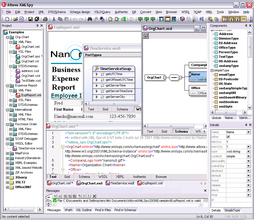
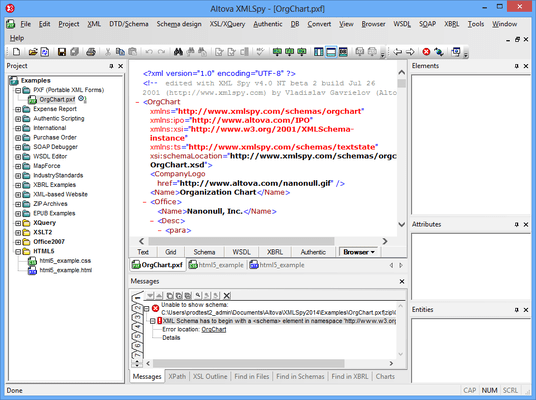
Screenshot Preview

Altova MissionKit 2012 for Professional Software Architects Upgrade from Altova MissionKit 2011 for Professional Software Architects - Summary

by Altova - Product Type: Application

Summary

Altova MissionKit 2012 for Professional Software Architects Upgrade from Altova MissionKit 2011 for Professional Software Architects by Altova

URLs: altova-missionkit-for-prof-software-architects-upgrade-from-missionkit-for-prof-software-architects, altova missionkit for prof software architects upgrade from missionkit for prof software architects, altovamissionkitforprofsoftwarearchitectsupgradefrommissionkitforprofsoftwarearchitects, altova

Tools for XML, data integration and Web services. Altova MissionKit for Professional Software Architects includes standards-conformant support for all XML-related technologies, from XSLT 1.0/2.0, to XML Schema, to XQuery, to Web services, to RDF and OWL. Altova MissionKit for Professional Software Architects: XMLSpy - an XML development environment, UModel, StyleVision Professional Edition, MapForce Professional Edition and DatabaseSpy which simplifies querying, visualizing, managing, designing, and constructing relational databases.

Altova MissionKit for Professional Software Architects includes the following products:

XMLSpy Professional Edition

MapForce Professional Edition

StyleVision Professional Edition

UModel Professional Edition

DatabaseSpy

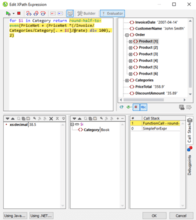
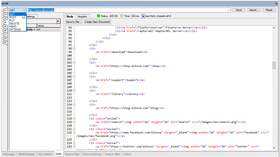
Altova XMLSpy delivers all you need to create advanced XML applications, yet at the same time it’s flexible enough to allow you to work with XML using the views and options that best suit your business needs and working preferences. XMLSpy increases productivity by allowing you to develop higher-quality, standards-conformant XML-based applications more quickly than ever before. Designed to increase your XML development productivity from start to finish.

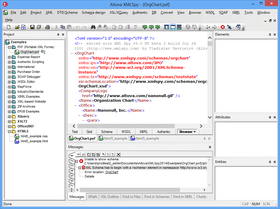
XMLSpy abstracts away the complexity of working with XML-based technologies through its intuitive user interface and rich variety of editing views and options. Five synchronized editing views allow you to work with any XML technology in a way that best suits the complexity of the document and your preferences, for instance, if you prefer to develop in a text view, graphical view, or switch back and forth between the two.

The intelligent editing features of XMLSpy support auto completion, context sensitive syntax help, entry helpers, syntax coloring, and more to aid you in creating valid XML documents. The XMLSpy views and intelligent editing functions are designed to make working with documents as easy as possible. When working with XML is easy, productivity increases, saving money and decreasing time-to-market for your applications.

Altova MapForce Professional supports the following functionality:

Graphical data mapping

Executing and saving mapping output

Bi-directional XML, database, flat file and EDI data mapping

Advanced data processing functions

Mapping data to WSDL operations

Visual function builder for creating custom functions

Building Web services

Project view for organizing mappings

Mapping multiple sources to multiple targets

Seamless integration with Eclipse and Visual Studio

Parsing flat files using FlexText utility

OLE and ActiveX controls

XSLT 1.0, XSLT 2.0, XQuery generation

Java, C#, C++ program code generation

StyleVision Professional Edition features and functionality include:

Enhanced, highly intuitive graphical design interface

Support for built-in and imported CSS styles

Visual, drag & drop stylesheet design

Support for JavaScript functions and a JavaScript editor

Support for DTD, XML Schema, and relational database sources

Support for multiple sources in one design

Web page design Combining XML and database data in one design

Database report design HTML to XML converter

PDF design Industry template support (DITA , DocBook, NewsML, etc.)

Microsoft Word / RTF design

Generation of standards-based stylesheets

Converting XML to HTML, PDF, Word/RTF Style repository for managing and applying styles

Authentic electronic forms design

Batch execution from command line

Standards-conformance: XSLT 1.0/2.0, XPath 1.0/2.0, XSL:FO

UModel features the following diagram types and advanced modeling capabilities:

Use case diagrams

Class diagrams

Object diagrams

Sequence diagrams

Activity diagrams

State machine diagrams

Composite structure diagrams

Packages

Component diagrams

Deployment diagrams

Code generation in Java and C# languages

Reverse engineer existing Java or C# code

Round trip engineering – synchronize revisions to model or code

Shared subprojects

XMI 2.1 model interchange

Altova DatabaseSpy includes these robust and highly-flexible components and capabilities:

Connectivity to all major databases

Quick connect wizard

Database project manager

Online database browser

SQL editor

Database design editor

Export and import functions

Altova DatabaseSpy is designed to be the database professional’s multi-purpose tool, since it connects to all of the following database types:

Microsoft SQL Server 2000 and 2005

Microsoft Access 2003

Oracle 9i and 10g

IBM DB2 8.x and 9

MySQL 4.x and 5.x

Sybase 11

What’s new in Altova MissionKit for Professional Software Architects 2012?

What’s new in Altova XMLSpy 2012?

HTML5 support

CSS3 support

JDBC database driver support

Java API

New samples for API use

Find in Project

What’s new in Altova MapForce 2012?

Streaming read for large XML, CSV, and FLF files and databases

New functions parse-date and parse-time

Visual alignment guides on mapping screen

JDBC database driver support

New Java API

Search in project window

What’s new in Altova StyleVision 2012?

Composite styles

Dynamic class assignment for HTML, Word, RTF, PDF, and Authentic

Dynamic CSS selection via XPath

HTML5 and CSS3 support

JDBC Support

Java API

New samples for API use

Search in project window

What’s new in Altova UModel 2012?

Java database driver support

Visual alignment guides

New Java API

What’s new in Altova DatabaseSpy 2012?

JDBC database driver support

Search in project window

What's new in Altova MissionKit for Professional Software Architects 2011r3?

New features in XMLSpy v2011r3 include:

Support for PXF (Portable XML Form) file format

Support for .NET 4.0 scripting

Ability to add additional .NET assemblies for scripting

New spell checker with improved dictionary support

Support for Internet Explorer 9 in Browser View

Shortcut for selecting entire XML element

New features in MapForce 2011r3 include:

Command line extensions

Support for .NET 4 in built-in execution

Save individual values or entire sub-trees in intermediate variables

New features in StyleVision 2011r3 include:

Support for new PXF (Portable XML Forms) file format

New spell checker with improved dictionary support

Support for Internet Explorer 9

Support for .TIFF, .JPEG XR, and .SVG image formats

Scripting editor supports .NET 4.0

Ability to add additional .NET assemblies for scripting

UModel 2011 Release 3 adds several new productivity-enhancing features:

Enhanced class diagrams for projects that generate .NET (C# and Visual Basic) application code

Enhanced support for code generated from state machine diagrams

Enhanced code generation options for XML Schemas

What's new in Altova MissionKit for Professional Software Architects 2011r2?

XMLSpy

Embedding external files in XML

Customizable documentation generation

Enhancements to chart creation functionality

Sorting of elements and types in schema view

Refactoring support for XML Schemas

Intelligent support for changing element types and base types

MapForce

Direct file output (data streaming)

Expandable if-else component (switch statement)

Reverse existing mapping

Ability to execute SQL statements prior to database output

New parsing functions

New function to retrieve node name

Ability to search Function Library

Custom analysis reports via StyleVision integration

StyleVision

Barcode support

Ability to generate multiple output files from a single design template

Ability to define reusable XPath expressions

Support for embedded images in XML

Ability to generate ASPX Web applications

Ability to create visible/internal combobox values

What’s new in XMLSpy v2011?

Schema flattener

The new Schema Flattener in XMLSpy 2011 allows schema designers to write all the dependent files that are included in a schema into one file. This way, you can use the flattened schema without having to rely on a network connection to access the required files. This could be especially important when shipping a schema within an application.

Creation of schema from subset

In addition to flattening schemas, XMLSpy 2011 allows you to create a schema from a subset of a larger schema. Many schemas are quite large and contain more types and elements than are required for a particular application or information exchange. Furthermore, the larger a schema is, the longer loading and validation may take. The ability to create a new schema from a subset means a developer can select some global elements or types from a large schema to create a smaller one, using just the elements required. This feature is especially useful for working with NIEM information exchanges, but has also been requested by other users for a variety of applications.

What’s new in MapForce 2011?

Chained transformations

Chained transformations enable users to create complex mappings in which the output of one mapping becomes the input of another. This is a feature that adds to MapForce's ability to execute fully automated transformations. Each chained component becomes a modular entity in an interdependent transformation sequence, allowing for conversions to be made on-the-fly. MapForce users can create chained transformations using any number of mapping components connected to a final target component. Preview and code generation features can be displayed/generated for intermediate components, as well as for the final mapping result. Intermediate mapping components will also now have a "pass-through" button in the title bar. This button will enable users to define the set of data that gets passed on to the following component.

Integration with StyleVision for output components

Integration with StyleVision lets MapForce users automatically render results of their XML and XBRL mappings using an associated StyleVision template design. This means that these components can be previewed as HTML, RTF, PDF, or Word 2007+ documents. This feature for MapForce essentially combines its capabilities with those of StyleVision, meaning that users can now automate report generation from virtually any data format - as long as it can be mapped to an XML Schema or XBRL taxonomy.

Formatting of numbers, dates, and times

One of the most frequently requested features, this enables MapForce users to easily convert numbers, dates, and times to their string representations using a variety of different formatting functions. For example, the simple format-number function below converts a numerical input (e.g., 12345) to a monetary one in with a USD prefix, comma separating the thousands digits, and two decimal places (e.g., $12,345.00).

Two new parameters in auto-number function

The auto-number generator function in MapForce has been updated to include two additional parameters, global-id and restart-on-change, adding to the ways in which you can manipulate data between source and target format(s). Global-id assigns a global identifier to an auto-number sequence, making it accessible throughout the data mapping project, including in user-defined functions. Restart-on-change allows users to restart auto-numbering every time the value supplied this parameter changes, enabling them to create intelligent numbering sequences.

Functions for working with timezones

Two new functions have been added to the MapForce function library to handle mappings that involve timezones. "convert-to-utc" will change time or datetime to a UTC (Coordinated Universal Time) or GMT value, while "remove-timezone" will simply strip the timezone information from a time or datetime conversion.

What’s new in StyleVision 2011?

Scripting & toolbar editor for Authentic

StyleVision includes an integrated scripting environment that allows users to interact with XML and database reports using forms, event handlers, and macros created in the Scripting Editor interface. Scripting adds new options for creating Authentic applications and includes:

Script editor with form support

Toolbar editor

Support for JavaScript and VBScript

Ability to define event handlers

Access to Authentic COM interface from script macros

Ability to debug macros

Multi-channel output of HTML/CALS tables

HTML and CALS provide standard tags for representing the structure of tables and are often used common documentation projects as well as in XML industry standards such as DocBook, DITA, and more. Support for HTML/CALS tables means that StyleVision will automatically recognize values dictating table structure such as column number, row height, etc., and apply them to rendered output (v2011 adds support for rendering HTML/CALS tables in HTML, RTF, PDF, AND Word 2007+ - previous releases have supported output to Authentic e-Forms).

Assigning styles to HTML/CALS tables

StyleVision users can now also use the design interface to assign additional presentation styles to HTML and CALS tables such as column and row attributes like width and alignment, font attributes, background color, and more. This enables customers to add information that may be missing from the source format. For instance, in the example below styles have been applied to the table caption, header, and row margins.

Multiple assignments to HTML/CALS tables in a single schema

There are some situations in which different elements can be assigned in the same schema to represent HTML/CALS tables. For example, the DocBook specification uses both the <table> and <informaltable> elements as tags for CALS tables. StyleVision allows users to differentiate between these data structures and define separate styles to each using the Edit HTML/CALS tables dialog.

Ability to import existing XSLT files

Instead of having to design templates from scratch to access StyleVision functionality, users will now be able to base their designs on existing XSLT files that were designed for HTML output or XSLT files with XSL:FO commands for output in PDF. Users will simply specify the XSLT file and schema source and the template will be loaded into the design pane where it can be used for multi-channel publishing and/or to add additional styles using StyleVision's graphical user interface. Any changes to the underlying XSLT code can be previewed or saved at any time.

What’s new in UModel 2011?

Modeling SQL databases

As software applications interact with growing amounts of data, database designs and structures become critical to development of successful projects. UModel 2011 extends its software modeling functionality by adding a set of features to model popular relational databases along with programming language-based applications. The following database elements may be modeled in UModel 2011:

Database schemas

Tables

Views

Check Constraint element

Primary / Foreign / Unique keys

Index

Stored procedures

Functions

Triggers

Database Relationship Association

Teamwork support

Large software projects are often divided among multiple developers to shorten development cycles. This is especially useful for projects that must integrate with complex hardware interfaces or industry-specific standards. The graphical communication benefits of UML software modeling multiply as more developers work on a project, since the design representation of various sub-projects enhances communication across the development team. UModel 2011 supports teams working on large projects by allowing projects to be split up into multiple subprojects. Individual developers may simultaneously edit different parts of a single project. Each individual subproject can be added to a source control system. The top-level project, i.e., the project from which the subprojects are created, is the main project. Subprojects are created on the package level as individual UModel project files and have a *.ump extension. The screen shot below shows the UModel 2011 Model Tree helper window for a project that includes several sub-projects. Each subproject is identified by its individual file name. The UModel Generate Documentation feature allows users to optionally include subprojects in generated documentation, offering flexibility for individual developers to generate documentation for their own subprojects, and for project managers to automatically generate documentation for the full application.

3-way project merge

Starting with UModel 2011, a single UModel project can be split into multiple subprojects that can be edited by independent developers, with support check-in/check-out in source control systems. If multiple developers work independently on the same project file, a three-way merge allows them to easily combine changes into a single result.

State machine diagram, sequence diagram, and communication diagram enhancements

UModel 2011 includes new features to support operation call/event editing, and automatic creation of operations in transitions. Transitions in state machine diagrams can be selected from operations of a referenced class. Additionally, a new toolbar button for all three diagram types allows the user to enter a transition/message name and automatically create a corresponding operation in the referenced class.

What’s new in DatabaseSpy 2011?

Charts in DatabaseSpy

A graphical representation of data in a chart is much more vivid and communicates meaning more quickly than tables of numeric data. DatabaseSpy 2011 Enterprise Edition supports an entirely new set of charting features to graphically represent SQL query results. A new link in the Results window toolbar opens the Chart Selection dialog to initiate data charting. The following chart types are available to provide the most appropriate representation of various data sets:

Line charts

2D and 3D bar charts

2D and 3D pie charts

Round gauge and bar gauge charts

Numerous customization options are available for each chart type, including control of foreground and background colors, definition of axis ranges and labels, control of fonts colors and sizes, and more. DatabaseSpy 2011 charts may be exported to image files in .png, .bmp, .gif, or .jpg files in sizes specified by the user Exported charts can be used to create eye-catching visual elements to highlight reports of all types. Customized chart settings can be saved in settings files and loaded later for reuse. Charts can be generated based on relational data, or on calculations performed in SQL statements.

Tools for XML, data integration and Web services.

Pricing: Altova MissionKit for Professional Software Architects 2012 Upgrade from Altova MissionKit for Professional Software Architects 2011 Installed Users (1), Altova MissionKit for Professional Software Architects 2012 Upgrade from Altova MissionKit for Professional Software Architects 2011 Installed Users (5), Altova MissionKit for Professional Software Architects 2012 Upgrade from Altova MissionKit for Professional Software Architects 2011 Installed Users (10), Altova MissionKit for Professional Software Architects 2012 Upgrade from Altova MissionKit for Professional Software Architects 2011 Installed Users (20), Altova MissionKit for Professional Software Architects 2012 Upgrade from Altova MissionKit for Professional Software Architects 2011 Installed Users (50), Altova MissionKit for Professional Software Architects 2012 Upgrade from Altova MissionKit for Professional Software Architects 2011 Concurrent Users (1), Altova MissionKit for Professional Software Architects 2012 Upgrade from Altova MissionKit for Professional Software Architects 2011 Concurrent Users (5), Altova MissionKit for Professional Software Architects 2012 Upgrade from Altova MissionKit for Professional Software Architects 2011 Concurrent Users (10), Altova MissionKit for Professional Software Architects 2012 Upgrade from Altova MissionKit for Professional Software Architects 2011 Concurrent Users (20), Altova MissionKit for Professional Software Architects 2012 Upgrade from Altova MissionKit for Professional Software Architects 2011 Concurrent Users (50), Altova MissionKit for Professional Software Architects 2012 + SMP (1 year) Upgrade from Altova MissionKit for Professional Software Architects 2011 Installed Users (1) + SMP (1 year), Altova MissionKit for Professional Software Architects 2012 + SMP (1 year) Upgrade from Altova MissionKit for Professional Software Architects 2011 Installed Users (5) + SMP (1 year), Altova MissionKit for Professional Software Architects 2012 + SMP (1 year) Upgrade from Altova MissionKit for Professional Software Architects 2011 Installed Users (10) + SMP (1 year), Altova MissionKit for Professional Software Architects 2012 + SMP (1 year) Upgrade from Altova MissionKit for Professional Software Architects 2011 Installed Users (20) + SMP (1 year), Altova MissionKit for Professional Software Architects 2012 + SMP (1 year) Upgrade from Altova MissionKit for Professional Software Architects 2011 Installed Users (50) + SMP (1 year), Altova MissionKit for Professional Software Architects 2012 + SMP (1 year) Upgrade from Altova MissionKit for Professional Software Architects 2011 Concurrent Users (1) + SMP (1 year), Altova MissionKit for Professional Software Architects 2012 + SMP (1 year) Upgrade from Altova MissionKit for Professional Software Architects 2011 Concurrent Users (5) + SMP (1 year), Altova MissionKit for Professional Software Architects 2012 + SMP (1 year) Upgrade from Altova MissionKit for Professional Software Architects 2011 Concurrent Users (10) + SMP (1 year), Altova MissionKit for Professional Software Architects 2012 + SMP (1 year) Upgrade from Altova MissionKit for Professional Software Architects 2011 Concurrent Users (20) + SMP (1 year), Altova MissionKit for Professional Software Architects 2012 + SMP (1 year) Upgrade from Altova MissionKit for Professional Software Architects 2011 Concurrent Users (50) + SMP (1 year), Altova MissionKit for Professional Software Architects 2012 + SMP (2 years) Upgrade from Altova MissionKit for Professional Software Architects 2011 Installed Users (1) + SMP (2 years), Altova MissionKit for Professional Software Architects 2012 + SMP (2 years) Upgrade from Altova MissionKit for Professional Software Architects 2011 Installed Users (5) + SMP (2 years), Altova MissionKit for Professional Software Architects 2012 + SMP (2 years) Upgrade from Altova MissionKit for Professional Software Architects 2011 Installed Users (10) + SMP (2 years), Altova MissionKit for Professional So

Evals & Downloads: Read the Altova License Agreement - Requires Acrobat Reader, DatabaseSpy help file, Read the MapForce help file, Read the StyleVision help file, Read the UModel help file, Download the Altova MissionKit for Professional Software Architects 2012 evaluation on to your computer - Expires After 30 Days

Operating System for Deployment: Windows 7, Windows Server 2008, Windows Vista, Windows XP, Windows Server 2003, Windows ME, Windows 2000, Windows 98, Windows NT 4.0

Architecture of Product: 32Bit, 64Bit

Product Type: Application

Built Using: MFC V4.2 / V6.0

Compatible Containers: Microsoft Visual Studio 2010, Microsoft Visual Studio 2008, Microsoft Visual Studio 2005, Microsoft Visual Studio .NET 2003, Microsoft Visual Studio 6.0, Microsoft Visual Basic 2010, Microsoft Visual Basic 2008, Microsoft Visual Basic 2005, Microsoft Visual Basic .NET 2003, Microsoft Visual C++ 2010, Microsoft Visual C++ 2008, Microsoft Visual C++ 2005, Microsoft Visual C++ .NET 2003, Microsoft Visual C++ 6.0, Microsoft Visual C# 2010, Microsoft Visual C# 2008, Microsoft Visual C# 2005, Microsoft Visual C# .NET 2003, Microsoft Visual InterDev 6.0, Microsoft Office 2003, Microsoft Office 2000, Microsoft Access 2003, Microsoft Access 2002, Microsoft Access 2000, Microsoft SQL Server 2000, Microsoft SQL Server 7.0, Microsoft Outlook 2002, Microsoft Outlook 2000, Microsoft Exchange Server 5.5, Microsoft Internet Information Server 5.0, Microsoft Internet Information Server 4.0, Microsoft Internet Explorer 6.0, Microsoft Internet Explorer 5.5, C++Builder 6, C++Builder 5, Delphi 7.0, JBuilder 9, JBuilder 8, Oracle 9i JDeveloper, .NET Framework 4.0, .NET Framework 3.5, .NET Framework 3.0, .NET Framework 2.0, .NET Framework 1.1, WebLogic Workshop, IBM DB2 8.x, Eclipse V3.3, Eclipse V3.1.2, Eclipse V3.0

Product Class: Component Development Tools, .NET Development Tool, Component Building Tools

Keywords: Altova MissionKit, MissionKit, Altova MissionKit Professional mission kit

Altova GmbH - The XML Spy Company

Product Suites Suite bundles bundle

Code Creation Editing

Entry data-entry

Database DB Connectivity

Database DB Management

Development

Flow Diagramming diagram diagrams flowchart

modeling modeled modelled modelling models model UML MDA

Productivity performance efficiency

SQL query language

Debugging debug debugs Testing Test Tests

XML Extensible Markup

HTML Editing Edit editor

Database DB Reporting Report reports

Analysis Design Modeling

Development Design Creating Making Components

webservices web-services

Part numbers: PC-517724-410188 517724-410188 PC-517724-410190 517724-410190 PC-517724-410192 517724-410192 PC-517724-410194 517724-410194 PC-517724-410196 517724-410196 PC-517724-410198 517724-410198 PC-517724-410200 517724-410200 PC-517724-410202 517724-410202 PC-517724-410204 517724-410204 PC-517724-410206 517724-410206 PC-517724-410208 517724-410208 PC-517724-410210 517724-410210 PC-517724-410212 517724-410212 PC-517724-410214 517724-410214 PC-517724-410216 517724-410216 PC-517724-410218 517724-410218 PC-517724-410220 517724-410220 PC-517724-410222 517724-410222 PC-517724-410224 517724-410224 PC-517724-410226 517724-410226 PC-517724-410228 517724-410228 PC-517724-410230 517724-410230 PC-517724-410232 517724-410232 PC-517724-410234 517724-410234 PC-517724-410236 517724-410236 PC-517724-410238 517724-410238 PC-517724-410240 517724-410240 PC-517724-410242 517724-410242 PC-517724-410244 517724-410244 PC-517724-410246 517724-410246

Mfr. Part No: K11P-K12P-C001 K11P-K12P-C001+M1 K11P-K12P-C001+M2 K11P-K12P-C005 K11P-K12P-C005+M1 K11P-K12P-C005+M2 K11P-K12P-C010 K11P-K12P-C010+M1 K11P-K12P-C010+M2 K11P-K12P-C020 K11P-K12P-C020+M1 K11P-K12P-C020+M2 K11P-K12P-C050 K11P-K12P-C050+M1 K11P-K12P-C050+M2 K11P-K12P-I001 K11P-K12P-I001+M1 K11P-K12P-I001+M2 K11P-K12P-I005 K11P-K12P-I005+M1 K11P-K12P-I005+M2 K11P-K12P-I010 K11P-K12P-I010+M1 K11P-K12P-I010+M2 K11P-K12P-I020 K11P-K12P-I020+M1 K11P-K12P-I020+M2 K11P-K12P-I050 K11P-K12P-I050+M1 K11P-K12P-I050+M2

Product Search

Enter search words:

Why buy from ComponentSource?

ComponentSource offers a unique global service, used by over 1,000,000 software developers worldwide.

More Info | About Us

Screenshot Gallery

Click for full screen preview

Screenshot of Altova MissionKit for Professional Software Architects - Upgrades from Altova MissionKit 2010 for Professional Software Architects - 2012 Screenshot of Altova MissionKit for Professional Software Architects - Upgrades from Altova MissionKit 2010 for Professional Software Architects - 2012 Screenshot of Altova MissionKit for Professional Software Architects - Upgrades from Altova MissionKit 2010 for Professional Software Architects - 2012 Screenshot of Altova MissionKit for Professional Software Architects - Upgrades from Altova MissionKit 2010 for Professional Software Architects - 2012
Award Award Award