de Altova - Tipo de producto: Aplicación
Altova UModel 2013 Professional - Installed Users by Altova
URLs: altova-umodel-professional-installed, altova umodel professional installed, altovaumodelprofessionalinstalled, altova
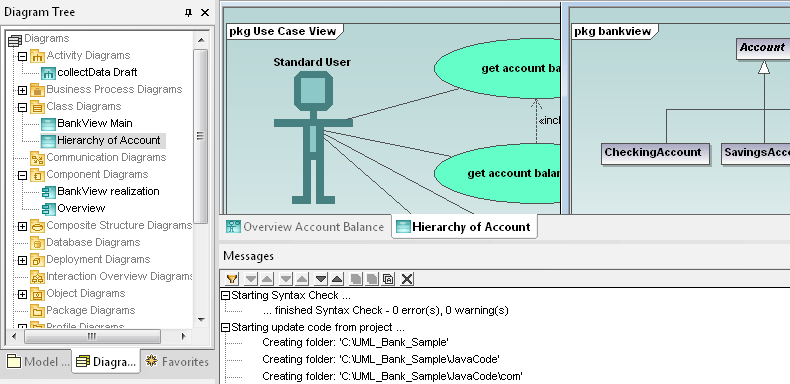
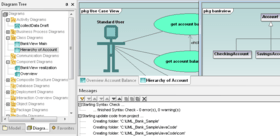
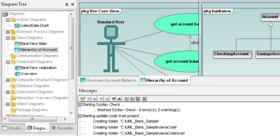
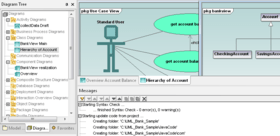
Visually design application models and generate Java or C# code. Altova UModel Professional Edition is an easy-to-use UML modeling tool. Visually design application models and generate Java, C# or VB.NET code and project documentation. Altova UModel Professional Edition also lets you reverse engineer existing programs into UML 2.1 diagrams then fine tune your designs and complete the round trip by regenerating code. UModel makes visual software design practical for any project.

UModel features the following diagram types and advanced modeling capabilities:
Use case diagrams
Class diagrams
Object diagrams
Sequence diagrams
Activity diagrams
State machine diagrams
Composite structure diagrams
Packages
Component diagrams
Deployment diagrams
Code generation in Java and C# languages
Reverse engineer existing Java or C# code
Round trip engineering – synchronize revisions to model or code
Shared subprojects
XMI 2.1 model interchange
UModel employs context sensitive entry helpers, syntax coloring, cascading styles, customizable design elements, multiple layout views, and unlimited undo/redo, coupled with premium modeling capabilities to allow developers, including those new to software modeling, to quickly leverage UML to enhance productivity and maximize their results.
Diagrams for a Range of Demands
UModel supports all the mainstream and most-requested UML 2.1 mechanisms, including diagrams for project requirements, data structures, activities and interactions, and application architecture, to satisfy a variety of modeling styles and yield immediate benefits to programmers, managers, and other project stakeholders.
For instance, the use case diagrams illustrate how an actor – the UML designation of any person or thing – interacts with the system. Use case diagrams can be created in brainstorming sessions that include programmers, managers, and end-users of the proposed system to define and communicate system requirements. Drawing use case diagrams in UModel during your analysis phase helps you record pictorial documentation of requirements that is understandable by programmers and non-programmers alike.
Shared packages created in UModel can also increase your project team’s efficiency. Shared packages are subprojects you can employ to simplify reuse of successful design strategies or to integrate large models created in parts by different members of your programming team.
Generate Code from Models
As you proceed beyond use case analysis, you will start to design functional aspects of the system with class diagrams, object diagrams, component diagrams, and deployment diagrams. UModel can generate your choice of Java or C# code from these diagram types, immediately accelerating your project.
Some developers use generated code from a quick sketch UML diagram to transition from the analysis and design phase to finished implementation in handwritten code. Others further refine, expand, and add detail to their UML models, then employ a greater amount of generated code in their projects.
Whatever method you choose, the Java or C# source code generated by UModel is compatible with Eclipse, Borland JBuilder, Microsoft Visual C# .NET, or Borland C#Builder and other popular development environments. UModel even includes a model syntax checker to detect drawing errors or inconsistencies before they are replicated downstream in code. The application source code created by UModel is defined in customizable templates you can modify to optimize for your compiler or target platform.
Create Models from Code
Altova UModel includes a reverse engineering capability for use in analyzing and extending your existing software applications. You can import Java or C# code and automatically generate UML models to render a graphical view of your program, its data structures, and their relationships. You can also use this technique to import existing class libraries and create diagrams then apply the libraries in new, modeled projects. Or, you can reverse-engineer an entire application to quickly understand it before extending its functionality.
If you currently use Altova XMLSpy or Altova SchemaAgent to build XML-centric applications or if you use Altova MapForce to address data translation demands, Altova UModel is a natural extension of your development tools arsenal. As you’d expect, UModel imports the Java or C# code generated by XMLSpy or MapForce and creates UML diagrams so you can model your XML Schema or data transformations as part of larger development efforts.
Your Round-Trip Ticket to Project Completion
As your project evolves, you may choose to make revisions and enhancements either by modifying your UML models or by editing and extending your generated code. UModel allows you to synchronize your changes either way. You can round-trip reworked Java or C# code to update your UML diagrams, or you can re-generate code from the latest version of your model.
At any time you can export any diagram as a PNG image file to include in your project documentation. You can even run UModel from the command line to perform repetitive tasks such as updating to the most recent version of a shared subproject included in your current project.
You can also export UModel projects as industry-standard XMI 2.1 files and you can import XMI 2.1 files created by other applications, allowing you to exchange models with other UML tools.
What's new in UModel 2013?
Support for UML 2.4
Support for SysML 1.2
Support for displaying .NET properties as UML associations
What’s new in UModel 2012 Release 2?
Support for code generation from UML sequence diagrams - This functionality greatly enhances UModel as a visual design and code generation tool, since the developer can insert entire code bodies in sequence diagrams and create a complete executable application, rather than a starting point that requires further hand-written code.
Support for logical files in IBM iSeries databases - Support for logical files in IBM iSeries databases allows users to map them as database views, along with iSeries tables and relationships in UML style database diagrams, and include them in documentation of UML software modeling projects.
What's new in Altova UModel 2012?
JDBC database driver support - In addition to ODBC and ADO drivers, UModel 2012 supports JDBC database drivers for database modeling. Users who acquire UModel as part of the Altova MissionKit can be assured of consistent functionality across products.
Visual alignment guides - UModel 2012 includes the same new horizontal and vertical alignment guides described in the MapForce section above. These guides permit users to quickly align elements in any UML, SysML, BPMN, or database diagram by dragging them in the drawing pane as an alternative to the Layout toolbar.
New Java API - The same features of the new Java API described above in the XMLSpy section are available in UModel 2012, allowing Java developers to directly access the Java API. New UModel 2012 API examples demonstrate API functionality much more extensively for all programming languages.
What’s new in UModel 2011r3?
Enhanced class diagrams for projects that generate .NET (C# and Visual Basic) application code
Enhanced support for code generated from state machine diagrams
Enhanced code generation options for XML Schemas
What’s new in UModel 2011r2?
Code generation from state machine diagrams
Stylesheets for project documentation
What’s new in UModel 2011?
Modeling SQL databases
As software applications interact with growing amounts of data, database designs and structures become critical to development of successful projects. UModel 2011 extends its software modeling functionality by adding a set of features to model popular relational databases along with programming language-based applications. The following database elements may be modeled in UModel 2011:
Database schemas
Tables
Views
Check Constraint element
Primary / Foreign / Unique keys
Index
Stored procedures
Functions
Triggers
Database Relationship Association
Teamwork support
Large software projects are often divided among multiple developers to shorten development cycles. This is especially useful for projects that must integrate with complex hardware interfaces or industry-specific standards. The graphical communication benefits of UML software modeling multiply as more developers work on a project, since the design representation of various sub-projects enhances communication across the development team. UModel 2011 supports teams working on large projects by allowing projects to be split up into multiple subprojects. Individual developers may simultaneously edit different parts of a single project. Each individual subproject can be added to a source control system. The top-level project, i.e., the project from which the subprojects are created, is the main project. Subprojects are created on the package level as individual UModel project files and have a *.ump extension. The screen shot below shows the UModel 2011 Model Tree helper window for a project that includes several sub-projects. Each subproject is identified by its individual file name. The UModel Generate Documentation feature allows users to optionally include subprojects in generated documentation, offering flexibility for individual developers to generate documentation for their own subprojects, and for project managers to automatically generate documentation for the full application.
3-way project merge
Starting with UModel 2011, a single UModel project can be split into multiple subprojects that can be edited by independent developers, with support check-in/check-out in source control systems. If multiple developers work independently on the same project file, a three-way merge allows them to easily combine changes into a single result.
State machine diagram, sequence diagram, and communication diagram enhancements
UModel 2011 includes new features to support operation call/event editing, and automatic creation of operations in transitions. Transitions in state machine diagrams can be selected from operations of a referenced class. Additionally, a new toolbar button for all three diagram types allows the user to enter a transition/message name and automatically create a corresponding operation in the referenced class.
What's new in Altova UModel Professional 2010 Release 3?
Support for C# version 4.0
Support for protocol state machine diagrams
Additional option for generating sequence diagrams from existing code
New diagram autolayout style
Support for saving very large diagrams as PNG image files
Support for C# 4.0
C# 4.0 is the latest version of the C# programming language, released by Microsoft along with Visual Studio 2010. UModel 2010r3 supports C# 4.0, both for generating code in C# 4.0 projects and for reverse-engineering C# 4.0 code to create UML models.
Protocol State Machine Diagrams
UModel 2010r3 supports protocol state machine diagrams as a new diagram type, with a specialized diagram toolbar. Protocol state machine diagrams are a subset of state machine diagrams that are limited to showing a sequence of events that an object responds to, without having to show the specific behavior. Protocol state machines are most often used to describe complex protocols, such as database access through a specific interface, or communication protocols such as TCP/IP.
New Sequence Diagram Option
In UModel 2010r3, users may now choose to ignore operation names when generating sequence diagrams from existing source code. The Sequence Diagram Generation dialog permits users to enter a comma delimited list of operations that will not appear in the generated sequence diagram. This allows developers working with existing source code to focus more specifically on features of interest.
New Diagram Autolayout Option
UModel 2010r3 adds a new diagram autolayout option called Block to the existing Force Directed and Hierarchical autolayout selections. Block autolayout can be selected from the Layout menu when multiple elements are selected in the diagram pane, or can be applied when diagrams are auto-generated from existing source code.
What's new in Altova 2010 Release 2?
Altova Software Version 2010 Release 2 (v2010r2) provides helpful new features across the product line, and most importantly, significant speed and performance enhancements for working with large XML files. Users will experience optimized loading times – up to 10 times faster – for files larger than 10 MB in Text View, and XML Schema-based validation is up to three times quicker in Text View. Users working in Grid View can experience significant speed increases, completing certain common operations (e.g., copy / paste, etc.) up to 100 times faster.
In addition, with v2010r2, native 64-bit versions of all MissionKit tools are now available. This allows Altova products to capitalize on the benefits of 64-bit operating systems such as Windows Vista 64-bit and Windows 7 64-bit, and, among other advantages, reduces limitations associated with working with very large files sized anywhere from 100 MB up to gigabyte-sized documents.
What’s new in Altova UModel 2010?
Automatically generate multiple sequence diagrams
Additional enhancements for diagramming, documentation generation, and code engineering
Windows 7 Support
What’s new in Altova UModel 2009?
Generation of Sequence Diagrams during reverse engineering
Integration with source control systems
Extensive API to allow external manipulation of UModel and UML projects
Support for the latest UML specification 2.2
Support for loading files from a URL
Numerous model diagramming enhancements
What’s new in Altova UModel 2008 Release 2?
Support for OMG Business Process Modeling Notation
Diagram layers
Enhanced autocompletion capabilities
Merging multiple projects
Support for Java 6.0, C# 3.0, and Visual Basic 9.0
Support for MS Visual Studio .NET 2008
Importing multiple XML Schemas from a directory
Convenient new diagramming refinements
UModel 2008, Altova's UML modeling tool, is now available in Enterprise Edition and Professional Edition and includes advanced integration and code support capabilities.
New features in UModel 2008 include:
UModel available in two editions - Enterprise and Professional Editions are now available.
Integration with Visual Studio and Eclipse (Enterprise Edition Only) - enables the use of UModel functionality directly from within their favorite multi-purpose IDE and automatically synchronize their model with the underlying code, and vice versa.
Support for VB.NET code generation and reverse engineering - now supports VB.NET code engineering in addition to Java and C#.
Save diagrams as images - allows users to save all diagrams as images in one single step.
Enhanced find and replace
Sequence diagram enhancements
What's new in UModel 2007 Release 3?
Automated generation of project documentation – This new feature allows users to create development project documentation in HTML, Word, or RTF formats. UModel 2007r3 users can apply settings to specify documentation contents, including UML diagrams, elements, and the level of detail to be included
XML Schema reverse engineering enhancements – Adding to UModel’s unique ability to reverse engineer XML Schema design (XSD) files into UML-style diagrams, v2007r3 supports documentation of ‘include’ and ‘import’ statements. For increased compatibility with the advanced schema design and editing capabilities of XMLSpy, UModel now also supports the same OASIS catalog files as XMLSpy
UML diagram enhancements – UModel 2007r3 includes a new Hierarchy helper window that can instantly display the relationship hierarchy of a class, allowing users to see properties and operations inherited from a parent or the existence of offspring. Additionally, UModel now supports the use of frames and headings in UML diagrams
Visually design application models and generate Java or C# code.
Pricing: Altova UModel 2013 Release 2 Professional Installed Users (1), Altova UModel 2013 Release 2 Professional Installed Users (5), Altova UModel 2013 Release 2 Professional Installed Users (10), Altova UModel 2013 Release 2 Professional Installed Users (20), Altova UModel 2013 Release 2 Professional Installed Users (50), Altova UModel 2013 Release 2 Professional + SMP (1 year) Installed Users (1) + SMP (1 year), Altova UModel 2013 Release 2 Professional + SMP (1 year) Installed Users (5) + SMP (1 year), Altova UModel 2013 Release 2 Professional + SMP (1 year) Installed Users (10) + SMP (1 year), Altova UModel 2013 Release 2 Professional + SMP (1 year) Installed Users (20) + SMP (1 year), Altova UModel 2013 Release 2 Professional + SMP (1 year) Installed Users (50) + SMP (1 year), Altova UModel 2013 Release 2 Professional + SMP (2 years) Installed Users (1) + SMP (2 years), Altova UModel 2013 Release 2 Professional + SMP (2 years) Installed Users (5) + SMP (2 years), Altova UModel 2013 Release 2 Professional + SMP (2 years) Installed Users (10) + SMP (2 years), Altova UModel 2013 Release 2 Professional + SMP (2 years) Installed Users (20) + SMP (2 years), Altova UModel 2013 Release 2 Professional + SMP (2 years) Installed Users (50) + SMP (2 years), Altova UModel 2013 Release 2 Professional SMP renewal (1 year) Installed Users (1) SMP Renewal (1 year), Altova UModel 2013 Release 2 Professional SMP renewal (1 year) Installed Users (5) SMP Renewal (1 year), Altova UModel 2013 Release 2 Professional SMP renewal (1 year) Installed Users (10) SMP Renewal (1 year), Altova UModel 2013 Release 2 Professional SMP renewal (1 year) Installed Users (20) SMP Renewal (1 year), Altova UModel 2013 Release 2 Professional SMP renewal (1 year) Installed Users (50) SMP Renewal (1 year), Altova UModel 2013 Release 2 Professional SMP renewal (2 years) Installed Users (1) SMP Renewal (2 years), Altova UModel 2013 Release 2 Professional SMP renewal (2 years) Installed Users (5) SMP Renewal (2 years), Altova UModel 2013 Release 2 Professional SMP renewal (2 years) Installed Users (10) SMP Renewal (2 years), Altova UModel 2013 Release 2 Professional SMP renewal (2 years) Installed Users (20) SMP Renewal (2 years), Altova UModel 2013 Release 2 Professional SMP renewal (2 years) Installed Users (50) SMP Renewal (2 years)
Evals & Downloads: Read the Altova License Agreement - Requires Acrobat Reader, Read the UModel help file, Download the Altova UModel 2013 Release 2 Professional evaluation on to your computer - Expires After 30 Days
Operating System for Deployment: Windows 7, Windows Vista, Windows XP, Windows Server 2003, Windows ME, Windows 2000, Windows 98, Windows NT 4.0
Architecture of Product: 32Bit, 64Bit
Product Type: Application
Built Using: MFC V4.2 / V6.0
Compatible Containers: Microsoft Visual Studio 2010, Microsoft Visual Studio 2008, Microsoft Visual Studio 2005, Microsoft Visual Studio .NET 2003, Microsoft Visual Studio 6.0, Microsoft Visual Basic 2010, Microsoft Visual Basic 2008, Microsoft Visual Basic 2005, Microsoft Visual Basic .NET 2003, Microsoft Visual C++ 2010, Microsoft Visual C++ 2008, Microsoft Visual C++ 2005, Microsoft Visual C++ .NET 2003, Microsoft Visual C++ 6.0, Microsoft Visual C# 2010, Microsoft Visual C# 2008, Microsoft Visual C# 2005, Microsoft Visual C# .NET 2003, Microsoft Visual InterDev 6.0, Microsoft Office 2003, Microsoft Office 2000, Microsoft Access 2003, Microsoft Access 2002, Microsoft Access 2000, Microsoft SQL Server 2000, Microsoft SQL Server 7.0, Microsoft Outlook 2002, Microsoft Outlook 2000, Microsoft Exchange Server 5.5, Microsoft Internet Information Server 5.0, Microsoft Internet Information Server 4.0, Microsoft Internet Explorer 10.0, Microsoft Internet Explorer 9.0, Microsoft Internet Explorer 8.0, Microsoft Internet Explorer 7.0, Microsoft Internet Explorer 6.0, Microsoft Internet Explorer 5.5, C++Builder 6, C++Builder 5, Delphi 7.0, JBuilder 9, JBuilder 8, Oracle 9i JDeveloper, .NET Framework 4.0, .NET Framework 3.5, .NET Framework 3.0, .NET Framework 2.0, .NET Framework 1.1, WebLogic Workshop, IBM DB2 8.x, Eclipse V3.3, Eclipse V3.1.2, Eclipse V3.0
Product Class: Component Development Tools, .NET Development Tool, Component Building Tools
Keywords: UModel, Altova UModel, Altova UModel Professional
Altova GmbH - The XML Spy Company
modeling modeled modelled modelling models model UML MDA
Code Creation Editing
Development
Flow Diagramming diagram diagrams flowchart
sourcecode Source Code Generators Generating generate generation
Analysis Design Modeling
Development Design Creating Making Components
Part numbers: PC-517387-486122 517387-486122 PC-517387-486124 517387-486124 PC-517387-486126 517387-486126 PC-517387-486128 517387-486128 PC-517387-486130 517387-486130 PC-517387-486132 517387-486132 PC-517387-486134 517387-486134 PC-517387-486136 517387-486136 PC-517387-486138 517387-486138 PC-517387-486140 517387-486140 PC-517387-486142 517387-486142 PC-517387-486144 517387-486144 PC-517387-486146 517387-486146 PC-517387-486148 517387-486148 PC-517387-486150 517387-486150 PC-517387-486152 517387-486152 PC-517387-486154 517387-486154 PC-517387-486156 517387-486156 PC-517387-486158 517387-486158 PC-517387-486160 517387-486160 PC-517387-486162 517387-486162 PC-517387-486164 517387-486164 PC-517387-486166 517387-486166 PC-517387-486168 517387-486168 PC-517387-486170 517387-486170
Mfr. Part No: U13P-I001 U13P-I001+M1 U13P-I001+M2 U13P-I005 U13P-I005+M1 U13P-I005+M2 U13P-I010 U13P-I010+M1 U13P-I010+M2 U13P-I020 U13P-I020+M1 U13P-I020+M2 U13P-I050 U13P-I050+M1 U13P-I050+M2 UP+M1-I001 UP+M1-I005 UP+M1-I010 UP+M1-I020 UP+M1-I050 UP+M2-I001 UP+M2-I005 UP+M2-I010 UP+M2-I020 UP+M2-I050

Autor
Categoría principal
Productos relacionados
Categorias relacionadas
ComponentSource ofrece un único servicio global, utilizado por más de 1.000.000 de desarrolladores en todo el mundo.