
SQLyog Ultimate
GUI 관리 도구로 MySQL 데이터베이스를 관리합니다.
- 백업을 예약하고, 시각적으로 데이터를 비교하며, 차이를 동기화합니다.
- 모든 ODBC 호환 데이터 소스에서 MySQL로 데이터를 전송합니다.
- MySQL에의 Direct 액세스를 위한 SSH 및 HTTP Tunneling
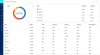
설명: Achieve comprehensive 24/7 MySQL and MariaDB monitoring. SQL Diagnostic Manager for MySQL (formerly Monyog) is an agentless monitoring application for MySQL or MariaDB. It finds and fixes database performance problems for MySQL and MariaDB in physical, ... 더 읽기
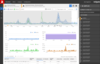
설명: Real-time PostgreSQL and SQL Server performance monitoring, with alerts and diagnostics. Redgate Monitor (formerly known as SQL Monitor) monitors the health and activity of your PostgreSQL and SQL Servers, providing you with intelligent alerts and ... 더 읽기

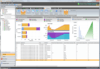
설명: 24x7 SQL performance monitoring, alerting and diagnostics. SQL Diagnostic Manager (SQLdm) provides diagnostic information on the health, performance, and status of SQL Server instances across your environment. You can view, diagnose, and report on ... 더 읽기
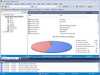
설명: Simplify database administration, maximize performance and availability. DBArtisan lets you maximize availability, performance and security of databases. It provides a consistent and unified view in one tool. Comprehensive graphical editors and wizards ... 더 읽기

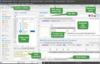
설명: Intuitive Oracle database tools. KeepTool contains tools designed to streamline design, administration and program development. It includes functionality for viewing tables, writing queries, comparing databases and debugging PL/SQL code. KeepTool includes ... 더 읽기

설명: MySQL manager and admin tool. SQLyog Ultimate is the most powerful manager, admin and GUI tool for MySQL, combining the features of MySQL Query Browser, Administrator, phpMyAdmin and other MySQL Front Ends and MySQL GUI tools in a single intuitive ... 더 읽기

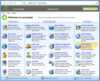
설명: Simplify and streamline day-to-day SQL administration tasks. SQL Admin Toolset is a set of essential desktop tools for monitoring, troubleshooting, administering and reporting on your SQL Servers. Reduce administrative tasks from hours to minutes and ... 더 읽기
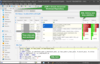
설명: Intuitive Oracle database tools. KeepTool contains tools designed to streamline design, administration and program development. It includes functionality for viewing tables, writing queries, comparing databases and debugging PL/SQL code. KeepTool includes ... 더 읽기
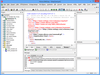
설명: A suite of XML, SQL, and UML Tools. Altova MissionKit is a software development suite of enterprise-class XML, SQL, and UML tools for information architects and application developers. MissionKit includes Altova XMLSpy, MapForce, StyleVision, and other ... 더 읽기
설명: A collection of tools to compare, synchronize, backup, analyze and more for SQL Server. SQL Toolbelt allows developers and DBAs to gain access to all the SQL Server tools that Red Gate currently produces, including new releases. This means that when you ... 더 읽기
전화 : 00798 14 800 6332
팩스 : +1 770 250 6199









 (1)
(1)
 (1)
(1)