Aurigma Image Uploader - Applet - V5.1 - Resumen

de Aurigma - Tipo de producto: Componente / Java Applet

Resumen

Aurigma Image Uploader Java by Aurigma

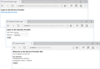
Cross-browser compatible uploading solution. Image Uploader for Java is a complete uploading solution for a website. It provides a website with a user-friendly uploading interface for multiple files. It is an ideal solution for online photo hosting or print order sites, CMS, etc. Image Uploader for Java is a true cross-platform solution and available not only for users of Internet Explorer/Windows, but also for users of other browsers (e.g. Mozilla Firefox) and platforms (such as Mac, Linux).

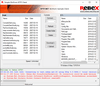
Image Uploader for Java is a Java applet which can be embedded into a page on you site and provide your visitors the ability to upload multiple files easily. They can navigate to their computer's folders, select files, and send them to your server with one click.

For image files, users can browse previews, and even rotate them. Also, depending on the settings, Image Uploader can generate resized versions of the image, e.g. small thumbnails, 640x480 web-friendly previews, etc.

During the upload, the progress bar is displayed. The users can exactly see how much time to wait until the upload completes. If the upload is interrupted, it can be resumed.

An applet can be installed at all platforms and browsers compatible with Java runtime v1.4. This way you can use it on Windows, MacOS, Linux, etc. on a big variety of browsers: Internet Explorer, Mozilla Firefox, Safari, etc.

Image Uploader is customizable. You can change the appearance by modifying colors, etc. In addition you can hide or show elements of the user interface elements according to your needs. If you are building an application for non-English speakers, you can easily localize Image Uploader to the any language you want. This exciting feature can help you to expand your user base. The translation to some languages is even already included in Image Uploader documentation.

You can extend Image Uploader features using additional HTML and JavaScript. In particular, you can upload additional data along with files (album name, author, user ID, etc). Another example of JavaScript usage would be displaying the user account quota (e.g. limitation for the file number or the account space), shopping cart for print orders, etc.

Main Features

Cross-browser compatible

Ability to switch between different views:

Thumbnails

Icons

List

Layouts: Three panes layout

Displays thumbnails for the images of these formats:

JPEG

BMP

GIF

Ability to specify a limitation for the total upload size, dimensions, uploaded files count, and single file size

Ability to specify filters for the file types

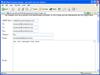
Ability to attach additional forms to the upload (input, select, and textarea fields)

Memory friendly even for huge number of uploaded files

Progress bar which indicates accurate information about the upload process

Full control of the uploading process via client scripts (including even custom progress bar)

Automatic recovery of the upload if a connection is broken

Generating up to three thumbnails of different sizes (on the client-side)

Ability to rotate an image at 90 degrees (on the client-side)

Files can be uploaded in separate requests. This means that if upload process was interrupted, the user will be able to resume it. They will not have to upload files which already have been uploaded

Support of non-image files

Ability to add descriptions to each file

Appereance customization

Fully adapted to be used at Windows XP SP2

International languages support: It is easy to localize Image Uploader user interface to other languages. Each text which can be displayed in Image Uploader can be changed. East Asian (Chinese, Japanese, Korean, etc) languages are fully supported too

Drag-n-drop support

Native look and feel for the user's platform

Code samples for the following platforms are available:

ASP (for several upload components)

ASP.NET

PHP

Perl

Cold Fusion

JSP (tested on Resin and Tomcat servers)

What's New in Aurigma Image Uploader ActiveX V5?

Both ActiveX and Java version improvements

Compression of files is now available, making Image Uploader even more bandwidth-friendly.

POST request format is now customizable to seamlessly integrate with CMSs, blogging systems, etc.

Progress bar placement behavior changed for the Advanced Details view. Now if you upload a single image, the progress bar appears in the list item of that specific image and not in the list item allotted specifically for progress indication.

Instant upload has been introduced for the Advanced Details view. You can specify that the upload start immediately after you drag the file into the upload pane.

You can now specify background image to display in the Advanced Details view.

Minimum file count for upload: if specified, the upload won’t start unless the minimum allowed amount of files are selected for upload.

Upload file list feature has been implemented. You can save\load\delete lists of files to be uploaded.

CMYK image upload restriction is now available. You can deny upload of CMYK images and show a relevant notification to the user each time they attempt uploads of CMYK images.

New upload control events added: PackageBeforeUpload, PackageError, PackageComplete and PackageProgress.

On-hover tooltips now can be displayed individually for the description of a file and for the line that prompts user to edit said description.

More MIME types are now recoginised from file extensions.

ActiveX version specific improvements

Windows Vista native view.

Java version specific improvements

Much more functionality has been carried over from ActiveX:

Same version numbers as the ActiveX version from now on.

Now both horizontal and vertical spacing is available.

Thumbnail controls border color are now customizable.

Pane border styles are now customizable.

Folder change warning text feature implemented.

Sun JIMI image processing library is no longer used. ImageIO library is used instead as being much more stable.

What's New in Aurigma Image Uploader V4.x?

NEW Aurigma Image Uploader Dual including both ActiveX and Java versions:

Both Versions Improvements

New demo applications:

Basic Demo Sample

User Quota Sample

Optimized Upload Sample

Photo Order Sample

Localization Sample

Concurrent Upload Sample

Open File Dialog Sample

Multiple Descriptions Sample

Robust Upload Sample

Watermark Sample

Server Imaging Sample

Demo applications for new platforms are added:

Python

Ruby

New features in the iuembed.js helper script:

Eliminates necessity to activate Image Uploader controls by clicking them when Internet Explorer security update 912945 is installed.

Incorporates ability to detect whether ActiveX version of Image Uploader is already installed.

Includes wrappers for new controls, i.e.:

ThumbnailWriter

UploadPaneWriter

ShellComboBoxWriter

Includes new members

getHtml method - returns HTML code which embeds Image Uploader to the page property (unlike writeHtml that will write this code directly into the page).

activeXClassID, activeXProgID, javaAppletJarFileName, and javaAppletClassName properties - configures private-label versions of Image Uploader, allowing to use standard iuembed.js with them.

showNonemptyResponse - specify whether to display server response. This property is an additional debugging facility.

Java Version Improvements

New features:

Add Files and AddFolders buttons in the OnePane layout.

Increased speed of thumbnail generation.

Ability to upload files to several URLs in the same upload session. For example, if you have two storage servers, you can set two URLs that will alternate each other for each POST request in the upload session.

More image formats are supported:

BMP

TIFF (partially)

PCX

PSD

API changes (all these properties are already exist in ActiveX version):

Added the AddFiles and AddFolders methods, as well as appropriate buttons when OnePane layout is used.

Added the AllowAutoRotate property (EXIF-based automatic photo rotate if it has wrong orientation).

Added the DeniedFileMask property (file mask for files denied for the upload).

Added the DescriptionsReadOnly property (whether descriptions are editable).

Added the ExtractExif and ExtractIptc properties (a list of EXIF or IPTC fields to extract and upload as separate POST variables).

Added the FolderPaneAllowRotate and UploadPaneAllowRotate properties (toggle an ability to rotate images in the folder and upload pane accordingly).

Added the FolderPaneShowDescriptions and UploadPaneShowDescriptions properties (toggle descriptions in the folder and upload pane accordingly).

Added the GoToFolder and CanGoToFolder methods (used to navigate folders through JavaScript).

Added the ProgressDialogPreviewThumbnailSize property (size of the preview thumbnail on the progress dialog).

Added the ShowSubfolders property (toggles visibility of subfolders in the folder pane).

Added the UploadFileXXX methods and properties that provides access to files added to the upload list.

Added new applets:

ShellComboBox

Thumbnail

UploadPane

The EnableRotate property is renamed to AllowRotate.

PartNumbers: PC-516132-142977 516132-142977 PC-516132-142978 516132-142978 PC-516132-142979 516132-142979 PC-516132-142980 516132-142980

Publisher PartNumbers: 213 214 215 216

PurchaseOptions: Image Uploader for Java V5.1 1 Single Domain License (Java) , Image Uploader for Java V5.1 1 Single IP License (Java) , Image Uploader for Java V5.1 1 Single Domain Upgrade License (Java, Upgrade from Version 2.x) , Image Uploader for Java V5.1 1 Single IP Upgrade License (Java, Upgrade from Version 2.x)

Resources: Read the Aurigma Image Uploader Dual help file, Read the Aurigma Image Uploader Dual end user license agreement, Download the Aurigma Image Uploader Dual V5.1 evaluation on to your computer - Limited to Localhost

Operating System for Deployment: Windows Vista, Windows XP, Windows 2000, Windows 98, RedHat Linux 9.x, SUSE Linux 8.x, Mac OS X

Architecture of Product: 32Bit, MAC

Product Type: Component

Component Type: Java Applet

Built Using: Java 2 SDK (JDK 1.4)

Compatible Containers: Microsoft Internet Explorer 6.0, Microsoft Internet Explorer 5.5, Microsoft Internet Explorer 5.0

Product Class: Business Components

Search Items: New Product July 05, New Product Aug 05, New Product Sep 05

Keywords: AurigmaInc.formerlyCOMobjects.NET upload uploading uploaded download downloading downloaded transfer transferring transferred Professional Partner Aurigma Image Uploader Java

Búsqueda de productos

Escriba palabras de búsqueda:

Enlaces

Award