Automated-SQL-Builder - ActiveX (.NET Ready) - V3.2.3

by SBS Development - 상품타입: Component / ActiveX OCX

주의 : 이 제품정보에는 한글안내가 포함되어 있지 않습니다.
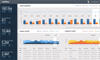
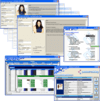
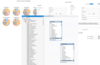
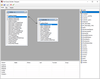
Automated-SQL-Builder - ActiveX  - V3.2.3 의 스크린샷Give your Client-Server and Web Application users the ability to create and execute their own queries. The Automated-SQL-Builder is an ActiveX Control that can be used to provide any application with user Querying capabilities, providing a powerful addition to your overall reporting solutions. The Control contains a Tool that allows users at all technical levels to seamlessly create and execute ‘SELECT’ SQL queries in a very intuitive and natural way.

평균  Automated-SQL-Builder - ActiveX  - V3.2.3 의 평균 리뷰 스코어  1 리뷰.

675,400₩
통화 선택

일반 적인 소비자 가격은 하기에 표시되어 있습니다. 고객님의 할인가격은 표시 하시려면 로그인 해주시기 바랍니다.

Automated-SQL-Builder V3.2.3 - Internal Usage within Your Own Organization

주문 ₩ 675,400 1 Developer License 다운로드 (10.8 MB)
주문 ₩ 404,700 1 Developer Upgrade License from previous version 확인 다운로드 (10.8 MB)
주문 ₩ 1,352,100 4 Developer Team License 다운로드 (10.8 MB)
주문 ₩ 2,028,800 8 Developer Team License 다운로드 (10.8 MB)
주문 ₩ 6,765,900 1 Site Wide License (Allows Unlimited Developers at a Single Physical Address) 다운로드 (10.8 MB)

Automated-SQL-Builder V3.2.3 - Internal & External Usage both inside and outside Your Own Organization

주문 ₩ 1,081,400 1 Developer License 다운로드 (10.8 MB)
주문 ₩ 540,000 1 Developer Upgrade License from previous version 확인 다운로드 (10.8 MB)
주문 ₩ 2,164,200 4 Developer Team License 다운로드 (10.8 MB)
주문 ₩ 3,246,900 8 Developer Team License 다운로드 (10.8 MB)
주문 ₩ 10,826,200 1 Site Wide License (Allows Unlimited Developers at a Single Physical Address) 다운로드 (10.8 MB)
주문 ₩ 440,700 1 Developer Upgrade License from Internal Usage License 확인 다운로드 (10.8 MB)

본 제품은 GSA Schedule 가격으로 제공해 드릴수 있습니다.가격에는 ComponentSource의 기술지원 요금이 포함되어 있습니다. 또한 다운로드 판매를 하고 있는 상품의 대부분은 온라인 백업요금이 포함되어 있어서 구입날로부터 30일 이내에 새로운 버전이 발매된 경우 무료로 업그레이드해 드리고 있습니다.  모든 주문에 대해서 당사표준 계약조건 반품조건 의 내용이 적용됩니다. 다음의 경우,고객 서비스로연락하시기 바랍니다. (상기의 리스트에 게재되지 않은 대량의 라이센스나 구 버전 등의 라이센스 옵션이 필요한 경우)

일반 적인 소비자 가격은 상기에 표시되어 있습니다. 고객님의 할인가격은 표시 하시려면 로그인 해주시기 바랍니다.

What's new for V3.2x?

  • New feature added to support alias tables and fields
  • Performance improvements when searching for selected field criteria values
  • New Event: QueryModified fires whenever the SQL has been changed by the user and returns a copy of current SQL
  • New Event: SearchFieldValueCriteria fires when the value search criteria button is clicked and provides an opportunity to add values. Ideal when operating in unbound mode
  • New Method: ASBGetAliasQuerySQL used to return a copy of the current alias SQL
  • New Method: ASBGetQuerySQL used to return a copy of the current Database SQL
  • New Property: ASBCriteriaValueMaxRecords used to limit the number of criteria values returned by the combo
  • New Property: ASBCriteriaValueSortAsc used to sort the combo's criteria values (desc/asc)
  • UI modified to better accommodate different languages
  • Various bug fixes (See product history file for details)

What's new for V3.1 ?

  • New Facility added to change the control's User Interface language from English (default) to your local language or a language of your choice
  • Improved Control load performance when connecting to large and complex databases

What's new for V3.0 ?

ASB V3.0 incorporates many new features and enhancements that further compliment previous versions of ASB, including the ability to use the control in both Web and Client/Server applications, an improved XP look and feel, an enhanced GUI that is both simple and intuitive to use, the ability for the user to manually edit the assembled SQL using the new SQL Scratch pad, enhanced Database support, improvements to .NET interop, as well as many new Developer features and enhancements.

  • Internet enhanced and enabled. Including Digital Signature and marked Safe for Scripting & Initialisation
  • New improved GUI that is even more intuitive to the user and offers a new and fresh XP look & feel
  • Enhanced functionality & flexibility to cater for users at all levels
  • Ability for users to manually edit the assembled SQL using the newly added SQL Scratch Pad. Edited SQL can be executed in the same manner as assembled SQL. Users can also save and call up previously saved SQL
  • Improved WHERE criteria grid, now makes it even easier for users to edit Query criteria by allowing them to optionally select only the Fields that contain criteria
  • Users can now Shrink and Expand the SQL Window & WHERE criteria grid, making it easier for users to read and edit assembled Queries
  • Users can now change the order of Selected Fields easily without having to deselect & reselect them
  • Enhanced support for ANSI-92 compliant Databases, including improved interaction with Oracle 9i and above
  • Enhanced Database Connection options & improved Database Connection performance
  • Position the ASB Form anywhere on the screen, hide it and set its focus using any of the new Left, Top, Visible and Set Focus Properties and Methods
  • Enhanced reporting features that allow the built in Excel export feature to be triggered at any time, providing that assembled user SQL and active Connection are available
  • COM interop. enhancements including a fix for the .NET Framework 1.1 (sp1) Object type cannot be converted to target type runtime error
  • Enhanced Component Model which is even more intuitive and flexible to the Developer, includes many new Properties, Methods and Events as well as enhancements to existing ones
  • Enhanced demo applications including both Web & Client/Server demo apps
  • Includes detailed example code for VB6, VB.NET, VBScript, ASP.NET and C#.NET languages
  • Fixes to all known ASB 2.0.5 bugs

The Control contains a Tool that allows users at all technical levels to seamlessly create and execute SELECT SQL queries in a very intuitive and natural way.

No prior SQL knowledge is required, as the Tool automatically takes care of building the underlying SQL Syntax. The Tool also attempts to predetermine the users query requirements, by making assumptions based on a combination of the previously added criteria and query operators selected by the user.

"first for any Query Building Component on the Market today"

The above approach delivers truly flexible and feature rich querying capabilities to users and ensures that the assembled SQL Syntax is always correct.

The Control also features a rich array of Properties, Methods and Events, that can be used to manage the functionality available to users and the way that the tool should interact with your application.

Developer Features

  • Support for virtually any SQL ANSI-92 Database, including Oracle, DB2, MySQL, MS Access, and SQL Server
  • Internet enhanced and enabled. Including Digital Signature and marked Safe for Scripting & Initialisation
  • Bind Control to a Database Connection at Design time via the Connection Property page or at Run-time by providing the necessary Connection arguments
  • Work in Bound (Database Connection) or Unbound (No Connection) mode
  • Select the Tables and Views that you wish to expose to the user
  • Add/Remove Tables and Fields at run-time
  • Position the ASB Form anywhere on the screen, hide it and set its focus using any of the new Left, Top, Visible and Set Focus Properties and Methods.
  • Restrict user functionality by utilizing the control's comprehensive array of Properties, Methods and Events
  • Utilize Control in new or existing Applications and have it working in minutes
  • Control exposes User generated SQL string and query results in the form of an ADO Recordset
  • .NET Compatible

User Features

  • Fresh XP look & feel
  • Select Tables/Fields
  • Ability to create Table Joins
  • Support for Where and Having conditions
  • Search Database for available Field values
  • Automated assumptions based on a combination of the previously added criteria and query operators selected by the user
  • Assumptions can be edited using the versatile edit WHERE grid
  • Support for Group By Clause
  • Support for Order By Clause
  • Ability to build Calculated Fields
  • Open, Save and Delete queries
  • Manually edit a copy of the assembled SQL using the SQL Scratch Pad
  • View Query results
  • Export Query results to Excel

상품검색

검색어를 입력해주세요:

Quick 링크

개발처/발매처

주요 카테고리

관련 상품

관련 카테고리