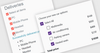
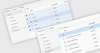
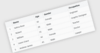
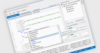
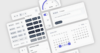
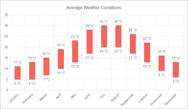
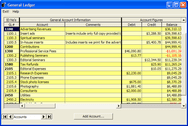
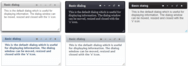
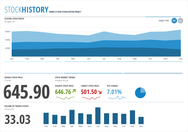
Screenshot Preview

BCGControlBar Library for .NET - Summary

by BCGSoft - Product Type: Component / .NET WinForms / .NET Class / 100% Managed Code / Source Code

Summary

BCGControlBar Library for .NET by BCGSoft

URLs: bcgcontrolbar-net, bcgcontrolbar net, bcgcontrolbarnet, bcgsoft

Create .NET applications with an user interface similar to Microsoft Office 2000, XP, 2003, 2007 or Windows XP, Vista and other well-known products. BCGControlBar Library for .NET includes fully-customizable Office 2000/XP/2003/2007-style toolbars and menus, grid, VS 2005-style docking bars, auto hide control bars, MDI tabs, flexible visualization managers and more. BCGControlBar Library for .NET is 100% managed code toolkit written in C++/CLI and targets Microsoft .NET Framework version 2.0 or higher. The library contains a number of highly customizable, fully designable components that enable you to create the most sophisticated user interface. BCGControlBar Library .NET includes a free one year subscription that entitles you to e-mail technical support, patches and upgrades.

Overview

BCGControlBar for .NET ("Business Components Gallery ControlBar") is a 100% managed code toolkit written in C++/CLI and targets Microsoft .NET Framework version 2.0 or higher. The library contains a number of highly customizable, fully designable components that enable you to create the most sophisticated user interface. The library includes fully-customizable Office 2000/XP/2003/2007-style toolbars and menus, grid, VS2005 style docking bars, auto hide control bars, MDI tabs, flexible visualization managers and more:

1. Visual Managers:

You can use the following visual styles:

Office XP / Visual Studio.NET 2003

Office 2003

Visual Studio 2005

Office 2007 (with Blue, Aqua, Gray and Silver themes)

2. Office/Visual Studio-style Toolbars and Menus:

Full, Quick and Alternative customization.

Built-in 'Customize' dialog with Image Editor

Edit box and combo box buttons:

Built-in support for 'Toolbars' menu

Drop-down palettes

Extendable architecture enables you easily create custom button types

Command-oriented design. You can assign a single command to several toolbar and menu buttons. You can manage command properties via properties of selected button and get all related toolbar and menu items updated at once. At the same time you can customize appearance of individual buttons.

'ExecuteCommand' event (an event sent by the framework when user clicks a button) can be handled either for each button (command) individually, or in one central place

Scrollable menus

Automatic generation of 'disabled' images

Owner-draw buttons

Support for 'Item lists'. Item list is an automatically expanded menu item which is present as a single item in customize mode or design time (like list of Windows in MDI application) * Support for idle processing. You can process events fired for each button at idle time and immediately update button state.

Ability to customize popup menus on the fly

Support for 'rarely used' commands

Persistent state

3. Docking control bars

'Smart' (VS 2005-like) docking

'Standard' (VS.NET 2003-like) docking:

Nested docking:

Auto hide bars

Tabbed groups

Built-in support for 'Window Position' menu

Close, Pin and Window Position buttons can be added and removed at runtime. Support for custom caption buttons

Support for Tabbed Documents (for applications with MDI Tabs only)

Customizable caption height (in docked and auto hide state)

Accurate state (dockable-floating-auto hide) transition

Borders around docking control are properly drawn by the framework for each visual style. At the same time you can customize border size for individual controls

Persistent state

4. MDI Tabs

MDI Forms are automatically added to MDI Tab group

Multiple tab containers divided by splitters (not implemented in the first release)

Automatic integration with 'Windows' menu

Built-in context menu, which can be customized on the fly

MDI Tab groups can be customized at design time and at runtime via a separate component 'MDITabsOptions'. You can change MDI Tab group appearance, tab layout and tab alignment.

It's possible to display two icons (right and left of the text) for each MDI Tab

5. Tab Control

Fully designable 'tab strip' and 'tab' controls

Horizontal and vertical alignments:

It's possible to set two images (right and left) to a tab item:

Various visual styles (including Excel, VS 2005 and others)

Tab Strip control can be 'detached' from control area. Each tab item has a property 'RelatedControl', but it's not necessary to set this property. In this way you can perform any actions just responding to SelectedTabItemChanged event.

Support for custom color themes

TabDrawManager is separated from Visual Managers. You can provide your own drawing algorithms and still use standard color themes.

Several layout types (Fixed, Compressed, Auto Size and more)

6. Property List Control

It implements the functionality of a list control that displays a hierarchical list of editable properties.

The following data types are supported by control out of the box: String Numeric Double List of options (combo box) Boolean Color Font In addition, a developer can provide own data types.

7. Enhanced Tooltips: The library provides an easy way to implement advanced multi-line tooltips with custom colors, rounded shapes and icons. In addition, a developer can use the standard balloon-style tooltips along with the library GUI elements such as toolbars, menus, tab controls and create custom owner-draw tooltips.

8. Office-style Outlook (Shortcuts): Bar Outlook Bar is a navigation pane similar to the navigation pane found in Microsoft® Office 2003.

9. Ribbon Control

The following gadgets are supported by the Ribbon Control:

Button

Button group

Menu button and split menu button

Separator

Label

Check box

Color picked

Font picker

Edit box

Track bar

Gallery

Gallery-based combo box

The Ribbon Control implements the following features:

Full Microsoft® Visual Studio® 2005 designer support

Smart panel layout. You can design panels (category items in terms of the library) with elements aligned vertically (by column), or horizontally (by line)

Each ribbon element (button) supports three collapse states: Large, Intermediate and Small

Collapsible category items. When there is no space to display all panel elements, the panel is collapsed to a default button and displayed on popup menu

Scrollable categories. When there is no space to display all category items in collapsed state, the parent category displays scroll bars

Context category groups. Each context category group may contain of one or more category items and may be assigned one of 8 predefined colors

Quick Access Toolbar (QAT).You can place frequently used commands on QAT. It is possible to put on QAT commands that are not located in Ribbon

QAT Customization. A flexible mechanism allows you to integrate your own forms (options) with library-defined Customization form and show them all together in combined Options dialog

Launch buttons - small elements that can be added at the right bottom corner of a category item and may be set to execute commands logically common for the parent category item

Gallery control. Gallery is encapsulated in a special toolbar button-derived object. A gallery may be in-Ribbon and popup. Popup menu can display a gallery along with regular popup menu items. A popup menu, which displays a gallery may be resizable

Gallery may work in so called "menu mode". Galleries behave in "menu mode" like regular popup menus with exception that such popup menu can be resized, can display scroll bar and can display checked items

You can easily create owner-draw galleries

Main Application Button

Customizable status bar

Persistent state

BCGGrid for .NET : You can use this advanced grid control in various applications, ranging from basic grids and simple reports to complex Excel like applications

General features

Unlimited number of items in a row.

Unlimited number of rows.

Single and multiple row selection.

Single and multiple column selection.

Single and multiple item selection.

Sorting by single or multiple columns.

Hide / Show Columns.

Drag and drop of columns.

Integrated Field Chooser.

In-place field editing.

Keyboard navigation.

Extended tooltip support / in-place tooltips

Column resizing.

Row resizing - variable row height.

Automatic column resizing.

Row headers with or without row numbers.

Read only mode.

Preview Pane support.

"Select All" box.

Mouse wheel support.

Print support.

Cell Types

Text

Masked text

Password

Numeric

Image

Image and Text

Check box

Combo box

Command button

Date time picker

Spin control

Push button

File browser

Folder browser

Font browser

Hyperlink

Image list

Color picker

Custom cell types

Virtual Mode

Ability to set number of rows in advance.

Events requesting data only when the data has to be displayed.

Sorting in virtual mode.

Editing in virtual mode.

Ability to define Visual Styles for individual cells in virtual mode.

Grouping support / Report control

Drag and drop of column headers to Group By box.

Show or hide Group By box.

Multi column tree.

Customizable group rows.

Single and multiple selection.

Column auto resize.

Ability to display "new row" in Group mode.

Ability to delete a group with all sub-rows.

Filtering

Single filter mode - filter flag is set at the row level.

Multiple Filter mode - filter flag is set at item level.

Ability to hide filtered out rows.

Ability to set height to 0 for filtered out rows.

Merged Cells support

Data bound grid

Ability to bind to any data source at design or run time.

Ability to combine data bound and unbound columns in one grid.

Grouping support for data bound grids

Delete rows and groups.

"New row" support.

Color Themes

Support for all standard color themes: Office XP, Office 2003, Visual Studio 2005, Office 2007 (Blue, Black, Silver, Aqua)

Support for custom color themes

Visual Style serialization - persistent visual styles

Special visual style for alternative rows.

Microsoft Excel-style Grid control

Authentic Excel look and feel.

Automatically generated rows and columns.

Load and Save grid content (data).

Export to HTML and RTF (currently implemented in example)

Sorting by moving data between rows.

Cell borders - thick and thin borders with different line styles.

Text over floating - text is drawn over adjoining cells if they are empty.

Text wrapping and trimming.

Edit control is extended over adjoining cells as you type.

Ability to define Visual Styles for individual cells. A Visual Style includes: gradient background color, text color, font, formatter, border style, content alignment and more.

Variable row height.

Table style formatting.

Other features

Ability to assign one data storage to several grids

Events allowing to synchronize grids working with the same data.

Visual Style Editor, which allows to Save and Load visual themes.

Layered architecture - visual styles of all cells are assembled from Visual Styles assigned to item->column->row.

Large number of customization features and options.

Full designer support.

Calendar bar control

Single and multiple month mode

Multiple day selection

Display week numbers

Display "Today" button

Caption with gradient fill

Navigation menu

Owner draw

What's New in BCGControlBar Library for .NET V5.0?

New Features

Support for Visual Studio 2010 with SP1

Implemented new visual style: Microsoft Office 2010 style

Implemented BackstageView control and supported controls. You can use this control in various applications in conjunction with the RibbonControl and Microsoft Office 2010 style. Full designer support has been added as well

Added "Basic MDI Tabs" feature. You can use this feature if you want to provide MDI Tabs control along with the ability to arrange MDI child windows within the client area

MdiTabsOptions component has a new property TabsMode. You can use this property to enable either standard "MDI Tabs" or "Basic MDI Tabs" without any additional code

CommandBarManager has a new property CanShowNewToolbars. You can set this property to true if you want to display newly created toolbars regardless of loaded state from xml file

All samples and source projects provide solutions for Microsoft Visual Studio 2010.

The following new examples have been added:

BackStageViewExample - illustrates BackStage View

BasicMDITabsDemo - illustrates the new MDITabs feature

MSOffice2007Sample example has been modified to illustrate Microsoft Office 2010 styles

Fixes

Fixed some problems with mouse wheel handling in RibbonControl on 64-bit systems

A few hardcoded strings are localizable now

Fixed some misprints within localizable strings

Fixed a design-time problem with RibbonControl - now it shows correct style on opening designer

Fixed a problem with tooltips location and minimized RibbonControl location on mutli-monitor systems

Fixed some serialization problems - a maximized window is restored properly now

Fixed problems with painting text on "glass"

ToolbarGalleryButton and ToolbarLinkLabel classes have been marked a serializable

Fixed design-time issues with "RibbonCommands" editor. Now it displays only design-time components

What's New in BCGControlBar Library for .NET V4.0?

Grid Control: New Grid Control BCGGrid for .NET

Vista Aero glass support for Ribbon control

Calendar bar control

What's New in BCGControlBar Library for .NET V3.2?

New ToolBox control

New Desktop Alert control

New Ribbon gadgets

New examples

What's New in BCGControlBar Library for .NET V3.1?

TasksPane Control implements the functionality of a list of clickable items, similar to Microsoft Office Task Pane

KeyTip support for Ribbon Control

Ribbon Minimize feature

Progress Bar Control, which supports Office 2007 look

Progress Bar button for Ribbon Control

New TasksPane sample

DockManager raises a new cancelable event CloseDockingPane. You can subscribe to this event to be notified when a Docking Pane is about to be closed

ToolbarButton has a new virtual method GetKeyTipRect. It can be overridden to customize the appearance of Key Tip

ToolbarButton has two new properties KeyTip and KeyTipSplit. You can use these properties to define Key Tips for Ribbon applications

What's New in BCGControlBar Library .NET V3.0?

1. Ribbon Control: Including Ribbon Panels, Ribbon Customization, Ribbon Launch button, etc..

2. Localization Support: You can translate the library and your applications to different languages and switch between them at runtime.

Fixes:

The library infrastructure has been changed to accommodate the new Ribbon interface.

CommandPanel and any other control derived from it can work in "component mode". In the "component mode" the panel itself is not visible and renders its command objects on the parent container's surface.

Docking pane correctly updates its caption in various states (docked, floating, tabbed, auto-hide) when the Text property has been changed.

License manager checks the license properly when the library is running under system account.

Various fixes that improve design-time experience.

Create .NET applications with an user interface similar to Microsoft Office 2000, XP, 2003, 2007 or Windows XP, Vista and other well-known products.

Pricing: BCGControlBar Library for .NET Edition 5.0 - Source Code and 1 Year Subscription Included 1 Developer Subscription License per Developer 1-4 Developers, BCGControlBar Library for .NET Edition 5.0 - Source Code and 1 Year Subscription Included 1 Developer Subscription License per Developer 5-10 Developers, BCGControlBar Library for .NET Edition 5.0 - Source Code and 1 Year Subscription Included 1 Developer Subscription License per Developer 11-20 Developers, BCGControlBar Library for .NET Edition 5.0 - Source Code and 1 Year Subscription Included 1 Corporate License (Allows unlimited developers inside a single company), BCGControlBar Library for .NET Edition V5.0 - 1 Year Subscription Included 1 Developer Subscription License, BCGControlBar Library for .NET Edition V5.0 - 1 Year Subscription Included 1 Developer Subscription License per Developer 5-10 Developers, BCGControlBar Library for .NET Edition V5.0 - 1 Year Subscription Included 1 Developer Subscription License per Developer 11-20 Developers, BCGControlBar Library for .NET Edition V5.0 - 1 Year Subscription Included 1 Corporate License (Allows unlimited developers inside a single company), BCGControlBar Library for .NET with Source Code Subscription Renewal 1 Developer Subscription Renewal License, BCGControlBar Library for .NET with Source Code Subscription Renewal 1 Corporate Subscription Renewal License, BCGControlBar Library for .NET Subscription Renewal 1 Developer Subscription Renewal License, BCGControlBar Library for .NET Subscription Renewal 1 Corporate Subscription Renewal License

Evals & Downloads: Read the BCGControlBar Library for .NET Help File, Browse the BCGControlBar Library Screenshot Web page, Download the BCGControlBar Library for .NET Demo on to your computer, Download the BCGControlBar Library for .NET V5.0 evaluation on to your computer - Expires after 30 days

Operating System for Deployment: Windows Vista, Windows XP, Windows Server 2003, Windows 2000

Architecture of Product: 32Bit, 64Bit

Product Type: Component

Component Type: .NET WinForms, .NET Class, 100% Managed Code, Source Code

Compatible Containers: Microsoft Visual Studio 2010, Microsoft Visual Studio 2008, Microsoft Visual Studio 2005, Microsoft Visual Basic 2010, Microsoft Visual Basic 2008, Microsoft Visual Basic 2005, Microsoft Visual C++ 2010, Microsoft Visual C++ 2008, Microsoft Visual C++ 2005, Microsoft Visual C# 2010, Microsoft Visual C# 2008, Microsoft Visual C# 2005, .NET Framework 4.0, .NET Framework 3.5, .NET Framework 3.0, .NET Framework 2.0

Product Class: User Interface Components

Keywords: BCGControlBar, BCGsoft, BCGControlBar Library for .NET

BCGSOFT BCG

Product Suites Suite bundles bundle

Button Cursor Buttons Cursors

date dates pickers pick

datagrid controls, datatable controls, datagrid components, datatable components, datagrid, data grid, data table, net gridview, net datagrid, data grid, grid control, net datatable, c# gridview, c# datagrid, asp.net datagrid, grid asp, vb.net datagrid

treeview, list, tree view, tree-view, list-view, listview, listbox

Resizing resize resizes size sizing scaling scale

Toolbar tool bar tool-bar Toolbars Menu Menus Ribbon Ribbonbar

User Interface UI

User Interface Collections UI

planning plan scheduling schedule schedules scheduler

Calendar calendaring calendars Scheduling Schedule Schedules

Popup Pop up pop-up Alerts Alert alerting alerted

Part numbers: PC-527927-397182 527927-397182 PC-527927-397184 527927-397184 PC-527927-397186 527927-397186 PC-527927-397188 527927-397188 PC-527927-397190 527927-397190 PC-527927-397192 527927-397192 PC-527927-397194 527927-397194 PC-527927-397196 527927-397196 PC-527927-397198 527927-397198 PC-527927-397200 527927-397200 PC-527927-397202 527927-397202 PC-527927-397204 527927-397204

Product Search

Enter search words:

Why buy from ComponentSource?

ComponentSource offers a unique global service, used by over 1,000,000 software developers worldwide.

More Info | About Us

Screenshot Gallery

Click for full screen preview

Screenshot of BCGControlBar Library for .NET - .NET Edition - V5.0 Screenshot of BCGControlBar Library for .NET - .NET Edition - V5.0 Screenshot of BCGControlBar Library for .NET - .NET Edition - V5.0 Screenshot of BCGControlBar Library for .NET - .NET Edition - V5.0 Screenshot of BCGControlBar Library for .NET - .NET Edition - V5.0
Award Award