by Codejock Software - Product Type: Component / ActiveX OCX / ActiveX EXE / ActiveX DLL / DLL / VB Class Library / ActiveX Designer
Codejock Xtreme Suite Pro by Codejock Software
URLs: codejock-xtreme-suitepro-activex, codejock xtreme suitepro activex, codejockxtremesuiteproactivex, codejock
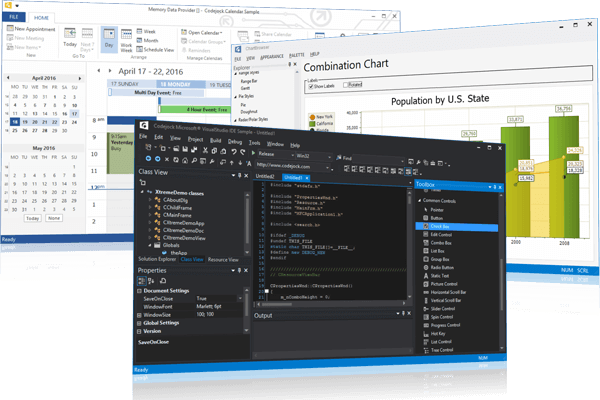
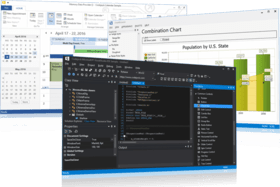
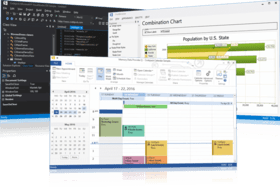
Give your application a professional, modern appearance with toolbars, menus, docking, property grid, reporting and calendar functionality. Codejock Xtreme SuitePro provides Windows developers with a sophisticated set of components to give your application a professional, modern appearance. Xtreme Suite Pro combines seven components, Xtreme Controls, Xtreme CommandBars, Xtreme Docking Pane, Xtreme Property Grid, Xtreme Report Control, Xtreme Chart Pro, Xtreme Calendar, Xtreme ShortcutBar, Xtreme SyntaxEdit, Xtreme Skinframework, and Xtreme Task Panel. With Xtreme Suite Pro you can create enterprise class applications that incorporate a full set of highly customizable user interface components that include Microsoft Office style toolbars and menus. Several popular visual styles are included such as Microsoft Office XP, Office 2003, Office 2007, Office 2010 and Visual Studio .NET.
Xtreme Chart Pro
Xtreme Chart Pro is an advanced chart library for Windows software development. Codejock Xtreme Chart Pro ActiveX includes the following chart types: area, bar, bubble, candle stick, line, fast line, funnel, pyramid, gantt, high low, pie, point, range bar, spline area, stacked area, stacked bar, stacked spline, 100% stacked bar, 100% stacked area, side-by-side stacked bar, scatter line, step line, stacked spline area, doughnut, 3D pie, 3D doughnut, 3D torus, 3D pyramid and rotated bars. Codejock Xtreme Chart Pro ActiveX supports zooming and scrolling, secondary axes, multiple diagrams and markup titles. Included is a Chart Builder application that allows a chart to be built using the WYSIWYG designer and then loaded into the chart. In addition to the chart, the new Flow Graph control is also included in Codejock Xtreme Chart Pro ActiveX.
Xtreme Skinframework
Several predefined Visual Styles are provided, including Office 2007, Windows XP Royale Blue, and Windows XP Luna style. With Xtreme SkinFramework a custom “skin” can easily be applied to any application to control how each individual component should be display. Developers are can use an enhanced set of sophisticated tools to completely skin their application framework and components that can be used on any Windows platform. Every piece of an application can be skinned including components such as the title bar, window frame, buttons, edit controls, check boxes, etc, delivering professional appearance.
In addition to the included skins, any msstyles Visual Style can be used with Xtreme SkinFramework.
Xtreme SkinFramework comes with Several Visual Styles you can use.
Windows Vista Silver Style
Windows Vista Blue Style
Windows Vista Black Style
Office 2007 Style
Windows Royale Blue
Native Windows XP
Windows XP Metallic
Windows XP Homestead
Xtreme Command Bars
Codejock Software's Xtreme Command Bars provides Windows developers with a sophisticated Office style Command Bar and One Note style MDI tab window. The framework fully supports menu and toolbar customization to give you more control over your applications workspace. Xtreme Command Bars comes with built in theme support that will allow you to choose from predefined themes such as Office XP, Office 2003, Visual Studio .NET, or create your own custom theme.
Xtreme Command Bars supports all the features you would expect from an enterprise class component.
MicrosoftStyle Toolbars
MicrosoftStyle Menus
MicrosoftStyle MDI Tabs
Xtreme Command Bar provides complete menu and toolbar customization.
Intelligent Menus
Tear-Off Menus and Toolbars
Drag and Drop Commands
Edit, Copy, Delete and Modify Commands
Add and Remove Toolbar Commands Dynamically
User Defined Toolbars
Toggle Large or Small Toolbar Icons
Toggle Screen Tips
Hide and Show Toolbars
With Xtreme Command Bar you can choose from different display styles for your command icons.
Windows XP Theme Support plus Alpha Icons
Faded Menu and Toolbar Icons
Disabled Menu and Toolbar Icons
Menu and Toolbar Icon Shadows
Menu Animations and Shadows
In addition to full menu and toolbar control, Xtreme Command Bar offers several specialized controls that you can use in your application.
Office Colorization Manager
Office Style Combo Box
Office Style Edit Box
Color Selector
Popup Window
Popup Toolbar
Font Selection Combo Box
Font Size Combo Box
Xtreme Command Bars provides several built in themes that are ready to use. You can choose from several predefined themes or create your own.
Office 2003
Office XP
Office 2000
Custom
Xtreme Docking Pane
Codejock Software's Xtreme Docking Pane provides Windows developers with a sophisticated Visual Studio.NET style docking pane. Windows developers can easily create tear off tabs and auto hide windows that allow for a more manageable application workspace. The docking panes come with built in theme support that will allow you to choose from predefined themes such as Visio and Visual Studio .NET, or create your own custom theme.
Xtreme Docking Pane supports many standard features you would expect from an enterprise class component.
Nested Grouping
Tear Off Tabs
WYSIWYG DotNET and Visio Style Docking
Sliding Auto Hide Windows
Pinnable Panes
Float and Dock Panes
Drag-n-Drop Pane Positioning
Active Pane
Hide and Show Panes
Xtreme Docking Pane provides several built in themes that are ready to use. You can choose from any of the predefined themes or create your own.
DotNET
Visio
Grippered
Default
Custom
Xtreme Docking Pane provides the ability to load and save your panel layouts to an XML format. You choose to define several layouts and load them dynamically during runtime.
XML and Resource Pane Layout Serialization
Xtreme Property Grid
Codejock Software's Xtreme Property Grid provides Windows developers with a sophisticated Visual Studio.NETstyle property grid. Windows developers can easily create a hierarchical list of editable properties and represent any data type or sub-item. The property grid comes with a built in toolbar for easy sorting and grouping, and a help panel to display information on each selected item.
Xtreme Property Grid supports many standard features you would expect from an enterprise class grid component.
Integrated Toolbar
Integrated Help Panel
Hierarchical List of Editable Properties
Data Sorting
Customizable appearance
Xtreme Property Grid provides several built in data types that are ready to use. You can choose from any of the predefined data types or define your own.
Text
Boolean
Color
Font
Size
Number
Read Only
Xtreme Property Grid can support an unlimited number of data types by allowing you to create your own customized type. Included sample projects show you how to do this easily, here are just a few.
Combo List
Check Box
File Selection
Icon
Mask Edit
Slider
Spin Button
Xtreme Report
Xtreme Report supports many standard features you would expect from an enterprise class grid component.
Integrated Field Chooser
Virtual Mode
Integrated Preview Mode
Integrated Group Box
Reusable Layouts
Multiple Selection
Integrated Filter Mode
Tree View Mode
Report Borders
Mouse Wheel Scrolling
Report Column Features - The columns in Xtreme Report support features such as drag and drop ordering and data sorting.
Resize, Remove, and Reorder Columns
Sort Data Across Multiple Columns
Hide and Show Column Headers
Auto Column Sizing
Hierarchically Group by Column
Column Header Style
Hide Columns
Column Header Alignment
Report Grid Lines - Xtreme Report allows you to change the color and style of the grid lines in the report.
Line Color
Line Style
Report Cell Types and Features - Xtreme Report supports many different data types. Cells can contain images, combo boxes, buttons, etc.
In-Place Cell Editing
Data Types
AutoCorrect Data Validation Support
Buttons
Custom Drawing
Check Box
Combo Box
Tool Tips
Report Cell Attributes - Xtreme Report cells have many different attributes that can easily be customized.
Text Color
Background Color
Custom Font
Text Alignment
Cell Formatting
Date Formatting
Xtreme Calendar
Xtreme Calendar supports many standard features you would expect from an enterprise class calendar component.
Integrated Time Scale
Integrated Date Picker
Edit Appointments with Ease
Calendar Views - Xtreme Calendar provides several built in display formats to choose from. You can choose from day, 7 day week, 5 day work week, or month view. If a built in view is not desired, then a user defined range of day can be specified.
Day View
5 Day Work Week View
7 Day Week View
Month View
Calendar View Options - Several options are available to customize the different views in the calendar.
Work Week Mask for Day and Work Week Views
Select the Starting Day of the Week
Week Count in Month View
Built in Appointment Types - Xtreme Calendar provides several built in appointment types that are ready to use in the calendar. You can choose from any of the predefined appointment types.
One Time Appointment
Daily Appointment
Multi-Day Appointment
All Day Appointment
Weekly Appointment
Monthly Appointment
Yearly Appointment
Appointment Attributes - Xtreme Calendar provides several ways to customize the appearance of the appointments in the calendar to make it easy to see what the appointment is simply by looking at it.
Private Item
Scheduled Meeting
Appointment Label
Time Management During the Appointment
Appointment Start and End Times
Data Formats - Xtreme Calendar provides several ways to save and load the Appointment data in the calendar. The data in the calendar can be bound to an external database, xml file, or binary file.
Xtreme TaskPanel
Codejock Software's Xtreme TaskPanel provides Windows developers with a sophisticated Office Task Panel similar to what is seen in Microsoft® Office and Windows Explorer. The TaskPanel can even be used as a Visual Studio .NET style tool box. Full “drag and drop” support makes organizing items in the task panel quick and easy. Many different themes are available including Visual Studio 2005 “Whidbey”, Office 2003, and Windows XP. Not only can you make your Task Panel look good, but you can change the behavior too. Available behaviors include Windows Explorer, List Box, and Tool Box. With the Task Panel’s grouping feature you can easily manage your application shortcuts and have a unique way of displaying information to your users.
Office and Explorer Task Panel
Task Panel - Xtreme TaskPanel provides an Office Task Panel similar to what is seen in Microsoft® Office and Windows Explorer. You can easily manage your application shortcuts and have a unique way of displaying information to the end user. Define your own categories and shortcuts to match your applications current theme settings. The TaskPanel can even be used as a VS. NET style Toolbox
Item Types - Xtreme TaskPanel allows you to easily add groups of related items to your taskpanel. You can add text items that allow you to display important information, you can add links, and you can add your own custom controls such as a textbox, combobox, command button, and option button
Group Captions - Xtreme TaskPanel allows you to hide/show the caption bar of your task panel groups giving you more flexibility over how your data is displayed to the user
Special Groups - Xtreme TaskPanel allows you to designate a group as "special." Groups marked as special will be displayed differently than normal groups drawing the users attention to that particular group. This is an excellent way to show the user the "default" or important items
Animation - Xtreme TaskPanel allows you to use animation effects when opening and closing groups in the task panel. You can turn animation on, off, or use the currently set operating system settings. In addition to animation, you have several predefined behaviors to choose from that change the way that groups are opened and closed
Expandable Groups - Xtreme TaskPanel allows you to designate which groups the user can expand and hide. You can specify individual groups or indicate that all group can or can't be expanded
Margins - Xtreme TaskPanel allows you change the margins of the task panel. You can change the margins surrounding the task panel groups, or you can change the margins of each individual task panel group item
VS.NET Style ToolBox Control - Xtreme Task Panel provides you with fully functional ToolBox control
Theme Support - Xtreme Task Panel ActiveX offers a ‘VS.NET Style Toolbox’ which provides a great alternative to the standard menu shortcuts. The Toolbox is incorporated into the TaskPanel so your Toolbox has all the functionality of the TaskPanel. You can easily create and assign toolbox commands
Toolbox Layout - Xtreme Task Panel's Toolbox control allows you to change the layout of your toolbox items with a single line of code. The items can be displayed as Images, Images with text, and Images with text below the icons. You can change the layout of the toolbox at any time in your program
Drag and Drop Items - Xtreme Task Panel's Toolbox and TaskPanel control allows you to change "Drag and Drop" items. You can move items within the same group, or you can drag items to another group. You can also Drag and Drop an entire group. Drag and Drop allows you to easily customize a Toolbox or TaskPanel
Toggle Buttons - Xtreme Task Panel's Toolbox and TaskPanel control offers toggle buttons that allow the user to easily see when items in your Toolbox and TaskPanel are "on" or "off". When a toggle button is clicked, you only need to update the "selected" property of the item
Icon Size - With Xtreme Task Panel's Toolbox and TaskPanel control you always have the choice of selecting either small or large toolbar icons. You can easily set the size of the icons that will be used for small or large icons. Switching between the two can be accomplished with only a few mouse clicks, giving users the satisfaction of controlling the look of the application. With this feature there is no need to worry about running out of space for more icons in using the small icons and there is no need for squinting to determine which icon to use when using the large icons
Hot Tracking - Xtreme Task Panel's Toolbox and TaskPanel control allows you to easily add hot tracking. When you move the mouse cursor over your items, they will become "Hot" when Hot Tracking is enabled. This allows you to easily see which item the mouse cursor is over. There are 4 different styles of hot tracking to choose from, which are, Text and Image, Text Only, Image Only, and None
Behavior - Xtreme Task Panel's Toolbox and TaskPanel control allows you to change the animation behavior of group items as you navigate them
Xtreme ShortcutBar
Codejock Software's Xtreme ShortcutBar provides Windows developers with a sophisticated Office 2003 Shortcut Bar navigation panel similar to the navigation panel seen in Microsoft® Outlook 2003.
The Xtreme ShortcutBar is an excellent way to consolidate your application. Shortcuts in the navigation panel provide users with a quick and easy way to access different places in your application.
The Shortcut Bar’s client pane allows you to display controls such as a tree control to display a list of folders.
Xtreme ShortcutBar provides your application with Office style themes. Several different themes are available including Office 2000, Office XP, and Office 2003.
Outlook 2003 Shortcut Bar
Shortcut Bar - Xtreme Shortcut Bar comes with an Office 2003 Shortcut Bar similar to what is seen in Microsoft® Outlook 2003. You can easily manage your application shortcuts and have a unique way of displaying information to the end user. Define your own categories and shortcuts to match your applications current theme settings
Shortcut Caption Bar - Xtreme Shortcut Bar comes with an Office 2003 Shortcut Caption Bar similar to what is seen in Microsoft® Outlook 2003. Shortcut Caption bars can be displayed as a "main" or "sub" item caption. Both "main" and "sub" item caption bars will use the colors of the currently set theme. You can easily use Shortcut Caption bars with the Shortcut Bar to create a unique way of displaying information to the end user
Expandable Shortcut List - Xtreme Shortcut Bar's ShortcutBar allows you to easily expand/shrink the expandable shortcut list simply by dragging the list to the desired size, or you can specify how many shortcuts are displayed in the expandable list via code
Shortcut Icons - Xtreme Shortcut Bar's ShortcutBar allows you to easily use multiple icon sizes for different size shortcuts. You can add a different set of icons to be displayed while your shortcuts are displayed in the expanded shortcut list, this way your icons do not look grainy
Show/Hide Client Pane - Xtreme Shortcut Bar's ShortcutBar allows you to hide/show the client pane in your ShortcutBar
Shortcut Bar Theme Support
Office 2000
Office XP
Office 2003
Subscription License: Includes the latest product updates and phone/email technical support for one year/30 days.
Several translations are available for the software. In addition to English, there are translations for Portuguese, Chinese, Czech, German, Danish, Spanish, French, Italian, Japanese, Korean, Dutch, Norwegian, Polish, Romanian, Russian and Swedish.
What’s new in Codejock Xtreme SuitePro 2011 Vol 2 V15.2.1?
Ribbon Customization - Office 2010 style Ribbon Customization dialog allows the various parts of the ribbon to be customized by the user in an easy to use dialog.
New Docking Stickers - Visual Studio 2008 and 2010 style docking stickers have been added to complete the 2008 and 2010 docking themes.
New Range Area Chart - Range Area chart has been added to the chart.
Virtual Charts - Virtual series have been added to dramatically improve chart speed when many data points are needed to be displayed.
Batch Add Data Points - Add data to a chart all at one time minimizing the resources.
Calendar Improvements - Specify which day is shown as “Today”, multi-month print options, scroll all day events and hide all day events.
What’s new in Codejock Xtreme SuitePro 2011 Vol 1 V15.1.1?
New Radar and Polar chart types
Logarithmic scale charts
Office 2010 style skins
Office 2010 style recent file list
Visual Studio 2010 style tabs and panes
Windows 7 style transparent toolbars
Visual Studio style splitter window for Syntax Editor
What’s new in Codejock Xtreme SuitePro 2011 Vol 1 V15.0.1?
Backstage View: The Office 2010 style backstage view replaces the traditional File menu to better organize critical tasks related to the document so that they are no more than a few clicks away. Simply click the File tab again to return to your document.
Backstage Button and Separator Controls: Backstage button and Separator controls have been added to help you create your Controls Pane in the Backstage View.
Office 2010 Theme Support: All components now have Office 2010 blue, black and silver theme support.
Visual Studio 2010 Theme Support: Visual Studio 2010 themes added for CommandBars, DockingPane, TaskPanel and Propety Grid.
Expandable ShortcutBar: The ShortcutBar now includes Office 2010 style expanding/collapsing. This allows the shortcut bar to become minimized into a navigation pane.
What’s new in Codejock Xtreme SuitePro 2009 Vol. 4 V13.4.1?
Xtreme Controls
Fixed - ColorPicker problem when some control grab focus when ColorPicker is about to show Popup
Fixed - CXTBrowseDialog didn't return Computer if BIF_BROWSEFORCOMPUTER specified
Fixed - If user clicked on Button and move out/move in cursor, tooltip not longer showed
Fixed - Button dropdown glyph color replaced to GetXtremeColor(COLOR_BTNTEXT)
New feature - Added Question icon support for TaskDialog
Fixed - TaskDialog RadioButton align Radio icon to top
New feature - ListViewItem::TextBackColor property added
New feature - Data parameter added for ListBox::AddItem
Fixed - Progressbar created as OLEMISC_ACTSLIKELABEL - Tabstop property now hidden in VB
Fixed - Added RecreateControlWindow Call after m_nOLEDropMode changed
Fixed - Critical bug of ComboBox not displaying list in 125% dpi mode in Windows 7
Fixed - Calling AddControl for Resizer now it will first remove old controls with same name
New feature - TabControl.ItemDblClick event added
New feature - TabControl.ShowCloseItemButton added to show close button on each tab
Xtreme CommandBars
Fixed - Minor fix for Gallery + ComboBox + SetDropDownListStyle( FALSE )
Fixed - Markup support added for MessageBar button text
Fixed - Problem with controls not accepting Actions on Popups created with CommandBars.CreateCommandBar method
Fixed - PrintPreview crashed with pressing space on printPreview
Fixed - PrintPreview.Orientation property added
New feature - RibbonBarSystemButton.CloseOnDblClick property added
Xtreme Skin Framework
Fixed - If caption text is changed in Maximized MDI Child SkinFramework will redraw frame for MDI Parent too
Fixed - AdjustWindowRect API Hook added to fix Clarion issues
Fixed - Added SM_CXEDGE/SM_CXFRAME for GetSystemMetics hook
New feature - Split Button support added for Windows 7/Vista
Fixed - Enhanced CXTPSkinObjectToolBar::IsAlphaImageList it will now actually check alpha bits
Fixed - Fixed Delphi issue with Minimized MDI child
Xtreme Property Grid
Fixed - Switched Popup Edit behavior - Enter to Accept - Ctrl+Enter to make new line
Xtreme Docking Pane
New feature - Added Accessibility for DockingPane caption buttons
Fixed - Minor fix for xtpPaneNoDockable/Stickers and Dock to Window client case
New feature - ShowCloseTabButton option added to show close button on each tab
Xtreme ShortcutBar
New feature - ShortcutCaption Expand Buttons added
Xtreme Report Control
Fixed - strNoItems text now can have markup tags
New feature - Markup support added for TrackControl blocks
Fixed - Minor fix for m_oleValue.vt == VT_NULL case
Fixed - Fixed indent problem while editing an item with 2 or more levels of grouping
Fixed - COleDataSource now created dynamically to prevent crash with Visual Studio 2010
Xtreme Calendar
Fixed - When Calendar marked header as "Out of Office" color it didn't reset it back when event was moved/deleted
Xtreme Syntax Edit
New feature - Added Find, ReplaceSel and ReplaceAll methods
XAML Markup Support
Fixed - Markup button didn't use IsEnabled to draw disabled state
New feature - StrokeDashArray, StrokeStartLineCap, StrokeEndLineCap, StrokeLineJoin added for Shape objects
Fixed - Crush with large text with TextTrimming+TextDecoration
New feature - WindowContainer Markup added for ActiveX Markup Label
What’s new in Xtreme Suite 2009 Vol 4?
Xtreme Controls
ListBox.HitTest now returns -1 if no item is at the specified point
Added support of ListBox.Text = "xxx" to select item with such text
OLEGiveFeedback added for TreeView and ListView
Fixed CFlatEditCtrl::RecreateControlWindow when a lot of text was set
Ole Drag and Drop enhanced, Added ListView::DropHighlighted property, FlatEdit::OleDragMode
If developer set PushButton.Picture property, it now draw Picture disabled for Enabled = False state
Fixed ComboBox bug when text from List appeared on combo focus
Fixed Radio and CheckBox marks for High dpi modes (125/150)
Xtreme CommandBars
Copy/Clone now doesn't copy xtpHideWrap | xtpHideScroll | xtpHideDockingPosition | xtpHideExpand flags.
Tooltips will no longer display trailing ellipsis
Now ComboBox save/restore ItemData assigned to items
Fixed Aqua theme image (had transparent pixel in bottom right)...Please use new Office2007 dlls
Fixed Alt conflict of CommandBars and SkinFramework
Added ability to force a status bar pane to be refreshed (RedrawPane, RedrawProgress)
CommandBars ate WM_QUERYENDSESSION message
Added CommandBarEdit.EditIconId property
Xtreme Skin Framework
Fixed appearance for Open/Save dialogs in Windows 7
Added support Alpha bitmaps in Menu for Windows 7/Vista
Added support mask for ExcludeModule: ExcludeModule("FLASH*")
Fixed problem with Maximized Child frame on Windows 7
SkinFramework didn't redraw frame after WM_SETICON
Allow .NET users to set BackColor for TextBox and ListBox
Fixed Alt conflict of CommandBars and SkinFramework
Xtreme Property Grid
Fixed bug where Property Grid Value Changed event would fire after using tab navigation on a DateItem that Allows Null Strings with a current value of Null
Prevent DockingPane to ReEnable Disable Child if developer never call pPane->SetEnabled method
Added wndPropertyGrid.HighlightChangedButtonItems so user can choose if text in in-place button will be bold if HighlightChanged is used. Also fixed button margins for bolded in-place buttons
Xtreme Docking Pane
Don't show tooltip for items with DT_WORDBREAK draw style
Xtreme Report Control
Fixed case where group rows would process [ and ] that are used for group formulas even when GetFormula was empty. This causes and croup caption with [] to be displayed incorrectly
Fixed sort arrow offset problems
Set column maximum width constraint now works correctly independent of column autosize option
Fixed cases where multi-line tooltips would not be displayed on multiple lines
XTPMarkupSetDefaultFont wasn't called for m_bFixedRowHeight and first measure
When .IconView set to False the column order changed
Fixed bug where icon column would show up in field chooser when hidden
Fixed condition where scrollbar would show for icon view when not needed (when first shown)
Fix for ExpandAll which would fail if called when no rows present.
Fixed ShowItemsInGroups behavior.
Fixed case where the edit control for an indented item was drawn in the wrong spot
Added fix for UnrestrictedDragDrop if dropped externally into report
Added ability to align group row formula text. Now it will use the Column.Alignment formatting
Added ShowIconWhenEditing and IsShowIconWhenEditing so user can specify whether icons displayed for an item will be visible while the item is getting edited. (Icon is not editable)
Fixed case where items with a check box and are editable that the check box was not visible during editing
Added wndReportControl.PaintManager.SortByDecreasingText, wndReportControl.PaintManager.SortByIncreasingText To allows COM users to edit\remove hard coded text added to a columns tooltip when it is sorted
Added mouseup notification if over group row
Added SetIconViewToDefaults so you can remove all columns from report AFTER an Iconview has been added and still be able to re-add the Iconview later. This should be called after a Clear\DeleteAll columns\rows is called if a IconView was created.
Fix for ExpandAll which would fail if called when no rows present.
Now in-place edit will not strip out percent signs
Added CollapseAll method
Xtreme Calendar
Code change for overlapping multi day event bug fix
Fixed DayView printing with 2 pages
What's new in Codejock Xtreme Suite Pro 2009 Vol. 3 V13.3?
This release introduces many stability and usability enhancements for all components for Windows 7 and x64 platforms. Additionally, a new Track Control for video editing is included, all ActiveX products are now x64 compatible, merged cell support for the report control and support has been added for Visual Studio 2010 RC.
What's new in Codejock Xtreme Suite Pro 2009 Vol. 3 V13.2?
Minimizable Shortcut Bar - The shortcut bar now supports the Office 2007 style minimize feature. With this the shortcut bar's width can be minimized to a single "toolbar" that can be expanded to see the shortcutbar in full.
Office 2010 and Visual Studio 2010 Style Themes - The ribbon can now use the Office 2010 style "white" and "scenic" themes. The white theme will use the new Office 2010 file menu button and the scenic theme will use the Windows 7 style file menu button.
Tab Workspace New Window Tab - The tab workspace now supports a "new window" tab similar to that seen in Internet Explorer. It is an extra tab button that is placed at the end of the tab list. This tab can be used to open a new window.
Excel-like Report Calculation Enhancements - The report's Excel-like formula support has been enhanced to support 2-level group row support.
Report Virtual Mode Enhancements - Many enhancements have been added to the report's virtual mode including multi-line cells, multiple children support and row height resizing.
Windows 7 Support - All products have been updated to work with Windows 7.
Visual Studio 2010 Support - Added support for the latest Visual Studio 2010 beta.
What's new in Codejock Xtreme Suite Pro 2009 Vol. 2 V13.0.1?
Pinnable Recent File List - A Recent File List or MRU is used to display a recent list of opened files in a ribbon or commandbars popup menu. The new MRU can be used in a pinned (Office 2007 style) or non-pinned style. When using a pinnable MRU the user can pin the item so that it always remains in the list as new items are added.
Office 14 Style Themes - The ribbon can now use the Office 14 style "white" and "scenic" themes. With these new themes you can be sure that your application is sporting the latest and greatest look. A new "System" theme has been added in addition to the Office 14 style themes.
Excel-like Report Calculations - With Excel-like formula support the report can calculate the sum of all rows or a subset of rows and display results in the item's caption.
Space Saving Expandable Columns - Expandable columns will have an arrow button in the column header which allows the column width to be expanded to the width of a pre-determined amount of columns.
Report Icon View - Icon View is a view similar to the Icon View in Windows Explorer. The report can switch to Icon view from normal view allowing each row to be represented by an icon and some text.
Read-Only Calendar - The Calendar now supports a Read-Only mode. This allows users to view all the data in the calendar without allowing them to modify the appointments.
What's new in Codejock Xtreme Suite Pro 2009 Vol. 1 V13?
The main purpose of this release is to create a stable version that fixes problems from all previous versions. You will find some fixes and enhancements along with a new Calendar Time Line view
What’s new in Codejock Xtreme Suite Pro 2008 Vol 2?
Ribbon Designer - Designing an Office 2007 style ribbon bar is now easier than ever before with the WYSIWYG Office 2007 Ribbon Designer. With only a few mouse clicks users can have a state of the art user interface.
Multiple Skins Support - With multiple skin support many different skin files can be applied to different objects on the same form, for example, the buttons on a form can use a separate skin from the skin used on the main form.
Application and Context Menu Support - SkinFramework now automatically skins all application and context menus to completely skin every part of the application.
Office 2007 Common Control Support - Several common controls have been added with Office 2007 theme support. Some of the controls include the Edit, ComboBox, SpinButton, ProgressBar and Scrollbar controls.
GDI+ Support for Markup - with the help of GDI+ shapes drawn in XAML markup look much smoother. Using GDI+, Markup can be used to create such things as elegant looking charts.
Print Preview Control - Printing the perfect view in COM just got a little easier, Markup, RTF text or just about anything else can be displayed in the Print Preview control before it is printed.
Option Buttons - Option buttons and check box controls now give developers a few more options on how to get user input in the Property Grid.
Form Extender Control - The Form Extender Control for VB6 extends the functionality of a standard form by adding additional properties such as transparency and save\restore placement that would normally require extra API calls.
Markup Class Model - The Markup Class Model has been added to COM to allow controls such as the Check Box and Radio Button to respond to markup events. In addition, a the new MarkupLabel control allows markup to be created in code.
What’s new in Codejock Xtreme Suite 2008 Vol 1?
XAML Markup Support: Markup can be used to add hyperlinks, buttons, images, beautify the text, etc. inside Codejock controls such as the ShortctBar, TaskPanel, Label, etc. Usually this applies to the ToolTip, Caption and Text properties for a control.
Outlook 2007 Style Caption Bar: The new caption bar gives users new ways to change the current day\view of the calendar view.
Codejock Skinbuilder Tool:Codejock Software’s new Skinbuilder tool allows users to edit existing skins or create their own to be used with SkinFramework.
Access 2007 Style Tabs:Access 2007 style tabs are available for CommandBars, Docking Pane and Tab Control.
Visio Style Side Docking Panes: Side docking enables panes to be docked to the inside edge of the client area of an application, keeping the currently set width and height.
Office 2007 Black, Blue, and Silver Colors: All Codejock controls that support the Office 2007 style can use blue, black and silver colors.
Mini Toolbar: MiniToolbar is an Office 2007 style context toolbar used to display options relevant to the task at hand.
Message Bar: The Office 2007 style message bar similar to that displayed when opening a document with an "unsafe" macro or other "unsafe" content in MS Word 2007. It can be used to display any custom message to the user.
All Ribbon Elements Implemented: With the addition of the Mini Toolbar and Message Bar the Ribbon now complies with all of the Office 2007 UI Guidelines. All Office2007 elements are now implemented, both required and optional.
Statusbar Switches, Progressbar and Sliders: Office 2007 style switches and sliders can now be used in the Statusbar.
Visual Studio 2008 Style Theme: CommandBars can now be themed to look like Visual Studio 2008.
Button DropDowns: The button control has been enhanced to look like a button dropdown.
Hyperlink, Bitmap and Markup Label CommandBar Controls: Hyperlink, Bitmap and Markup Label controls bring even more options to get user input from CommandBars and Ribbon.
What’s new in Codejock Xtreme Suite 2007 Vol 2?
New Vista Style Task Dialog Control for ActiveX: A Windows Vista style Task Dialog control is now included with the SuitePro
Xtreme Controls for ActiveX: ActiveX now includes a Vista style Task Dialog, TreeView, ListView, Hex Edit, Progress Bar, Scroll Bar, Tray Icon, Web Browser, Tip of the Day Dialog, Browse Folder Dialog, Window List Dialog, Masked Edit, Slider and Month Calendar controls
Office 2007 Style HTML SuperTips: HTML tooltips allow valid snippets of HTML to be used to format tip windows
Outlook 2007 Style Calendar Appointment Categories: Categories replace the old appointment labels and there can be several categories set to any appointment
Excel Style Header and Footer Rows: Header and footer rows allows rows in the report to always remain visible at the top and bottom of the report
Multiple In-place Property Grid Buttons: Each property grid item can have several buttons associated to make it easier for users to select data for the item
Tabbed List and Tree View: Tabbed list and Tree view controls have the same functionality as a tab control, only they use an alternative method of navigation
What’s new in Codejock Xtreme Suite 2007 Vol 1?
Vol 1 is the 1st major release for 2007 that introduces Vista style Task Dialog, SkinFramework for .NET with RTL support, built-in Slider and Spin Button controls for Property Grid, Multiple Resources for Each Calendar Day, Enhanced Report Control Memory Management, updated language translations including support for Bulgarian and Turkish languages. Additionally, the following new components have been added for ActiveX COM: Syntax Editor, Button, ComboBox, LIstBox, Resizer, Edit, and Radio Button.
What's new in Codejock Xtreme Suite 2006 Q4?
Q4 is the fourth major release for 2006 incorporating several new enhancements that include the new Office 2007 silver theme, RibbonBar Vista glass effect, Ribbon and CommandBar Office 2007 Style ScreenTips, variable Ribbon and CommandBar font sizes, Office 2007 style system popup menu, Vista Skins for SkinFramework, brand new Syntax Editor control, CommandBar Radio button, CommandBar color picker control, Docking Pane keyboard navigation, Print Preview for Calendar and Report Control, MDI and Context menu manager, Built-in calendar dialogs, and the ability to automatically convert standard VB6 menus to commandbars.
Give your application a professional, modern appearance with toolbars, menus, docking, property grid, reporting and calendar functionality.
Pricing: Codejock Xtreme Suite Pro 2011 Vol 2 V15.2.1 for ActiveX with 30 Days Subscription 1 Developer License, Codejock Xtreme Suite Pro 2011 Vol 2 V15.2.1 for ActiveX with 30 Days Subscription 1 Developer License - Upgrade from any Codejock product, Codejock Xtreme Suite Pro 2011 Vol 2 V15.2.1 for ActiveX with 30 Days Subscription 2 Developer License, Codejock Xtreme Suite Pro 2011 Vol 2 V15.2.1 for ActiveX with 30 Days Subscription 3 Developer License, Codejock Xtreme Suite Pro 2011 Vol 2 V15.2.1 for ActiveX with 30 Days Subscription 4 Developer License, Codejock Xtreme Suite Pro 2011 Vol 2 V15.2.1 for ActiveX with 30 Days Subscription 4 Developer License - Upgrade from any Codejock product, Codejock Xtreme Suite Pro 2011 Vol 2 V15.2.1 for ActiveX with 30 Days Subscription 5 Developer License, Codejock Xtreme Suite Pro 2011 Vol 2 V15.2.1 for ActiveX with 30 Days Subscription 6 Developer License, Codejock Xtreme Suite Pro 2011 Vol 2 V15.2.1 for ActiveX with 30 Days Subscription 7 Developer License, Codejock Xtreme Suite Pro 2011 Vol 2 V15.2.1 for ActiveX with 30 Days Subscription 8 Developer License, Codejock Xtreme Suite Pro 2011 Vol 2 V15.2.1 for ActiveX with 30 Days Subscription 8 Developer License - Upgrade from any Codejock product, Codejock Xtreme Suite Pro 2011 Vol 2 V15.2.1 for ActiveX with 30 Days Subscription 1 Site Wide License (Allows Unlimited Developers at a Single Physical Address), Codejock Xtreme Suite Pro 2011 Vol 2 V15.2.1 for ActiveX with 1 Year Subscription 1 Developer License, Codejock Xtreme Suite Pro 2011 Vol 2 V15.2.1 for ActiveX with 1 Year Subscription 1 Developer License - Upgrade from any Codejock product, Codejock Xtreme Suite Pro 2011 Vol 2 V15.2.1 for ActiveX with 1 Year Subscription 2 Developer License, Codejock Xtreme Suite Pro 2011 Vol 2 V15.2.1 for ActiveX with 1 Year Subscription 3 Developer License, Codejock Xtreme Suite Pro 2011 Vol 2 V15.2.1 for ActiveX with 1 Year Subscription 3 Developer License - Upgrade from any Codejock product, Codejock Xtreme Suite Pro 2011 Vol 2 V15.2.1 for ActiveX with 1 Year Subscription 4 Developer License, Codejock Xtreme Suite Pro 2011 Vol 2 V15.2.1 for ActiveX with 1 Year Subscription 4 Developer License - Upgrade from any Codejock product, Codejock Xtreme Suite Pro 2011 Vol 2 V15.2.1 for ActiveX with 1 Year Subscription 5 Developer License, Codejock Xtreme Suite Pro 2011 Vol 2 V15.2.1 for ActiveX with 1 Year Subscription 6 Developer License, Codejock Xtreme Suite Pro 2011 Vol 2 V15.2.1 for ActiveX with 1 Year Subscription 7 Developer License, Codejock Xtreme Suite Pro 2011 Vol 2 V15.2.1 for ActiveX with 1 Year Subscription 8 Developer License, Codejock Xtreme Suite Pro 2011 Vol 2 V15.2.1 for ActiveX with 1 Year Subscription 8 Developer License - Upgrade from any Codejock product, Codejock Xtreme Suite Pro 2011 Vol 2 V15.2.1 for ActiveX with 1 Year Subscription 1 Site Wide License (Allows Unlimited Developers at a Single Physical Address), Codejock Xtreme Suite Pro for ActiveX - Subscription Renewal Special Offer - Expired Subscriptions can be reinstated at the renewal price - Ends 29th February 2012 1 Developer License, Codejock Xtreme Suite Pro for ActiveX - Subscription Renewal Special Offer - Expired Subscriptions can be reinstated at the renewal price - Ends 29th February 2012 2 Developer License, Codejock Xtreme Suite Pro for ActiveX - Subscription Renewal Special Offer - Expired Subscriptions can be reinstated at the renewal price - Ends 29th February 2012 3 Developer License, Codejock Xtreme Suite Pro for ActiveX - Subscription Renewal Special Offer - Expired Subscriptions can be reinstated at the renewal price - Ends 29th February 2012 4 Developer License, Codejock Xtreme Suite Pro for ActiveX - Subscription Renewal Special Offer - Expired Subscriptions can be reinstated at the renewal price - Ends 29th February 2012 5 Developer License, Codejock Xtreme Suite Pro for ActiveX - Subscription Renewal Special Offer - Expired Subscriptions can be reinstated
Evals & Downloads: Read the Codejock Xtreme SuitePro ActiveX help file, Browse the Codejock Xtreme SuitePro License Agreement, Download the Codejock Xtreme SuitePro for Visual Basic (ActiveX) 2011 Vol 2 V15.2.1 evaluation on to your computer - Expires After 30 Days
Operating System for Deployment: Windows 7, Windows Vista, Windows XP, Windows ME, Windows 2000, Windows 98, Windows NT 4.0, Windows 95
Architecture of Product: 32Bit, 64Bit
Product Type: Component
Component Type: ActiveX OCX, ActiveX EXE, ActiveX DLL, DLL, VB Class Library, ActiveX Designer
Built Using: MFC V4.2 / V6.0, ActiveX Framework
Compatible Containers: Microsoft Visual Studio 2008, Microsoft Visual Studio 2005, Microsoft Visual Studio .NET 2003, Microsoft Visual Studio .NET, Microsoft Visual Studio 6.0, Microsoft Visual Studio 97, Microsoft Visual Basic 2008, Microsoft Visual Basic 2005, Microsoft Visual Basic .NET 2003, Microsoft Visual Basic .NET, Microsoft Visual Basic 6.0, Microsoft Visual Basic 5.0, Microsoft Visual Basic 4.0, Microsoft Visual Basic 3.0, Microsoft Visual C++ 2008, Microsoft Visual C++ 2005, Microsoft Visual C++ .NET 2003, Microsoft Visual C++ .NET, Microsoft Visual C# 2008, Microsoft Visual C# 2005, Microsoft Visual C# .NET 2003, Microsoft Visual C# .NET, Microsoft Internet Explorer 6.0, Microsoft Internet Explorer 5.5, Microsoft Internet Explorer 5.0, Microsoft Internet Explorer 4.0, Microsoft Internet Explorer 3.0, Delphi 7.0, Delphi 6.0, Delphi 5.0, Delphi 4.0, Delphi 3.0, Delphi 2.0, Delphi 1.0, .NET Framework 3.5, .NET Framework 3.0, .NET Framework 2.0, .NET Framework 1.1, .NET Framework 1.0
Product Class: User Interface Components
Keywords: xtremesuite xtremesuitepro pro prof suitepro suite
code jock
Product Suites Suite bundles bundle
Button Cursor Buttons Cursors
treeview, list, tree view, tree-view, list-view, listview, listbox
Spreadsheet spread sheet worksheet workbook excel lotus 123 1-2-3 xls xl
Toolbar tool bar tool-bar Toolbars Menu Menus Ribbon Ribbonbar
User Interface UI
User Interface Collections UI
Popup Pop up pop-up Alerts Alert alerting alerted
Part numbers: PC-514433-423859 514433-423859 PC-514433-423919 514433-423919 PC-514433-423949 514433-423949 PC-514433-423954 514433-423954 PC-514433-423864 514433-423864 PC-514433-423929 514433-423929 PC-514433-423959 514433-423959 PC-514433-423964 514433-423964 PC-514433-423969 514433-423969 PC-514433-423869 514433-423869 PC-514433-423939 514433-423939 PC-514433-423874 514433-423874 PC-514433-423879 514433-423879 PC-514433-423924 514433-423924 PC-514433-423974 514433-423974 PC-514433-423979 514433-423979 PC-514433-424024 514433-424024 PC-514433-423884 514433-423884 PC-514433-423934 514433-423934 PC-514433-423984 514433-423984 PC-514433-423989 514433-423989 PC-514433-423994 514433-423994 PC-514433-423889 514433-423889 PC-514433-423944 514433-423944 PC-514433-423894 514433-423894 PC-514433-423899 514433-423899 PC-514433-423999 514433-423999 PC-514433-424004 514433-424004 PC-514433-423904 514433-423904 PC-514433-424009 514433-424009 PC-514433-424014 514433-424014 PC-514433-424019 514433-424019 PC-514433-423909 514433-423909 PC-514433-423914 514433-423914
Mfr. Part No: 1521-COM-SUITEPRO-1DL-30 1521-COM-SUITEPRO-1DL-365 1521-COM-SUITEPRO-1DL-SUB 1521-COM-SUITEPRO-2DL-30 1521-COM-SUITEPRO-2DL-365 1521-COM-SUITEPRO-2DL-SUB 1521-COM-SUITEPRO-3DL-30 1521-COM-SUITEPRO-3DL-365 1521-COM-SUITEPRO-3DL-SUB 1521-COM-SUITEPRO-4DL-30 1521-COM-SUITEPRO-4DL-365 1521-COM-SUITEPRO-4DL-SUB 1521-COM-SUITEPRO-5DL-30 1521-COM-SUITEPRO-5DL-365 1521-COM-SUITEPRO-5DL-SUB 1521-COM-SUITEPRO-6DL-30 1521-COM-SUITEPRO-6DL-365 1521-COM-SUITEPRO-6DL-SUB 1521-COM-SUITEPRO-7DL-30 1521-COM-SUITEPRO-7DL-365 1521-COM-SUITEPRO-7DL-SUB 1521-COM-SUITEPRO-8DL-30 1521-COM-SUITEPRO-8DL-365 1521-COM-SUITEPRO-8DL-SUB 1521-COM-SUITEPRO-UDL-30 1521-COM-SUITEPRO-UDL-365 1521-COM-SUITEPRO-UDL-SUB
Publisher
Primary Category
Related Products
Related Categories
ComponentSource offers a unique global service, used by over 1,000,000 software developers worldwide.