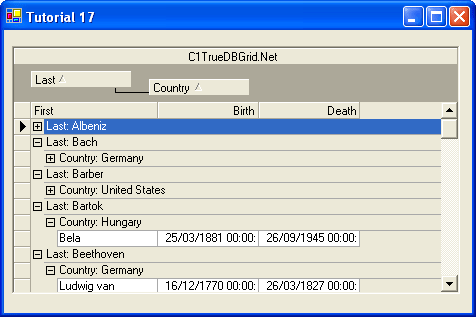
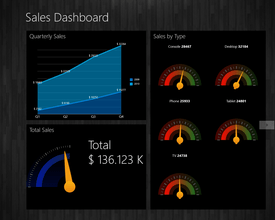
Screenshot Preview

ComponentOne True DBGrid for WinForms - Support

by ComponentOne - Product Type: Component / .NET WinForms / 100% Managed Code

ComponentOne True DBGrid for WinForms can also be bought as part of ComponentOne Studio Enterprise and ComponentOne Studio for WinForms.

If you require more information please Contact Us

Support Forum

ComponentOne Schema Designer rajesh.k [UAE] 04-Jun-2013 08:46:53

Hello,

In Database table i have modified the Column size. Using Schema designer i have updated the column size in our project also. While checking using interface or fornt end application i was passing the values for the same field. its not updating to database. Only 2 character was saving bcoz earlier column size was 2. now i hv set the size to 20.

Thanks @regards,
Rajesh Kotekar
Reply


ComponentOne True DBGrid for WinForms sj7971 [Serbia] 28-Mar-2013 14:44:11

I made application i C# with true DBGrid on it...
Grid is bounded to dataset table...
When I add new record it is sent to database and recorded there, after that I fill dataset table again with new data and after that I need to automatically focus grid row to particular row , for example on row 15 by doing it with Grid.Row = 15 but nothing happens , focus is still down on last row where I was while editing new row....
I tried many ways but I did not manage to focus on specific row in grid.I dont need to find him in code, but to focus it on grid in form visually for user.

Help
Reply


ComponentOne True DBGrid for WinForms salome62 [Lithuania] 28-Jun-2012 06:45:53

Hi there,
I am converting VB6 application to VB.NET and using XArrayDBObject, when I try to run *.exe file on a different PC (where ComponentOne TrueDBGrid 7 is not installed) I get the error message: “ComponentOne XarrayDB Object => You have 30 days to evaluate this control“.
I do have license for ComponentOne Truedbgrid 7, why I am keep getting this error message when I try to use XArrayDBObject?
Any suggestions would be deeply appreciated.
Thanks
Sal
Reply


ComponentOne True DBGrid for WinForms imranshakeel_khan [Pakistan] 22-Dec-2011 14:04:18

I am using TrueDB in first Column i used Combo and in second Column i kept comments. But when i passed long comments like 1000 lines position of my text of combo comes in the center of row as row hieght increases. I used "Vertical Alignment = Top", "Grid.columns[0].combo.style.VerticalAlignment=Top"
i want that the text in first col. which is combo remains on the top of grid instead of showing in header

Please give me solution


Regards
Reply


ComponentOne True DBGrid for WinForms mark.drinkwater [Australia] 12-Sep-2011 03:05:26

Using the selectedrows collection, how can i pull out different columns of data for each selected row??

foreach (var row in c1Grid.SelectedRows)
{

var rw = c1Grid[row,0]; //????

var mer = from me in _audit.vwMersAudits
where me.PFolioID == rw
select me;


}
Reply


ComponentOne True DBGrid for WinForms projects [Saudi Arabia] 07-Jul-2011 08:32:38

Hi,

I am Fresh using ComponentOne True DB Grid. I am developing an application in visual studio 2005, C#. Our application is windows Application which is in Arabic. So the layout of all componts is from right to Left. But I cant get a success layout structure from this component. On the whole Currenty the Grid supports Right to left to the content in each column, not for column .

Is there any settings to change the layout of the Grid


Regards
Shinoj
Reply


ComponentOne True DBGrid for WinForms jvicente [Spain] 12-Nov-2010 16:23:36

Hi
I,m using C1TrueDBGRid 1.3.20051.41221 with VB.net (2005)

I need to know how to do this:
If i write a text y in the filter bar i need to filter , and only show the rows where this text is included in any part of cell

For example:
I have 4 rows, and each row has:

123_VCO_X
246_VCO_X
209_VCO_Y
390_FCO_X

If I type " VCO" in the column of the filter , I must only see the ones that contain the text "VCO". That is all except the last one.
How can I do this?
It is very urgent for me to find out the way to do that

Please contact me at bruiz@ahorro.com
Thanks in advance
Reply


ComponentOne True DBGrid for .NET vikram_1233 [USA] 26-May-2010 01:25:09

Hi,

I have a query regarding the flexdatatree

I was able to load data into flexdatatree and show them in heriracial form and make columns visible true and flase.
Then i was able to drag the parent row into other grid but i am unable to drag the child rows.

So can you guys help me in that.

Thanks
vikram
Reply


ComponentOne True DBGrid for .NET toshi.anand [India] 21-May-2010 07:40:55

i am bindng the combo box using static fields for displaying multiple coloumns in the drop down .have added the bin and references in the page but the error is


Method not found: 'System.Web.UI.IDataSource System.Web.UI.WebControls.DataBoundControl.get_DataSourceObject()'.
Source Error:

An unhandled exception was generated during the execution of the current web request. Information regarding the origin and location of the exception can be identified using the exception stack trace below.
Reply


Assign a dataset to TDBGrid in interop arunthomasarun [India] 11-Jan-2010 17:11:45

We are having a VB app which uses TrueDbGrid 8.0 and we are migrating
the project to VS2008. We are going to use the TrueDbGrid 8.0 in interop
mode. How can i assign a dataset to TDBGrid?
Reply


Empty dropdown list in TrueDBGrid Pro 6 tart [Israel] 16-Sep-2009 10:16:41

I added an unbound column whuch should show a dropdown list.
when I click on the cell a button apears but no list although there are items.
here is the code in form_load:
TDBDDStatus.DataSource = rsList
TDBDDStatus.DataField = "Shortcode"
TDBDDStatus.ListField = "ListCode"

With grdList
.DataSource = rsList
.AllowAddNew = False
.AllowArrows = True
.AllowDelete = False
.AllowUpdate = False
.MarqueeStyle = dbgHighlightRow
.FetchRowStyle = True
Set Col = .Columns.Add(8) 'unbound column
Col.Visible = True
Col.Caption = "New status"
Col.Button = True
.Columns(8).DropDown = TDBDDStatus
.HoldFields
.ReBind
End With
this is the oly code for now. Do I need to add code in the Button_click event or any of the unbound events in order to see the list?
What am I missing?
Reply


ComponentOne True DBGrid for .NET komyinttthu [Singapore] 31-Jul-2009 09:14:24

How can I change Column Header's height in c1tdbgrid at VS.NET 2005
Reply


ComponentOne True DBGrid for .NET shweta.du [India] 17-Jul-2009 13:26:11

We are migrating VB 6 code to VB2005 (VB.net). In our VB code we have been using True DB Grid 6.0

When migrated to VB.net , all events eg UnboundGetRelativeBookmark, ClassicWrite, ClassicRead etc have stopped working, They are perfectly working in VB 6.0 code.

Please see code example below :

Private Sub grdSchedListing_ClassicRead(ByVal eventSender As System.Object, ByVal eventArgs As AxTrueDBGrid60.TrueDBGridEvents_ClassicReadEvent) Handles grdSchedListing.ClassicRead
MsgBox("hello")

End Sub

Private Sub grdSchedListing_ClassicWrite(ByVal eventSender As System.Object, ByVal eventArgs As AxTrueDBGrid60.TrueDBGridEvents_ClassicWriteEvent) Handles grdSchedListing.ClassicWrite
MsgBox("hello")
End Sub

Private Sub grdSchedListing_UnboundGetRelativeBookmark(ByVal eventSender As System.Object, ByVal eventArgs As AxTrueDBGrid60.TrueDBGridEvents_UnboundGetRelativeBookmarkEvent) Handles grdSchedListing.UnboundGetRelativeBookmark
MsgBox("hello")
End Sub

Also, in Form Designer withevent is declared as follows :

Friend WithEvents AxTDBGrid1 As AxTrueDBGrid60.AxTDBGrid


Please help ...
Reply


True DBGrid for .NET Hierarchical data display chemweno [Kenya] 23-Jan-2009 08:34:21

Hi,
I have four tables that i use to populate a dataset. I have created relations between these tables
in the dataset.When i run my program,the tables appear side by side each other
I want the tables to appear in a hierarchy format,when i click on + the child rows
should appear below the parent row,as of now they appear on the side.

I have set the DataView property to hierachy,what else do i need to do?
Reply


Drag and Drop Prblem ajitporlekar [India] 11-Nov-2008 05:42:32

Hi Guys,,,

We are using C1TrueDBGrid from long time. We are getting problem while drag and Drop from source Grid to traget Grid.
If use want to drag and drop the Row ar last row of othe grid. CellContaining() Function returns -1 as row and column. if we check by using pointAt method of C1 then it returns on Header of the grid
but the mouse pointer is pointing last row of the Grid.

Can you please look into issue.

Thanks and Regards,
Ajit.
Reply


ComponentOne True DBGrid for .NET neil [USA] 03-Oct-2008 16:41:17

Hi All,

Is it possible to drag and drop in the same truedbgrid control? I found sample to do that in 2 different grid, but cannot find a solution in the same grid.

i.e.

my original rows:
ID Name Score
1 Name1 10
2 Name2 23
3 Name3 39


And i want to drag and drop my last row to second row:
ID Name Score
1 Name1 10
3 Name3 39
2 Name2 23


Thanks
Neil
Reply

RE: ComponentOne True DBGrid for .NET neil [USA] 07-Oct-2008 16:04:48

Sound we dont have enough support from C1 like other controls (i.e. telerik, infragistics).

Is it worth to buy a product with poor support like this?
Reply

RE: RE: ComponentOne True DBGrid for ... mkukol [USA] 07-Oct-2009 23:10:39

I am searching for True DBGrid 7 as I had used it in some programing and now cannot locate the disk. If you have the same and want to sell it - let me know.
Thanks
Reply

RE: ComponentOne True DBGrid for .NET ajitporlekar [India] 11-Nov-2008 14:07:12

Hi,
I am trying to Drag and Drop in two Different Grid. If anyone have sample please send it to me.

Regards.
Reply

RE: ComponentOne True DBGrid for .NET ajitporlekar [India] 11-Nov-2008 14:08:51

Hi Neil.
Can you please send me the Sample code for Two Grid.?
I am getting problem with two grid may be you can solve,
Reply

RE: RE: ComponentOne True DBGrid for ... mohammed.papad [India] 28-Sep-2009 10:50:36

you can find the code in the samples folder in VB language folder for componentone studio folder for more info contact me at my email id.
Reply


ComponentOne True DBGrid for .NET neil [USA] 03-Oct-2008 15:24:07

Hello All,

I try to use customized filter for my c1truedbgrid control, let say if i want to filter the first column in the grid based on myvalue:

Me.C1TrueDBGrid1.Columns(0).FilterOperator = "="
Me.C1TrueDBGrid1.Columns(0).FilterText = myvalue
Me.C1TrueDBGrid1.Refresh()

but it seems doesnt work at all, even i set allowfilter = false.

Did I miss anything?

Please help.

Thanks
Neil
Reply


ComponentOne True DBGrid for .NET sheriefes [India] 19-Aug-2008 10:21:42

hi, in the following code, i trtied to populate a AxTrueDBGrid70 in VB2005, but not working ( data not showing)


sql = "SELECT * FROM units"
rs.Open(sql, conn, ADODB.CursorTypeEnum.adOpenKeyset)


'Public WithEvents myGrid1 As AxTrueDBGrid70.AxTDBGrid - in declaration section
myGrid1 = New AxTrueDBGrid70.AxTDBGrid

myGrid2 = New AxTrueOleDBGrid70.AxTDBGrid


myGrid1.Height = 100 : myGrid1.Width = 200
myGrid1.Location = New Point(50, 100)

myGrid1.DataSource = rs
Controls.Add(myGrid1)

any help
Reply


ComponentOne True DBGrid for .NET vaibhavj [India] 17-Apr-2008 08:43:09

Hello !

Our Company is using ComponentOne ActiveXControls from a long time.
Previously we have developed our large size projects in VB 6.0 Using ComponentOne True DBGrid Pro 7.0 ActiveXControls .
Now the company has decided to migrate the existing VB projects into .Net.

We migrated a sample project but we are getting a serious problem taking ComponentOne True DBGrid Pro 7.0 ActiveXControls.
The Problem is Events associated with ComponentOne True DBGrid Pro 7.0 ActiveXControls are not firing.

In our 100's of forms we are using TDBGrid,TDBDropDown,XarrayDbObject.
If we replace these ComponentOne True DBGrid Pro 7.0 with ComponentOne True DBGrid Pro for .Net we are not able to use XarrayDbObject.
Is there any new version of XarrayDbObject is Exists .. ?

Plz help us regarding this problem ASAP

Looking for ur co-operation

Thanks & Regards
Vaibhav J
Reply


ComponentOne True DBGrid for .NET chebaflo [Mexico] 01-Apr-2008 02:18:19

I have an application on VB6 and i migrated to vb.net.
I'm using True db grid pro 7(XArray object), in the developer pc worsk fine in VB.net, but when i try to run in another pc, show me the next message: "The evaluation period will explire in 30 days", in this pc i have my old application develop in VB6 and works fine, only VB.net application show this message. What I have to do? I copied the Iterop files of course, I have to install ComponentOne True DBGrid in all the pcs????
Reply


ComponentOne True DBGrid for .NET ddc.ktripathy [UAE] 16-Mar-2008 13:38:38

hii........i have a problem with C1truedbgrid. i want to change the color of button column if there is any data exists for a particular column in database table. can anybody help me to change only the color of button column?

thanks in advance.
Reply


ComponentOne True DBGrid for .NET Maxim Veselov 05-Mar-2008 14:23:10

Hello!

Our company is using True DBGrid and we have encountered one problem. Here is a description:
Current cursor for the form on which the grid is placed is set to wait cursor. Then, the cursor for the form is set back to the default one (between these calls some data is loaded into the grid). If the cursor at that moment is on the grid than the wait cursor is retained for the grid. When mouse is moved away from the grid it is changed to the default one, but moving it back on the grid brings the wait cursor.
Reply


ComponentOne True DBGrid for .NET neeladri.mahato [India] 05-Mar-2008 06:17:48

I am using True DBGrid in .NET 1.1, the grid need to be refreshed based on events. The event can occur very frequently may be in a second or five seconds. In some of the pc it is observed that grid is displaying RED X and giving unhandled error. Some time PC got hanged and we need to terminate the application.

Please suggest what to do?
Reply

RE: ComponentOne True DBGrid for .NET smv_arun [India] 21-Oct-2009 08:16:39

Hi Support,

We also have this same issue in the application developed in .NET 1.1. The grid is refreshed by an event which is triggered from a thread. There are multiple updates and style changes done on the grid based on the event argument. Under normal circumstances this problem does not occur, however if we continuously click on the grid then the red X appears. Is there a solution for this?. Can you also let me know if this will not occur if the grid is updated to next version?

thanks,
Arun
Reply


Migrate from True DBGrid 4 to True DBGrid for .NET steven.zhao [Canada] 15-Feb-2008 17:59:40

Hi,
I have a VB 4.0 application need to be migrated to VS 2005(.Net 2.0 or newer). In the Vb 4.0 application i am using True DBGrid 4.0 and I am planning to migrate it to True DBGrid for .NET. I am wondering is there some guidelines or tools can help me with this work?

Any comments are appreciated,

Regards,

Steven
Reply


True DBGrid for .NET - nested properties michelle [Canada] 07-Feb-2008 18:17:50

Good day,

I am binding the grid to a custom collection of objects. How can I get the grid to properly display a nested property? Here's an example of what I'd like to do:

grid.DataSource = Customers.GetList()


Of course, I want the grid to dispaly the "Name" property in company:

ID Name Company
----------------------------------------
1 Mickey Disney inc.


Here's what the grid is actually displaying:

ID Name Company
----------------------------------------
1 Mickey Project.Domain.Company


Thank you in advance for any help you could provide.

Michelle
Reply


ComponentOne True DBGrid for .NET: Clone a Grid kevinn [USA] 04-Jan-2008 17:16:35

I just started with TDB Grids.

I have two TDB Grids. TDB1an TD2. TDB1 is bound to an ADO.NET dataset.

Two questions:

1. How can I "clone" TDB2 so that it has the same columns and headers as TDB2.

2. When user clicks an Add button, I want to Add the selected rows in TDB1 to TDB2.

Much thanks in advance.
Reply


ComponentOne True DBGrid for .NET nive314 [Singapore] 07-Dec-2007 06:05:28

Hi,
In the C1FlexGrid datagrid if I select the entire row in the datagrid the entire row color is PaleGolden, using SetCellStyle method i want to change the color to green for only one cell in this selected row the Cell color is not changing. It remains PaleGolden, Please suggest the sutible method for this
Below is part of the code

C1.Win.C1FlexGrid.CellStyle Gray;

Gray = dgDisplay.Styles.Add("Gray");
Gray.BackColor = Color.LightGray;

dgDisplay.SetCellStyle(iRow, iColumn, Gray);
Reply


ComponentOne True DBGrid for .NET mdekoschak2006 [USA] 05-Nov-2007 14:08:55

AMENDMENT FROM LAST POST

Is there a way to set and highlight a row (Making it the active row) with OUT using a bookmark? We are using VB6 code.
Reply


ComponentOne True DBGrid for .NET mdekoschak2006 [USA] 05-Nov-2007 14:02:58

Is there a way to set and highlight a row (Making it the active row) with using a bookmark? We are using VB6 code.
Reply


ComponentOne True DBGrid for .NET deepaksakpal [India] 20-Sep-2007 06:57:06

Hi

When I use True DBGrid ActiveX 7.0 in VB.NET application, it doesn't fire any events. It is declared as following:

Public WithEvents AxTDBGrid1 As AxTrueDBGrid70.AxTDBGrid

Any help?
Reply


ComponentOne True DBGrid for .NET kieron.flynn [United Kingdom] 03-Sep-2007 11:02:26

HI there,

I'm working on some bug fixes to some code that uses the FlexGrid. I am new to the control and have a very simple question which is hopefully very easy to answer.

The column headings are all built in runtime from meta data but they are not displaying as I would wish. The problem is some headings are quite long (i.e. Gross Premium Share written) so they need to be split over more than one line in the header. This it is doing but it is putting too much padding from the left and right of the text to the cloumn grid line.

Even though there is adequate space if I make the column width even slightly smaller then the text goes to another line. I've tried setting the .HeadingStyle.Padding to zero but it still seems to be 'padded'.

Any ideas
Many Thanks
Kieron Flynn
Reply


ComponentOne True DBGrid for .NET atul_m_joshi [United Kingdom] 20-Apr-2007 14:45:48

I have a win form & using C1 True DB Grid. This grid is editable and allows you to add new row. When I insert a new row, the grid is automatically sorting that row ! I am not sure which property makes that happen. Note that I have inherited this code and need to stop this automatic sort.

Please let me know if you have any thought.
Reply


ComponentOne True DBGrid for .NET pantj [India] 11-Apr-2007 12:34:47

How to add COMBO BOX IN TRUE DBGRID FOR .NET
Reply

RE: ComponentOne True DBGrid for .NET anirban.gayen [India] 30-Apr-2007 07:10:03

a
Reply

RE: ComponentOne True DBGrid for .NET jaimin.patel [Australia] 24-Dec-2007 04:01:41

set presentation property to combo box / sorted combo box .
You can find the Presentation property under ValueItems.

Regards,
Jaimin Patel
Reply


ComponentOne True DBGrid for .NET lbb_m [Indonesia] 29-Jan-2007 04:13:17

Dear all,

1. how to display value/item at dropdown if i use c1truedbgrid (from propertis designer column at valueitems)
2. how to store selected value/item at c1truedbgrid if combine with c1truedbdropdown, because if i selected the value from dropdown the value not store / display at grid (empty).

please give me sample of code ( syntax )

Thanks
Reply


ComponentOne True DBGrid for .NET karzierr [Nicaragua] 22-Nov-2006 16:52:06

How can i sum columns in TrueDBGrid .Net and put the result in the footer from TrueDBGrid.

The Columns will be Bound or Unbound. Unbound because is calculated Columns, for example (PU * Quantity).

Thank you, for your help.
Reply

RE: ComponentOne True DBGrid for .NET support [USA] 19-Dec-2006 20:31:38

Hello,

Please take a look at the AggregateFooter sample, which installs with TrueDBGrid for .NET. It will show you how to read values from a grid column, and add a total to the footer.


Suelinda Webster
Customer Engagement, ComponentOne LLC
Reply


ComponentOne True DBGrid for .NET ddc.ktripathy [UAE] 16-Nov-2006 08:32:42

We have a desktop application in VB6, which was using the third party control (True DBGrid control 4.0.0.137).

Now, I migrated the VB6 project to VB.Net2005. After migration I could see the control (True DBGrid control 4.0.0.137). as AxInterop.TrueDBGrid

But when I migrated to VB.Net 2005, it is neither able to fire any events associated with the control nor populate the data inside it.

Can anybody help, what changes need to be done to for True DBGrid control 4.0.0.137 in VB.Net 2005, so that it will function properly in .Net envirounment?
Reply

RE: ComponentOne True DBGrid for .NET support [USA] 19-Dec-2006 19:34:56

Hello,

When you add the grid to the form in VS2005, you should have something like AxTDBGrid4 and TDBGird4 (can't remember the exact name for v4, we are on v8 now) in the references list. Grid types should be declared as the Ax prefixed reference, and not the regular TDBGrid reference, to allow for full access to properties and events. For example:

Public WithEvents myGrid1 As AxTDBGrid4.AxTDBGrid

rather than

Public WithEvents myGrid1 As TDBGridI4.TDBGrid

That way you should be able to have the events working properly, something like this (SomeEvent is not an actual event, this is a generic example):

Private Sub TDBGrid1_SomeEvent(ByVal eventSender As System.Object, ByVal eventArgs As AxTDBGrid4.TDBGEvents_SomeEventEvent) Handles TDBGrid1.SomeEvent
'some code here
End Sub

If you did not get the Ax prefixed reference after the conversion, add the TDBGrid to your toolbox and drop it on a form in your project to add the proper references. Hope this helps.


Suelinda Webster
Customer Engagement, ComponentOne LLC
Reply


ComponentOne True DBGrid for .NET Nick.prudhoe [United Kingdom] 13-Sep-2006 17:19:20

Our company currently use True Grid version 6 and now we're moving to VS.NET 2005 I was wondering if there are any upgrade tools that will upgrade existing VB6 code using v6 to .NET code?
Reply

RE: ComponentOne True DBGrid for .NET support [USA] 15-Sep-2006 21:52:15

Hello Nick,

Unfortunately, there is no conversion utility to convert from v6 to .NET. You will need to rewrite the code if you want to use TrueDBGrid for .NET, but the object model is similar to the ActiveX version so the learning curve would not be difficult.


Suelinda Webster
Customer Engagement, ComponentOne LLC
Reply


ComponentOne True DBGrid for .NET 2003 get_rameshgd [India] 29-Aug-2006 06:59:58

I am using Dataset as Datasource of the Grid. I was trying to pass Datatable row based on Grid row position. I am able to pass row when the truedbgrid filter text is null/nothing. If I type some text in filter bar cell and select the row on the grid. I will receive different row from the datatable. I have searched entire property list to find the relative row position of datatable when filter text is entered or not entered.

Even the there is no property or method which will return me grid row.

Early reply/help will be appreciated,

Thanks
Ramesh GD
Reply

RE: ComponentOne True DBGrid for .NET 2003 support [USA] 05-Sep-2006 22:20:47

Hi Ramesh,

The bookmark is probably returning the rows currently in the grid, which changes each time that you change the filter. I could not find a property to only return the underlying dataset row on a filter, but our support team can help. You can contact support at support@componentone.com.


Suelinda Webster
Customer Engagement, ComponentOne LLC
Reply


ComponentOne True DBGrid 7.0 wael 03-Jul-2006 08:26:18

The problem i am facing is as follows:
I developed a sales invoice where the grid itself is used for the add/edit/delete operations.
The development environment is VB6 with TDBGrid 7.0 on WIN 2000 PRO.
I hv too many validation on the data, but if i submit data in a very fast manner (that what happens with the user), unexpected behavior appears in the grid:
* The barcode jumps from its column to the price column.
* Data is filled and then emptied.
* Selection of rows from grid returns null values.

Technically, in the normal case of he invoice the sequence of grid events are: BeforeColUpdate, AfterColUpdate, BeforeRowColChange, AfterRowColChange.
in the weird behavior, execution of the code is not passing through BeforeColUpdate and AfterColUpdate, with no validation of anydata it directly jumps to the BeforeRowColChange and AfterRowColChange.

Any Help for my issue would be highly Appreciated.

Best Regrds
Reply

RE: ComponentOne True DBGrid 7.0 support [USA] 19-Jul-2006 14:23:16

Hello,

ComponentOne support can help you with this, but send a sample app if at all possible. Your issue would probably be difficult to resolve without one. The email address is support@componentone.com.


Suelinda Webster
Customer Engagement, ComponentOne LLC
Reply


ComponentOne True DBGrid for .NET oquesada76 [Costa Rica] 15-May-2006 21:35:53

Is it possible to add splits to the .Net TrueDBGrid in runtime?

TIA

Olman
Reply

RE: ComponentOne True DBGrid for .NET support [USA] 16-Jun-2006 20:59:16

Hello Olman,

Yes, you can add splits to TrueDBGrid for .NET at runtime. To create a horizontal split, use the InsertHorizontalSplit Method, which accepts an integer to indicate the position to insert the split (indexed from 0). For example:

Me.C1TrueDBGrid1.InsertHorizontalSplit(1)

You can also insert vertical splits in the same manner, but using the InsertVerticalSplit Method:

Me.C1TrueDBGrid1.InsertVerticalSplit(1)


Suelinda Webster
Customer Engagement, ComponentOne LLC
Reply


ComponentOne True DBGrid for VB6 basharat Ali [Pakistan] 27-Apr-2006 05:59:33

Hi all,

I m new to true DBgrid 7.0 and i want to fix multiple rows (i.e. multiple rows header which will be non editable).
if any one can help me please.

Thanks in advance.


Basharat Ali
Reply

RE: ComponentOne True DBGrid for VB6 nitinvraj [Hong Kong] 27-Apr-2006 07:38:49

hi

I guess u need to use ColumnCaptionHeight property of Split object.

Nitin.
Reply

RE: ComponentOne True DBGrid for VB6 support [USA] 11-May-2006 20:46:02

Hello Basharat,

The Active X TrueDBGrid has a HeadLines property that can be set to a number from 0 to 10, as long as the ColumnHeaders property is set to true. If you set the HeadLines property to 0, it will have the same effect as setting the ColumnHeaders property to false. You would want to set the property to the number of lines you would like to use for the header, for example:

TDBGrid1.HeadLines = 2

Will create a header with 2 lines.


Suelinda Webster
Customer Engagement, ComponentOne LLC
Reply

RE: RE: ComponentOne True DBGrid for VB6 richard.Lansley [United Kingdom] 18-Feb-2009 14:58:05

hi guys.

anyone know what the equlivient solution for the headlines property is for the C1 Win true DB grid for .NET?

Many thanks

Richard
Reply

RE: RE: RE: ComponentOne True DBGrid for VB6 support@componentsource.com 23-Feb-2009 09:38:33

Regards from ComponentOne Technical Support.

Please know that unfortunately there seems to be no similar property available with C1TDBGrid for .Net as HeadLine with our C1TDBGrid Pro. However, as a workaround, we may use the following line of code:

Me.C1TrueDBGrid1.Columns(2).Caption = "This is the test Caption"
Me.C1TrueDBGrid1.Splits(0).ColumnCaptionHeight = 30
Me.C1TrueDBGrid1.Splits(0).CaptionStyle.WrapText = True

I have set the Column Caption as a string that I may display in more than one line in the Grid?s Header. We would need to set the ColumnCaptionHeight so that value should provide enough capacity to draw the wrapped text.

I hope this would be helpful.
Reply


DoubleClick Event nitinvraj [Hong Kong] 27-Apr-2006 04:53:51

Hi

I and working with 30days trial version and I am trying to check which part of the grid is clicked in the
DoubleClick event with the following if statement

If c1trdbg.PointAt(c1trdbg.MousePosition) = C1.Win.C1TrueDBGrid.PointAtEnum.AtDataArea Then
....

but all the time i get the PointAt value equal to NotInGrid

So how can i check if the DoubleClick is on the data rows and cols or anywhere else.

Thanks
Nitin.
Reply

RE: DoubleClick Event support [USA] 12-May-2006 15:47:26

Hello Nitin,

MousePosition returns the mouse position relative to the screen, but the PointAt method is looking at the position in the grid itself. Depending on why you want to capture the double click, there may be a better method for you to use. For example, if you were tracking the double click to control editing, something like the BeforeColEdit event would be better to use. For example:

Private Sub C1TrueDBGrid1_BeforeColEdit(ByVal sender As Object, ByVal e As C1.Win.C1TrueDBGrid.BeforeColEditEventArgs) Handles C1TrueDBGrid1.BeforeColEdit
If Me.C1TrueDBGrid1.Col = 0 And Me.C1TrueDBGrid1.Row = 0 Then
e.Cancel = True
End If
End Sub

Would disable editing in the first cell.


Suelinda Webster
Customer Engagement, ComponentOne LLC
Reply


DoubleClick Event nitinvraj [Hong Kong] 27-Apr-2006 04:53:26

Hi

I and working with 30days trial version and I am trying to check which part of the grid is clicked in the
DoubleClick event with the following if statement

If c1trdbg.PointAt(c1trdbg.MousePosition) = C1.Win.C1TrueDBGrid.PointAtEnum.AtDataArea Then
....

but all the time i get the PointAt value equal to NotInGrid

So how can i check if the DoubleClick is on the data rows and cols or anywhere else.

Thanks
Nitin.
Reply


Flickering keshavcn [India] 14-Oct-2005 09:35:18

I'm writing an application where some records are populated in TDB Grid and some verification is done on each record. Verification process is done using multiple threads. Based on the verification's result, record's status will be updated. Status is updated in the underlying DataTable and the Grid is refreshed to reflect the change in status. However, if the record count is high (running into thousands), Rows in the grid shuffle when I'm updating the status. I've set the MaintainRowCurrency to True, with no effect. Is there a way to do "flicker free" cell updation? Since I'm using multiple threads, cell updation will be done haphazardly i.e., not sequentially.
Reply

RE: Flickering support [USA] 31-Oct-2005 16:27:24

Hi,

The behavior may have been improved in a more recent version of the TrueDBGrid.NET. Please go to prerelease.componentone.com to see the most recent updates available, and try one of those. If you do not see improvement with an update, please contact support for assistance.


Suelinda
Customer Engagement, ComponentOne LLC
Reply

RE: Flickering bmax [Russia] 08-Sep-2008 07:21:17

Hello!!
Reply


ComponentOne True DBGrid for .NET c.m.briosos [Philippines] 26-May-2005 15:36:38

Hi I have 2 questions, in vb 6, i used the version 7 and it did great, and i downloaded u'r 30days trail of .net and here goes my questions:
1.How can i put a color on one or more columns of data in my truedbgrid?
2.How can i change the color of a certain cell in column 2, if my output is "Welcome"?

Hope you have sample scripts. thanks a lot.
Reply

RE: ComponentOne True DBGrid for .NET gettosurbhi [India] 04-Oct-2005 14:22:58

hi,
u can change the color of any particular row or column of grid. but first set the fetchstyle property of grid true, by this code
Dim grd As C1.Win.C1TrueDBGrid.C1DisplayColumn
For Each grd In Me.c1grid.Splits(0).DisplayColumns
grd.FetchStyle = True
Next

and then handle the fetchcellstyle event of grid
and then in that event, get the value of that column thru the code:

If Me.c1grid(e.Row, colindex) = "WELCOME" Then
e.cellstyle.backcolor= color.red
End If

i hope this will solve ur problem..
thanks
Reply

RE: RE: ComponentOne True DBGrid for ... timexms [Poland] 12-Jul-2007 16:01:15

GREAT THANKS for this solution! :)
Reply


ComponentOne True DBGrid for .NET rescobar [USA] 02-Aug-2004 11:51:08

I am using the TrueDBGrid on a WinForm, bound to a table of Invoices. When I select a record in the grid to be the active record, the record is highlighted, but the little arrow-record-pointer on the left margin doesn't always track with the record that is highlighted. SOmetimes the currently selected record gets scrolled off the screen so the grid can show the little pointer, which is on the wrong record. What can I do to make that pointer match the currently selected record, or turn off the pointer. Very dosconcerting to my end users. Thanks!
Reply

RE: ComponentOne True DBGrid for .NET support [USA] 03-Aug-2004 00:00:00

The pointer should move along with the selected row. Try downloading the latest update that falls under your subscription from prerelease.componentone.com, and see if that helps. If it does not, please contact ComponentOne's support department via email, support.tdbgrid.net@componentone.com. In the mean time, you can turn off the record selector by setting:

this.c1TrueDBGrid1.RecordSelectors = false;


Suelinda Webster
Customer Engagement, ComponentOne LLC
Reply


Seleced record changes when sorting by column rescobar [USA] 02-Aug-2004 11:51:08

I have a TrueDBGrid bound to a table of clients. I select a record, say "Smith". I then click a column header to sort the grid and the selected record changes to a different record. If I click the header again, 'Smith' is selected again. It appears the grid doesn't consider the record selected, it considers the row selected. How can you get a Bound grid to consider a record to be selected not the row in the grid?
Reply

RE: Seleced record changes when sorting by column support [USA] 03-Aug-2004 00:00:00

Setting:

C1TrueDBGrid1.MaintainRowCurrency = True

should fix your problem. After that, when the end user selects a row, then sorts a column, that same record will remain selected.


Suelinda Webster
Customer Engagement, ComponentOne LLC
Reply


Product Search

Enter search words:

Why buy from ComponentSource?

ComponentSource offers a unique global service, used by over 1,000,000 software developers worldwide.

More Info | About Us

Screenshot Gallery

Click for full screen preview

Screenshot of ComponentOne True DBGrid for WinForms - .NET Winforms - 2013 v1 Screenshot of ComponentOne True DBGrid for WinForms - .NET Winforms - 2013 v1 Screenshot of ComponentOne True DBGrid for WinForms - .NET Winforms - 2013 v1 Screenshot of ComponentOne True DBGrid for WinForms - .NET Winforms - 2013 v1 Screenshot of ComponentOne True DBGrid for WinForms - .NET Winforms - 2013 v1
Award Award Award