PowerTCP Universal Suite

by Dart Communications - Product Type: Component / .NET Class / 100% Managed Code / Managed/Unmanaged Code - without COM / ActiveX OCX / ActiveX DLL

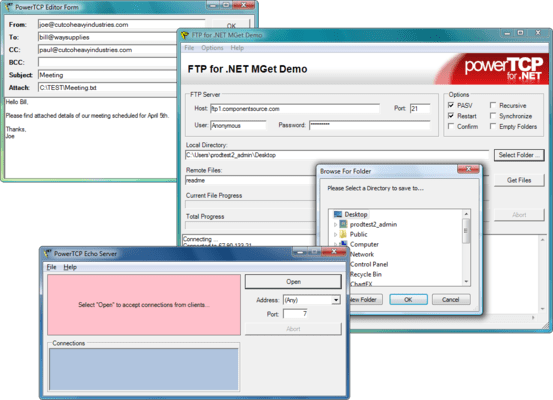
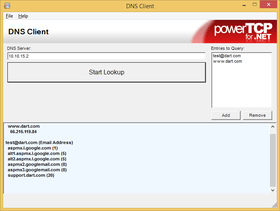
Screenshot of PowerTCP Universal Suite - .NET Component/ActiveX /ActiveX DLL PowerTCP Subscription plans allow you to tailor your package to fit your needs. Designed for a single protocol or a bundle of requirements, each package comes with free updates and upgrades, selected new components, and email support for one full year. PowerTCP Universal Subscription includes: PowerTCP Emulation, FTP, Mail, Server, SSL, Telnet, Web Enterprise, WebServer, Winsock, Zip Compression, FTP for .NET, Secure FTP for .NET, Mail for .NET, SSL Sockets for .NET Tools, PowerTCP Telnet for .NET, PowerTCP Emulation for .NET, SSH + SFTP for .NET and Sockets for .NET.

From
3,282,100₩
Price in

Our regular prices are shown below. Please logon to see your discounted prices.

PowerTCP Universal Suite - with Basic Subscription

Add to Cart ₩ 3,282,100 1 Developer License - includes One Year Standard Support/Updates
Mfr. Part No: P-1000-SUB
Download (70.2 MB)
Add to Cart ₩ 2,132,800 Basic Subscription Renewal - includes One Year Standard Support/Updates
Mfr. Part No: P-1000-SUB-RENEW
Verify Download (29 KB)

This product is available on the GSA Pricing ScheduleOur prices include ComponentSource technical support and, for most downloadable products, an online backup and a FREE upgrade to the new version if it is released within 30 days of your purchase.  All sales are made on our standard Terms and Conditions and subject to our Return Policy. Please contact us if you require any licensing option not listed above including volume licensing and previous versions.

Our regular prices are shown above. Please logon to see your discounted prices.

Universal Subscription Includes:

  • All PowerTCP ActiveX and .NET components
  • 1 Full year of email support
  • Free updates and upgrades
  • Free newly released components
  • Does NOT include PowerTCP C++ Professional Toolkit or PowerVT Terminal Emulator

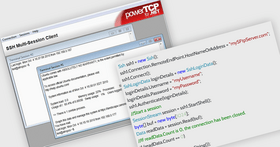
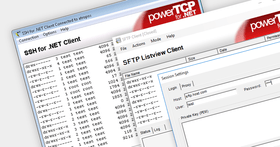
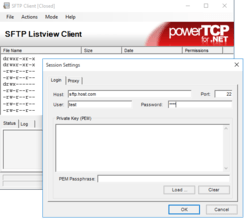
PowerTCP SSH and SFTP for .NET features SFTP and SSH components that provide flexibility, ease of use, and security for efficiently developing a broad spectrum of SSH-2 file transfer and online applications in C# and VB.NET. PowerTCP SSH and SFTP for .NET fills a gap in the .NET Framework and includes SFTP &  stand-alone SSH session components, username/password and PEM public key authentication, encryption/decryption using Triple DES and AES, Diffie-Hellman key exchange and MAC algorithm data integrity. PowerTCP SSH and SFTP for .NET includes comprehensive samples for C# and VB.NET developers and full MS Help 2.0 Documentation.

PowerTCP Emulation Tool

  • 100% .NET compatible using .NET COM interop, samples included
  • VT ActiveX control emulates VT-52, VT-100, VT-220 and VT-320 terminals, interpreting text and escape sequences to display a screen that can be used interactively (like a regular terminal) or invisibly (to capture reports that can subsequently be by your application)
  • Telnet ActiveX control can be used to provide a real-time data source, and supports rlogin, rsh and rexec
  • Display options are set using simple properties
  • Printing of the display is fully supported, as is the printing of postscript files and auto-print (prints each line as it is received)

PowerTCP FTP Tool

  • Get method downloads ANY file with only one line of code
  • Mget method downloads multiple files with only one line of code (even directory trees)
  • Put method uploads ANY file with only one line of code
  • Mput method uploads multiple files with only one line of code (even directory trees)
  • Login Method combines connection set-up and authentication into one easy step

PowerTCP Mail Tool

  • Comprehensive support for multi-byte characters added with version 2.0.39
  • Detailed knowledge of SMTP, POP3, IMAP4 and MIME is not required
  • Enhanced SMTP commands such as 8BITMIME, PIPELINING, SIZE and Delivery Status Notifications are automatically used if advertised by the server

PowerTCP Server Tool

  • Simple construction of service applications.
  • No "housekeeping" management required.
  • "files" & "listings" transfer automatically with FtpServer Control
  • Server Control eliminates your management of connections, greatly reducing the code you have to write and debug.

PowerTCP SSL Tool

  • Write HTTP/S applications that provide client-side authentication WITHOUT displaying an annoying dialog asking the user to select his security certificate
  • NEW Certificate Object exposes the details of digital certificates sent and received
  • NEW CertificateStore Object exposes collections of installed Certificate Objects, making it easy to manage digital certificates
  • Included Certificate Manager application can be used for local certificate management
  • Full support for client-side AND server-side authentication

PowerTCP Web Enterprise Tool

  • 100% .NET compatible using .NET COM interop, samples included
  • The WebASP ActiveX control is optimized for server-side ASP pages, whereas the WININET-dependent controls are not designed for server-side use
  • Put and Get methods will spool files directly to/from disk or memory

PowerTCP WebServer Tool

  • The power of IIS on a single web server control
  • Re-use your existing client/server code
  • A single application can be developed for both global and local use

PowerTCP Winsock Tool

  • Advanced Debugging
  • Automatic error reporting through the COM interface
  • Easy to use in blocking or non-blocking environments
  • Advanced in-bound and out-bound buffering
  • TCP Search Method supports variable length records and line processing, eliminating the need to search for termination characters and simplifying buffer management

PowerTCP Zip Compression Tool

  • Up to 250% faster compression
  • Steadfast reliability
  • Designed for both simple and complicated demands
  • Easy-to-use QuickZip/QuickUnzip short-cut functions
  • A flexible memory buffer for easy memory compression manipulation
  • Standard password encryption functionality

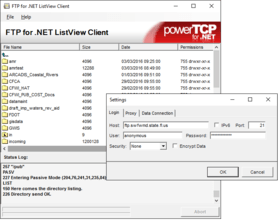
PowerTCP FTP for .NET

  • Comprehensive MS Help 2.0 enables Dynamic Help, linking keywords to not only their respective Help document, but to any associated tutorials.
  • Manipulate data on the file level, stream level, data connection level, and TCP Level
  • All FTP elements (files, streams, listings) represented as objects, enabling quick, intuitive code development.
  • Fully integrated proxy support and completely Firewall friendly.
  • Use automatically as a component or manually as a reference.
  • Can be used with ANY FTP server, regardless of implementation.

PowerTCP Mail for .NET

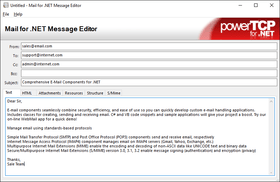
  • Includes POP and SMTP components for sending and receiving, the MessageStream class for authoring and editing, and helper classes for email management and lower level encoding/decoding
  • HTML messages can be created with one line of code
  • Both synchronous and asynchronous functionality designed on .NETs multi-threading capabilities
  • Full support for multi-national character sets
  • Supported encoding mechanisms include Base64, Quoted Printable, UUEncode, and Yencode

PowerTCP SSL Sockets for .NET

  • SSLStream class is abstracted for maximum flexibility
  • Automatically authenticates and encrypts/decrypts data sent and received over the Internet or your intranet using SSL2, SSL3, PCT or TLS
  • Supports client-side AND server-side authentication
  • CertificateStore class provides extensive certificate management support
  • Certificate class enables certificate verification and query

PowerTCP Telnet for .NET

  • Common Telnet options are set using collections of options, and are automatically negotiated when the session is established
  • Telnet, rlogin, rsh, and rexec components can be used to access a real-time UNIX data source
  • Design-time visual interface supports interactive editing of client and server options
  • Execute allows Rsh and Rexec components to send commands and capture responses in one line of code
  • Scripting made easy with Login and WaitFor method
  • AutoReceive technology reduces code by managing all incoming data
  • More advanced options for Telnet can be easily programmed (samples are provided)
  • Supports SOCKS4 and SOCKS5 proxies
  • Comprehensive Stream-based design provides flexibility
  • Supports International character sets
  • Fully supports in both event driven (asynchronous) and blocking (synchronous) application designs
  • All components provide multi-threaded asynchronous functionality
  • All components allow user-interface events to process during synchronous use
  • All components are thread-safe on critical members
  • Debugging has been extended beyond run-time testing to a design-time Editor in every component that tests server operation without compiling. A real-time visual interface provides unprecedented debugging capability
  • Compliant with RFC 854
  • Includes a royalty-free license
  • Integrated Help 2.0 documentation includes over a dozen tutorials and a comprehensive reference guide with full support for dynamic help

PowerTCP Emulation for .NET

  • Includes all the capability available in PowerTCP Telnet for .NET
  • VT control emulates VT-52, VT-100, VT-220 and VT-320 terminals
  • Interprets text and escape sequences to display a screen that can be used interactively (like a regular terminal) or invisibly (to capture reports that can subsequently be screen-scraped by your application)
  • Screen scraping returns all the text in the scroll-back buffer as well as the display
  • Telnet control can be used to provide a real-time data source, and supports rlogin, rsh and rexec.
  • Numerous display options are available to customize your screen
  • Printing of the display is fully supported, as is the printing of postscript files and auto-print (prints each line as it is received)
  • Screens can be scraped to HTML, transforming all the stylistic information into HTML tags
  • Graphic characters for box drawing are fully supported
  • Key remapping is available using native .NET capability
  • Dynamic scroll-back buffer can save hundreds (or thousands) of lines
  • Option of using built-in Telnet or accessing an external Telnet component
  • Includes a royalty-free license
  • Integrated Help 2.0 documentation includes over a dozen tutorials and a comprehensive reference guide with full support for dynamic help

Product Search

Enter search words:

Screenshot Gallery

Award