by Devart (formerly Core Lab) - Product Type: Application
dbForge Schema Compare for SQL Server by Devart (formerly Core Lab)
URLs: dbforge-schema-compare-for-sql-server, dbforge schema compare for sql server, dbforgeschemacompareforsqlserver, devart
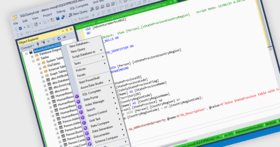
Compare and synchronize structures of Microsoft SQL Server databases. dbForge Schema Compare for SQL Server lets you quickly and safely perform schema comparison and synchronization along with easy analysis of database structure differences. dbForge Schema Compare for SQL Server is specially designed to help you quickly analyze database structure differences at a glance and propagate the changes to a required SQL Server escaping tedious manual work.
dbForge Schema Compare for SQL Server Features
Standard Edition Features
Support of SQL Server 2008, 2005 (including Express editions), and 2000 (including MSDE edition)
Comparison of all SQL Server database objects
Comparison and synchronization of database properties
Creation and comparison of schema snapshots
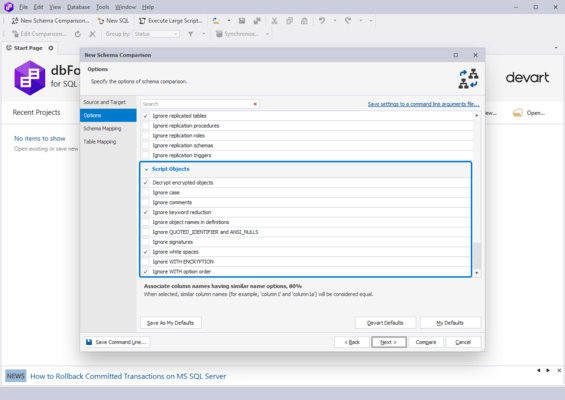
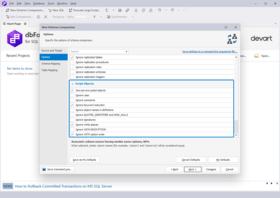
Rich options to customize schema comparison and synchronization
Generating comparison and synchronization reports
Execution of extra large scripts
Professional Edition Features - everything in the Standard Edition plus:
Comparison of native SQL Server backups
Support of version control system to track database changes
Command line interface
SQL Server Connectivity
Support of SQL server 2008, 2005 (including Express editions), and 2000 (including MSDE edition)
Comparison and synchronization of databases on different SQL servers
Connection Manager for a full control of database connections
Database Structure Comparison
Accurate comparison with Schema Comparison wizard
Comparison of all major SQL Server database objects
Options for tables and script-based objects comparison
Object filter to compare only required object types
Custom schema mapping (one-to-many)
Analyzing Structure Differences and Synchronization
Automatic grouping of objects by type
Convenient filtering and sorting of comparison results
Objects exclusion from synchronization
Save and load comparison settings
Detailed synchronization script plan
View the synchronization script for any separate schema object
Ability to backup Target database before synchronization
Automatically compiled list of objects to add to synchronization based on object dependencies
Options to customize the synchronization script output
Warnings on possible data losses or errors during synchronization
Asynchronous structure synchronization
SQL Execution and Data Management
Execution of SQL scripts and queries
Data editor with in-place filtering, grouping, and sorting options
Paginal data access for large result sets
Graphical card view for data editor
Large objects (LOB) editor
Text search in data editor
Data printing
Ability to postpone sending of data updates to the server (Cached updates mode)
Clear User Interface
Customizable window layout
Tool windows with 'auto-hide' and 'float' modes
Multiple shortcut schemes with full shortcut customization
Tabbed groups for documents
Toolbars customization
What's new in dbForge Schema Compare for SQL Server V2.0?
Support of native SQL Server backups - Users can use native SQL Server backups as a metadata source and compare them. It adds a new way to compare and update database structures without manual work.
Database comparison and synchronization via command line - This is especially useful for users, who do repeated schema comparison and synchronization. It is enough to set a comparison once and the tool will prepare a file with required command line arguments - Source and Target connection strings, comparison options and settings. Users can schedule the launch time for the processes specified in the file and escape any waiting.
Tracking database changes using version control systems - This prevents several developers from changing database objects simultaneously. Now it is easy to revert to earlier revisions and quickly identify who and when changed the objects. Comparison takes less time as schema snapshots are compared. dbForge Schema Compare uses two most popular version control systems — SVN and TFS.
Generating comparison and synchronization reports - Now publishing differences between databases is automated and offered as clear and professionally looking reports.
Compare and synchronize structures of Microsoft SQL Server databases.
Pricing: dbForge Schema Compare for SQL Server V2.0 - Standard Edition 1 Developer License - with 1 Year Subscription, dbForge Schema Compare for SQL Server V2.0 - Standard Edition 1 Developer License Subscription Renewal, dbForge Schema Compare for SQL Server V2.0 - Professional Edition 1 Developer License - with 1 Year Subscription, dbForge Schema Compare for SQL Server V2.0 - Professional Edition 1 Developer License Subscription Renewal, dbForge Schema Compare for SQL Server V2.0 - Professional Edition 1 Developer License - with 1 Year Subscription - Upgrade from Standard Edition
Evals & Downloads: Read the dbForge Schema Compare for SQL Server help file, Read the dbForge Schema Compare for SQL Server License Agreement, Download the dbForge Schema Compare for SQL Server V2.0 evaluation on to your computer - Expires After 30 Days
Operating System for Deployment: Windows Server 2008, Windows Vista, Windows XP
Architecture of Product: 32Bit
Product Type: Application
Compatible Containers: Microsoft SQL Server 2008, Microsoft SQL Server 2005, Microsoft SQL Server 2000
Keywords: db Forge SchemaCompare for SQL Server
crlab corelab
SQL query language
Database DB Management
Part numbers: PC-532409-265079 532409-265079 PC-532409-282660 532409-282660 PC-532409-297180 532409-297180 PC-532409-297181 532409-297181 PC-532409-297182 532409-297182
Publisher
Primary Category
Related Products
Related Categories
ComponentSource offers a unique global service, used by over 1,000,000 software developers worldwide.