par DBI Technologies - Type de produit : Composant / .NET WinForms / 100% Managed Code / ActiveX OCX / COM Add-in for Office 2000 / DLL / Windows Foundation Class (WFC)
Vous pouvez trouver l'information courante des liens ci-dessous
Si vous voulez acheter une licence pour cette version spécifique, je vous prie de nous contacter pour disponibilité et prix.
Les autres informations sur cette page sont montrées seulement pour référence historique et peuvent être changées considérablement.
Veuillez noter que á moins d’être stipulé autrement, ce produit est un produit anglais.
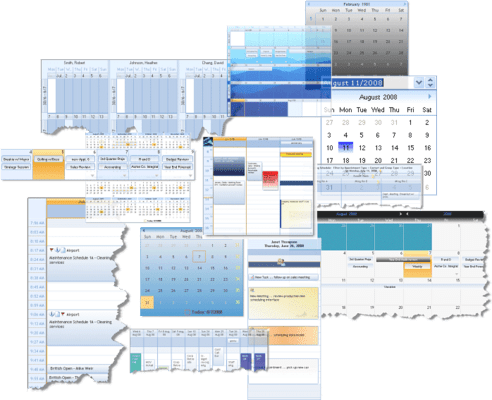
Provides enterprise developers with a complete set of Windows design and presentation software components.Studio Controls R4 contains 83 .NET and ActiveX controls in one straight forward, easy-to-integrate package. Studio Controls R4 contains Appointment Scheduling, Data input and edits, Dialogues, Calendars, Data and Menu Navigation, General Presentation, Grid, List, TreeView and many more controls in one single, value-packed product. Studio Controls R4 also includes sample applications, sample source code in C#, VB .NET, VB, Access, VFP and detailed component documentation. Royalty-free distribution. Studio Controls R4 Annual Subscription includes new updates, new upgrades and new controls added to Studio Controls for one year.
Score :
basé sur 1 revue.
Studio Controls R4 provides enterprise developers with a complete set of Windows design and presentation software components. Studio Controls R4 includes 83 .NET and ActiveX controls in one straight forward, easy-to-integrate package. Studio Controls R4 contains the premier Appointment Scheduling, Data input and edits, Dialogues, Calendars, Data and Menu Navigation, General Presentation and Grid, List and Tree View controls in one single, value-packed product.
Appointment Scheduling:
Appointment scheduling is a pivotal and success driven activity.
Create scheduling systems with as many individual personalities as end- users demand: Date,
DropDate, MDay, Days, Alarm, Week, Contact, DayView, PIM
Calendars:
Create your own style and calendar presentations with: Calendar, Date, Month,and Year controls.
Data Edit/Input/Grid:
Add effective user interfaces with: Check, DEdit, MEdit, NEdit, Grid
Dialogues:
Use DBI's dialog controls for perfect end-user interaction and the least amount of programming with: ColorButton,
ColorCombo, Color, ColorPick, File, Font, Print.
General Presentation:
Add Flexibility to your favorite IDE with the presentation tools of Studio Controls R4.
These eleven general purpose components will add to your own branding, User Interface design and implementation,
and saving countless hours of programming: Frame, Group, HTML, Calc, Radio, Scroll, Size, Slide, Split, Tray, Wave.
List / Tree & Grid:
DBI's primary data management controls out-perform and provide results beyond expectations: List, TreeView, SList,
Combo, Grid, dbiList
Navigation
Extend the Windows interface standards quickly and effortlessly using these controls for great presentations and user navigation: Button, Data , DropMenu, Hyperlink, ListBar, Menu, Push, ToolBar, Tabs, Explorer, ExplorerBar, NavBar.
DBI's presentation components are the perfect mix complimenting a developers' toolbox with: Clock, Digit, Fold, Image, Meter, Paper, Rotate, Spin, Spiral, Text and Tips controls.
Foundations - DBI's underlying foundation layer gives one-point support for common visual presentations and data structures for each instance of the dbiCalendar, dbiDayView and dbiMonth controls included in Studio Controls R4. Connect your scheduling data to DBI's underlying data manager (dbiPIM.dll) and communication with each instance of the controls is a simple reference.
Included with Studio Controls R4: