Desaware NT Service Toolkit .NET Edition
par Desaware - Type de produit : Composant / .NET Class / Managed/Unmanaged Code - without COM
Veuillez noter que á moins d’être stipulé autrement, ce produit est un produit anglais.
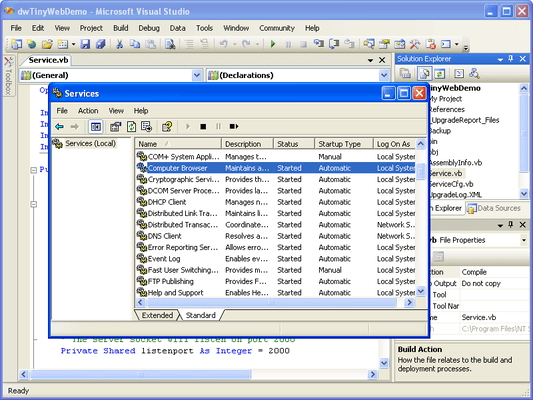
Create a full featured service in minutes using .NET, even debug your service using the .NET environment. Although the .NET framework supports the creation of simple services, the NT Service Toolkit allows you to create more robust and complex services in minutes. Features include: easy development and debugging, automatic COM/DCOM/Remoting support, advanced thread management, self installing executables and the ability to create control panel applets. Easy migration path from the COM based edition.

Nos prix standard sont montrés ci-dessous. Veuillez vous connecter pour voir vos prix.
Desaware NT Service Toolkit .NET Edition V2.0
| Ajouter au Caddie |
₩ 744,800 |
1 Developer License |
|
Téléchargement (5.7 Mo) |
| Ajouter au Caddie |
₩ 2,285,400 |
4 Developer Team License |
|
Téléchargement (5.7 Mo) |
| Ajouter au Caddie |
₩ 3,809,100 |
8 Developer Team License |
|
Téléchargement (5.7 Mo) |
| Ajouter au Caddie |
₩ 5,332,700 |
1 Site Wide License (Allows Unlimited Developers at a Single Physical Address) |
|
Téléchargement (5.7 Mo) |
Nos prix comprennent le support technique ComponentSource et, pour la majorité des produits téléchargeables, une sauvegarde en ligne ainsi qu'une mise à niveau GRATUITE si la nouvelle version est parue pendant les 30 jours consécutifs à votre achat. Toutes les ventes sont sujettes à nos Termes et Conditions standard à notre Politique de renvoi. Veuillez nous contacter si vous avez besoin d'une option de licence (licence de volume et versions précédentes) qui ne figure pas sur la liste ci-dessus.
Nos prix standard sont montrés ci-dessus. Veuillez vous connecter pour voir vos prix.
You can create services using C# and VB.Net, however you can create better services more quickly using the Desaware NT Service Toolkit .NET Edition.
The following features list shows how:
- Built in Service simulator makes it possible to test and debug services without actually installing them as a service. This not only speeds development, but is especially critical for testing startup and shutdown scenarios that are difficult to debug
- Create full featured control panel applets using Visual Basic .NET, C#, and other .NET languages
- Services created with this toolkit are entirely self-installing using the command line. There is no need for a separate tool
- Command line installation allows specification of user, password and install time parameters ideal for supporting customized automated installations during deployment
- Services may automatically and simultaneously expose internal objects via both .NET remoting and COM/DCOM. Support for both remoting schemes is ideal for incremental migration you can move your service to .NET without migrating all of your clients
- Objects exposed via both COM and .NET remoting automatically receive service start and stop notifications directly from the framework
- The service framework is fully instrumented for tracing and debugging, essential for rapid solution to problems both during development and after distribution
- A high degree of compatibility with the COM version of the Toolkit makes migration of services to .NET remarkably easy
- Built-in timer, support for background waits on .NET synchronization (WaitHandle) objects, and asynchronous operations on remotable objects created by clients. Built in synchronization makes it easy to avoid many of the synchronization problems associated with multithreaded applications
- COM interop supported using a private thread-pool for maximum scalability regardless of whether client access is via COM or .NET remoting
- Interactive service features including the ability to detect the logged on user, and when a user is logging off the system
- Integration with Desawares StateCoder makes it easy to create sophisticated and scalable state machine based services
- Superior shutdown detection (earlier than provided by the .NET framework)