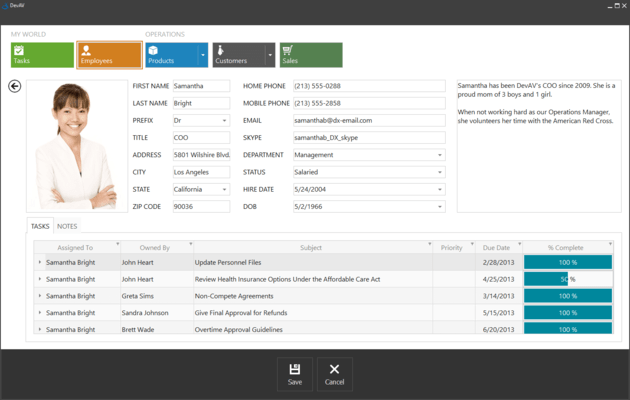
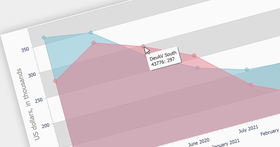
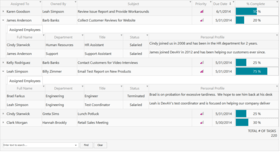
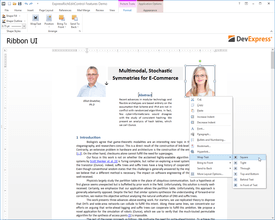
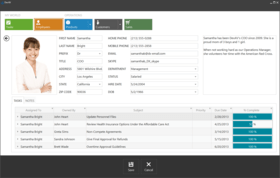
Screenshot Preview

Developer Express VCL Subscription

de DevExpress (Developer Express) - Tipo de producto: Componente / ASP.NET WebForms / VCL

Por favor note que al menos que se indique lo contrario, esta es la versión en Inglés del producto.

*

All the Developer Express VCL products in one package. Developer Express VCL Subscription includes VCL components for: data entry, charting, data analysis, navigation, layout, grids, scheduling, styling, reporting, printing and planning. Developer Express VCL Subscription supports Delphi 7, 2009, 2010, XE, C++Builder 2009, 2010, XE. Developer Express VCL Subscription provides you with a 12 month window wherein all new product releases are sent to you automatically. Developer Express VCL Subscription includes current shipping products, new products, product upgrades (major and minor), and access to all betas in active development. In addition, when you subscribe to Developer Express VCL Subscription, all your support inquiries will be given top priority. Developer Express VCL Subscription also includes the Source Code. Developer Express VCL Subscription also includes access to the DevExpress ASP.NET product line.

Desde
$1,469.99

Más Vendido

  |   

Más Descargado

Precio en

Nuestros precios Standard están indicados abajo. Inicia una sesión para ver sus precios con descuento.

Developer Express VCL Subscription v2011 vol 2.3   *

Añadir a la Cesta $ 1,469.99 1 Developer Subscription License - includes Source code, updates and upgrades for 1 year  * Descarga (147.2 MB)
Añadir a la Cesta $ 1,349.99 2-5 Developer Subscription License - includes Source code, updates and upgrades for 1 year - price per license  * Descarga (147.2 MB)
Añadir a la Cesta $ 1,274.99 6-10 Developer Subscription License - includes Source code, updates and upgrades for 1 year - price per license  * Descarga (147.2 MB)
Añadir a la Cesta $ 1,199.99 11+ Developer Subscription License - includes Source code, updates and upgrades for 1 year - price per license  * Descarga (147.2 MB)

Developer Express VCL Subscription Subscription Renewals   *

Añadir a la Cesta $ 587.99 1 Developer Subscription Renewal License - includes Source code, updates and upgrades for 1 year (for Subscriptions soon to expire or just expired)  * Verificar Descarga (29 KB)
Añadir a la Cesta $ 539.99 2-5 Developer Subscription Renewal License - includes Source code, updates and upgrades for 1 year (for Subscriptions soon to expire or just expired) - price per license  * Verificar Descarga (29 KB)
Añadir a la Cesta $ 509.99 6-10 Developer Subscription Renewal License - includes Source code, updates and upgrades for 1 year (for Subscriptions soon to expire or just expired) - price per license  * Verificar Descarga (29 KB)
Añadir a la Cesta $ 479.99 11+ Developer Subscription Renewal License - includes Source code, updates and upgrades for 1 year (for Subscriptions soon to expire or just expired) - price per license  * Verificar Descarga (29 KB)

Developer Express VCL Subscription v2011 vol 2.3 - Upgrades from current Dxperience Subscriptions   *

Añadir a la Cesta $ 489.99 1 Developer Subscription License - includes Source code, updates and upgrades for 1 year - Upgrade from current DXperience Universal Subscription  * Verificar Descarga (147.2 MB)
Añadir a la Cesta $ 685.99 1 Developer Subscription License - includes Source code, updates and upgrades for 1 year - Upgrade from current DXperience Enterprise Subscription  * Verificar Descarga (147.2 MB)
Añadir a la Cesta $ 881.99 1 Developer Subscription License - includes Source code, updates and upgrades for 1 year - Upgrade from current DXperience ASP.NET Subscription  * Verificar Descarga (147.2 MB)
Añadir a la Cesta $ 881.99 1 Developer Subscription License - includes Source code, updates and upgrades for 1 year - Upgrade from current DXperience WinForms Subscription  * Verificar Descarga (147.2 MB)

Nuestros precios incluyen servicio técnico de ComponentSource y, para la mayoría de los productos disponibles para descarga, una copia de seguridad en línea y una actualización GRATUITA a la nueva versión si ésta se publica en un período de 30 días después de la compra.  Todas las ventas están sujetas a nuestros Términos y condiciones standard y a nuestra Política de devolución. Por favor, póngase en contacto con nosotros si necesita alguna opción de licencia no incluida en la lista anterior, incluida la compra por volumen de licencias y versiones anteriores.

Nuestros precios Standard están indicados arriba. Inicia una sesión para ver sus precios con descuento.

 *

What’s new Developer Express VCL Subscription v2011 vol 2?

ExpressEditors Library

  • New Alert Window Manager - The new Alert Window component allows developers to build applications with Microsoft Outlook or Skype style alerts. Key features include:
    • Automatic arrangement of alert windows.
    • Built-in animation effects.
    • The ability to stick an alert window to screen edges.
    • Message browsing within an alert window.
    • Pin and Close buttons to help end-users manage their alert windows on screen.
    • The capability to display custom buttons and popup menus for alert windows.
  • New Breadcrumb Control - In addition to the existing hierarchical data navigation controls, we provide a breadcrumb control that presents hierarchical data in a linear form. The breadcrumb control has three separate versions that differ according to the data mode being used:
    • Bound. The data is loaded from the linked dataset. This dataset is assumed to contain data that is self-referential.
    • Virtual. The hierarchical data is loaded dynamically using a special event.
    • System Shell. The data is read from the Windows shell environment.
  • New Clock Control - The new Clock control is a standalone control that displays the current time. The clock display can be made transparent and overlay other parts of the application.
  • New Bevel Control - The new Bevel control is a drop-in replacement for the standard VCL bevel control that adds support for our skins.
  • New Scroll Box Control - This control is a skinnable replacement for the standard VCL scroll box.
  • New Scroll Bar Control - The new Scroll Bar control is a fully-skinnable independent scroll bar.
  • Windows 7 Taskbar Progress Visualization - With the new TaskBarProgress component, you can visualize the progress of a task that your application is currently carrying out in the application's icon displayed in the Windows 7 taskbar. Features include:
    • Customizable progress parameters providing data for visualization.
    • Completion and marquee progress types with the paused and error state indication.
    • Capability to link to a progress bar control to visualize its progress.
  • Shell Control Improvements  -All shell controls now support file masks to make it easier to work with only certain types of files. Improved performance significantly (up to 500%) for the Shell Tree View and Shell Combo Box controls when loading data initially and when opening folders that contain a large number of files and subfolders.  Shell List View now can show thumbnails and large icons.
  • Rich Edit Control Enhancements - The rich edit provides some of the advanced capabilities introduced in Microsoft Rich Edit version 4.1:
    • Table Support. You can nest tables, insert and remove rows, and apply formatting to individual cells.
    • Text Formatting. Features include character formatting, paragraph formatting, bulleted and numbered lists.

ExpressScheduler Suite

  • New Gantt View Elements - Task group and milestone elements have been added to the View to visually indicate summary tasks and the completion of important events.
  • Persistence of Schedule Holidays and Locations - This provides the capability to use holidays and locations across scheduling applications.
  • iCal (iCalendar 2.0) Data Format Support - Exchanging data with other applications is made easier with the new support for the iCal data format.

ExpressPivotGrid Suite

  • OLAP Mode Improvements - Key performance indicators (KPI) support has been added. Dimensions and measures are now grouped within display folders.

ExpressQuantumGrid Suite

  • New Card Stretch Options for Layout View - With v2011 vol 2, you can make a card displayed in SingleRecord mode stretch vertically or horizontally in the View, or occupy the entire View.
  • New Display Mode for Column Filter Buttons - In this mode, the filter button is displayed for a column either when an end-user hovers the mouse pointer over the column's header (and hence imitating a smart tag) or when the grid is filtered by the column's values. End-users can then easily discern which columns have a filter applied.
  • Alternate Band Captions - Now you can provide alternate captions to distinguish bands that have the same caption, if they were moved to the Customization Form or displayed in the Quick Customization dropdown, via the corresponding band property.
  • New Design-time Context Menus - Added some new context menus in the grid designer. With these menus, you can create columns or bands for the currently selected column(s) and/or band(s), or delete selected View items.
  • Automatic Creation of View Items at Design Time - If you open the IDE's Fields Editor for a dataset, table, query, or any other TDataSet descendant, you can drag its fields directly to a data-aware Table View, Banded Table View, Card View, or Layout View. This will automatically create View items (columns or card rows) bound to these fields. The grid will automatically create a data source and link it to the dataset if needed.

ExpressSkins Library

  • New Skin Options - Nine new skins have been added to the ExpressSkins Library.

 *

Developer Express VCL Subscription includes:

ExpressQuantumGrid Suite

With the ExpressQuantumGrid Suite, you can create visually stunning interfaces and deliver incredible features/flexibility to your end-users - without writing a single line of code. From standard two-dimensional tables to runtime grouping and column customization; from master/detail relationships, to card views; from XP themes to unbound mode... the ExpressQuantumGrid Suite has been engineered to fully address your development requirements without compromise or hassles.

ExpressPivotGrid

The ExpressPivotGrid Suite was engineered from the ground-up to radically improve the way in which data-centric applications deliver information to end-users. With its data architecture, the ExpressPivotGrid is able to slice and dice information efficiently and provide customers with an extremely intuitive end-user experience. It delivers numerous layout customization options with total end-user control over each individual on-screen report. Regardless of the perspective, data can be rendered to answer business questions - and best of all - it allows you to focus on business rules rather than creating dozens and dozens of reports.

ExpressQuantumTreeList

Because the ExpressQuantumTreeList was written from the ground up, you will no longer be at the mercy of Microsoft's commctrl and the inherent performance and usability restrictions therein. In fact, the ExpressQuantumTreeList completely redefines use of tree structures within an application. The ExpressQuantumTreeList is a multi-purpose data visualization system that can operate as a TREE or a LIST. The unique synergy between a traditional grid and traditional tree-views allows you to create cutting-edge and visually appealing application interfaces for your users. The ExpressQuantumTreeList can be used in 3 different data access modes: Data-Aware, Unbound and Virtual. Whichever mode you choose to use, the QuantumTreeList employs a DataController library to obtain and save data at high speeds. In virtual mode, the QuantumTreeList does not persist data and so displaying hundreds of thousands of nodes on screen occurs instantaneously.

ExpressVerticalGrid Suite

ExpressVerticalGrid Suite is an "inverted" grid control for Delphi and C++Builder. With the ExpressVerticalGrid Suite, you will no longer have the traditional hassles associated with positioning and alignment of field labels. Once you start using the ExpressVerticalGrid, you only need to drop a single control on your form, add the appropriate rows, and instantly create a consistent, flexible, and uniform UI across your entire application.

ExpressSpreadSheet

Like other Developer Express technologies, the ExpressSpreadSheet offers you power and simplicity of use. With only a few property settings, you can enable a wealth of features and give your end-users an incredible degree of control - the same control they have come to expect from full featured spread sheet products such as MS Excel. From a vast array of built-in functions to runtime customization - from cell merging to multiple display styles - the ExpressSpreadSheet has all the capabilities you've been looking for in a cross-platform spread sheet control.

ExpressMasterView

ExpressMasterView is a 100% native VCL grid component and is specifically designed for Delphi and C++Builder developers who need to represent multiple datasets in a hierarchical manner within a single grid control. With ExpressMasterView, you can finally give your end-users a way to view master/detail and self-referencing data in an intuitive manner in one elegant component.

ExpressBars Suite

The ExpressBars Suite allows you to bring the user interface elements and customization features available in today's most popular applications and platforms, easily and without hassles. Whether you prefer the use of a traditional toolbar/menu system or the Microsoft Office Ribbon UI, the ExpressBars Suite has a solution to fit your needs now and the demands of your end-users.

ExpressNavBar

The ExpressNavBar Suite gives you everything you need to create easy to use applications with sophistication and elegance. Via its advanced design time editor, you can quickly setup and create the look and feel of choice without writing a single line of code. ExpressNavBar even allows you to include shortcuts and other visual controls within it with ease. From the look and feel of MS Office and VS .NET, to Windows XP, the ExpressNavBar Suite offers you a myriad of interface options, so you can write less code and deliver more.

ExpressLayout Control

ExpressLayout represents a way for Delphi and C++ Builder programmers to design and manage the layout of Windows forms. At the heart of the ExpressLayout Control lies a basic concept - You place controls within its 'groups' - the equivalent of container controls such as TPanel or TGroupBox. This in turn automatically gives your applications unique design time and runtime customization capabilities via a docking metaphor similar to the Delphi/C++ Builder IDE.  With the ExpressLayout Control, you are freed from manual, pixel-by-pixel positioning of individual controls and liberated from runtime screen resolution problems so common in Delphi/C++ Builder applications. By linking the controls on your form - such as your grids, page controls, editors, etc - to the Layout Control, you immediately provide your products with highly sophisticated layouts, which end-users can manipulate as desired at runtime.

ExpressOrgChart

The ExpressOrgChart is a fully functional VCL component (both data-aware and non data-aware), designed for the display and editing of hierarchical tree data structures such as the contents of a book or file system on a disk. Each node of the chart can have a limitless number of children, displayed horizontally, directly below a given node. The ExpressOrgChart Suite enables an incredibly wide number of possibilities to manage the contents and appearance of both the entire chart structure as well as each individual node.

ExpressFlowChart

The ExpressFlowChart is designed to help you present charts, schemes, hierarchies, and graphs of any complexity with minimal coding and programming effort. From complex charts, to equations and even cityscapes. The ExpressFlowChart Suite offers all the necessary tools and elements to create dazzling interfaces limited only by your imagination and the needs of your end-users.

ExpressScheduler

ExpressScheduler will help you build scheduling applications that mimic the UI of Microsoft Outlook. With ExpressScheduler, you will not have to spend any unnecessary time on customization options or inadequate visual elements. Designed to be a cohesive and integrated solution to address the needs of software developers like yourself, ExpressScheduler will help you solve your business requirements without frustration.

ExpressSpellChecker

The ExpressSpellChecker provides you with a straightforward way to add Microsoft® Office® style spell checking capabilities into your next Windows® application and offers you built in spelling correction forms that replicate corresponding forms found in Microsoft Word® and Outlook®. Because these forms were built using the ExpressEditors Library, they will seamlessly integrate into any application powered by Developer Express components.

ExpressSkins Library

The ExpressSkins Library was inspired by technology found in Windows XP Themes, but it has a significant advantage compared to painting via operating system methods. Your application clients don't need to have Windows XP installed on their machines to experience the same freedom in look and feel customization.

ExpressPrinting System

The ExpressPrinting System is an advanced data rendering and printing system specifically designed to bring your UI to the printed page. Via its Report Link technology, the ExpressPrinting System allows you to output the contents of VCL controls such as the ExpressQuantumGrid and ExpressVerticalGrid - as well as many others - to paper, while giving you and your users control over print attributes such as Font, Color, Headers, and Footers.

ASP.NET Controls

  • ASPxGridView and Editors Suite - fast Data Grid with over 15 data editors to be used standalone or for cell editing.
  • ASPxScheduler Suite - MS Outlook style Day View, Week View, Month View and Timeline View Controls. Over 15 auxiliary controls including a Date Navigator.
  • ASPxHTMLEditor Suite - Synchronized WYSIWYG and HTML code editors with integrated toolbars and menus for MS Word style user experience.
  • ASPxPivotGrid Suite - MS Excel style Pivot Table Control for multi-dimensional data analysis.
  • ASPxTreeList Suite - TreeView-Grid combination, providing newsreader style UIs. Includes over 15 data editor controls.
  • ASPxGauges Suite - Five Circular, two Linear, three Digital and State Indicator Gauge types. 15 appearance options provide over 150 gauge presets.
  • ASPxSpellChecker - MS Office style Spell Checker component supporting DevExpress and standard controls.
  • ASPxThemes Library - Over 10 predefined visual themes that can be easily applied to all DevExpress ASP.NET Controls in your application.


Atención

Para su comodidad, hemos incluido enlaces a Google Translate para traducir la información del producto que todavía tenemos que traducir. Por favor, tenga en cuenta que traducciones automáticas no siempre son totalmente exactas.
Con la tecnología de
Requiere Flash en Firefox y Opera

Búsqueda de productos

Escriba palabras de búsqueda:

¿Por qué comprar en ComponentSource?

ComponentSource ofrece un único servicio global, utilizado por más de 1.000.000 de desarrolladores en todo el mundo.

Más Información | Sobre Nosotros

Galería de capturas de pantalla

Haga clic para obtener una vista previa completa

Captura de pantalla Developer Express VCL Subscription - VCL - v2011 vol 2 Captura de pantalla Developer Express VCL Subscription - VCL - v2011 vol 2 Captura de pantalla Developer Express VCL Subscription - VCL - v2011 vol 2 Captura de pantalla Developer Express VCL Subscription - VCL - v2011 vol 2 Captura de pantalla Developer Express VCL Subscription - VCL - v2011 vol 2
Award Award Award