de Compuware - Tipo de producto: Aplicación
Por favor note que al menos que se indique lo contrario, esta es la versión en Inglés del producto.
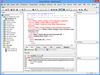
Build reliable, high-performance applications, components and web services for Microsoft .NET and native Windows platforms. DevPartner Studio Professional Edition is a suite of software development and testing tools that enable Windows application teams to build reliable, high-performance applications, components and web services for Microsoft .NET and native Windows platforms. DevPartner Studio automatically detects and diagnoses software defects and performance problems early in the development process as cost-effectively as possible, providing built-in expert coding advice, coding standards and best practices to improve development skills and ensure software reliability and performance. DevPartner Studio enhances Visual Studio and Visual Studio Team System with advanced capabilities that allow development organizations to improve software quality, adopt coding standards and best practices, and maximize developer productivity.
Opinión media:
basada en: 1 opinión.
Nuestros precios Standard están indicados abajo. Inicia una sesión para ver sus precios con descuento.
| Añadir a la Cesta | ₩ 9,384,200 | 1 Developer License per Concurrent User with Subscription Plus (Annual support + updates) Ref. Fabricante: DP-STDO-CP |
Descarga (476.9 MB) |
| Añadir a la Cesta | ₩ 4,431,400 | 1 Server License with Subscription Plus per Named Server (Annual support + updates Note: Requires Named or Concurrent User Licenses) Ref. Fabricante: DP-STDO-SP |
Descarga (476.9 MB) |
Nuestros precios incluyen servicio técnico de ComponentSource y, para la mayoría de los productos disponibles para descarga, una copia de seguridad en línea y una actualización GRATUITA a la nueva versión si ésta se publica en un período de 30 días después de la compra. Todas las ventas están sujetas a nuestros Términos y condiciones standard y a nuestra Política de devolución. Por favor, póngase en contacto con nosotros si necesita alguna opción de licencia no incluida en la lista anterior, incluida la compra por volumen de licencias y versiones anteriores.
Nuestros precios Standard están indicados arriba. Inicia una sesión para ver sus precios con descuento.
What's new in DevPartner Studio V9?
DevPartner Studio Professional Edition is a suite of software development and testing tools that enable Windows application teams to build reliable, high-performance applications, components and web services for Microsoft .NET and native Windows platforms. DevPartner Studio automatically detects and diagnoses software defects and performance problems early in the development process as cost-effectively as possible, providing built-in expert coding advice, coding standards and best practices to improve development skills and ensure software reliability and performance. DevPartner Studio enhances Visual Studio and Visual Studio Team System with advanced capabilities that allow development organizations to improve software quality, adopt coding standards and best practices, and maximize developer productivity.
Source Code Review
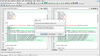
DevPartner Studio Professional Edition source code review comes tightly integrated with the Visual Studio .NET IDE, so you apply the right .NET standards and technologies consistently at every stage of development, even when working with various languages and multi-tiered components.
Choose DevPartner Studio predefined code review rules, or implement your own, to:
Security Scanning
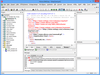
DevPartner Studio scans ASP.NET application source code to find security problems before they become deeply embedded in your code base. By reviewing application source code at compile time, DevPartner can pinpoint insecure coding practices to the exact method and line of code.
Security scanning your ASP.NET application checks each line of code for over 200 security vulnerabilities and suspicious behaviors such as incorrect use of cryptography APIs, insecure use of .NET code attributes and permissions, and insecure use of COM and P/Invoke.
DevPartner security scanning may be performed on demand from within the Visual Studio-integrated user interface. Automated security scanning can also be added to your continuous integration environment using the DevPartner command-line interface.
Error Detection and Diagnosis
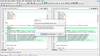
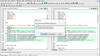
DevPartner Studio Professional Edition error detection catches problems with unsupportable code, runtime errors or mishandled exceptions in Visual Studio .NET, Visual C++ and Visual Basic code, as you develop. You address errors early in development, rather than at later stages when software defects are tougher to address and more costly to fix.
You view the code's call stack, highlight the issue you need to correct and DevPartner Studio instantly takes you to the line of code generating the error. Spot trouble across Windows operating systems and application tiers, even across multiple and already-running processes, as DevPartner Studio:
Memory Analysis
DevPartner Studio memory analysis shows you the amount of memory consumed by an object or class, tracks the references that are holding an object in memory, and identifies the lines of source code within a method responsible for allocating the memory. With an accurate profile of a program's memory usage, you can improve runtime performance and resource utilization by optimizing code that consumes or wastes the most memory. The memory profiler saves valuable development time by helping you quickly locate inefficient code that would otherwise take hours or days to find manually.
When you run DevPartner Studio memory analysis, you can choose to examine one of three important potential problem areas:
DevPartner Studio memory analysis then delivers a host of detailed information:
Memory analysis operates on any .NET application component including VB.NET, Managed Visual C++ and C#, as well as ASP.NET and JScript. Applications consisting of any combination of these languages can be analyzed on a single system for memory use, and the results are automatically correlated for easy viewing.
Code Coverage Analysis
No more relying on relatively subjective reports to test code. DevPartner Studio Professional Edition code coverage analysis tells you how much code was tested, how well it tested and what was never tested at all. You get the answers you need to focus testing where it's needed most, whether it's code check-in, unit testing, integration testing or final release. To zero-in on untested code for you, DevPartner Studio:
With the optional DevPartner server license, you can extend the code coverage analysis capabilities included in DevPartner Studio to remote computers.
Performance Analysis
DevPartner Studio performance analysis takes you where few profiling tools can go, to the individual line of source code to identify and analyze slow code and performance bottlenecks line by line. Using DevPartner Studio performance profiling, you can:
Interested in analyzing performance on multi-tiered applications running on multiple systems? With the optional DevPartner Studio Server license, you can achieve higher levels of performance and reliability.
Performance Expert
DevPartner Studio contains many features designed to assist application development, including a performance analyzer that helps you locate bottlenecks in your code. Performance Expert takes performance profiling a step further for managed code Visual Studio applications by providing deeper analysis of the following hard-to-solve problems:
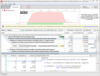
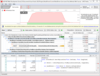
Performance Expert analyzes your application at run-time and locates the problem methods in your code. It then allows you to view details about individual lines in the method, or to examine parent-child calling relationships to help you determine the best way to fix the problem.
When you have decided on an approach, Performance Expert enables you to jump directly to the problem lines in your source code, so you can quickly fix problems.
DevPartner Performance Expert is designed for use by software designers, software developers and quality assurance (QA) engineers. It can also be used by development management staff to identify problems in an ongoing project.
Integrated Reporting
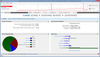
DevPartner Studio offers a rich user experience within the Visual Studio environment, including an integrated code quality report generation facility. DevPartner enables developers and testers to produce HTML code quality reports that allow managers to measure the quality and stability of the code base from the earliest stages of development through the final QA testing phase. Customizable reports are provided for a range of reporting needs, including:
System Comparison
DevPartner Studio supplies a Comparison Utility that takes snapshots of machine configurations, registry settings, system services, drivers, installed products, and so on. Two snapshots can be compared and the differences reported. These snapshots can be from the same system or from different systems. This feature can be can be invaluable when identifying differences in system configurations that may be causing an application to behave differently than expected.
Autor
Categoría principal
Productos relacionados
Categorias relacionadas