Screenshot Preview

DataMatrix Font Kit - Support

by dLSoft - Product Type: Component / .NET Class / 100% Managed Code / DLL

Support Forum

DataMatrix Font Kit ijphan [Malaysia] 13-Dec-2007 04:26:29

another problem appears as below.

when I set XLSheet.Application.Visible = True the excel prompted out without the barcode.
I can only get the barcode when I set visiblity = false and instead open the excel manually from the folder path.
Need to solve this problem, so that I can direct send the excel to the printer to print out.

Thanks and apperciate for any help.
Reply


DataMatrix Font Kit ijphan [Malaysia] 13-Dec-2007 04:19:51

Recently I insert the Dmfocx object into an excel, then I pass parameter into the object using VB6 with the below script

sBarTag = "1T0748AR2962,2TRW77960,QG18711,QS144,MSU;"
With .Sheets(v + 1)
Start = 0
security = 0
so$ = String(8192, vbNullChar)
sz$ = UCase(Trim(sBarTag))
tt = Len(sz$)
n = Bar2Ddmf(ByVal sz$, tt, Start, security, ByVal so$)
If (n < 0) Then
ss$ = String(36, vbNullChar)
i = ErrorMess(n, ss$)
Else

Dim boxName

boxName = "Mybox" & x
.OLEObjects(boxName).object.Text = so$
'.ActiveSheet.OLEObjects(boxName).object.Text = so$
End If
End With

But when I scanned the barcode from the excel file, the result returned is 1T0748AR2962,2TRW77960,QG18711,QS144,MSU;
with some tab space behind. May I know anywhere to solve this problem?
(1T0748AR2962,2TRW77960,QG18711,QS144,MSU;xxxxx) I replace the tab space with "x" for better understanding.
Reply


Product Search

Enter search words:

Why buy from ComponentSource?

ComponentSource offers a unique global service, used by over 1,000,000 software developers worldwide.

More Info | About Us

Screenshot Gallery

Click for full screen preview

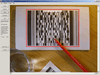
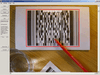
Screenshot of DataMatrix Font Kit - DLL/.NET/Java Class - V5.6 Screenshot of DataMatrix Font Kit - DLL/.NET/Java Class - V5.6 Screenshot of DataMatrix Font Kit - DLL/.NET/Java Class - V5.6
Award