by DevExpress (Developer Express) - Product Type: Component / .NET WinForms / .NET Class / 100% Managed Code / LightSwitch Controls
DXperience DXv2 WinForms by DevExpress (Developer Express)
URLs: dxperience-winforms, dxperience winforms, dxperiencewinforms, devexpress
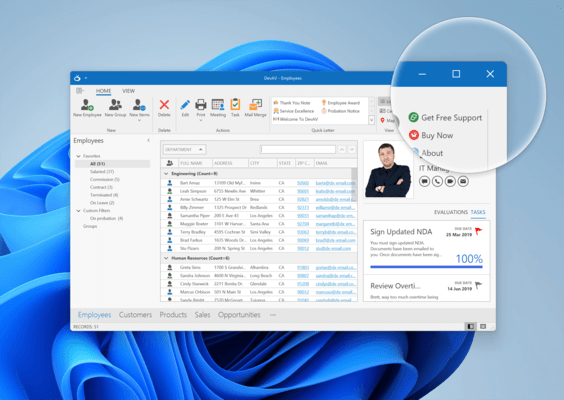
All the WinForms component suites and libraries produced by DevExpress in one package. DXperience DXv2 WinForms includes the following products: XtraGrid Suite, XtraBars Suite, XtraPivotGrid Suite, XtraScheduler Suite, XtraReports Suite, XtraTreeList Suite, XtraVerticalGrid Suite, XtraCharts Suite, XtraLayoutControl Suite, XtraNavBar, XtraEditors Library, XtraPrinting Library, XtraSpellChecker. DXperience DXv2 Winforms Subscription includes 1 Year Subscription for all DevExpress WinForms products included in the suite.
DXperience DXv2 for WinForms: Components designed for Windows Forms
XtraReports Suite
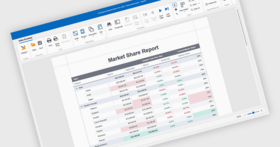
A reporting tool that features an extremely easy-to-use report designer - the XtraReports Suite is fully integrated into MS Visual Studio IDE so you customize reports like you customize your Windows Forms. You simply build an XtraReport class descendant either within the designer or via code.
Other features include: large set of export formats including XLS, HTML and PDF; the ability to integrate reports into ASP.NET applications; several wizards simplifying the report construction process; numerous built-in native controls including rich text box, bar code, zip code and charts; the ability to print 3-rd party Windows Forms controls; master-detail and sub-report support; fully functional end-user designer; multi-column reports, and much more.
XtraCharts Suite
A 2D/3D charting solution for both Windows Forms and the Web. Regardless of platform or chart type, you are free to customize each aspect of data representation – from axes and diagram backgrounds to legend and titles. The XtraCharts Suite offers multiple built-in coloring schemes for all charts types and natural lighting with full smoothing support for 3D charts. You simply provide data and automatically get a perfect visualization.
XtraGrid Suite
A grid control with four data layout options from a simple table to banded multi-line row layout and card views. XtraGrid offers true master-detail support with unlimited nesting levels that doesn’t affect any other features, intuitive on-form customization without the need for any designer dialogs, rich end-user experience, printing and exporting to a number of formats, and so much more.
XtraBars Suite
The suite offers you the complete range of navigation and window layout management tools. Using XtraBars, you can build Ribbons, traditional toolbar-menu systems, dock windows, tabbed MDI interfaces and context menus. You have the choice of over ten item types to be used in Ribbons, bars and menus – from push and check buttons and integrated editors from the XtraEditors Library to automatically constructed MDI children lists and toolbar lists.
XtraScheduler Suite
XtraScheduler Suite enables you to incorporate the UI found in Microsoft Office Calendar to your applications with just a couple of mouse clicks. Everything you need is available out-of-the-box. You get multiple data views - from a single day to multiple weeks; you get built-in recurrence and reminders, and, most importantly, you get the complete set of build-in end-user menus and dialogs.
XtraPivotGrid Suite
The XtraPivotGrid Suite is a data analysis, data mining and visual reporting solution for Windows Forms applications. It was engineered to provide a bridge between on-screen forms and printed reports. With it, your users can break down raw data in any manner they require using easy-to-understand Windows commands and instantly render the desired output to a printer. By incorporating the XtraPivotGrid in your application, you can deliver an almost endless array of reports - both on-screen and in printed form - without hassles or aggravation.
XtraLayoutControl
The XtraLayoutControl represents an new way in which to design and manage your Windows GUI - with it, you can construct forms with full runtime customization and offer end-users complete control over the layout and appearance of your applications with ease.
XtraTreeList Suite
A hybrid tree-view and grid control that has both bound and unbound data access options. The optimal choice for building newsreader-like applications and any other hierarchical data viewers like folder or registry browsers.
XtraVerticalGrid Suite
A 90 degrees rotated grid where records are arranged one after another from right to left. The control gives you the choice of 3 data layouts – single record (similar to the Properties window of the MS Visual Studio), bands layout (one record is displayed in a number of columns) and multi-records layout (just like the inverted grid control). The vertical grid supports tree-like data representation structure, breaking the columns into collapsible categories, complex cell layouts, automatic row drag and drop and much more.
XtraNavBar
A navigation control allowing you to build side-bars, explorer bars and Office navigation panes – over 20 views are available which also includes XP painted and custom-skinned views. You set up the control structure once and don’t have to redo a single thing to change the paint style and layout. Within its groups, the control can display either links arranged using one of the four built-in layouts or any Windows Forms controls. Other main features include: on-form design-time customization without the need for designer dialogs, automatic link drag and drop support, full appearance customization including even owner-drawn hints for groups and links.
XtraEditors Library
The library is comprised of over 20 editors that can be used both as standalone or be embedded into cells of the XtraGrid, XtraTreeList, XtraVerticalGrid controls and bars and menus produced with the XtraBars Library. Additionally, the XtraEditors Library offers numerous controls like labels, buttons, list boxes, splitters and so on so you can create visually consistent applications. Included style controller and editors repository components eliminate the need to create the same styles or editors more than once.
XtraPrinting Library
The data rendering and visualization system allowing you to construct any printed pages from scratch or print Windows Forms controls like the XtraGrid, XtraTreeList, XtraPivotGrid, XtraCharts, DataGrid, ListView, TreeView. This library is also integrated into the XtraReports Suite to provide printing facilities.
XtraSpellChecker
The XtraSpellChecker provides you a straightforward way in which to add Microsoft Office style spell checking capabilities into your next Windows application and offers you built in suggestion forms that replicate corresponding forms found in Microsoft Word and Outlook.
What’s New in DXv2 WinForms?
Tile Metro Inspired Touch Controls - This release has been re-engineered so you can leverage your existing skill set and platform investments to fully exploit next-generation operating systems and devices such as the Windows 8 tablet. With minimal effort, you can now deliver rich and compelling touch-enabled solutions on the WinForms platform. The new WinForms Tile Control allows you to re-imagine the way in which an application interacts with end-users and build dashboards that are ultra-efficient and fully customizable.
Custom Themes and Skins - DevExpress WinForms Skin and Theme Editor gives you total control over the look, feel and appearance of DX WinForms Controls.
New WinForms Metropolis Theme - Whether building touch-enabled solutions or to simply deliver a more polished UI, DevExpress Application Themes give you the tools to address the needs of your most demanding users.
Hybrid WinForms WPF Tree-List - The first hybrid Tree-List View control for WinForms continues its evolution and now offers filtering and search options to radically simplify the way in which information is retrieved by your end-users.
Windows Touch Support - Target new devices such as tablets by using the extensive range of touch enabled WinForms Controls offered by DevExpress.
Extended WinForms Image Controls - Usability matters, and the enhanced Picture Editor and new Image Slider have been engineered to help you effectively communicate visual information with your end-users.
New WinForms Gantt Control - Visually represent and easily edit schedule dependencies and activity relationships in your next WinForms project.
Industrial Strength PivotGrid - Never restricted to a single database or data access strategy, the XtraPivotGrid adds XMLA data access support.
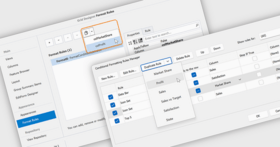
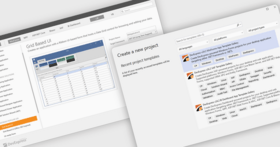
WinForms Report Template Gallery - Simplifying the way in which you create reports and provide them to your customers remains the top priority and with the Report Template Gallery, you can now use pre-built report templates from the online gallery and thus deliver more in less time.
WinForms Grid Control - New Split Presentation View…an innovative new way in which to display data to end-users.
WinForms Gauge Controls - The highly optimized XtraGauge Controls ships with more models than ever before and with new built in animation effects, the suite allows you to apply visually stunning elements to any information centric application with ease.
All the WinForms component suites and libraries produced by DevExpress in one package.
DXperience WinForms Upgrade Policies
Expired DXperience License
If you allow a DXperience subscription to lapse and do not renew after a year, you can still update your DXperience subscription at a later time at a higher price . Your DXperience Upgrade Pricing varies based upon length of time since the expiration of your DXperience License.If your subscription has been expired for more than 2 months please contact us for pricing information.
Upgrade from multiple or individual DevExpress products to DXperience WinForms
If you have purchased a DevExpress products in the past and now you need to buy DXperience, you might be able to obtain a discount on your DXperience order.
As official DXperience Reseller/Distributor, we can help you find the right DXperience Upgrade License. Please, feel free to contact us if you have any questions about your DXperience Upgrade.
DXperience WinForms Renewal Policies
Once you've purchased a DXperience Subscription license, you only need to pay approximately 40% of the initial purchase price to renew your DXperience Subscription for each subsequent year. If you are renewing your license before or 2 months after the current expiration date, the new expiration date will be calculated based on the original order date. For example, if your original subscription started when your order was placed on 5th Jan 2009 and you only decide to renew on 10th Feb 2010, your DXperience subscription will be back dated slightly and be set up to end on 5th Jan 2011. If you don't want to renew your DXperience subscription, you can continue using all licensed components and tools without further payment.
As official DXperience Reseller/Distributor, we can help you find the right DXperience Renewal License. Please, feel free to contact us if you have any questions about your DXperience Renewal.
DXperience WinForms includes:
DXperience WinForms Controls
12 Month Subscription: Within 12 months from the date of your purchase, you automatically receive all updates for those products which you are licensed under a given subscription. In addition, you will receive all new products that we release for the Subscription level you own..
Access to Betas: Access to all internal product betas, giving you the opportunity to work with cutting edge technology before anyone else.
Pricing: DXperience DXv2 WinForms v2011 vol 2 (V11.2.8) - Does not include source code 1 Developer License - Includes one year subscription, does not include source code, DXperience DXv2 WinForms v2011 vol 2 (V11.2.8) - Does not include source code 2-5 Developer License - Includes one year subscription, does not include source code - price per license, DXperience DXv2 WinForms v2011 vol 2 (V11.2.8) - Does not include source code 6-10 Developer License - Includes one year subscription, does not include source code - price per license, DXperience DXv2 WinForms v2011 vol 2 (V11.2.8) - Does not include source code 11-15 Developer License - Includes one year subscription, does not include source code - price per license, DXperience DXv2 WinForms v2011 vol 2 (V11.2.8) - Does not include source code 16-20 Developer License - Includes one year subscription, does not include source code - price per license, DXperience DXv2 WinForms v2011 vol 2 (V11.2.8) - Does not include source code 21+ Developer License - Includes one year subscription, does not include source code - price per license, DXperience DXv2 WinForms v2011 vol 2 (V11.2.8) - Subscription Renewals (can be purchased up to 30 days after expiry date) - Does not include source code 1 Subscription Renewal for one year (can be purchased up to 30 days after expiry date), does not include source code, DXperience DXv2 WinForms v2011 vol 2 (V11.2.8) - Subscription Renewals (can be purchased up to 30 days after expiry date) - Does not include source code 2-5 Subscription Renewal for one year (can be purchased up to 30 days after expiry date), does not include source code, DXperience DXv2 WinForms v2011 vol 2 (V11.2.8) - Subscription Renewals (can be purchased up to 30 days after expiry date) - Does not include source code 6-10 Subscription Renewal for one year (can be purchased up to 30 days after expiry date), does not include source code, DXperience DXv2 WinForms v2011 vol 2 (V11.2.8) - Subscription Renewals (can be purchased up to 30 days after expiry date) - Does not include source code 11-15 Subscription Renewal for one year (can be purchased up to 30 days after expiry date), does not include source code, DXperience DXv2 WinForms v2011 vol 2 (V11.2.8) - Subscription Renewals (can be purchased up to 30 days after expiry date) - Does not include source code 16-20 Subscription Renewal for one year (can be purchased up to 30 days after expiry date), does not include source code, DXperience DXv2 WinForms v2011 vol 2 (V11.2.8) - Subscription Renewals (can be purchased up to 30 days after expiry date) - Does not include source code 21+ Subscription Renewal for one year (can be purchased up to 30 days after expiry date), does not include source code, DXperience DXv2 WinForms v2011 vol 2 (V11.2.8) - Subscription Renewals (for Subscriptions expired just passed 30 days) - Does not include source code 1 Subscription Renewal for one year (for Subscriptions expired just passed 30 days), does not include source code, DXperience DXv2 WinForms v2011 vol 2 (V11.2.8) - Subscription Renewals (for Subscriptions expired just passed 30 days) - Does not include source code 2-5 Subscription Renewal for one year (for Subscriptions expired just passed 30 days), does not include source code - price per license, DXperience DXv2 WinForms v2011 vol 2 (V11.2.8) - Subscription Renewals (for Subscriptions expired just passed 30 days) - Does not include source code 6-10 Subscription Renewal for one year (for Subscriptions expired just passed 30 days), does not include source code - price per license, DXperience DXv2 WinForms v2011 vol 2 (V11.2.8) - Subscription Renewals (for Subscriptions expired just passed 30 days) - Does not include source code 11-15 Subscription Renewal for one year (for Subscriptions expired just passed 30 days), does not include source code - price per license, DXperience DXv2 WinForms v2011 vol 2 (V11.2.8) - Subscription Renewals (for Subscriptions expired just passed 30 days) - Does not include sou
Evals & Downloads: Read the Developer Express License Agreement - Requires Acrobat Reader, Read the XtraVerticalGrid help file, Read the XtraNavBar Suite help file, Read the XtraLayoutControl Suite help file, Read the XtraGauges Suite help file, Read the XtraEditors Library help file, Read the XtraPrinting Library help file, Read the XtraBars Suite help file, Read the XtraScheduler Suite help file, Read the XtraGrid .NET Suite help file, Read the XtraPivotGrid Suite help file, Read the XtraReports Suite help file, Read the XtraCharts Suite help file, Read the Developer Express Licensing Frequently Asked Questions document, Read the Developer Express Licensing Frequently Asked Questions document in Japanese, View the DXperience Subscription Editions Matrix, Download the DXperience v2011 vol 2 (V11.2.8) evaluation on to your computer - Expires After 30 Days
Operating System for Deployment: Windows 7, Windows Vista, Windows XP, Windows 2000
Architecture of Product: 32Bit
Product Type: Component
Component Type: .NET WinForms, .NET Class, 100% Managed Code, LightSwitch Controls
Compatible Containers: Microsoft Visual Studio 2010, Microsoft Visual Studio 2008, Microsoft Visual Studio 2005, Microsoft Visual Basic 2010, Microsoft Visual Basic 2008, Microsoft Visual Basic 2005, Microsoft Visual C++ 2010, Microsoft Visual C++ 2008, Microsoft Visual C++ 2005, Microsoft Visual C# 2010, Microsoft Visual C# 2008, Microsoft Visual C# 2005, Microsoft Visual Studio LightSwitch 2011, .NET Framework 4.0, .NET Framework 3.5, .NET Framework 3.0, .NET Framework 2.0
Product Class: Business Components
Keywords: dxv2, dxperience winforms, devexpress winforms, dxperience winforms subscription, dxperience for winforms, dxperience windows forms, developer express winforms, dxperience winforms renewal, buy dxperience winforms, dxperience winforms upgrade, order dxperience winforms, purchase dxperience winforms, dxperience winforms reseller, dxperience winforms distributor
devexpress, developer express, dxperience, devexpress.com, devexpress controls, devexpress download, www.devexpress.com, devexpress dxperience, devexpress suite, devexpress components, devexpress tools, devexpress universal, devexpress upgrade
Product Suites Suite bundles bundle
Entry data-entry
Explorer exploring explore
Chart Charting Charts Graph Graphing Graphs
datagrid controls, datatable controls, datagrid components, datatable components, datagrid, data grid, data table, net gridview, net datagrid, data grid, grid control, net datatable, c# gridview, c# datagrid, asp.net datagrid, grid asp, vb.net datagrid
treeview, list, tree view, tree-view, list-view, listview, listbox
Print Preview Printing previews prints
Reporting Reports Report
Spelling spell spel speling check spellcheck
Toolbar tool bar tool-bar Toolbars Menu Menus Ribbon Ribbonbar
User Interface UI
User Interface Collections UI
planning plan scheduling schedule schedules scheduler
Database DB Reporting Report reports
Calendar calendaring calendars Scheduling Schedule Schedules
validation validate
Part numbers: PC-518399-420854 518399-420854 PC-518399-420864 518399-420864 PC-518399-420869 518399-420869 PC-518399-420874 518399-420874 PC-518399-420879 518399-420879 PC-518399-420884 518399-420884 PC-518399-422569 518399-422569 PC-518399-422570 518399-422570 PC-518399-422571 518399-422571 PC-518399-422572 518399-422572 PC-518399-422573 518399-422573 PC-518399-422574 518399-422574 PC-518399-420859 518399-420859 PC-518399-420889 518399-420889 PC-518399-420891 518399-420891 PC-518399-420893 518399-420893 PC-518399-420895 518399-420895 PC-518399-420897 518399-420897
Mfr. Part No: 139
Publisher
Primary Category
Related Products
Related Categories
ComponentSource offers a unique global service, used by over 1,000,000 software developers worldwide.