ePublisher Platform - Enterprise - Zusammenfassung

von Quadralay Corporation - Produkttyp: Anwendung

Zusammenfassung

ePublisher Platform Enterprise by Quadralay Corporation

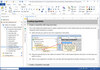
Online and desktop publishing suite. ePublisher Platform is a multiple component product that enables cost-effective processes for efficiently writing, presenting, and deploying online and print publications. Through the use of its three components, organizations can leverage existing authoring tools and content management systems and meet organization-wide publishing needs without incurring expensive training or software deployment initiatives. Its open system architecture, based on industry-standard XSL, enables a large degree of flexibility, customizability, and migration investment protection.

ePublisher Enterprise Version

The Enterprise Version is for writing groups that have frequent updates of their online content, would like to integrate online help deliverables into a software build, or want to utilize the power of a content management system. The Enterprise Version includes ePublisher Pro and ePublisher Express.ePublisher AutoMap.

ePublisher Platform contains three components:

ePublisher Pro is used for designing, configuring and maintaining the style and behavior of all your online formats at once within a single master project that systematically handles the deployment of your organization's shared stationery. As your business needs grow, this component makes it easy to propagate changes and updates throughout your entire organization. This component is only recommended for users involved with the creation and maintenance of your organization's shared stationery and who have received proper training in the use of the ePublisher platform.

ePublisher Pro Key Benefits:

Multi-Channel Publishing - Create multiple format targets from within a single stationery to meet all your channel publishing needs (i.e., Web sites, help systems, printing, XML processing). In the future add additional formats as your needs evolve without restyling your stationery

Full Styling Control - Selectively inherit or override every single layout and/or style property of your source authoring template using the built-in GUI, which is based on CSS2 standards

Modify Existing Style and Behavior Control - Using the hierarchically organized built-in XSL files that constitute the complete publishing engine for each format, special requirements can be implemented in XSL or other standard scripting languages without creating complex migration and product upgrade challenges in the future

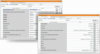
Enable/Disable Online Features - Online features such as breadcrumbs, related topics, mini-TOCs, drop-down text, integrated PDF links, popup entries, and more can easily be specified using the built-in GUI

Advanced Table Styling - Tables can inherit the styling and layout of your existing source documents or they can be easily modified to meet the special needs of your online publishing requirements

Advanced Graphic Handling - Automatic scaling, resizing, maximum sizing, thumbnailing, and transforming of all your graphics can be easily enabled or disabled using the built-in GUI. All the graphic formats supported by your native authoring environment will be supported with the ability to transform them into any Web-ready graphic, including JPEG, GIF, and PNG

Translation & Localization - Full multilingual text encoding and locale support can be enabled to target all your online readers throughout the world. This also includes full support for double-byte languages (such as Japanese, Korean, Simplified and Traditional Chinese)

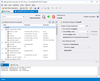
ePublisher Express is used for creating and deploying online publications directly from a user's desktop computer. This component is packaged with out-of-the-box integration for both Adobe FrameMaker and Microsoft Word authoring environments to allow users to easily proof their publications and identify invalid style formatting, 508 compliance issues, broken hyperlinking, and other document irregularities. Using your organization's shared stationery, style and format behavior updates can be automatically synchronized to a user's existing publication projects. This component is recommended for all users who need to either generate or proof their online publications directly from their computer, and requires only limited training for effective use.

ePublisher Express Key Benefits:

Ease of use - ePublisher Express is very easy to use, allowing writers to continue writing in their editor of choice rather than learning new tools. In many cases, it's as simple as choosing to generate output from the WebWorks menu integrated into your editor

Reporting - Reports inform writers about potential errors or other relevant information useful for increasing accuracy. Writers are informed of errors and can correct mistakes early in the process, eliminating the need for tedious reviews. Built-in reports include illegal style usage, hyperlinks, filenames, topic aliases, and accessibility compliance violations

Stationery - ePublisher Express uses the same stationery created by ePublisher Pro, allowing reuse of all presentation work created by a designer. This further frees up writers to write and not be concerned with presentation issues

Table Support - Supports advanced table styling properties

Configurable UI - At installation time, the UI is configurable to either enable or disable condition, variable, and cross-reference panels. This provides managers the added flexibility of allowing writers to modify this information or to restrict the values to those specified in the stationery

ePublisher AutoMap is used for creating and deploying online publications either from a dedicated server or a user's desktop computer. This component is ideal for creating lengthy publications that require the full processing power of a computer system and an e-mail notification to indicate when the publication is ready for use. In addition, this component can be used to extend the publishing capabilities of existing content management or version control systems. This component is recommended for users who need to schedule conversions to occur at times when they are not using their computer, or when creating server-based solutions that automatically create publications to meet specific organizational workflows.

ePublisher AutoMap Key Benefits:

Scheduler - Built-in scheduler allows conversions to run any time or at repeated intervals. The scheduler works with the built-in Windows Task Scheduler so all login and permission issues are handled properly and securely

Version Control Integration- Works with virtually any version control or content management system, enabling ePublisher AutoMap to adapt to your existing process

E-mail Notification - Automatic e-mail notification alerts users when the job is complete or possible problems have occurred

Deployment - Automatic deployment to Internet, intranet, file system, software build system, or any other location

Publish all Targets at Once- Generate all or select targets from your stationery in a single job instance. Also, control and modify the deployment options, conditions, variables, and format settings on a per-target basis

Scripting - Built-in script editor with environment variables allows for the creation of pre-generation and post-generation scripts for advanced document retrieval and deployment requirements

Batch Operations - Create your own scripts and facilitate batch conversion operations using the feature-complete command line interface

ePublisher Platform Output Formats:

Online Help - WebWorks Help 5.0 comes ready out-of-the-box with complete online help features such as left-hand navigation pane, search, table of contents, favorites, index, breadcrumbs, related topics, popup windows, PDF integration, and more. This format is XHTML 1.0 compliant and since it relies only on JavaScript and CSS2 for functional and styling features it can be further customized to meet your most demanding help and Web site application requirements for most any platform and/or browser

HTML - Generates XHTML 1.0 compliant files with full CSS2 formatting and JavaScript integration. Can be easily adapted to meet your most challenging style and behavioral requirements

HTML 3.2 - Generates clean HTML markup tagging that meets all your display needs without relying on CSS or JavaScript

Microsoft HTML Help & Microsoft WinHelp - Full support for these Windows-specific help formats.

JavaHelp - Support for the most popular formats for Java applications, including Sun JavaHelp 1.1.3/2.0, and Oracle Help

PDF - Generate professional-quality PDFs for direct deployment from your project by themselves or as part of another output format. Automatically performs all variable, conditional-text, and generated-file processing

Custom XML - Create your own XML output format with DTD or Schema support to migrate unstructured content to XML. A starting point XML-based format is provided

Palm Reader & Microsoft Reader - Easily create output for the most popular portable device formats

Accessibility & 508 Compliance - Compliance enforcement is built into all HTML and help-based formats

Next Generation - New output formats will soon be available to support up-and-coming technologies, such as HTML Help 2.0 and Vista Help

Active Web Pages - Generate files for automatic deployment to Web servers that support dynamic Web pages such as ASP.Net, PHP, JSP, and others

PartNumbers: PC-517870-125324 517870-125324 PC-517870-125330 517870-125330 PC-517870-125326 517870-125326 PC-517870-125329 517870-125329

PurchaseOptions: ePublisher for FrameMaker Enterprise License 1 User License , ePublisher for FrameMaker Enterprise License 1 Additional User License , ePublisher for Word Enterprise License 1 User License , ePublisher for Word Enterprise License 1 Additional User License

Resources: Read the ePublisher Platform Overview, Read the ePublisher Pro Overview, Read the ePublisher Express Overview, Read the ePublisher AutoMap Overview, Read the ePublisher Pro User Guide, Read the ePublisher Express User Guide, Read the ePublisher AutoMap User Guide, Read the ePublisher Support Policy Web page, Read the ePublisher Full Maintenance Program Web page, Read the ePublisher End User License Agreement

Operating System for Deployment: Windows XP, Windows Server 2003, Windows 2000

Architecture of Product: 32Bit

Product Type: Application

Keywords: Help Authoring ForeFront Documentation documenting document author Professional Partner

Produkt-Suche

Suchbegriffe eingeben:

Weitere Links

Hersteller

Primärkategorie

Zugehörige Produkte

Award