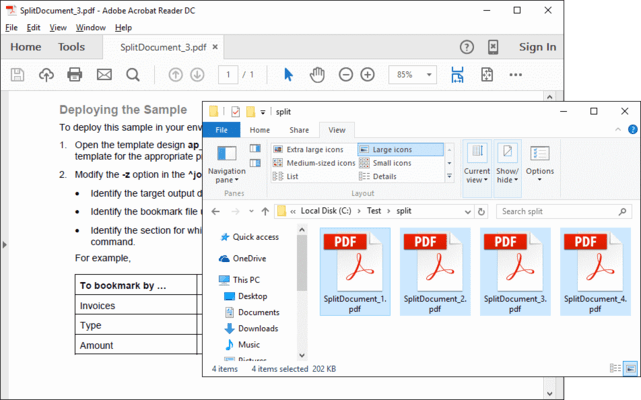
Screenshot Preview

ExpertPDF SplitPDF

經 Outside Software - 產品類型: 構件 / .NET 類 / 100% 受控代碼

‏請注意: 除非另有說明,此為英語產品

*

Extract pages and split PDF files. ExpertPDF SplitPDF allows you to extract a range of pages from a PDF document. You can also split the PDF document into a number of chunks, each chunk containing a specified number of pages. ExpertPDF SplitPDF includes a ready to use command line utility for splitting and extracting your PDF documents and a .NET library for adding PDF split capabilities to your .NET,  ASP.NET and Win32 applications.

$245.00
價格

‏我們的常規價格如下。 請登錄後查看打折後的價格。

ExpertPDF SplitPDF V3.0   *

加入購物車 $ 245.00 1 Developer License (Single Application Deployment)  * 下載 (1.2 MB)
加入購物車 $ 343.00 1 Developer License with Subscription (Single Application Deployment) - includes priority email support and full major and minor version upgrades for a year  * 下載 (1.2 MB)
加入購物車 $ 539.00 1 Company License with Subscription (Allows Unlimited Developers at a Single Physical Address) - Includes priority email support and full major and minor version upgrades for a year  * 下載 (1.2 MB)

ExpertPDF SplitPDF Subscription Renewal   *

加入購物車 $ 147.00 1 Developer Subscription Renewal License - priority email support and full major and minor version upgrades for a year  * 驗證 下載 (29 KB)
加入購物車 $ 245.00 1 Company Subscription Renewal License - priority email support and full major and minor version upgrades for a year  * 驗證 下載 (29 KB)

我們的價格包括ComponentSource的技術支持。對於大多數可下載的產品,還提供線上備份和免費升級為新版本,若新版本在購買後的30日內發佈的話。  所有銷售都是按照我們的標準條款 進行的,並且適用我們的退貨政策. 請 聯繫我們 若您需要任何未在上面列出的License選擇,包括批量License及以前的版本。 

‏我們的常規價格見上。 請登錄後查看打折後的價格。

 *

Features

  • .NET PDF split development libraries and samples
  • Win32 PDF split command line tool
  • Split PDF documents
  • Count the number of pages from a PDF document
  • Extract specific pages from a PDF document
  • Extract pages to disk or memory stream
  • ASP.Net Support

The rendered PDF compression level can be set via the following properties:
  • AboveNormal - Better compression but takes more time to compress 
  • BelowNormal - Between normal and BestSpeed compressions 
  • Best Use - The best compression but takes more time to compress 
  • BestSpeed - The compression speed is high but the compression percentage is low 
  • NoCompression - Does not do any compression 
  • Normal Use - Normal compression, a balance between compression speed and resulted size

注意

還未完成翻譯的產品說明, 我們提供了Google 翻譯的連結方便您使用. 但請注意, 自動翻譯有時候可能會有翻譯錯誤.
由「」技術提供
在Firefox 和Opera 需要Flash.

產品搜索

輸入搜索詞:

為什麼從ComponentSource購買?

ComponentSource 提供獨特的全球國際服務, 在世界各地共有超過1,000,000 開發者客戶.

更多訊息 | 關於我們

節省的開發量

請閱讀我們的白皮書
計算投資收益

代碼的行數: 150,000
人月數: 150
人工成本: $750,000

需要的功能:

每1000行代碼的工作量

每月的人工成本:

獎勵