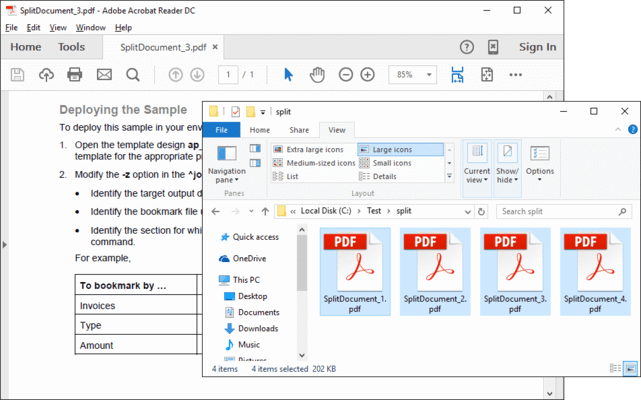
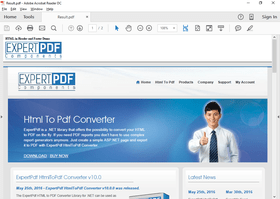
Screenshot Preview

ExpertPDF Toolkit

by Outside Software - Product Type: Component / .NET Class / 100% Managed Code

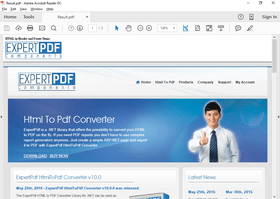
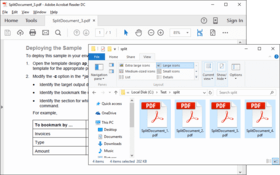
Merge PDFs, HTML, images, text into a new PDF file, extract pages and split PDF files, and convert HTML pages to PDF on the fly. ExpertPDF Toolkit includes ExpertPDF SplitPDF, ExpertPDF Pdf Creator, ExpertPDF MergePDF and ExpertPDF HtmlToPdf Converter. ExpertPDF SplitPDF allows you to extract a range of pages from a PDF document. You can also split the PDF document into a number of chunks, each chunk containing a specified number of pages. ExpertPDF MergePDF lets you easily combine your existing documents and images into a single PDF file. It allows you to specify the merge elements in any order with a simple syntax. ExpertPDF HtmlToPdf Converter is a .NET library that offers the ability to convert HTML pages to PDF on the fly. If you need PDF reports you don't have to use complex report generators anymore. Just create a simple ASP.NET page and export it to PDF with the ExpertPDF HtmlToPdf Converter. You can set PDF page margins, change page orientation (portrait, landscape), customize headers and footers (add images, change height, change fonts, colors), add page numbers, set compression level and more.

From
$735.00
Price in

Our regular prices are shown below. Please logon to see your discounted prices.

ExpertPDF Toolkit V7.0  

Add to Cart $ 735.00 1 Developer License (Single Application Deployment) Download (99.7 MB)
Add to Cart $ 931.00 1 Developer License with Subscription (Single Application Deployment) - includes priority email support and full major and minor version upgrades for a year Download (99.7 MB)
Add to Cart $ 1,568.00 1 Company License with Subscription (Allows Unlimited Developers at a Single Physical Address) - Includes priority email support and full major and minor version upgrades for a year Download (99.7 MB)

ExpertPDF Toolkit Subscription Renewal  

Add to Cart $ 392.00 1 Developer Subscription Renewal License - priority email support and full major and minor version upgrades for a year Verify Download (99.7 MB)
Add to Cart $ 735.00 1 Company Subscription Renewal License - priority email support and full major and minor version upgrades for a year Verify Download (99.7 MB)

Our prices include ComponentSource technical support and, for most downloadable products, an online backup and a FREE upgrade to the new version if it is released within 30 days of your purchase.  All sales are made on our standard Terms and Conditions and subject to our Return Policy. Please contact us if you require any licensing option not listed above including volume licensing and previous versions.

Our regular prices are shown above. Please logon to see your discounted prices.

What's new in ExpertPDF Toolkit V7.0?

  • Performance improvements
  • Bug fixes

What's new in ExpertPDF Toolkit V6.0?

  • Repeat the header of long HTML tables on each PDF page where the table is rendered using the display:table-header-group style
  • Exclude HTML regions from rendering using the the HtmlExcludedRegionsOptions property of the PdfConverter class
  • Improved the converter behavior in multithreaded applications and in high traffic websites
  • Improved the scrolling speed of the generated PDF document when the document is opened in Adobe Reader
  • Added the Console_MultithreadedPerformance sample application to measure the converter performance in multithreaded applications
  • Added sample applications to show how to repeat the head of a HTML table on each PDF page where the table is rendered

What's new in ExpertPDF Toolkit V5.x?

  • Convert HTML links with anchors to internal links in your PDF to easily create a table of contents in the generated PDF
  • Added an option to compress images in your PDF using JPEG compression to highly reduce the PDF document size
  • Allow any number of HtmlToPdfArea, TextArea and ImageAreas in the generated PDF document header and footer
  • Added the possibility to prepend an array of external PDF documents before conversion to create cover pages
  • Added support for rendering vertical text defined in HTML with writing-mode styles tb-rl or bt-rl
  • Performance improvements

What's new in ExpertPDF Toolkit V4.0?

  • Added the possibility to specify the PDF viewer preferences
  • Added the option to auto size the PDF page width
  • Header and footer improvements
  • Improved the rendering of PDFs with embedded images
  • Added a ConversionSummary property

What's new in ExpertPDF Toolkit V2.7?

  • Support for .NET 3.5 (Visual Studio 2008)

What's new in HtmlToPdf Converter V2.1?

  • Support for HTML links
  • Support for embedded true type fonts
  • Multiple security options
  • Possibility to change the pdf document description elements
  • Support for page breaks using CSS styles (page-break-before:always, page-break-after:always)
  • Keep-together feature with CSS style page-break-inside:avoid
  • Full support for PNG images (including transparency)
  • Support for right-to-left languages (Arabic, Armenian, Georgian, Hebrew, Indic, Thai and Vietnamese)
  • Automatic page breaks algorithm enhancements to avoid image breaks
  • Major speed enhancements
  • Posibility to enable Javascript/ActiveX during conversion

ExpertPDF PDF Viewer

The PDF Viewer control for Windows Forms .NET can be linked into any Windows Forms application to add pdf visualization and manipulation capabilities to your software.

With ExpertPDF PDF Viewer for .NET you can display PDF files into your Windows Forms, navigate the document, print, etc. Integration is extremely easy. Adobe Acrobat Reader is required.

Features

  • .NET user control and samples
  • Display PDF documents in WinForms applications
  • Navigate and print documents
  • Royalty free development libraries and samples

ExpertPDF HTMLToPDF Converter Library for .NET can be used as general purpose component for converting web pages and HTML code to PDF documents or it can be used to easily create PDF reports directly from ASP.NET pages to benefit from the great power of standard ASP.NET databound server controls.

The converter can convert the web pages to PDF documents with selectable texts and objects or to PDF documents with an embedded image. You can add footers and headers to the rendered document, set the page size, page orientation and PDF compression level.

The library can be used from any .NET application (Windows forms, ASP.NET Web sites or command line tools).

Main features:

  • Directly convert an URL to a PDF file
  • Convert an HTML string to PDF
  • Convert to PDF from a file saved on disk
  • Capture the PDF byte stream
  • Set the text and appearance of the PDF header and footer
  • Set page number options
  • Set PDF compression level
  • Set PDF page type
  • Dynamically append an existing PDF file to the newly exported PDF file/stream
  • Show/hide headers/footers
  • Set page margins
  • Change page orientation (portrait, landscape)
  • Customize header (add images, change height, change fonts, colors)
  • Customize footer (add images, change height, change fonts, colors)

ExpertPDF MergePDF - If you need a ready to use tool for combing your documents and images you can use the command line utility. It allows you to specify the merge elements in any order with a simple syntax.

If you need to add PDF merge capabilities in your .NET application, either Windows Forms or ASP.NET, you can use the .NET 2.0 library.

Main features:

  • .NET PDF merge development libraries and samples
  • Win32 PDF merge command line tool
  • Merge PDF documents
  • Merge images in any format with PDF files
  • Merge text files with PDF files
  • Merge HTML files with PDF files
  • ASP.NET Support

ExpertPDF SplitPDF Features

  • .NET PDF split development libraries and samples
  • Win32 PDF split command line tool
  • Split PDF documents
  • Count the number of pages from a PDF document
  • Extract specific pages from a PDF document
  • Extract pages to disk or memory stream
  • ASP.Net Support

The rendered PDF compression level can be set via the following properties:

  • AboveNormal - Better compression but takes more time to compress 
  • BelowNormal - Between normal and BestSpeed compressions 
  • Best Use - The best compression but takes more time to compress 
  • BestSpeed - The compression speed is high but the compression percentage is low 
  • NoCompression - Does not do any compression 
  • Normal Use - Normal compression, a balance between compression speed and resulted size

ExpertPDF Pdf Creator - Add PDF creation, HTML to PDF conversion and RTF to PDF conversion to your applications. ExpertPDF Pdf Creator SDK is a .NET library that can be used for PDF encryption and digital signatures, bookmarks and more. You can add text and image elements to PDF documents and templates, render multipage images (TIFF) to PDF and add graphic elements like lines, rectangles, ellipses, circles and Bezier curves. ExpertPDF Pdf Creator SDK also lets you set PDF document permissions (print, edit, copy), set user and owner passwords and add digital signatures.


Product Search

Enter search words:

Why buy from ComponentSource?

ComponentSource offers a unique global service, used by over 1,000,000 software developers worldwide.

More Info | About Us

Award