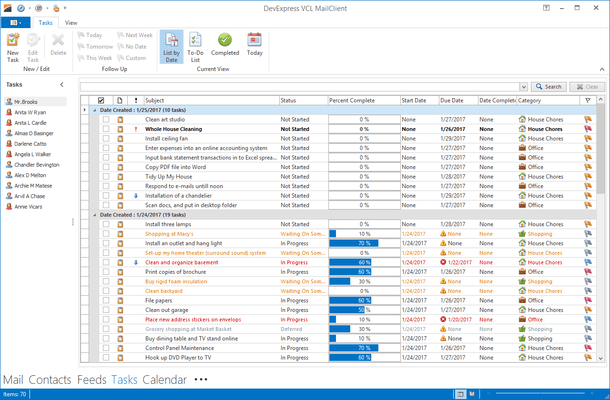
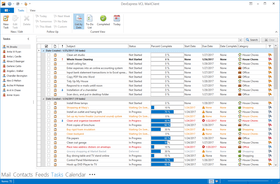
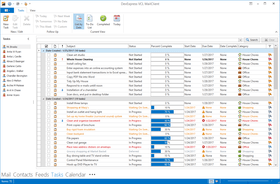
Screenshot Preview

ExpressGridPack

by DevExpress (Developer Express) - 상품타입: Component / VCL

주의 : 별도의 안내가 없는 경우에는 영어제품 입니다.

*

Add extensive grid, printing, pivot table, tree list, layout and skinning functionality to your Delphi and C++Builder applications. ExpressGridPack is a suite of VCL components that includes ExpressQuantumGrid Suite - for adding grid, treelist, and data editor capability, ExpressPrinting System - allows Delphi and C++Builder developers to bring their UI to the printed page.ExpressLayout Control - form layout customization control allowing you to easily arrange controls and make them automatically resizeable with the container. ExpressSkins Library - application-wide skinning library providing cutting-edge look and feel options inspired by popular software products as well as unique skins designed by DevExpress. ExpressPivotGrid Suite - radically improve the way in which data-centric applications deliver information to end-users. ExpressVerticalGrid Suite - "inverted" grid control which lets you instantly create a consistent, flexible, and uniform UI across your entire application. ExpressQuantumTreeList Suite - multi-purpose data visualization system that can operate as a tree for a list.

$969.99

일반 적인 소비자 가격은 하기에 표시되어 있습니다. 고객님의 할인가격은 표시 하시려면 로그인 해주시기 바랍니다.

통화 선택 표시하고 있습니다. 전체 가격 | 리뉴얼 가격

ExpressGridPack v2011 vol 2.6 with Source code   *

주문 $ 969.99 1 Developer License with Source code - includes 1 year subscription (updates and upgrades for 1 year)  * 다운로드 (141.4 MB)
주문 $ 391.99 1 Developer with Source code Subscription Renewal - for Subscriptions soon to expire or just expired (updates and upgrades for 1 year)  * 다운로드 (141.4 MB)

가격에는 ComponentSource의 기술지원 요금이 포함되어 있습니다. 또한 다운로드 판매를 하고 있는 상품의 대부분은 온라인 백업요금이 포함되어 있어서 구입날로부터 30일 이내에 새로운 버전이 발매된 경우 무료로 업그레이드해 드리고 있습니다.  모든 주문에 대해서 당사표준 계약조건 반품조건 의 내용이 적용됩니다. 다음의 경우,고객 서비스로로 연락 주시기 바랍니다. (대량의 라이센스나 구 버전 등의 라이센스 옵션이 필요한 경우)

일반 적인 소비자 가격은 상기에 표시되어 있습니다. 고객님의 할인가격은 표시 하시려면 로그인 해주시기 바랍니다.

 *

What’s new in ExpressQuantumGrid Suite v2011 vol 1?

  • Layout View - In Layout View, data records are displayed as cards. This new View extends the Card View, in that it gives end-users the ability to visually remodel card structure via drag-and-drop operations. In customization mode, end-users can manually rearrange card rows within cards. You can combine card rows into layout groups. You can span card rows over neighboring rows and layout groups. You can also add auxiliary layout elements (empty regions, separators and labels) to the card from the Customization Form.
  • New Chart View Options - This release includes enhanced Chart Views and new Chart View options: Area Diagram, Stacked Area Diagram, Line Diagram, Stacked Bars/Columns, Full-Stacked, Bars/Columns, Side-by-Side Stacked Bars/Columns and Side-by-Side Full-Stacked Bars/Columns
  • Chart diagram features - Missing values can be displayed as either empty points or zero values. It includes transparency support for filled diagrams (requires the Microsoft GDI+ Library) and antialiasing. For a better-looking chart, you can enable a smoothing option (requires the Microsoft GDI+ Library)
  • Locked View Image - For time-consuming operations, such as bulk data updates, the grid can optionally display a "Locked View" image informing end-users that the View is awaiting updates.
  • New "Group By" Panel Layout - The "Group By" panel provides two options to display dropped column headers. The first uses a standard layout, in which headers are shown hierarchically. In the new layout, column headers are aligned horizontally, taking up less space vertically.
  • Grid Navigator Enhancements - The Grid Navigator is equipped with an "Info Panel" section. This panel displays information about the total number of records and the focused record's position within the recordset.
  • Multi-Line Editor Autosizing - In-place editor sizing. In the edited data cell, an editor is sized vertically to populate entered content. When the end-user has completed data editing, the height of the edited row is automatically changed to fit the new data.
  • Alternate Hints for Column Headers - As an alternative to the default hint, you can provide any explanatory text specific to the column within the hint window. This hint can be displayed even when the column caption is not clipped.
  • Data Export Enhancements - The QuantumGrid supports export to the XLSX (Microsoft Excel 2007 and higher). When using new export routines, image format in the final output is the same as that defined in the grid.
  • Filtering Enhancements - Incremental filtering mode for the Filter Row has been extended with a “deferred update” option. If this option is enabled, the View will be updated after a specified delay. This behavior allows an end-user to make several changes within the Filter Row (to create a more complete filter) before applying the entered filter criteria. When filtering large amounts of data, the deferred update option will reduce the amount of work being done and the number of filter requests generated compared to filtering the data with each keystroke.

What’s new in ExpressLayout Control v2011 vol 1?

  • Layout Structure Inheritance - All layout elements can now be transferred to descendants of the layout control.
  • New Layout Settings - New options for tabbed groups. With these settings, you can customize a tabbed group’s appearance in various ways. Group buttons can be positioned either on the group's left or right side. You can specify padding for each side of a layout element. Once specified, padding can be quickly triggered by changing individual padding options.
  • Automatic tree expansion when dragging - In the Customization Form, a collapsed layout group is automatically expanded if a dragged layout element is positioned over the group's caption.
  • Automatic tab switching when dragging - When the Customization Form is in tabbed View, dragging a layout element over the Layout Tree View or Available Items tabs automatically switches panes.
  • Lock icon for layout groups - To ensure that end-users can see that a group is locked, the layout control displays a lock icon above the group's icon in the Customization Form.

 *

ExpressGridPack includes the complete Developer Express range of VCL Grid Controls plus all products that help you get the most out of your grids - including a Data Printing library, a Layout Manager and a skinning engine.

Products Shipped with ExpressGridPack
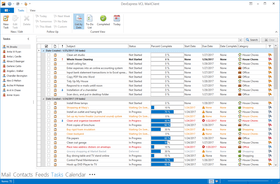
  • ExpressQuantumGrid Suite - Presents data as Table View, Contact View, Banded Table View or Chart View. Master-Detail display is available. Includes over 70 data editors for use in bound and unbound mode.
  • ExpressPrinting System - Allows Delphi and C++Builder developers to bring their UI to the printed page.
  • ExpressPivotGrid Suite - MS Excel style Pivot Table Control for multi-dimensional data analysis and cross-tab report generation.
  • ExpressQuantumTreeList Suite - Data-aware or unbound TreeView-Grid combination, providing newsreader style UI. Includes over 70 data editors for use in bound and unbound mode.
  • ExpressVerticalGrid Suite - Data-bound or unbound rotated Grid Control, plus a Property Grid allowing you to inspect and edit object properties.
  • ExpressLayout Control - Form layout customization control allowing you to easily arrange controls and make them automatically resizeable with the container.
  • ExpressSkins Library - Application-wide skinning library providing cutting-edge look and feel options inspired by popular software products as well as unique skins designed by DevExpress.

주의

제품 리뷰의 한국어 번역이 완료되지 않는 제품은 Google통역 서비스와 연동되어 표시되어 있습니다.통역 기계에 의한 자동 번역인 관계로 한국어 표기가 조금 부자연 스러운 점 양해 바랍니다.
에서 제공
FireFox와 Opera에서는 Flash가 필요합니다.

상품검색

검색어를 입력해주세요:

ComponentSource에서 구입하는 이유?

ComponentSource는 세계 1,000,000명 이상의 개발자에게 각종 글로벌 서비스를 제공합니다.

상세 | About Us

Award Award Award