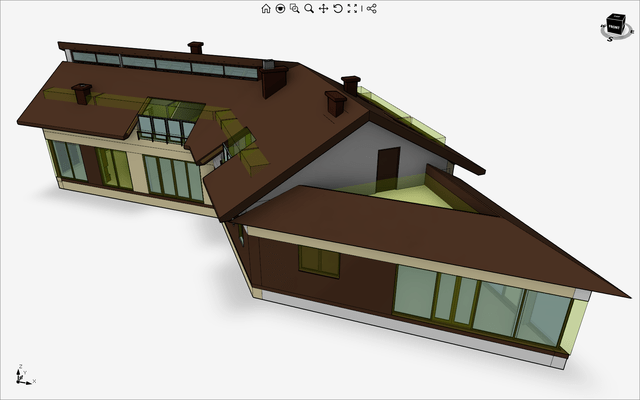
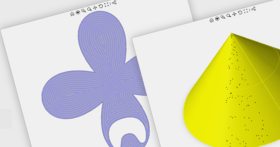
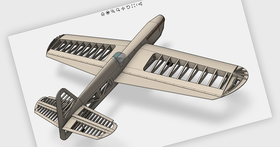
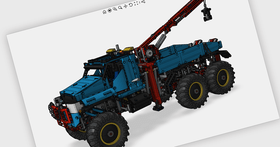
Screenshot Preview

Eyeshot Professional - Resumen

de devDept Software - Tipo de producto: Componente / .NET WinForms / .NET Class / 100% Managed Code / DLL

Resumen

 *

Eyeshot Professional by devDept Software

URLs: eyeshot-professional, eyeshot professional, eyeshotprofessional, devdept

Add CAD capabilities to your .NET applications. Eyeshot is the perfect solution for developers who are looking to add advanced, feature rich, visually appealing 3D viewports to their Windows Forms applications. With interactive Zoom/Pan/Rotate, four different shading modes, eight selection methods, layers support and professional imaging/printing you get the most out of your 3D scene. Eyeshot includes a full assortment of entity types, including curves, polyhedral meshes, surfaces, solids and point clouds. Modeling tools include 2D triangulation and meshing, boolean operations, curve and surfaces trim, fillet and offset. Support of major standard CAD file formats allows 3D models to be imported and exported. The product is easy to deploy: a single, managed, strong named assembly. Assemblies can be distributed using XCopy or the global assembly cache. It is written in managed C# and provides integration with Visual Studio .NET IDE. This allows Visual Studio .NET programmers to leverage their current programming language (C# or Visual Basic .NET) when programming with Eyeshot. The product is based on a per developer licensing scheme, and it is royalty-free to distribute.

Eyeshot has a multitude of uses:

Computer Aided Design

Computer Aided Machining

Finite Element Analysis

Ground Information System

Civil engineering

Surface mapping

Medical visualization

Dental implant simulation

Machine simulation

Painting automation

Cabinet design

Piping

Robotics

Shipbuilding

Eyeshot for .NET Professional Edition provides polygon based 3D modeling functions. Includes Delaunay Triangulation and Marching Cubes algorithms to generate complex surface mesh.

Key Benefits

Texturing

Constrained Dealunay Triangulation

Imaging (copy, save and print the OpenGL scene)

Import / Export capabilities

Antialiasing for Points and Lines

Transparent entities sorting

Projected shadow

Bitmap background

Transparent image labels

Animation

Feature List (in addition to Standard Edition Features)

Entities

Triangle with texture

Quad with texture

StlModel

StlModelSmooth

Mesh

Multicolor Mesh

Multicolor on vertices Mesh

RichMesh (with multicolor & multitexture support)

Additional Viewport features

Bitmap as background

Transparent shadow of the model projected on an arbitrary plane

Entity sorting according to their distance from the viewer

Transparent image labels

Imaging

Copy to clipboard (with resolution control)

Save to file (with resolution control)

Print and print previewing (with resolution control)

Complete flexibility on what to copy/save/print

Hardware accelerated off-screen rendering

Import

AutoCAD DWG/ DXF

Alias|WaveFront OBJ and MTL

Stereolitography Binary STL (as a collection of Triangles or as a Mesh entity)

Export

AutoCAD DWG/ DXF

IGES

Stereolitography Binary STL

Other features:

Constrained Delaunay Triangulation (to mesh complex planar faces)

Marching Cubes (for isosurfaces of a 3D scalar field)

Built in support for animation

Area and volume calculation

Texturing

What’s new in Eyeshot 6?

AutoCAD 2013 file format support.

Windows 8 and Visual Studio 2012 support.

Multi-touch support for zoom, pan, rotate and selection.

Intel HD-based, Windows 8 tablet support.

Region entity with 2D booleans.

Fast point cloud entities.

Surface reconstruction from point clouds.

Mesh cut added.

Semitransparent curve support.

Asynchronous file import.

ReadAutodesk, ReadASC, ReadSTL, ReadOBJ, ReadIGES and ReadSTEP classes added.

Curve and surface fillet and offset.

Smarter and faster FEM solver.

FEM 2D and 3D truss elements added.

Object manipulator and ViewCube widgets added.

Previous and next view selections.

Multiple grid support.

Three additional selection modes added based on polygons.

Replace coordinate system icon with a custom Mesh.

What's new in Eyeshot 5?

Multi-viewport support

Planar reflection on the ground plane

Realistic shadows

Label selection

Material management - immediate change propagation in the scene

Mesh.SubdivideBy(Plane)

Entity grouping (Ctrl-G, Ctrl+Shift+G)

Improved data translation

Text entity extrusion and outline

Mass and Area properties computation

Built-in support for 3D mouse (3Dconnexion)

Built-in support for Microsoft Kinect Sensor (PointCloud, Skeleton, Players, camera angle)

Improved Grid object

What's New in Eyeshot 4.1?

Import/export of the STEP file format

Import of solid entities from Autodesk

Import of solid entities from IGES

Parallel entities regeneration

Geometry simplification during interactive actions

Active toolbar during interactive actions

What's New in Eyeshot 4.0?

Eyeshot Viewport

Improved interactive zoom and rotate

Rotate to face command

HiddenLines display mode

Display mode settings

Vector based imaging/printing with analytical hidden lines removal

Vector based copy to clipboard and export to *.dwg, *.dxf and *.emf

Customizable ToolBar

Redesigned ProgressBar

Customizable viewport border

Legend as a standard User Interface element available to all product editions

Improved render to bitmap

Option to keep the Grid behind the drawing

Eyeshot Entities

Composite curve

Radial and diametric dimensions

Fem

3D linear and quadratic FEM elements

3D FEM solver

2D and 3D Joint elements

Support for nodal temperature

Reactions computation

15 different result plots

Ability to import Lusas files

Modeling tools

Mesh, Solid and Surface section

Mesh, Solid and Surface sweep

Curve offset

Miscellaneous

WorkUnit class to simplify the development of modeling tasks in background

.NET Framework 4.0 support to take advance of Parallel Extension for .NET in triangulation, meshing and FEM solver

What's New in Eyeshot 3.1?

Support for semi-transparent bitmaps in Picture entity

Support for AutoCAD 2010 file format

Small entities drawing optimization

What's New in Eyeshot 3.0.598?

Fixed Surface.ExtractEdges() returning not cloned curves

Fixed import of LWPolyline entity elevation

Fixed improper turntable rotation axis for Y axis up viewport orientation mode

Added the ViewportStandard.GetAllVisibleEntities() method

Fixed aligment of MText entity import

Fixed inverted minor/major radius for Ellipse and EllipticalArc entities

Added the Surface.ExtractEdges(), RebuildEdge() and RebuildEdges() methods

Renamed the Surface.ExtractCurve() to ExtractEdge() and LiftCurve()

Fixed negative angle arc import

Fixed isocurves not drawn for surfaces inside a block

Added support for selection when clipping planes are active

What's New in Eyeshot 3.0.508.0?

Fixed incorrect volume for solid objects created from triangles

Fixed print preview crash when AutoHideLabels is active

Renamed the LabelBase class to Label

Added isocurve drawing for Solid entity

Improved drawing of Solid entity

Renamed meshEdgeStyleType.All to None

Fixed Picture entity not drawn in the correct color

Changed animation now uses the BlockReference.MoveTo() method

Changed Entity.Draw(), DrawWireframe(), Render(), DrawEdges() methods now accept no arguments

Renamed backFaceColorType to backfaceColorMethodType

Fixed line/point weight determined by layer

Fixed drawing of nested block references

Fixed wrong decimal separator in OBJ export

Added a new ViewportStandard.ZoomFit() override with the selectedOnly parameter

Fixed Viewport.Layers.RemoveLayer() not acting on blocks collection

Added bidirectional support for Attributes and XData

Fixed selection of solid entities

Fixed display of entities with size less than 1e6

Added Viewport.Entities.FrontFacingOnly flag to improve the semitransparent entity drawing speed

Added Viewport.Entities.MaxCandidates property to control semitransparent entity preprocessing speed

What's New in Eyeshot 3.0?

Eyeshot 3.0 Entities

Sketch plane constructors

Picture entity

More flexible AlignedDim

More powerful Mesh entity

More powerful PointCloud entity

PlanarSurface, TabSurface and RevSurface

Eyeshot 3.0 Viewport

Layer support

Automatic visual refinement tolerance estimation

New animation kernel based on Block/BlockReference

Curves and surfaces trim/intersection

Auto hide labels

Select by box enclosed selection method

GetAllVisibleEntities(), GetAllCrossingEntities() and GetAllEnclosedEntities() methods

Faster Fem mesher and solver engines

Line types support

Full transparency support

Smart tags

Eyeshot 3.0 Import/Export

Improved block reference support

Export to OBJ with full material support

Export to ASCII STL with multipart support

What's New in Eyeshot 2.0?

Local rotation

Zoom at cursor position

Full design time support in Visual Studio

Quaternion based Camera object

Viewport orientation mode

Fully customizable Grid object

Up to four independent lights

Up to four independent clipping planes

New shadow algorithm

Point cloud and multicolor point cloud entities

Aligned dimension entity

Shaded and wireframe display mode

International character support

Entity copy and paste through Windows clipboard

Cubic, cylindrical and spherical texture mapping for RichMesh entity

Improved graphics hardware support

Add CAD capabilities to your WinForms application.

Pricing: Eyeshot Professional 6 1 Developer Subscription License - includes 1 year subscription (major and minor updates and support), Eyeshot Professional 6 4 Developer Team Subscription License - includes 1 year subscription (major and minor updates and support), Eyeshot Professional 6 8 Developer Team Subscription License - includes 1 year subscription (major and minor updates and support), Eyeshot Professional 6 1 Site Wide Subscription License (Allows Unlimited Developers at a Single Physical Address) - includes 1 year subscription (major and minor updates and support), Eyeshot Professional 6 Renewal 1 Subscription Renewal License (available to current Eyeshot Subscriptions or Eyeshot Subscriptions expired for no more than 30 days) - includes 1 year subscription (major and minor updates and support), Eyeshot Professional 6 Renewal 4 Developer Team Subscription Renewal License (available to current Eyeshot Subscriptions or Eyeshot Subscriptions expired for no more than 30 days) - includes 1 year subscription (major and minor updates and support), Eyeshot Professional 6 Renewal 8 Developer Team Subscription Renewal License (available to current Eyeshot Subscriptions or Eyeshot Subscriptions expired for no more than 30 days) - includes 1 year subscription (major and minor updates and support), Eyeshot Professional 6 Renewal 1 Site Subscription Renewal License (Allows Unlimited Developers at a Single Address) (available to current Subscriptions or Subscriptions expired for no more than 30 days) - includes 1 year subscription (major and minor updates and support), Eyeshot Professional 6 Upgrade 1 Developer Upgrade License from any previous Eyeshot Version or expired Eyeshot Subscriptions - includes 1 year subscription (major and minor updates and support), Eyeshot Professional 6 Upgrade 4 Developer Team Upgrade License from any previous Eyeshot Version or expired Eyeshot Subscriptions - includes 1 year subscription (major and minor updates and support), Eyeshot Professional 6 Upgrade 8 Developer Team Upgrade License from any previous Eyeshot Version or expired Eyeshot Subscriptions - includes 1 year subscription (major and minor updates and support), Eyeshot Professional 6 Upgrade 1 Site Wide Upgrade License from any previous Eyeshot Version or expired Eyeshot Subscriptions (Allows Unlimited Developers at a Single Physical Address)

Evals & Downloads: Read the Eyeshot Help File, Read the EyeShot License Agreement - Requires Acrobat Reader, Download the EyeShot Professional Edition 6 evaluation on to your computer - Expires after 30 days

Operating System for Deployment: Windows 8, Windows 7, Windows Vista, Windows XP, Windows 2000

Architecture of Product: 32Bit, 64Bit

Product Type: Component

Component Type: .NET WinForms, .NET Class, 100% Managed Code, DLL

Built Using: Visual C# .NET

Compatible Containers: Microsoft Visual Studio 2012, Microsoft Visual Studio 2010, Microsoft Visual Studio 2008, Microsoft Visual Studio 2005, Microsoft Visual Basic 2012, Microsoft Visual Basic 2010, Microsoft Visual Basic 2008, Microsoft Visual Basic 2005, Microsoft Visual C++ 2012, Microsoft Visual C++ 2010, Microsoft Visual C++ 2008, Microsoft Visual C++ 2005, Microsoft Visual C# 2012, Microsoft Visual C# 2010, Microsoft Visual C# 2008, Microsoft Visual C# 2005, .NET Framework 4.0, .NET Framework 3.5, .NET Framework 3.0, .NET Framework 2.0

Keywords: eyeshot professional, eyeshot professional edition, devdept eyeshot professional

CAD

3D modeling modeled modelled modelling models model

Part numbers: PC-517837-528187 517837-528187 PC-517837-528190 517837-528190 PC-517837-528193 517837-528193 PC-517837-528196 517837-528196 PC-517837-528199 517837-528199 PC-517837-528202 517837-528202 PC-517837-528205 517837-528205 PC-517837-528208 517837-528208 PC-517837-528223 517837-528223 PC-517837-528225 517837-528225 PC-517837-528227 517837-528227 PC-517837-528229 517837-528229

Atención

Para su comodidad, hemos incluido enlaces a Google Translate para traducir la información del producto que todavía tenemos que traducir. Por favor, tenga en cuenta que traducciones automáticas no siempre son totalmente exactas.
Con la tecnología de
Requiere Flash en Firefox y Opera

Búsqueda de productos

Escriba palabras de búsqueda:

Enlaces

Autor

Categoría principal

Productos relacionados

Categorias relacionadas

¿Por qué comprar en ComponentSource?

ComponentSource ofrece un único servicio global, utilizado por más de 1.000.000 de desarrolladores en todo el mundo.

Más Información | Sobre Nosotros

Galería de capturas de pantalla

Haga clic para obtener una vista previa completa

Captura de pantalla Eyeshot Professional - Professional - 6 Captura de pantalla Eyeshot Professional - Professional - 6 Captura de pantalla Eyeshot Professional - Professional - 6 Captura de pantalla Eyeshot Professional - Professional - 6
Award