Elegant Grid - .NET - V1.3 - Sommario

di FOSS Software - Tipo prodotto: Componente / .NET WinForms / .NET Class / 100% Managed Code / Source Code

Sommario

Elegant Grid - .NET - V1.3 by FOSS Software

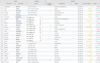
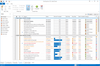
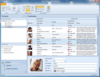
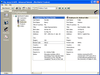
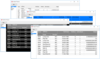
Create the presentation layer of table and hierarchical data for professional Windows Forms applications. The Elegant Grid is a set of feature-rich and extensible .NET components designed to help developers easily create the presentation layer of table and hierarchical data for professional Windows Forms applications. All components are written in 100% managed C# and are CLS compliant. The grid architecture is designed to be conceptually compatible with all the Windows Forms elements including DataGridView. This allows you to use your existing skills and knowledge when developing with the Elegant Grid.

Data Bound Grid

The Elegant Grid provides full support for data binding to objects of different types, including instances of standard types such as DataSet, DataTable, DataView, IList, and IBindingList. Flexible column mapping allows you to display data from a table different from the primary table bound to the grid, which is especially useful when you are working with tables linked by relations and want to display meaningful values instead of IDs. Smart memory management, when only visible cell and row objects are instantiated using a memory pool for fast allocation/deallocation, dramatically reduces grid creation time and memory usage overhead. Mixed bound and unbound data in one grid. Data binding to jagged arrays.

Unbound Grid

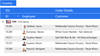
You can work with grid objects without binding to any data source. In this case, you have absolute control over the grid's contents by adding, removing, and modifying rows, cells and other grid elements. Built-in tree grid-like functionality with nested group rows and data rows allows you to group and display data in a logical and structured way. Support for adding rows to group rows on-the-fly.

Virtual Grid

Ideal solution when you need to present data from a data source of huge size, for example, when you have millions of records in your data table.

Data Sorting and Grouping

The bound grid supports multiple criteria sorting and grouping. You can additionally show a Microsoft Outlook-like Group by Box to enable the end user to perform grouping by drag-and-dropping items. Sorting and grouping by cell display values is supported. You can define your custom comparison criterion by using a particular event.

Data Visualization and Editing

The following cell types are available for displaying and editing data: text, numeric, date/time, image, combo box, check box, color, and progress bar. Each cell supports an image and two buttons (ellipsis, check box, or drop-down) embedded in the left and/or right side of the cell contents. You can customize the look and feel of every particular visual element of a cell using a set of cell styles and events. When editing, data validation is supported, which allows you to subscribe to validation events and implement complete control over the data entry process. Alternatively, any of Windows Forms controls can be used as a data editor.

Column and Row Layout

The end user can resize, reorder, or hide columns by using drag-and-drop or you can control their width, position and visibility programmatically. The row height is determined automatically by measuring the contents. You can also make the row height of a fixed size independently of the actual contents or implement your custom measuring logic. Three types of left indent are supported: indent for all the rows, indent for data rows relative to their group row, and indent for group rows relative to their parent row.

Scrolling, Focus and Selection

Full control over row selection

Handy ways of controlling a vertical/horizontal scroll position in bound and unbound mode

Handy ways of controlling the focused item and how the focused item looks

Easy-to-use multiple selection in your code

Controlling Appearance

You can finely customize the way any cell looks and acts using the multi-level cell style mechanism. A variety of style properties can be tweaked at the grid level, at the column/row level, and at the cell level. Final style property values are calculated with inheritance rules. The Elegant Grid provides support for drawing each visual element using Windows theme support libraries, which allows the end-user to freely apply any third-party themes and theme tweakers. Each color filled area can be drawn with a custom graphic texture glyph. Appearance settings for a particular grid instance can be saved to a skin file and then loaded to any other grid instance. Built-in skins include:

Windows XP Blue

Windows XP Olive Green

Windows XP Silver

Office 12 Luna Blue

Office 12 Obsidian

Miscellaneous

The full design-time support in the Windows Forms Designer allows you to tune up the grid in a convenient and well known way. Each class is designed to allow you to extend the existing features both by subscribing to events and by inheriting from the classes implementing the Elegant Grid object model. The Allow Unsafe Code Blocks option is always set to false for the grid code, which allows the host application to be run with minimum security permissions.

What's New in V1.3

Added ExportToTabDelimitedText, ExportToHtml, ExportToExcel methods to the grid GridControlBase class - which allow you to export data from the bound, unbound and virtual grid to a file or a stream in the following formats:

Tab-delimited text

HTML table

Microsoft Excel XML workbook

Added an article on exporting data from the grid

Added an Export demo to the SimpleDemos sample

Added a set of classes and properties implementing the functionality of a header column: RowHeaderColumn, EnableRowHeaderFocusMarker and EnableRowHeaderCellEditingMarker properties of the GridControlBase class and RowHeaderCell, RowHeaderCellStyle, ColumnHeaderRowHeaderCell, ColumnHeaderRowHeaderCellStyle, RowHeaderColumn classes

Added a cell tooltip - You can turn on tooltips for cells by setting the GridControlBase.EnableCellExpandTip property to true

Added a BoundGridControl.ExpandGroupRowsAfterGrouping flag indicating whether group rows should be expanded after being regrouped

Changed the signature of the BoundGridControl.EnsureVisibleVerticallyByDataSourceItem method, which now returns the Row object that has become visible

Added two BoundGridControl.StartCellEditByDataSourceItem overloaded methods, which allow you to start editing a cell by a given data source item

Added BoundGridControl.UseEnterToTraverseRows property indicating whether hitting the Enter key should set the focus to the cell in next row and the same column

Updated the documentation to reflect the changes made to the API

PartNumbers: PC-517205-92752 517205-92752 PC-517205-92758 517205-92758 PC-517205-92760 517205-92760 PC-517205-92754 517205-92754 PC-517205-92762 517205-92762 PC-517205-92770 517205-92770 PC-517205-92756 517205-92756 PC-517205-92753 517205-92753 PC-517205-92759 517205-92759 PC-517205-92761 517205-92761 PC-517205-92755 517205-92755 PC-517205-92763 517205-92763 PC-517205-92771 517205-92771 PC-517205-92757 517205-92757 PC-517205-92764 517205-92764 PC-517205-92765 517205-92765 PC-517205-92766 517205-92766 PC-517205-92767 517205-92767 PC-517205-92768 517205-92768 PC-517205-92772 517205-92772 PC-517205-92769 517205-92769 PC-517205-92773 517205-92773 PC-517205-92774 517205-92774 PC-517205-92775 517205-92775 PC-517205-92776 517205-92776 PC-517205-92777 517205-92777 PC-517205-92778 517205-92778 PC-517205-92791 517205-92791 PC-517205-92779 517205-92779 PC-517205-92780 517205-92780 PC-517205-92781 517205-92781 PC-517205-92782 517205-92782 PC-517205-92783 517205-92783 PC-517205-92784 517205-92784 PC-517205-92792 517205-92792 PC-517205-92785 517205-92785 PC-517205-92786 517205-92786 PC-517205-92787 517205-92787 PC-517205-92788 517205-92788 PC-517205-92789 517205-92789 PC-517205-92790 517205-92790 PC-517205-92793 517205-92793

Publisher PartNumbers: EG-1UL1YTS EG-1UL1YTSR EG-1UL90DTS EG-1ULSC1YTS EG-1ULSC1YTSR EG-1ULSC90DTS EG-2UL1YTS EG-2UL1YTSR EG-2UL90DTS EG-2ULSC1YTS EG-2ULSC1YTSR EG-2ULSC90DTS EG-3UL1YTS EG-3UL1YTSR EG-3UL90DTS EG-3ULSC1YTS EG-3ULSC1YTSR EG-3ULSC90DTS EG-4UL1YTS EG-4UL1YTSR EG-4UL90DTS EG-4ULSC1YTS EG-4ULSC1YTSR EG-4ULSC90DTS EG-5UL1YTS EG-5UL1YTSR EG-5UL90DTS EG-5ULSC1YTS EG-5ULSC1YTSR EG-5ULSC90DTS EG-6UL1YTS EG-6UL1YTSR EG-6UL90DTS EG-6ULSC1YTS EG-6ULSC1YTSR EG-6ULSC90DTS EG-UUL1YTS EG-UUL1YTSR EG-UUL90DTS EG-UULSC1YTS EG-UULSC1YTSR EG-UULSC90DTS

PurchaseOptions: Elegant Grid V1.3 with 90 days technical support 1 Developer License , Elegant Grid V1.3 with 90 days technical support 2 Developer License , Elegant Grid V1.3 with 90 days technical support 3 Developer License , Elegant Grid V1.3 with 90 days technical support 4 Developer License , Elegant Grid V1.3 with 90 days technical support 5 Developer License , Elegant Grid V1.3 with 90 days technical support 6 Developer License , Elegant Grid V1.3 with 90 days technical support Unlimited Developer License , Elegant Grid V1.3 with 1 year technical support 1 Developer License , Elegant Grid V1.3 with 1 year technical support 2 Developer License , Elegant Grid V1.3 with 1 year technical support 3 Developer License , Elegant Grid V1.3 with 1 year technical support 4 Developer License , Elegant Grid V1.3 with 1 year technical support 5 Developer License , Elegant Grid V1.3 with 1 year technical support 6 Developer License , Elegant Grid V1.3 with 1 year technical support Unlimited Developer License , Elegant Grid 1 year Technical Support Renewal 1 Developer Technical Support Renewal License , Elegant Grid 1 year Technical Support Renewal 2 Developer Technical Support Renewal License , Elegant Grid 1 year Technical Support Renewal 3 Developer Technical Support Renewal License , Elegant Grid 1 year Technical Support Renewal 4 Developer Technical Support Renewal License , Elegant Grid 1 year Technical Support Renewal 5 Developer Technical Support Renewal License , Elegant Grid 1 year Technical Support Renewal 6 Developer Technical Support Renewal License , Elegant Grid 1 year Technical Support Renewal Unlimited Developer Technical Support Renewal License , Elegant Grid V1.3 with Source Code includes 90 days technical support 1 Developer License , Elegant Grid V1.3 with Source Code includes 90 days technical support 2 Developer License , Elegant Grid V1.3 with Source Code includes 90 days technical support 3 Developer License , Elegant Grid V1.3 with Source Code includes 90 days technical support 4 Developer License , Elegant Grid V1.3 with Source Code includes 90 days technical support 5 Developer License , Elegant Grid V1.3 with Source Code includes 90 days technical support 6 Developer License , Elegant Grid V1.3 with Source Code includes 90 days technical support Unlimited Developer License , Elegant Grid V1.3 with Source Code includes 1 year technical support 1 Developer License , Elegant Grid V1.3 with Source Code includes 1 year technical support 2 Developer License , Elegant Grid V1.3 with Source Code includes 1 year technical support 3 Developer License , Elegant Grid V1.3 with Source Code includes 1 year technical support 4 Developer License , Elegant Grid V1.3 with Source Code includes 1 year technical support 5 Developer License , Elegant Grid V1.3 with Source Code includes 1 year technical support 6 Developer License , Elegant Grid V1.3 with Source Code includes 1 year technical support Unlimited Developer License , Elegant Grid with Source Code 1 year Technical Support Renewal 1 Developer Technical Support Renewal License , Elegant Grid with Source Code 1 year Technical Support Renewal 2 Developer Technical Support Renewal License , Elegant Grid with Source Code 1 year Technical Support Renewal 3 Developer Technical Support Renewal License , Elegant Grid with Source Code 1 year Technical Support Renewal 4 Developer Technical Support Renewal License , Elegant Grid with Source Code 1 year Technical Support Renewal 5 Developer Technical Support Renewal License , Elegant Grid with Source Code 1 year Technical Support Renewal 6 Developer Technical Support Renewal License , Elegant Grid with Source Code 1 year Technical Support Renewal Unlimited Developer Technical Support Renewal License

Resources: Read the Elegant Grid for .NET License Agreement, Download the Elegant Grid V1.3 for .NET 1.1 evaluation on to your computer - Displays nag screens, Download the Elegant Grid V1.3 for .NET 2.0 evaluation on to your computer - Displays nag screens

Operating System for Deployment: Windows XP, Windows Server 2003, Windows 2000

Architecture of Product: 32Bit, 64Bit

Product Type: Component

Component Type: .NET WinForms, .NET Class, 100% Managed Code, Source Code

Built Using: Visual C# .NET

Compatible Containers: Microsoft Visual Studio 2005, Microsoft Visual Studio .NET 2003, Microsoft Visual Studio .NET, Microsoft Visual Basic 2005, Microsoft Visual Basic .NET 2003, Microsoft Visual Basic .NET, Microsoft Visual C++ 2005, Microsoft Visual C++ .NET 2003, Microsoft Visual C++ .NET, Microsoft Visual C# 2005, Microsoft Visual C# .NET 2003, Microsoft Visual C# .NET, .NET Framework 2.0, .NET Framework 1.1

Search Items: New Product May 05, New Product July 05

Keywords: Grid Grids Table Tables DataGrid DataGrids Professional Partner grid datagrid dataset datatable dataview

Ricerca prodotti

Inserisci le tue parole chiave:

Quick Links

Autore

Categoria primaria

Prodotti correlati

Award