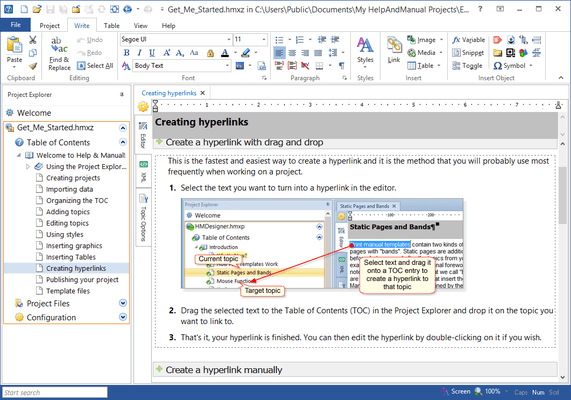
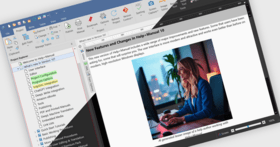
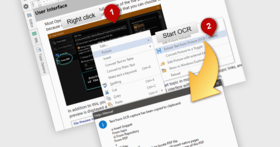
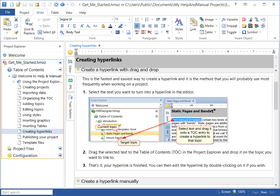
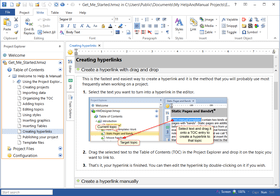
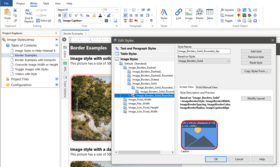
Screenshot Preview

Help & Manual Professional

by EC Software - 상품타입: 어프리케이션

주의 : 별도의 안내가 없는 경우에는 영어제품 입니다.

*

Create advanced multi format help and documentation. Help and Manual is an advanced multi format help authoring tool that provides all the formatting and editing features of a modern word processor. You can output your projects to all standard Windows help formats (HTML Help, Winhelp and MS Help 2.0 / Visual Studio Help), browser-based Help, PDF and Word RTF. All output formats supported by Help & Manual are generated from the same project, you only have to edit your help and documentation once. Help & Manual Professional (XML Edition) Edition includes advanced features like Unicode Support or export/import help projects in XML format. Help & Manual is fully compatible with Windows Vista and Windows 7 (both 32 and 64 bits). Help & Manual Premium Pack available. Help & Manual Premium Pack contains 14 professionally-designed "skins" with which you can transform the appearance of your HTML-based output with a single click.

$583.10

인기상품

 
통화 선택

일반 적인 소비자 가격은 하기에 표시되어 있습니다. 고객님의 할인가격은 표시 하시려면 로그인 해주시기 바랍니다.

Help & Manual V6.0.2 build 2352 Professional   *

주문 $ 583.10 1 User License  *
메이커 제품 번호: HM6P
다운로드 (66.5 MB)
주문 $ 528.22 1 User Licence, per User from 2 to 4 Users  *
메이커 제품 번호: HM6P
다운로드 (66.5 MB)
주문 $ 469.42 1 User Licence, per User from 5 to 9 Users  *
메이커 제품 번호: HM6P
다운로드 (66.5 MB)
주문 $ 410.62 1 User License, per User from 10 Users  *
메이커 제품 번호: HM6P
다운로드 (66.5 MB)

Help & Manual V6.0.2 build 2352 Professional - Server User Licenses   *

주문 $ 1,269.10 1 Server User License  *
메이커 제품 번호: HM6C
다운로드 (67.2 MB)
주문 $ 969.22 1 Server User License, per User from 2 to 4 Users  *
메이커 제품 번호: HM6C
다운로드 (67.2 MB)
주문 $ 832.02 1 Server User License, per User from 5 to 9 Users  *
메이커 제품 번호: HM6C
다운로드 (67.2 MB)
주문 $ 734.02 1 Server User License, per User from 10 to 19 Users  *
메이커 제품 번호: HM6C
다운로드 (67.2 MB)

Help & Manual V6.0.2 build 2352 Professional - Upgrade from Help & Manual Professional Version 5   *

주문 $ 284.10 1 User Upgrade License  *
메이커 제품 번호: HM6P U
확인 다운로드 (66.5 MB)
주문 $ 244.90 1 User Upgrade Licence, per User from 2 to 4 Users  *
메이커 제품 번호: HM6P U
확인 다운로드 (66.5 MB)
주문 $ 215.50 1 User Upgrade Licence, per User from 5 to 9 Users  *
메이커 제품 번호: HM6P U
확인 다운로드 (66.5 MB)
주문 $ 195.90 1 User Upgrade License, per User from 10 Users  *
메이커 제품 번호: HM6P U
확인 다운로드 (66.5 MB)

Help & Manual V6.0.2 build 2352 Professional - Server User License Upgrade from Help & Manual Professional V5.0 Concurrent User   *

주문 $ 636.90 1 Server User Upgrade License  *
메이커 제품 번호: HM6C U
확인 다운로드 (67.2 MB)
주문 $ 489.90 1 Server User Upgrade Licence, per User from 2 to 4 Users  *
메이커 제품 번호: HM6C U
확인 다운로드 (67.2 MB)
주문 $ 440.90 1 Server User Upgrade License, per User from 5 to 9 Users  *
메이커 제품 번호: HM6C U
확인 다운로드 (67.2 MB)
주문 $ 391.90 1 Server User Upgrade License, per User from 10 Users  *
메이커 제품 번호: HM6C U
확인 다운로드 (67.2 MB)

Help & Manual V6.0.2 build 2352 Professional - Upgrade from Help & Manual Basic Version 5 or Help & Manual Version 4   *

주문 $ 382.10 1 User License  *
메이커 제품 번호: HM6P US
확인 다운로드 (66.5 MB)
주문 $ 323.30 1 User Licence, per User from 2 to 4 Users  *
메이커 제품 번호: HM6P US
확인 다운로드 (66.5 MB)
주문 $ 284.10 1 User Licence, per User from 5 to 9 Users  *
메이커 제품 번호: HM6P US
확인 다운로드 (66.5 MB)
주문 $ 254.70 1 User Licence, per User from 10 Users  *
메이커 제품 번호: HM6P US
확인 다운로드 (66.5 MB)

Help & Manual V6.0.2 build 2352 Professional - Upgrade from Help & Manual Basic Version 6   *

주문 $ 244.02 1 User License  *
메이커 제품 번호: HM6P UP
확인 다운로드 (66.5 MB)
주문 $ 224.42 1 User Licence, per User from 2 to 4 Users  *
메이커 제품 번호: HM6P UP
확인 다운로드 (66.5 MB)
주문 $ 204.82 1 User Licence, per User from 5 to 9 Users  *
메이커 제품 번호: HM6P UP
확인 다운로드 (66.5 MB)
주문 $ 185.22 1 User Licence, per User from 10 Users  *
메이커 제품 번호: HM6P UP
확인 다운로드 (66.5 MB)

Help & Manual V6.0.2 build 2352 Professional User Licenses - Crossgrade from Robohelp (any version), Doc-to-Help, AuthorIT, Fast-Help and Help and Manual Professional 6   *

주문 $ 391.02 1 User Upgrade License from Robohelp (any version), Doc-to-Help, AuthorIT, Fast-Help and Help & Manual Professional V6  *
메이커 제품 번호: HM6P UC
확인 다운로드 (66.5 MB)

Help & Manual Premium Pack (Help & Manual License Required)   *

주문 $ 72.77 1 User License - Special price if bought in conjunction with a Help & Manual License (New or Upgrade)  *
메이커 제품 번호: PP6
확인 다운로드 (29.8 MB)
주문 $ 50.86 1 User Licence, per User from 2 to 4 Users - Special price if bought in conjunction with a Help & Manual License (New or Upgrade)  *
메이커 제품 번호: PP6
확인 다운로드 (29.8 MB)
주문 $ 51.37 1 User Licence, per User from 5 to 9 Users - Special price if bought in conjunction with a Help & Manual License (New or Upgrade)  *
메이커 제품 번호: PP6
확인 다운로드 (29.8 MB)
주문 $ 44.00 1 User Licence, per User from 10 Users - Special price if bought in conjunction with a Help & Manual License (New or Upgrade)  *
메이커 제품 번호: PP6
확인 다운로드 (29.8 MB)
주문 $ 32.27 1 User Licence, per User from 20 Users - Special price if bought in conjunction with a Help & Manual License (New or Upgrade)  *
메이커 제품 번호: PP6
확인 다운로드 (29.8 MB)
주문 $ 97.02 1 User License  *
메이커 제품 번호: PP6
확인 다운로드 (29.8 MB)
주문 $ 78.30 1 User Licence, per User from 2 to 4 Users  *
메이커 제품 번호: PP6
확인 다운로드 (29.8 MB)
주문 $ 68.50 1 User Licence, per User from 5 to 9 Users  *
메이커 제품 번호: PP6
확인 다운로드 (29.8 MB)
주문 $ 58.70 1 User Licence, per User from 10 Users  *
메이커 제품 번호: PP6
확인 다운로드 (29.8 MB)

Help & Manual V6.0.2 build 2352 Professional Academic License   *

주문 $ 283.22 1 Academic License - Academic Users only. Not for commercial or for profit use.  *
메이커 제품 번호: HM6P NP
확인 다운로드 (66.5 MB)

가격에는 ComponentSource의 기술지원 요금이 포함되어 있습니다. 또한 다운로드 판매를 하고 있는 상품의 대부분은 온라인 백업요금이 포함되어 있어서 구입날로부터 30일 이내에 새로운 버전이 발매된 경우 무료로 업그레이드해 드리고 있습니다.  모든 주문에 대해서 당사표준 계약조건 반품조건 의 내용이 적용됩니다. 다음의 경우,고객 서비스로연락하시기 바랍니다. (상기의 리스트에 게재되지 않은 대량의 라이센스나 구 버전 등의 라이센스 옵션이 필요한 경우)

일반 적인 소비자 가격은 상기에 표시되어 있습니다. 고객님의 할인가격은 표시 하시려면 로그인 해주시기 바랍니다.

 *

What’s new in Help and Manual V6?

Updated User Interface
The user interface has been slightly redesigned. Most notably, the File menu is back. The so-called Backstage view as seen in Microsoft Office 2010 has been implemented, which replaces several dialogs. And the additional screen real estate has been used to improve import, publishing and configuration dialogs. Big dropdown menus make it easier to visually select a skin for publishing. Help+Manual 6 is a lot more "visual" throughout.

All new Webhelp 2.0
Help+Manual now creates HTML5 strict and while older templates and skins are still supported, the new standard is integrated Webhelp. The layout has become even more flexible and customizable. It is now really easy to integrate documentation into your website. The new Webhelp output fully supports jQuery and uses animations for non-static content such as table of contents, toggle text, etc. Toggle images and videos can optionally play in lightboxes. Sub-headings in topics are now exported as <h1> to <h6> headings, which increases the relevance of headings for search engines. Additionally, Help+Manual 6 creates an optional sitemap for your Webhelp output.

New publishing formats and publishing tasks
Help+Manual not only imports VisualStudio source code, it can publish the VisualStudio 2010 help format as well. Help+Manual lets you create batch jobs that combine several different outputs and/or different output formats. The publishing batch jobs are saved with the project. An additional function saves the publishing task to a command file for automated batch compilation.

Improved editor, new spell checker and a long list of new features
Help+Manual 6 has tabbed editing, so you can open multiple topics at once and easily switch between them. Help+Manual remembers which topics were open and re-opens them the next time you open the project. Images, toggle images and videos allow text flow around them (this works in PDF as well).

  • New File Menu replaces the Application Button (Backstage View)
  • Publishing Tasks for automation
  • Floating images, toggles and videos with lightbox option for Webhelp/HTML Help and improved spacing options (see picture below)
  • Automatically return to last topic and open last topics in tabs
  • When switching between editor and XML source tab, the cursor position is retained
  • Fully-configurable line spacing, new paragraph spacing buttons
  • Generate and insert QR codes
  • Baggage files can be edited directly in Help+Manual
  • New spell checker with support for Open Office dictionaries, including dictionaries for automatic hyphenation
  • Light box mode for image toggles and movies
  • Icons for toggle texts have a 3rd state: hide or replace the icon in PDF, RTF, eBooks and printed manuals
  • Improvements formatting for tables: individual cell borders, new functiosn to split and sort tables
  • Popup Formatter for selected text: hovering the mouse over selected text displays the Popup Formatter, with which you can apply formatting and styles quickly
  • Style Preview in topic editor: styles are temporily applied for preview, while you select them
  • Improved List handling
  • All paragraph styles have an additional "Next" style that is automatically applied to the following paragraph
  • A triple-click in the editor selects the entire paragraph
  • The Insert Snippet dialog was equipped with a visual preview of the snippet content
  • Inline snippets: snippets can optionally place inside text
  • Hyperlinks can automatically pick up the title of the link target
  • PDF improvements (gutter between columns, variables in all PDF bookmarks)
  • Publishing: you can publish selected TOC items and apply build options

Repositories for snippets and styles
A repository is a special uncompressed Help+Manual project that you use to share styles and snippets between multiple projects. They are quite specialized and you should really only use them if you have multiple projects that must all have exactly the same styles. This is an excellent way to ensure that your styles are standardized for everyone when you are working on a project in a team.

Publisher directly to the Apple iPad
Help+Manual can publish directly to the Apple iPad. This is not a quirky "webhelp mobile" for smartphones, it's a genuine standards-compliant e-book for offline reading on your iPad.


 *

Help & Manual Overview
Help & Manual is a stand-alone help authoring tool (HAT) that simplifies the production of Windows help files, printed manuals and documentation in general. Help & Manual also generates Browser-based Help, PDF and Word RTF and supports XML Export/Import (visit the 'evals and downloads' section for more information). The Browser-based Help output for web use includes a full menu structure that emulates the appearance and functionality of HTML Help and includes full-text search with highlighting for found words. EC Software successfully tested the browser-based help output with:

  • MS Internet Explorer (IE)
  • Opera (Windows)
  • Netscape (Windows)
  • Firefox (Windows)
  • Mozilla (Linux)
  • Konqueror (Linux)
  • Safari (Mac)

PDF output and printed manuals are fully customizable with the bundled Print Manual Designer program: You can include a table of contents and a keyword index, automatic page referrers for links and cross-references, customized page layouts, headers, footers, page numbering, covers, introductions and more.

Help & Manual lets you create documentation in up to 106 languages. It is one of the few help authoring tools that fully support Unicode and can handle languages like Japanese, Chinese, Korean and many others. Help & Manual imports regular HTML and text files, compiled HTML Help, Word files (RTF format), Winhelp source files and even decompiles HLP files. Help & Manual Professional exports and imports help projects in XML format. To help new users migrate existing help projects, Help & Manual includes a dedicated import tool for RoboHelp X5 projects.
Help & Manual can convert and import the following formats, preserving virtually all of the original structure and formatting:

  • RoboHelp X5 for HTML projects
  • HTML and plain text files
  • Compiled HTML Help .CHM files
  • Compiled Winhelp .HLP files and Winhelp project source files
  • MS Word RTF files

You can also copy and paste text with complex formatting, graphics and tables to and from Microsoft Word, also with virtually all formatting intact.

Help & Manual Premium Pack
The new Help & Manual Premium Pack contains 14 professionally-designed "skins" with which you can transform the appearance of your HTML-based output with a single click. You just select one of the skins in the Publish dialog and click OK to publish, that's all there is to it. The templates in the skins are merged with your project to give you tabbed navigation, non-scrolling headers and a stylish design.

Configuration without code editing
You don't need to edit any confusing HTML code to configure your skins. All the text displayed in the skins, your support email address, the text in the email feedback form and so on are stored in simple text variables. You can set up everything just by editing the variable definitions.

Full documentation and all source materials included
If you want you can also create your own skins on the basis of the Premium Pack skins. All the source graphics, Photoshop files and other components are included.

Help & Manual Premium Pack Features

  • Fourteen skins: 7 with horizontal tabs, 7 with vertical tabs, all components royalty-free
  • Work in both Webhelp and HTML Help, compatible with Internet Explorer and all other current browsers, including the new Google Chrome browser.
  • Tabbed navigation in Webhelp
  • Matched color schemes throughout in all the skins
  • Non-scrolling headers in the navigation and topic panes
  • All texts displayed fully configurable with variables - you only need to edit the variable definitions, not the HTML code
  • Mail feedback button with automatic reference to project, topic, topic ID and topic location, texts escaped to work in all mail clients
  • Print button for easy topic printing, also in browsers that don't print frame well
  • Breadcrumb trail navigation box with Home button in the topic header
  • Easily-configurable 3-frame layout option
  • Topic URL display at the bottom of each topic as an easy reference for support staff
  • Non-scrolling "Letter links" in the Index pane, automatic message displayed if there are no entries for the clicked letter
  • Full source code included.
  • All Photoshop files and other graphics files included for users who want to make their own versions and modifications

 *


Help & Manual Professional Main features

  • WYSIWYG design interface: Help & Manual has integrated WYSIWYG editors for topics, table of contents and keyword index
  • Unicode support (Professional Version Only):Full Unicode support, meaning you can create help files in up to 106 languages, including Asian languages
  • XML and Localization support (Professional Version Only): Help & Manual 4 Professional has dedicated support for localization. XML export and re-import supports in-house translation as well as external translation tools.
  • RoboHelp® Import: Help & Manual can directly import RoboHelp® X5 project files
  • Template Support: Use and modify HTML templates for topics pages, layout templates for PDF and print, skins for e-books and browser-based help
  • Single source: Help & Manual creates all output formats (see below) from one single source without post-processing
  • Conditional Output: Include/exclude conditions are supported for chapter, topic and text level. You can customize the export with an unlimited number of user defined builds
  • Text Variables:In addition to include/exclude options on text level, use predefined text variables or create your own
  • Dynamic cascading styles:Use text and paragraph styles to format the content. All styles support different media types for design, online help and printed outputs
  • Integrated hotspot editor:Help & Manual has a built-in hotspot editor for graphics with dedicated support for topic links, external links, file links and macros
  • Comments and bookmarks: Add design time comments anywhere in topics and bookmark topics for later review. Topics also support a topic status, to highlight, filter or sort topics
  • Modular help: Split your help project into modules for multi-user access. Modules can be merged at runtime or during compilation
  • Accessibility: Section 508 compatibility. Please, see visit the 'evals and downloads' section for the 'Help & Manual section 508 - Voluntary Product Accessibility Template'

OutPut Formats

  • HTML Help 1.x(CHM): Compiled HTML Help (.chm)
  • Winhelp(HLP): Compiled Standard Winhelp (.hlp)
  • Microsoft Help 2.0(HXS)(Professional Version Only): Visual Studio help (.hxs)
  • Adobe PDF: Built-in PDF engine with visual layout designer
  • Browser-based help: Platform independent and cross-browser web-based help, with table of contents, keyword index and context sensitive help support
  • Full-text search for browser-based help is included in the Professional Version only
  • Word manuals: Microsoft Word export in RTF format
  • e-Books: e-books in Windows 32 bit executable format with customizable skins
  • Printed manuals: Print manuals with customizable layout, including booklets, draft prints and duplex printing

Tools included

  • Screen capture: The built-in screen capture tool creates stunning screenshots at a mouse click
  • Image editor: Use the integrated image editor to resize and enhance screenshots, add annotations, callouts and text
  • Project report: Extensive reports document the status of your help project
  • Context sensitive help tool: Support for context sensitive help is fully integrated. Help & Manual additionally can export and import help context number maps
  • Syntax highlighter: Quickly format source code examples for Visual Basic, C++, Pascal or SQL statements

주의

제품 리뷰의 한국어 번역이 완료되지 않는 제품은 Google통역 서비스와 연동되어 표시되어 있습니다.통역 기계에 의한 자동 번역인 관계로 한국어 표기가 조금 부자연 스러운 점 양해 바랍니다.
에서 제공
FireFox와 Opera에서는 Flash가 필요합니다.

상품검색

검색어를 입력해주세요:

Quick 링크

개발처/발매처

주요 카테고리

관련 상품

ComponentSource에서 구입하는 이유?

ComponentSource는 세계 1,000,000명 이상의 개발자에게 각종 글로벌 서비스를 제공합니다.

상세 | About Us

Award Award