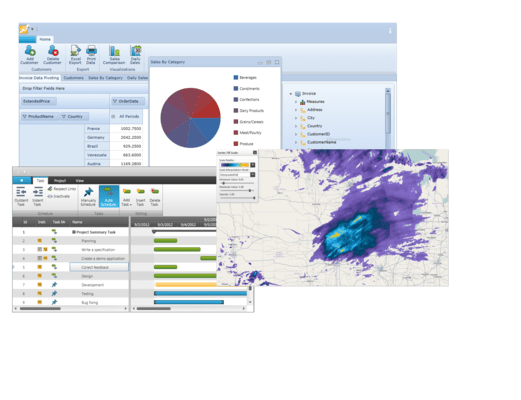
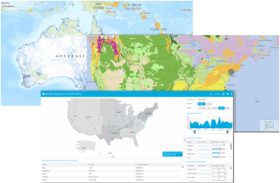
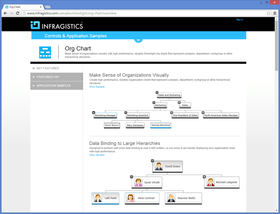
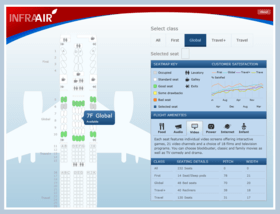
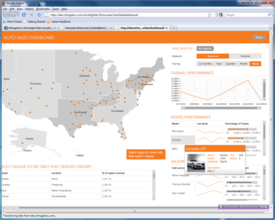
Screenshot Preview

Infragistics NetAdvantage for Silverlight

by Infragistics - Product Type: Component / Silverlight

NetAdvantage for Silverlight is also available as part of NetAdvantage for .NET and NetAdvantage Ultimate.

NetAdvantage for .NET includes jQuery, ASP.NET, Windows Forms, Reporting, Silverlight and WPF.
NetAdvantage Ultimate includes jQuery, ASP.NET, Windows Forms, Reporting, Silverlight, WPF, Windows Phone, NetAdvantage ICONS and 5 User Quince Subscription.

Achieve rich, advanced data visualization that leverages the sophisticated capabilities of Silverlight. Infragistics NetAdvantage for Silverlight lets you create stylable user interface controls for geospatial mapping, interactive gauges, graphical timelines and animated charting. With Infragistics NetAdvantage for Silverlight you can build rich dashboards, visualize business data and empower decision-makers with a toolset for simplifying the presentation of your business intelligence.


From
₩1,089,100

Best Seller


Our regular prices are shown below. Please logon to see your discounted prices.

Price in Showing: All Prices | Renewals Only

Infragistics NetAdvantage for Silverlight 2012 Volume 1  

Add to Cart ₩ 1,089,100 1 Developer Subscription License - Includes Source code, updates, upgrades and new components for 1 year
Mfr. Part No: 49Z1C
Download (328.7 MB)
Add to Cart ₩ 460,500 1 Developer Subscription License - 90-Day Early Bird Subscription Renewal - (can be purchased up to the end of the 10th month of your existing subscription*)
Mfr. Part No: 499990
Verify Download (129 KB)
Add to Cart ₩ 487,600 1 Developer Subscription License - 60-Day Early Bird Subscription Renewal - (can be purchased between the first and last day of the 11th month of your existing subscription*)
Mfr. Part No: 499960
Verify Download (129 KB)
Add to Cart ₩ 541,800 1 Developer Subscription License - Subscription Renewal - (can be purchased until the last day of the 12th month of your existing subscription)
Mfr. Part No: 499900
Verify Download (129 KB)

Infragistics NetAdvantage for Silverlight 2012 Volume 1 with Priority Support  

Add to Cart ₩ 1,618,000 1 Developer Subscription License with Priority Support - Includes Source code, updates, upgrades and new components for 1 year
Mfr. Part No: 49Z1CP
Download (328.7 MB)
Add to Cart ₩ 731,300 1 Developer Subscription License with Priority Support - 90-Day Early Bird Subscription Renewal - (can be purchased up to the end of the 10th month of your existing subscription*)
Mfr. Part No: 49999P
Verify Download (129 KB)
Add to Cart ₩ 774,400 1 Developer Subscription License with Priority Support - 60-Day Early Bird Subscription Renewal - (can be purchased between the first and last day of the 11th month of your existing subscription*)
Mfr. Part No: 49996P
Verify Download (129 KB)
Add to Cart ₩ 860,400 1 Developer Subscription License with Priority Support - Subscription Renewal - (can be purchased until the last day of the 12th month of your existing subscription)
Mfr. Part No: 49990P
Verify Download (129 KB)

Infragistics NetAdvantage for Silverlight Corporate 2012 Volume 1 (A Corporate license gives you the convenience of one key for multiple (minimum 10) licenses)  

Add to Cart ₩ 1,089,100 1 Developer Subscription License - Includes Source code, updates, upgrades and new components for 1 year (minimum quantity 10)
Mfr. Part No: 49Z1V
Download (328.7 MB)
Add to Cart ₩ 541,800 1 Developer Subscription License - Subscription Renewal - (can be purchased until the last day of the 12th month of your existing subscription) (minimum quantity 10)
Mfr. Part No: 4999V
Verify Download (129 KB)
Add to Cart ₩ 1,618,000 1 Developer Subscription License with Priority Support - Includes Source code, updates, upgrades and new components for 1 year (minimum quantity 10)
Mfr. Part No: 49Z1VP
Download (328.7 MB)
Add to Cart ₩ 860,400 1 Developer Subscription License with Priority Support - Subscription Renewal - (can be purchased until the last day of the 12th month of your existing subscription) (minimum quantity 10)
Mfr. Part No: 4999VP
Verify Download (129 KB)

Our prices include ComponentSource technical support and, for most downloadable products, an online backup and a FREE upgrade to the new version if it is released within 30 days of your purchase.  All sales are made on our standard Terms and Conditions and subject to our Return Policy. Please contact us if you require any licensing option not listed, including volume licensing and previous versions.

Our regular prices are shown above. Please logon to see your discounted prices.

NetAdvantage for Silverlight includes NetAdvantage for Silverlight Line of Business and NetAdvantage for Silverlight Data Visualization controls.

What’s new in Infragistics Silverlight 2012 Volume 1?

  • Metro Style – The new metro theme, optimized for touch and touch targets, incorporates a precisely aligned type-based layout and high-contrast simple icons.
  • Gesture Support – Give your end users consistent interactions when moving between tablet and desktop experiences.
  • Color Tuner – Style your entire application with just a few clicks of your mouse. You can easily apply themes throughout your application, color-tune a theme without writing any XAML code, and save/share your favorite color configurations for later use.
  • Undo/Redo Framework - Provides the infrastructure for supporting unlimited linear Undo/Redo functionality.
  • Undo/Redo History Stacks – The UndoManager automatically manages the Undo/Redo history stacks. The collections raise change notifications and therefore may be used as a source for providing a UI that displays the entries in the history stacks.
  • Built-In UndoUnits – The framework includes a number of built in undo units that provide support for undoing/redoing property and collection changes.
  • Delegate UndoUnit – The framework makes it easy to add a method/delegate as an operation in the undo/redo history.
  • ObservableCollectionWithUndo – The framework includes a derived ObservableCollection that makes it easier to add support for undo/redo of collection changes.
  • Transactions – Provides the ability to group one or more operations into a single history entry. One may also rollback a transaction performing the operations that were stored up to that point.
  • Custom UndoUnits – The framework allows developers to create their own custom UndoUnit to support undo/redo of other types of operations.
  • Commands – A number of built in commands are provided to make it easier to invoke an Undo/Redo operation from within your UI.
  • Geographic Map - Click your mouse and see the world. Our rich thematic mapping solution allows you to visualize your geographic data in multiple ways, all the way down to the street view.
  • Sparkline Charts- Render highly visual charts within limited spaces, such as a grid cell. Display markers, trend lines, and horizontal and vertical axes. With the tooltips feature, you can display the high, low, first, and last data points when hovering over the sparkline with your mouse. The Sparkline can also detect unknown values, and render the space for those values using a specified interpoloation algorithm.
  • Grid - Get more than just alphanumeric characters to display your data within a grid. Now, get the fastest grid on the market with additional dropdown options, sparkline chart columns, properly formatted dates and times, and implicit data templates. With the new custom filter dialog and copy/paste helper methods, users will be able to interact with your data more easily within the grid.
  • Pivot Grid – Give your users the analytical advantage with new filtering, dropdown, and summarizing capabilities. Define calculative rows & columns and calculated measures allow the ability to add custom fields with custom calculated logic. Excel-like Filter/Query Dialog with Expressions give the ability to apply different predefined filters to the data source.
  • Bar Code - Added a property to hide the Human Readable text.
  • Ribbon - With the new ribbon end user customization support, you can enable application users to customize their work experience so that they can be more productive. You can let your application's end users customize tabs, groups and items to give them complete control over the application's user experience in little to no time at all.
  • Excel Format Support – This feature supports accessing built-in styles, parent styles, format options, numerous Microsoft Excel behaviors regarding styles, and possibilities for determining resolved cell formats.
  • Excel 2007 Color Model – Using Excel 2007 Color model you can specify a color, work with Workbook palette and use new Fill property for filing a cells.
  • Support Named Tables in an Excel Spreadsheet – The Excel Engine library now supports the ability to access and create named Tables with data from the worksheet. The tables can be sorted, filtered, and aggregated.
  • Filtering and Sorting Tables – Excel Engine supports table filtering and sorting.
  • Get Cell Text – Determine the text that would be displayed in Microsoft Excel® cell given the cell’s value, format string, column width, and worksheet options.
  • Data Visualization and Line of Business Toolsets -  Get over 50 types of charts, graphs, and gauges to make meaning of your business data. Since we've combined our Data Visualization and Line of Business toolsets, one product is all you need to deliver the best Silverlight Enterprise apps.
  • Motion Framework - Tell the story of your data in an active, engaging way. The Motion Framework animates your data over time, choreographing movements based on how you've decided to visualize their data. See it in action with our Motion Framework samples.
  • Org Chart - Create high performance, stylable organization charts that represent company, department, workgroup or other hierarchical structures that you can bind to in a data source which can contain tens of thousands of entities.
  • Barcode Reader - Using your Webcam, an attached scanning device, or any barcode image from your file system, you can use the Silverlight barcode reader to read and decode barcode images, with full support for identifying the common barcode symbologies.
  • Bullet Graph - Deliver a simple and concise view of key performance indicators (KPIs) to your users in next generation Silverlight dashboards built with xamBulletGraph.
  • Gauge - With the Silverlight gauge control, you can build relevant business scorecard-style applications and rich, informative dashboards.
  • Network Node - Create visual representations of simple or complex network relationships.
  • Timeline - Empower users to quickly understand and visualize a sequence of events.
  • Treemap - Show the relative weight of data points at more than one level with no drilldown required.
  • Zoombar - Provide end users with a pan and zoom user interface that allows them to intuitively scroll through a range of data with dynamically adaptive scaling.

What’s new in Infragistics Silverlight New Features 2011 Volume 2?
The latest release includes feature enhancements to existing controls, as well as many brand new features. Multiple new chart series and chart types have been added, as well as a new OLAP capability to include native OLAP support in charting. You also get more styling capability with Resource Washing on all controls, and robust new geospatial and geographic thematic mapping.

Resource Washer
With Resource Washing, you can set the color (the WashColor) on groups of resources (WashGroups) in an existing ResourceDictionary to update the color of the controls in your applications. Now, you can take a basic looking application and re-brand it to your corporate colors. Or, you can set a WashColor at runtime to change the look of an application. There are two wash modes which determine how the original color in the resource and the wash color are blended: SoftLightBlend and HueSaturationBlend.

Infragistics Excel
Import and export Microsoft Excel workbooks in high-fidelity XLS/XLSX/ExcelML file formats. With absolutely no Excel dependency, your application can run completely independently of Excel, and Excel does not have to be installed alongside your application.

Geographic Map
Create highly detailed, thematic geographical maps using an innovate feature set that includes custom shape templates, the ability to render polylines and polyshapes, Map Progression, Scatter Area Plots, an intuitive Overview Pane and much more. It enables many new, innovative features such as the ability to render polyline/polyshapes; custom shape templates; shape fill, shape styles and conditional formatting shapes; symbol series with the ability to add a custom Symbol Template; contour area series; scatter area series; multiple series; and panning and zooming.

Funnel Chart
Visually showcase diminishing values with the new funnel chart, a single series chart that displays data in a funnel shape with a variable number of sections, each representing the data as different portions of 100%. The funnel chart makes it easy for end users to illustrate value "fallout" in the sales process or bottlenecks in the flow of a multi-step process.

Sparkline Chart
The new Sparkline control is a data-intense, design-simple graphic that allows end users to spot trends, variations and patterns in data in a clear and compact representation.

Data Chart
Render charts with millions of data points that are capable of millisecond updates. Enable heavy-duty data visualization and analysis on large volumes of data with high performance. The Data Chart control includes the following new features:

  • OLAP Axis
  • Error Bars
  • 15 New Chart Series, including Custom Series/Series Inheritance, Bar, Stacked Bar, StackedColumn, Point, StackedArea, StackedLine, StackedSpline, StackedLineArea.
  • Weighted Moving Average Trend Line
  • Correlation Formula

Pivot Grid
The Pivot grid that lets your users slice, dice and filter the multidimensional data of your OLAP cube or data warehouse. The latest version of the xamPivotGrid improves performance and usability. Several performance enhancements that deliver support for higher volume data and query parsing have been added:

  • Improved support for data with large number of members in hierarchy
  • Improved the MDSX query that are executed against the SQL Server Analysis Server
  • Tested against millions of records in SQL Server Analyses Server
  • The Pivot Grid control includes the following new key features: IsBusy Property and Slicers

Timeline
An important interaction feature to the Timeline control has been added – the control's ability to adjust labels and tick marks based on the current zoom level (which is the visible area of the chart). The Unit property is adjusted so it shows a moderate number of labels - not too few, not too many (perhaps prevent the same labels appear twice). If the visible area spans over a few days the UnitType becomes Hours, if the visible area spans over a few weeks UnitType becomes days, if it spans a year UnitType becomes month, etc.

Network Node Diagrams
The network node diagram control helps you create visual representations of simple or complex network relationships, similar to a cluster diagram in which each node represents a unique data point related through its connectedness to other data points. End users can easily pan and zoom, and you can customize the types of metadata that are displayed and how they are shown. New features in this release include the ability to choose the relationship type between nodes, support for various visual states, including Normal, MouseOver, Pressed, Disabled, and ReadOnly, and manipulation of indivdiual nodes.


NetAdvantage for Silverlight is a comprehensive collection of user interface controls to build rich dashboards, visualize business data and empower decision makers.  Developers can quickly create high-end BI applications without writing a lot of code. You can present data clearly and cleanly.  NetAdvantage for Silverlight gives developers controls that simplify the visual representation of large quantities of information in non-schematic ways.

NetAdvantage for Silverlight includes the sophisticated mapping of xamWebMap that reads de facto industry-standard shape files (.shp) to present rich geographical information in familiar map form to users, and opens the world to them through your applications.

Embrace Silverlight features for high-end, high performance Web-based data visualization experiences - NetAdvantage for Silverlight controls take maximum advantage of the Silverlight browser plug-in’s capabilities to dynamically react to the user (such as dragging the gauge needle within the browser), off-load what would ordinarily be server-side processing to the client, and minimize client-to-server network traffic leading to greater responsiveness and scalability.

Create “Islands of Richness” in existing ASP.NET applications - NetAdvantage for Silverlight controls empower ASP.NET developers to easily embed regions of interactivity and rich styling for normally graphically-demanding data visualizations into existing Web applications or as SharePoint WebParts. Islands of richness enable existing investments in ASP.NET to incrementally enhanced Silverlight as needed, where the use of Silverlight delivers the greatest payback such as in data visualization scenarios.

Infragistics xamWebMap - Present end users with your business intelligence data in rich and interactive maps featuring panning, zooming, mouseover effects and tooltips.

Modularly constructed around the following key components:

  • Map Layer(s)
  • Navigational Pane(s)
  • Color Swatch Pane(s)
  • Scale Pane(s)

Reads maps in the de facto industry-standard shape file (.shp) format. Displays shapefiles that are polygon, polyline or point-based, and allows programmatic customization of what is displayed to the end user.

Infragistics xamWebChart - Rich data visualization can fit into any scene, SharePoint WebPart or legacy ASP.NET application (as an island of richness) with this stylable Silverlight control that supports animation, storyboards, data binding and 28 chart types.

Infragistics xamWebGauge- Create highly interactive, high performance business scorecards and information dashboards using the xamWebGauge’s astonishing designability and client-side interactivity.

Infragistics xamWebTimeline - Enable users to quickly understand and visualize a sequence of events. These events may be historical events, steps in the narrative of some business process or workflow, project milestones, key frames in a video being edited, or a representation of any time-series data. Users can select elements in the timeline to display a greater level of detail about that timeline element.

Infragistics xamWebZoombar - The zoom bar plugs into other Silverlight controls – like the chart, map or timeline – to provide an intuitive user interface for dynamically scaling and scrolling an associated control’s view of data. It is the ideal user interface element for use when your users need to zoom-in or zoom-out of your data visualizations.

NetAdvantage for Silverlight Line of Business includes:

xamWebGrid - xamWebGrid is a hierarchical data grid control for presenting tabular information to your users with the ability to show master/detail relationships between records, multi-column sorting, cell-editing and virtual load-on-demand for high performance that scales with the size of your data.

xamWebTree - Trees with their branching and nesting have a direct impact on everyday computing, whether it is at the depth of abstract data structures or as a phenomenal user interface when it comes to navigating information that naturally lends itself to being modeled in parent-child fashion. What xamWebTree does for Silverlight LOB applications is it binds to the hierarchical data you supply and provides rich features that include node-templates, checkboxes, hot-tracking and virtual load-on-demand.

xamWebChart – includes common, everyday chart types made easy for common, everyday business applications. These rich chart types will include:

  • Pie
  • Bar
  • Line
  • Scatter

Support for animation, selection of chart elements, multiple X & Y axes, tooltips and custom legends will be built-in.

xamWebOutlookBar - This navigation control supports the look and feel found in the navigational bar in the popular Microsoft Outlook 2007 application. Its many features include docking and fly-out, adding excitement to the experience you can deliver to your users.

xamWebDialogWindow - Designed to replicate the functionality of a traditional, standard Windows Forms dialog window, the xamWebDialogWindow allows you to popup both modal and non-modal dialog windows within your Web-based Silverlight applications easily. Its flexible XAML templating and styling capabilities combined with programmable dialog behaviors such as minimize, maximize, restore and close, enable you to add the dialog window and Multiple Document Interface (MDI) user interface patterns to any Rich Internet Application.

xamWebEditors - The xamWebNumericEditor simplifies the entry and editing of numeric data to any number of decimal places, and confined to any range with programmable upper and lower bounds that reduce erroneous user input. With its spin buttons, end-users may serially increment or decrement the editor's value by an arbitrary amount. When your Silverlight application calls for formatted or text data with more stringent constraints, the introduction of the xamWebMaskedEditor couldn't be more timely. Its input mask support helps end-users fill-in the editor's value, intuitively matching the format your application requires.

Infragistics.Excel - Bring the portability of workbook files in Microsoft Excel compatible file format (.XLS) to your next Rich Internet Application with the Infragistics.Excel class library for Silverlight 3. Now you can build data-driven, Web-based solutions on top of the Workbook and Worksheet object model all within the client's browser and with high-fidelity in Silverlight.

xamWebMenu - Create multi-level menus that popup, dropdown and nest using the xamWebMenu control for Silverlight. Submenus slide open and close with smooth, graceful animation. Any hierarchy of commands or options can be databound against and used to present horizontal or vertical menus, with customizable menu items that can involve pictures, checkboxes and more.

xamWebSpellChecker - As a UI control, the xamWebSpellChecker's completely customizable dialog provides a spelling correction user interface to the end user. Multi-Lingual - This Silverlight spell checker speaks nine languages and dialects:

  • Dutch
  • English (American, Australian, British and Canadian)
  • French
  • German
  • Spanish
  • Portuguese

xamWebTagCloud - Choose key words or phrases ("tags") and you can weight them by their frequency of occurence, importance, or any other scoring algorithm you devise and the tag cloud control will display them. Tags deemed most important stand out with a heavyweight font size greater than their peers, while little-used tags appear diminuitive in size. Users will have no trouble identifying what the most prevalent tags are when you're using xamWebTagCloud to show them.

xamWebTileView - An animated panel, which contains a set of content panes, each displaying rich information. The tile view supports a high-fidelity browsing experience featuring drag-and-drop rearrangement of its tiles, minimizing and maximizing tiles so that your users can put them aside or drill down deeply for more information, and paging that allows for browsing large numbers of tiles. Like everything in Silverlight, you can apply transforms and ebullient styling through templates to both the tile view and its tiles that make for rich interactive user experiences.


Product Search

Enter search words:

Why buy from ComponentSource?

ComponentSource offers a unique global service, used by over 1,000,000 software developers worldwide.

More Info | About Us

Screenshot Gallery

Click for full screen preview

Screenshot of Infragistics NetAdvantage for Silverlight - Silverlight - 2012 Volume 1 Screenshot of Infragistics NetAdvantage for Silverlight - Silverlight - 2012 Volume 1 Screenshot of Infragistics NetAdvantage for Silverlight - Silverlight - 2012 Volume 1 Screenshot of Infragistics NetAdvantage for Silverlight - Silverlight - 2012 Volume 1 Screenshot of Infragistics NetAdvantage for Silverlight - Silverlight - 2012 Volume 1
Award Award