by Infragistics - Product Type: Component / .NET WPF
NetAdvantage for WPF is also available as part of NetAdvantage for .NET and NetAdvantage Ultimate.
NetAdvantage for .NET includes jQuery, ASP.NET, Windows Forms, Reporting, Silverlight and WPF.
NetAdvantage Ultimate includes jQuery, ASP.NET, Windows Forms, Reporting, Silverlight, WPF, Windows Phone, NetAdvantage ICONS and 5 User Quince Subscription.
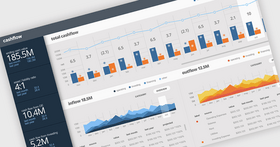
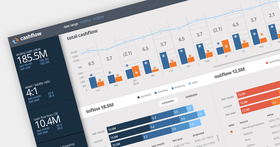
Build high-end business intelligence solutions to visualize business data and empower decision makers. Infragistics NetAdvantage for WPF includes stylable user interface controls for geospatial mapping, interactive gauges, graphical timelines, animated charting and OLAP pivot grids. Infragistics NetAdvantage for WPF includes charts, gauges and tree maps that handle millions of data points with millisecond updates. These WPF data visualization controls let you communicate information clearly by leveraging the superior graphics capabilities of WPF. Use the fully-featured UI controls to produce high-end OLAP pivot grids, charts, maps, gauges, timelines, bullet graphs, barcodes and more. Built-in analytics for statistical and technical studies add value that decision-makers can act on immediately.
Our regular prices are shown below. Please logon to see your discounted prices.
| Add to Cart | ₩ 1,089,100 | 1 Developer Subscription License - Includes Source code, updates, upgrades and new components for 1 year Mfr. Part No: 50Z1C |
Download (550.5 MB) | |
| Add to Cart | ₩ 460,500 | 1 Developer Subscription License - 90-Day Early Bird Subscription Renewal - (can be purchased up to the end of the 10th month of your existing subscription*) Mfr. Part No: 509990 |
Verify | Download (29 KB) |
| Add to Cart | ₩ 487,600 | 1 Developer Subscription License - 60-Day Early Bird Subscription Renewal - (can be purchased between the first and last day of the 11th month of your existing subscription*) Mfr. Part No: 509960 |
Verify | Download (29 KB) |
| Add to Cart | ₩ 541,800 | 1 Developer Subscription License - Subscription Renewal - (can be purchased until the last day of the 12th month of your existing subscription) Mfr. Part No: 509900 |
Verify | Download (29 KB) |
| Add to Cart | ₩ 1,618,000 | 1 Developer Subscription License with Priority Support - Includes Source code, updates, upgrades and new components for 1 year Mfr. Part No: 50Z1CP |
Download (550.5 MB) | |
| Add to Cart | ₩ 731,300 | 1 Developer Subscription License with Priority Support - 90-Day Early Bird Subscription Renewal - (can be purchased up to the end of the 10th month of your existing subscription*) Mfr. Part No: 50999P |
Verify | Download (29 KB) |
| Add to Cart | ₩ 774,400 | 1 Developer Subscription License with Priority Support - 60-Day Early Bird Subscription Renewal - (can be purchased between the first and last day of the 11th month of your existing subscription*) Mfr. Part No: 50996P |
Verify | Download (29 KB) |
| Add to Cart | ₩ 860,400 | 1 Developer Subscription License with Priority Support - Subscription Renewal - (can be purchased until the last day of the 12th month of your existing subscription) Mfr. Part No: 50990P |
Verify | Download (29 KB) |
| Add to Cart | ₩ 1,089,100 | 1 Developer Subscription License - Includes Source code, updates, upgrades and new components for 1 year (minimum quantity 10) Mfr. Part No: 50Z1V |
Download (550.5 MB) | |
| Add to Cart | ₩ 541,800 | 1 Developer Subscription License - Subscription Renewal - (can be purchased until the last day of the 12th month of your existing subscription) (minimum quantity 10) Mfr. Part No: 5099V |
Verify | Download (29 KB) |
| Add to Cart | ₩ 1,618,000 | 1 Developer Subscription License with Priority Support - Includes Source code, updates, upgrades and new components for 1 year (minimum quantity 10) Mfr. Part No: 50Z1VP |
Download (550.5 MB) | |
| Add to Cart | ₩ 860,400 | 1 Developer Subscription License with Priority Support - Subscription Renewal - (can be purchased until the last day of the 12th month of your existing subscription) (minimum quantity 10) Mfr. Part No: 5099VP |
Verify | Download (29 KB) |
Our prices include ComponentSource technical support and, for most downloadable products, an online backup and a FREE upgrade to the new version if it is released within 30 days of your purchase. All sales are made on our standard Terms and Conditions and subject to our Return Policy. Please contact us if you require any licensing option not listed, including volume licensing and previous versions.
Our regular prices are shown above. Please logon to see your discounted prices.
NetAdvantage for WPF includes NetAdvantage for WPF Line of Business and NetAdvantage for WPF Data Visualization controls.
What’s new in Infragistics WPF 2012 Volume 1?
What’s new in Infragistics WPF Data Visualization New Features 2011 Volume 2?
The latest release includes feature enhancement to existing controls, as well as many new features. Multiple new chart series and chart types have been added, as well as a new OLAP capability to include native OLAP support in charting. You also get more styling capability with Resource Washing on all controls, and robust new geospatial and geographic thematic mapping.
Resource Washer
With Resource Washing, you can set the color (the WashColor) on groups of resources (WashGroups) in an existing ResourceDictionary to update the color of the controls in your applications. Now, you can take a basic looking application and re-brand it to your corporate colors. Or, you can set a WashColor at runtime to change the look of application. There are two wash modes which determine how the original color in the resource and the wash color are blended: SoftLightBlend and HueSaturationBlend.
Infragistics Excel
Import and export Microsoft Excel workbooks in high-fidelity XLS/XLSX/ExcelML file formats. With absolutely no Excel dependency, your application can run completely independent of Excel, and Excel does not have to be installed alongside your application.
Geographic Map
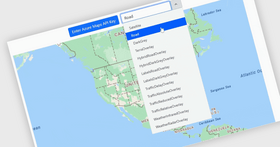
Create highly detailed, thematic geographical maps using an innovate feature set that includes custom shape templates, the ability to render polylines and polyshapes, Map Progression, Scatter Area Plots, an intuitive Overview Pane and much more. It enables many new, innovative features such as the ability to render polyline/polyshapes; custom shape templates; shape fill, shape styles and conditional formatting shapes; symbol series with the ability to add a custom Symbol Template; contour area series; scatter area series; multiple series; and panning and zooming.
Funnel Chart
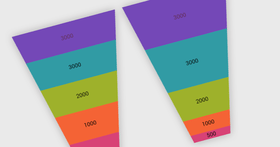
Visually showcase diminishing values with the new funnel chart, a single series chart that displays data in a funnel shape with a variable number of sections, each representing the data as different portions of 100%. The funnel chart makes it easy for end users to illustrate value "fallout" in the sales process or bottlenecks in the flow of a multi-step process.
Sparkline Chart
The new Sparkline control is a data-intense, design-simple graphic that allows end users to spot trends, variations and patterns in data in a clear and compact representation.
Data Chart
Render charts with millions of data points that are capable of millisecond updates. Enable heavy-duty data visualization and analysis on large volumes of data with high performance. The Data Chart control includes the following new features:
Pivot Grid
A Pivot grid that lets your users slice, dice and filter the multidimensional data of your OLAP cube or data warehouse. The latest version of the xamPivotGrid improves performance and usability. Several performance enhancements that deliver support for higher volume data and query parsing have been added:
Timeline
An important interaction feature to the Timeline control has been added – the control's ability to adjust labels and tick marks based on the current zoom level (which is the visible area of the chart). The Unit property is adjusted so it shows a moderate number of labels - not too few, not too many (perhaps prevent the same labels appear twice). If the visible area spans over a few days the UnitType becomes Hours, if the visible area spans over a few weeks UnitType becomes days, if it spans a year UnitType becomes month, etc.
Network Node Diagrams
The network node diagram control helps you create visual representations of simple or complex network relationships, similar to a cluster diagram in which each node represents a unique data point related through its connectedness to other data points. End users can easily pan and zoom, and you can customize the types of metadata that are displayed and how they are shown. New features in this release include the ability to choose the relationship type between nodes, support for various visual states, including Normal, MouseOver, Pressed, Disabled, and ReadOnly, and manipulation of indivdiual nodes.
NetAdvantage for WPF Data Visualization Controls
xamBarcode - Barcodes for Windows Presentation Foundation (WPF) Data Visualization - The WPF barcode controls manage the details of barcode imaging for you, allowing you to easily embed data in barcode format throughout your WPF applications.
xamBarcode Key Features at a Glance
xamBulletGraph - Bullet Graphs for Windows Presentation Foundation (WPF) Data Visualization - Deliver a simple and concise view of key performance indicators (KPIs) to your users in WPF dashboards. A bullet graph improves on an everyday bar graph by helping users to see at a glance:
Bullet graphs find uses in WPF data visualizations in which you might ordinarily use a linear gauge, but instead want the bullet graph's ability to display qualitative ranges and multiple metrics. The WPF bullet graph is much more compact in size in comparison with a bar graph that contains the same information. Like the other WPF data visualization controls, you can liven up its look and feel with impressive animations, templates, visual styles and data binding to a updatable value.
xamBulletGraph Key Features at a Glance
xamDataChart- Data chart for Windows Presentation Foundation (WPF) Data Visualization - xamDataChart is a WPF chart designed for handling high volumes of data ranging into the millions of data points, and into which updates can occur every few milliseconds. It has also been designed to facilitate the stacking of multiple chart areas in the same chart, and overlay multiple chart layers so that your users can add statistical and technical indicators to their analyses with ease
xamDataChart Key Features at a Glance
xamGauge - Gauges for Windows Presentation Foundation (WPF) Data Visualization - With a WPF gauge control you can build relevant business scorecard-style applications and rich, informative dashboards leveraging WPF's rich and robust graphics. By presenting users with clear renditions of important key performance indicators (KPI) and high-end business intelligence, your application will empower decision makers to take action. A declarative user interface enables each xamGauge to cleanly separate XAML design and development tasks, allowing your designers to use tools such as Microsoft Expression Blend to fashion incredibly rich gauges of every type.
xamGauge Key Features at a Glance
xamMap - Maps for Windows Presentation Foundation (WPF) Data Visualization - Now you can present end users with your geospatial data in rich and interactive maps featuring panning, zooming, mouseover effects and tooltips. Extensibly designed with events and properties enabling its more sophisticated behavior, xamMap is modularly designed around the following key components:
By using maps in a widely available, de facto standard format such as Shapefiles (.shp) or drawn from OpenGIS standards-based SQL extensions for geospatial data such as those supported by Microsoft SQL Server 2008, you can get started right away. Create WPF mapping applications from polygon-based shapes (lots, states, countries), polyline-based shapes (roads, rivers, transmission lines), point-based shapes (cities, points of interest), geometry and geography data with ease. Map layers allow you to overlay your own value-added map elements.
xamMap Key Features at a Glance
xamPivotGrid - OLAP Pivot Grid for Windows Presentation Foundation (WPF) Data Visualization -xamPivotGrid is a WPF pivot grid control that lets you work with multidimensional data (MDX) from your OLAP cubes, data warehouses and Microsoft SQL Server Analysis Services (or any ADOMD or XMLA-compliant providers). It provides an experience to users of your WPF application that goes beyond the pivot table metaphor, instead providing fully-featured online analytical processing (OLAP). Users simply drag and drop filter fields, measure fields, and dimensions from the convenient, collapsible field selector onto the OLAP pivot grid control, and xamPivotGrid presents the sliced and diced data in cross-tabulated form for your users to drill-down into. Creating multidimensional analyses has never been easier.
xamPivotGrid Key Features at a Glance
xamTimeline - Timeline control for Windows Presentation Foundation (WPF) Data Visualization - With the WPF timeline control you can help users to quickly understand and visualize a sequence of events. Each timeline is a time series of data points which quickly convey historical events, steps in the narrative of a business process or workflow, project milestones, key frames in a video, or any sequence of occurrences. Complete control template support allows you to design timelines that have both compelling styling and rich interactivity. With xamTimeline you can display chronological and sequential data in ways that allow your end user to dynamically select timelines and compare them. You also expedite learning by comparing familiar timelines with related, but unfamiliar, timelines and isolating timeline elements to prioritize in the display..
xamTimeline Key Features at a Glance
xamZoombar - Zoombar Control for Windows Presentation Foundation (WPF) Data Visualization - By embedding the xamZoombar control within your WPF charts and timelines, you can provide end users with a pan and zoom user interface that allows them to intuitively scroll through a range of data with dynamically adaptive scaling. From rectangular regions of a chart to periodic intervals along a timeline, the consistent look and feel of the zoom bar is always there. Users can drag the edges of the thumb pad to adjust the range being displayed, or magnify an area in which they are interested with ease.
xamZoombar Key Features at a Glance
NetAdvantage for WPF Line of Business Features:
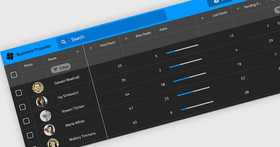
xamDataGrid – a flexible WPF data grid, the xamDataGrid brings the time honored familiarity of tabular style data presentation and infuses it into WPF.
xamCarouselPanel - highly flexible layout control, which can best be used for simplified object layouts such as for navigation. The xamCarouselPanel gives developers and designers alike a tool with which to create unique, interactive and immersive applications.
xamCarouselListBox - the familiarity of the ListBox control meets the innovative layout capabilities of the xamCarouselPanel.
xamDataCarousel - the xamDataCarousel is a flexible data layout control.
xamDataPresenter - the xamDataPresenter combines the xamDataGrid and the xamDataCarousel into a single control, allowing you to provide a flexible and customizable user interface to your users.
xamEditors - included in this release are the xamTextEditor and xamMaskedEditor data editing controls. Use as stand-alone editors, or easily integrate into the xamDataGrid, the xamEditor controls help you ensure the validity of your user-entered data.
xamDockManager
xamChart - The xamChart is a new visual WPF control that presents your heavy-duty data using graphics to enable users to more quickly analyze and understand its relevance. This WPF chart control displays values using columns, pie wedges, cylinders and more using the advanced graphics rendering capabilities inherent in the WPF platform.
Chart Types - The xamChart control supports 25 different chart types, which will allow you to select the perfect look to accent the data in your application. xamChart includes all of the following chart types:
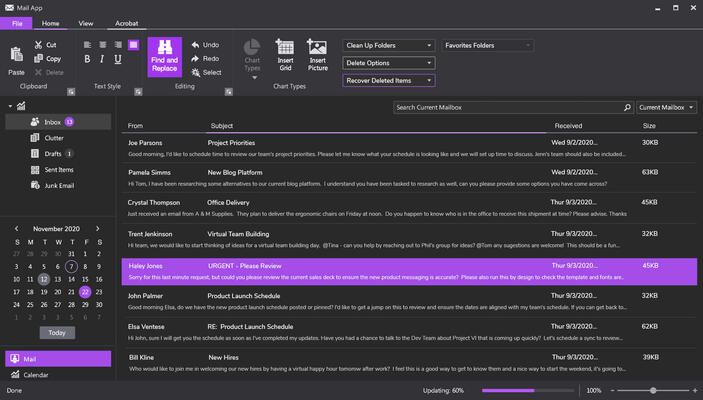
xamRibbon - The xamRibbon control is a menu control that replicates the Microsoft Office 2007 Ribbon functionality in a Microsoft Windows Presentation Foundation (WPF) application. Instead of using the plain, default, drop-down menu of decades past, you can use xamRibbon to give your application a stylish look and feel. Not only can you improve your application's look and feel, you can also improve usability by using xamRibbon's many features.
xamComboEditor - The xamComboEditor is an editor control that provides a drop-down list from which your users can select an item. As with the other xamEditors, the xamComboEditor can be plugged in to the xamDataGrid for use as an in-line data editor with drop-down list capabilities. Now it's easy for your users to edit the value of a data grid or data presenter cell from an enumerable collection. This can help make your WPF data-driven applications more user friendly, and decrease the risk of typographic errors during data entry.
Theme Packs - NetAdvantage for WPF includes several Theme Packs, designed by the Infragistics Visual Design Group, making it easy for you to give the controls a clean and modern look with a single property setting.
Fully supporting the Windows Presentation Foundation (WPF) platform, NetAdvantage for WPF controls enable a clear separation of application look & feel from behaviour, allowing teams of visual designers and software developers to collaborate more naturally. Visual Designers can style NetAdvantage for WPF control’s look and feel using XAML and Microsoft Expression Blend and software developers can define control behaviour using managed C# or VB.NET code with Visual Studio.
Publisher
Primary Category
Related Products
Related Categories
ComponentSource offers a unique global service, used by over 1,000,000 software developers worldwide.