by Infragistics - Product Type: Component / ASP.NET WebForms / ASP.NET AJAX (ATLAS) / .NET WinForms / .NET Class / 100% Managed Code / JavaScript / AJAX
Infragistics NetAdvantage for .NET by Infragistics
Add, grid, ribbon, scheduling, toolbar, menu, listbar, tree, UI and editing functionality to your .NET, Visual Studio 2005/2008, ASP.NET and Tablet PC applications. Infragistics NetAdvantage for .NET is a comprehensive presentation layer toolset for quickly building and styling polished application UIs and delivering a great user experience, for Windows Forms, ASP.NET and Tablet PC. NetAdvantage for .NET contains all essential UI controls (over 100 in all) for applications built using Visual Studio: grids, scheduling, charting, gauges, navigation, ribbon, toolbars, menus, listbars, trees, tabs, explorer bars, UI and many other editors, as well as Application Styling, Excel import/export and a Document Export Engine for PDF and XPS formats. Infragistics NetAdvantage tools work natively within Visual Studio 2005 and 2008 and include Office 2007 styles, Vista styles and Vista support. Included with every purchase of NetAdvantage for (.NET, Windows Forms, ASP.NET,) Infragistics provides product support, source code to the controls and frameworks, three guaranteed releases yearly of customer driven products and features and more.
Infragistics NetAdvantage is a true framework, not just a collection of disparate controls. Infragistics labored hard before writing a line of code to devise a mature architecture based on shared assemblies and common object models. This creates what Infragistics refer to as leveraged learning, meaning the effort to learn the first of the interface elements lets you learn the rest much easier. It also makes it easier to create standardized interfaces for your applications and even create your own elements by extending and inheriting visual elements from Infragistics Presentation Layer Framework. Its a primary reason for corporations to standardize all their development teams on NetAdvantage.
Infragistics NetAdvantage includes the full .NET source code.
Priority Support: One years worth of priority phone and guaranteed response web-based technical support.
Subscription Service - This service is a convenient way to ensure customers are always using the latest versions of Infragistics components. Subscription Service entitles Program members to automatically receive all major upgrades (full version releases), new products included in the covered Suite, and minor updates (enhancements and service patches) for the period of one year. Because our development team is committed to keeping in step with new technology, the Subscription Service is the best way to ensure your applications are compatible with even the most recent changes in technology.
Infragistics NetAdvantage includes:
Windows Forms Rich Client Components
WinGrid
WinCalcManager
WinChart
WinCombo
WinDataSource
WinTrackBar
WinDesktopAlert
WinDockManager
WinExtras
WinAnimation
WinButton
WinCalculator
WinDropdownButton
WinPopupContainer
WinLabel
WinFormattedLinkLabel
WinFormattedTextEditor
WinProgressBar
WinScrollBar
WinStatusBar
WinTooltipManager
WinEditors
WinCalculator
WinCalculatorDropdown
WinCheckEditor
WinColorPicker
WinComboEditor
WinCurrencyEditor
WinDateTimeEditor
WinFontNameEditor
WinFormattedLinkLabel
WinMaskedEdit
WinNumericEditor
WinOptionSet
WinProgressBar
WinTextEditor
WinExplorerBar
WinGauge
WinGridBagLayoutPanel
WinGridExcelExporter
WinGridDocumentExporter
WinGroupBox
WinInkProvider
WinLayoutManagers
WinListbar
WinListView
WinPrinting
WinPrintDocument
WinPrintPreviewControl
WinPrintPreviewThumbnail
WinGridPrintDocument
WinSchedulePrintDocument
WinSchedule
WinDayView
WinWeekView
WinMonthViewSingle
WinMonthViewMulti
WinCalendarCombo
WinCalendarInfo
WinCalendarLook
WinSpellChecker
WinTabbedMdi
WinTabs
WinToolbars
WinTree
Web Forms Components
WebAsyncRefreshPanel
WebGrid
WebCalcManager
WebChart
WebCombo
WebDialogWindow
WebImageViewer
WebSplitter
WebDateChooser
WebEditors
WebCurrencyEdit
WebDateTimeEdit
WebMaskEdit
WebNumericEdit
WebPercentEdit
WebTextEdit
WebGauge
WebGridExcelExporter
WebGroupBox
WebHtmlEditor
WebImageButton
WebListbar
WebMenu
WebNavBar
WebPanel
WebSpellChecker
WebTab
WebToolbar
WebTree
WebResizingExtender
WebSchedule
WebCalendar
WebCalendarView
WebDayView
WebMonthView
WebScheduleInfo
WebScheduleSqlClientProvider
WebScheduleOleDbProvider
WebWeekView
NetAdvantge also includes NetAdvantage AppStylist.
What’s new in NetAdvantage for .NET 2008 Volume 2?
Windows Forms:
Infragistics WinGrid - Enhanced
CardView Printing – CardView is a display mechanism in the WinGrid that enables developers to provide an alternate view of data, similar to that of the Microsoft Office business cards view. This added functionality provides an easy mechanism for the developer to print the grid while in this display mode.
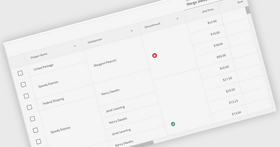
Rotated Column Headers – Now you can create new column arrangements by rotating the column header.
Row Edit Templates – Provides a dialog box that has knowledge of the underlying WinGrid leading it to give your end users an easy mechanism for entering information.
WinChart - Enhanced
TreeMap – TreeMap is a new chart type providing visualization of hierarchical and relational data through nested rectangles.
WinCombo - Enhanced
AutoComplete Mode – New ways to filter through data in a mechanism that can be compared to the intuitive suggest mode popularized by Google® and now enabled in the WinCombo control.
WinValidator - NEW
The WinValidator is an extender control enhancing the experience of working with editable fields by helping developers with their validation logic. This greatly reduces the amount of code developers must write, and improves the validity of data submitted by end users.
WinDockingManager - Enhanced
Visual Studio 2008 Docking Style – End users can now Control-Tab through their application and get the same rich, live preview in their line of business solutions to which developers using the Visual Studio 2008 IDE have become accustomed.
ASP.NET:
WebSlider - NEW
WebSlider is a light-weight, easy-to-use ASP.NET-based slider (a.k.a. track bar) control. Designed to enable developers to add another familiar UX pattern to their application.
WebHierarchicalDataSource- NEW
The WebHierarchicalDataSource control aims to simplify shaping data to fit hierarchical UI displays by leveraging the familiar Data Source control pattern, and allows developers to easily construct complex hierarchical data views from standard flat data sources such as the SqlDataSource or the ObjectDataSource controls.
What’s new in Infragistics NetAdvantage for .NET 2008 Volume 1?
Windows Forms:
Now with full compatibility for Visual Studio 2008
WinTrackBar – NEW - The TrackBar enables users to select an item in scale by sliding a tickmark across a line. Its value can be used for setting colors or other items that may be on a numeric line
WinTree - Enhanced - The TreeView in Vista took on an animation as the user scrolls to deeper levels. This negates the need for a horizontal scrollbar and allows the end user to focus purely on the node they have selected. This enhancement increases the usability of the tree
WinListView – Enhanced - An additional setting has been added to WinListView that enables auto resizing of columns which is consistent with functionality found in the Microsoft ListView
ASP.NET:
Now with full compatibility for Visual Studio 2008
WebDialogWindow – NEW Built with Aikido! - The WebDialogWindow is an ASP.NET-based dialog window control. Designed to replicate the functionality of a traditional standard Windows Forms dialog window, the control allows developers to easily include both modal and non-modal dialog window functionality in their Web applications
WebImageViewer – NEW Built with Aikido! - The WebImageViewer control is a simple ASP.NET-based control which allows developers to easily add image display capabilities to their Web applications. Images are displayed in an image strip fashion, horizontally or vertically, and can be scrolled or dragged by the end user using a smooth animation to transition the image strip. The control is useful both in basic image gallery scenarios, as well as image-based navigation scenarios
WebSplitter – NEW Built with Aikido! - The WebSplitter control is an ASP.NET-based control that allows developers to easily subdivide sections of their web page, which end users can then resize or even collapse. The control simulates the familiar splitter user interface found in many modern Rich Client applications and allows an end user to control the layout of their workspace, optimizing it for their tastes and performance. The control also allows developers to avoid the use of HTML frames in applications which provide the end user pods of information
What's new in Infragistics NetAdvantage for .NET 2007 Volume 3?
Windows Forms:
Infragistics WinNavigationBar™ - The new WinNavigationBar breadcrumb control drives users through any hierarchical navigation model your application uses, without the need for multiple wizard dialogs
Navigation Toolbar - WinToolbars™ enhancement - delivers ready-made forward, back, and recent history navigation
Vista Look without Vista OS - Get the look of Vista without WPF due to Vista-style enhancements to the WinEditors™ and WinScrollbar™ controls
WinChart™ - Export your charts to PDF or XLS, now with NEW Histogram chart type. Plus many more enhancements
ASP.NET:
WebChart™ - Export your charts to PDF or XLS, now with NEW Histogram chart type. Plus many more enhancements
WebHTMLEditor - New features in the WYSIWYG (What You See Is What You Get) HTML editor enhance the user experience, and give you greater control over the text and action event handlers you can write in JavaScript on the client
Document Sharing
The document export engine delivers XPS and PDF export capabilities that enable new document sharing and reporting
The new WebGridDocumentExporter™ component can quickly and easily export your WebGrid™ data into workbooks
This release enhanced the Infragistics Excel class library to handle formulas, images, and the import of Excel workbooks on the Web
What’s new in NetAdvantage for .NET 2007 Volume 2?
Windows Forms:
Infragistics Document Exporting Engine - NEW
Infragistics Document Exporting Engine enables the creation of both PDF and XPS documents
New Excel Exporting capabilities - Enhanced
Improved workflow by enabling more grid-to-excel exporting capabilities
Desktop Alert Control - NEW
Notification – The new Infragistics WinDesktopAlert enables peripheral notifications in your applications
Gridbag Layout Panel - Enhanced
The GridBagLayoutPanel allows developers to arrange their forms with freedom from worrying about resizing
Gauges – NEW
KPI Visualization – Gauges give you a clear and quick means of understanding Key Performance Indicators. The WinGauge combines separate visual components and graphics to create multifaceted gauges for 3 main types of visual display: Radial, Linear and Digital
ASP.NET
Gauges - NEW!
KPI Visualization – Gauges give you a clear and quick means of understanding Key Performance Indicators. The WinGauge combines separate visual components and graphics to create multifaceted gauges for 3 main types of visual display: Radial, Linear and Digital
Search Engine Crawler Enhancements - NEW
Search Engine Friendly Output – Improve website visibility by increasing your search engine ranking
What’s new in NetAdvantage for .NET 2007 Volume 1?
Windows Forms - One-Click Styling - Style all of your NetAdvantage applications by simply choosing a palette using the New Infragistics Express Styling
ASP.NET - RIA for your Users - New CSS based, Mashup friendly, Application Styling for your rich internet applications
Charting – Dramatic Data - Quickly configure your charts to change your data display from dull to dramatic, with Office 2007-style charts
Application Styling – Design Once, Style Everywhere for Windows Forms and ASP.NET. Quickly create and apply corporate standards across controls or applications
Office 2007 Look & Feel for Windows Forms
Application Styling -- Design once, style everywhere. New Express Styling enables generation of Application Styles from a single color
Office 2007 UI - Full Office 2007 support with the addition of RibbonMDI merging and a new MiniToolbar
Productivity - Quickly enable conditional formatting on grid data
Performance -- Full 64-bit .NET 2.0 architecture support including Windows XP 64-bit, Windows Vista 64-bit and Windows Server 2003 64-bit
Accessibility – All Windows Forms controls are now compliant under US Gov’t Section 508 standards
Rich Internet Applications with Office 2007 style
Application Styling - Design once, style everywhere - instantly and professionally style your NetAdvantage ASP.NET applications
Productivity - Improve workflow and reduce maintenance costs with Application Styling and the WebAppStylist design tool
Performance - Provide data filtering through the intuitive FilterRow interface
ASP.NET AJAX-enabled - Full support for ASP.NET AJAX Extensions 1.0; plus a bonus new Resizer built directly on Microsoft’s newest Framework
Application Styling for ASP.NET & Windows Forms – With Office 2007 styles
Apply Global Styling - Set control or application-wide look & feel with a style library, at design or run time
Easily Enforce Corporate Branding - Use a style library to brand multiple applications across the enterprise
Show Your Style - Create, save, reuse and distribute your custom styles, complete with copyright, version and usage information
Professionally Designed, Customizable Styles - Create compelling user interfaces without a dedicated design team, using built-in styles or your own designs
Develop and Design Concurrently - Designers can use NetAdvantage AppStylist to create UI styles outside of Visual Studio while Developers write their applications in C# or VB.NET
Intelligent Charting for ASP.NET and Windows Forms
Create Compelling Experiences - Quickly configure your charts to emulate the new Office 2007 chart styles
Leverage a Rich Toolset – Efficiently present data with optimized presets for 35 2D and 25 3D chart types
Let the data tell the story – Complex reports often require visual clarifications; conversely, visual data can eliminate the need for a explanation
Experience Information – Leverage specialized scientific, statistical and financial charts
Windows Forms new additions
Accessibility Support – Enhanced
All Windows Forms controls are now compliant with US Government Section 508
Application Styling – Enhanced
Export Images from a Style Library
Add your personal information to a Style Library
New ISL Generator - Style Library Templates that will automatically generate complete StyleSets at the click of a button
Multiple controls can now use separate Style Libraries
Presentation Layer Framework – Enhanced
NetAdvantage for Windows Forms Now Supports 64-bit Operating Systems enabling it to run on Vista
WinExplorerBar™ – Enhanced
Outlook 2007 Navigation Pane can now be collapsed
WinFlowLayoutManager™ – Enhanced
More Alignment Options
WinGrid™ – Enhanced
Conditional Formatting of Cells in a WinGrid Column
WinSpellChecker™ – Enhanced
Adding Canadian and Australian dictionaries brings the total dictionaries included to 9
WinToolbarsManager™ – Enhanced
New Glyphs for StateButton Tool: Checkbox and Radio Button
You can now merge ribbons in a Multiple Document Interface
New MiniToolbar – Replicates the new type of toolbar introduced in Microsoft Word 2007
New tab item toolbar for the Ribbon – serves the same purpose as the Quick Access Toolbar
ControlContainer now works inside the Ribbon
Prevent Ribbon KeyTips from overriding menu mnemonics
ASP.NET new additions:
Application Styling for ASP.NET
Application Styling is a concept in ASP.NET development for developing world-class applications with a stylish look and feel easily
Infragistics' Application Styling Framework™ (ASF) – includes NetAdvantage AppStylist- a stand-alone styling application that runs outside of the Microsoft® Visual Studio® IDE
Application Styling Console - A Visual Studio Add-in that can be used at design time to configure and modify the Application Styling settings for your application
WebAsyncRefreshPanel™ (WARP Panel™) – Enhanced
Many additional properties, events and methods to fine tune your programming options
WebGrid™ – Enhanced
Filter Row Added To WebGrid
Sorting Algorithm can now be Selected for your WebGrid Data
Support for Copy and Paste Between Microsoft Excel and WebGrid
WebGrid Support For Cut/Copy/Paste Operations
XML Support for Mozilla Firefox
WebMenu™ – Enhanced
Enhanced Rendering now enabled by Default
WebResizingExtender™
Resize the following containers on a Web page:
Microsoft Panel
UpdatePanel™
Infragistics WebPanel™
Infragistics WebAsyncRefreshPanel
WebSpellChecker™ – Enhanced
Adding Canadian and Australian Dictionaries brings the total dictionaries included to 9
WebTab™ – Enhanced
Vertical text orientation is now honored in Firefox
BeforeAsyncSubmit client-side event improvement
What’s new in NetAdvantage for Windows Forms 2006 Volume 3?
Application Styling
New Eyedropper
New resource previews
New “used by” list
Selective importing
Office 2007 look and feel
New look and feel for WinEditors
New look and feel for WinSchedule
Office 2007 view style
New project upgrade add-In
WinChart
Can customize the appearance of chart’s background
Customization of charts on a per-series basis
Easier to hide and display chart series
New 3D Spline charts
New properties to determine the scrolled or scaled axis
Office 2007-style presets available for charts
WinFormattedLinkLabel
New WinFormattedTextEditor Control
WinToolbarsManager
Ribbon
New PopupGallery tool
WinTooltipManager
Formatted tooltips
What’s new in NetAdvantage for ASP.NET 2006 Volume 3?
Improved accessibility support
Office 2007 presets
New project upgrade Add-In
WebCalendar
Prioritizing day styles
Hiding days in other months
WebChart
Can customize the appearance of chart’s background
Customization of charts on a per-series basis
Easier to hide and display chart series
New 3D Spline Charts
Office 2007-style presets available for charts
WebDateChooser
WebDateChooser is now section 508-compliant
Set focus during page initialization
Set the image URL for the drop-down button
WebGrid
New/Modified events
New/Modified properties
Additions to the WebGrid CSOM
Additional enhancements to WebGrid
Enhanced row filtering
New WebAsyncRefreshPanel™ (WARP Panel™)
WebTab
New IsAsyncPostBack property
What's new in NetAdvantage 2006 for .NET Volume 2?
No Touch AJAX for ASP.NET
Save Time - Enable AJAX support without hand-coded JavaScript
Increase Performance - Eliminate postbacks with AJAX-enabled Grid, Tree, Tab, and Schedule
Empower Your Users – Simplify your interfaces with user-definable Grid row filtering
Leverage a Rich Toolset – Deliver robust scheduling applications with recurring appointments and disconnected user support
Application Styling for Windows Forms and ASP.NET
Apply Global Styling – Set application-wide look and feel with a single XML-based style library
Deliver Consistent Look & Feel – Use a style library to brand multiple applications across the enterprise
Update Styling Dynamically - Change application look and feel at runtime
Leverage Professionally Designed Styles - Create compelling user interfaces without a dedicated design team
Create Custom Styles - Visually design styles with NetAdvantage Style Studio
Empower Your Users– Provide style customization features by exposing the Style Studio at runtime
Intelligent Charting for Windows Forms
Create Compelling Experiences – Easily incorporate high-fidelity 3D Charts in your applications
Save Time – Quickly configure your charts with optimized default presets
Empower Your Users – Deliver resizable Flash and SVG charts on the Web
Leverage a Rich Toolset – Use the layout intelligence of the Chart to minimize axis label collisions
What's new in NetAdvantage 2006 Volume 1:
Additions to the ASP.NET controls that will significantly increase the performance of your Web applications include:
Performance enhancements to the NetAdvantage WebGrid that will improve the overall performance of your application
AJAX enabled LoadOnDemand capabilities with the NetAdvantage WebTree control
Improve the fidelity of your applications with new 3D charts:
New 3D rendering engine composed completely of 100% managed code, brings your 3D charts to life with the addition of lighting and shading, as well as perspective - all without sacrificing performance. Also included are easy to use design-time editors which can be used to quickly set the perspective on your 3D chart.
New tools expanding the types of applications you can build with NetAdvantage include:
ASP.NET Rich Text Editor
Spell Checker (ASP.NET only)
List View Control
Link Editor
FormattedLinkRenderer
Control Tab for Windows Forms
Traverse Grid
IsDroppedDown
Nine-Grid Brush
3 Sort State
ChildRows
ReadOnly Property
ListView/ListBox
Ctrl-Tab
Copy/Paste Excel
Extended functionality provided by Infragistics for CAB – Microsoft’s Composite UI Application Block through:
NetAdvantage controls supported as workspaces – DockManager, Tab, TabbedMDI, ExplorerBar, ToolbarsManager
UIElementManager – provides you with a common way of adding and using UIElements to develop a standard application shell
NetAdvantage now supports Visual Studio 2005 - with the NetAdvantage for Visual Studio 2005 release, organizations can:
Seamlessly integrate their NetAdvantage applications with Visual Studio 2005
Easily migrate existing applications built with prior versions of NetAdvantage to Visual Studio 2005
Simplify deployment of ASP.NET applications
Three Top Benefits - Infragistics NetAdvantage
Easily, and with great flexibility, give your applications the precise look and feel of todays most popular interfaces those of Microsoft Office, Windows, and other Microsoft applications.
Built on frameworks and common object models, NetAdvantage is a single integrated toolset for creating commercial class user interfaces for Microsoft environments easy to learn and easy to move from one interface element to the next, and from one environment to the next.
Create applications with the rich look and feel your clients are used to, even with thin client delivery in ASP.NET
PartNumbers: PC-512326-156749 512326-156749 PC-512326-156753 512326-156753 PC-512326-156757 512326-156757 PC-512326-156761 512326-156761 PC-512326-156765 512326-156765 PC-512326-156769 512326-156769 PC-512326-156773 512326-156773 PC-512326-156777 512326-156777 PC-512326-156781 512326-156781 PC-512326-156785 512326-156785 PC-512326-156798 512326-156798 PC-512326-156800 512326-156800 PC-512326-156799 512326-156799 PC-512326-156801 512326-156801 PC-512326-156789 512326-156789 PC-512326-156793 512326-156793 PC-512326-156797 512326-156797
Publisher PartNumbers: 9382C 9382CN 9382CP 9382CU 9382PN 9382PU 9382V 9382VP 939900 93990P 939960 93996P 939990 93999P 9399L 9399V 9399VP
PurchaseOptions: Infragistics NetAdvantage for .NET 2008 Volume 2 (includes Windows Forms & ASP.NET, annual subscription & full .NET source code) 1 Developer Subscription License - Includes updates, upgrades and new components for 1 year , Infragistics NetAdvantage for .NET 2008 Volume 2 (includes Windows Forms & ASP.NET, annual subscription & full .NET source code) 1 Developer Subscription License - Upgrade from any previous Infragistics NetAdvantage, Protoview or Sheridan product , Infragistics NetAdvantage for .NET 2008 Volume 2 (includes Windows Forms & ASP.NET, annual subscription & full .NET source code) 1 Developer Subscription License - 90-Day Early Bird Subscription Renewal - (can be purchased up to the end of the 10th month of your existing subscription*) , Infragistics NetAdvantage for .NET 2008 Volume 2 (includes Windows Forms & ASP.NET, annual subscription & full .NET source code) 1 Developer Subscription License - 60-Day Early Bird Subscription Renewal - (can be purchased between the first and last day of the 11th month of your existing subscription*) , Infragistics NetAdvantage for .NET 2008 Volume 2 (includes Windows Forms & ASP.NET, annual subscription & full .NET source code) 1 Developer Subscription License - Subscription Renewal - (can be purchased until the last day of the 12th month of your existing subscription) , Infragistics NetAdvantage for .NET 2008 Volume 2 with Priority Support (includes Windows Forms & ASP.NET, annual subscription & full .NET source code) 1 Developer Subscription License with Priority Support - Includes updates, upgrades and new components for 1 year , Infragistics NetAdvantage for .NET 2008 Volume 2 with Priority Support (includes Windows Forms & ASP.NET, annual subscription & full .NET source code) 1 Developer Subscription License with Priority Support - Upgrade from any previous Infragistics NetAdvantage, Protoview or Sheridan product , Infragistics NetAdvantage for .NET 2008 Volume 2 with Priority Support (includes Windows Forms & ASP.NET, annual subscription & full .NET source code) 1 Developer Subscription License with Priority Support - 90-Day Early Bird Subscription Renewal - (can be purchased up to the end of the 10th month of your existing subscription*) , Infragistics NetAdvantage for .NET 2008 Volume 2 with Priority Support (includes Windows Forms & ASP.NET, annual subscription & full .NET source code) 1 Developer Subscription License with Priority Support - 60-Day Early Bird Subscription Renewal - (can be purchased between the first and last day of the 11th month of your existing subscription*) , Infragistics NetAdvantage for .NET 2008 Volume 2 with Priority Support (includes Windows Forms & ASP.NET, annual subscription & full .NET source code) 1 Developer Subscription License with Priority Support - Subscription Renewal - (can be purchased until the last day of the 12th month of your existing subscription) , Infragistics NetAdvantage for .NET Corporate 2008 Volume 2 (A Corporate license gives you the convenience of one key for multiple (minimum 10) licenses) 1 Developer Subscription License - Includes updates, upgrades and new components for 1 year (minimum quantity 10) , Infragistics NetAdvantage for .NET Corporate 2008 Volume 2 (A Corporate license gives you the convenience of one key for multiple (minimum 10) licenses) 1 Developer Subscription License - Subscription Renewal - (can be purchased until the last day of the 12th month of your existing subscription) (minimum quantity 10) , Infragistics NetAdvantage for .NET Corporate 2008 Volume 2 (A Corporate license gives you the convenience of one key for multiple (minimum 10) licenses) 1 Developer Subscription License with Priority Support - Includes updates, upgrades and new components for 1 year (minimum quantity 10) , Infragistics NetAdvantage for .NET Corporate 2008 Volume 2 (A Corporate license gives you the convenience of one key for multiple (minimum 10) licenses) 1 Developer Subscription License with Priority Support - Sub
Resources: Read the Using NetAdvantage elements in Windows Sharepoint Services White Paper - Requires Acrobat Reader, Read the Infragistics NetAdvantage End User License Agreement, Download the NetAdvantage for .NET 2008 Volume 2 evaluation on to your computer - Expires After 15 Days
Operating System for Deployment: Windows Vista, Windows XP, Windows Server 2003, Windows ME, Windows 2000, Windows NT 4.0
Architecture of Product: 32Bit, 64Bit
Product Type: Component
Component Type: ASP.NET WebForms, ASP.NET AJAX (ATLAS), .NET WinForms, .NET Class, 100% Managed Code, JavaScript, AJAX
Compatible Containers: Microsoft Visual Studio 2008, Microsoft Visual Studio 2005, Microsoft Visual Basic 2008, Microsoft Visual Basic 2005, Microsoft Visual C++ 2008, Microsoft Visual C++ 2005, Microsoft Visual C# 2008, Microsoft Visual C# 2005, Microsoft Windows SharePoint Services, .NET Framework 2.0
Product Class: User Interface Components
Search Items: New Version Mar 03, New Version Jun 03, New Version Oct 03, New Version Feb 04, New Product June 04, New Product Oct 04, New Product Feb 05, New Product Mar 05, New Product June 05, New Product Oct 05
Keywords: Calendar calendaring calendars Scheduling Schedule Schedules User Interface Collections UI User Interface UI Toolbar tool bar tool-bar Toolbars Menu Menus Product Suites Suite bundles bundle Treeview List tree view tree-view list-view listview listbox ecommerce e commerce e-commerce e-business e-sales Infragistics Sheridan Protoview Grid Grids Table Tables DataGrid DataGrids Chart Charting Charts Graph Graphing Graphs Explorer exploring explore Entry data-entry Enterprise Partner Infragistics NetAdvantage .NET dotnet Infragistics Net Advantage Suite Bundle nas Infrag Inf Infragistix Infragisticks Product Suites Sheridan Protoview IG Net Advantage Suite
Publisher
Primary Category
Related Products
Related Categories