by Infragistics - 상품타입: Component / .NET WPF
NetAdvantage for WPF 은 현재 NetAdvantage for .NET에 포함되어 셋트로만 판매하고 있습니다.
NetAdvantage for WPF의 단품 제공 사항 및 업그레이드 가격에 관해서는 당사로문의주시기 바랍니다.
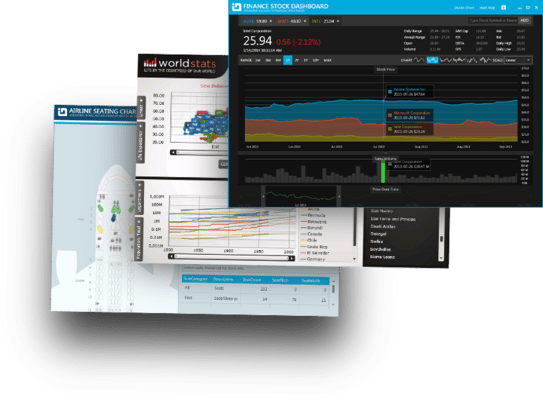
NetAdvantage controls, designed and developed specifically for the Windows Presentation Foundation (WPF) platform. Infragistics NetAdvantage for WPF Line of Business provides developers with components for high performance, WPF user interfaces. With Infragistics NetAdvantage for WPF Line of Business developers can take advantage of WPF’s vector graphics, rich styling, animation and integrated UI virtualization. NetAdvantage for WPF Line of Business includes a high performance, hierarchical data grid for data-intensive applications, animated 2D/3D charting, carousels and docking for layout flexibility, trees, editors, an Office ribbon, Outlook -style suite of scheduling controls and more.
What's New in Infragistcs Netadvantage WPF Line of Business 2011 Volume 2?
This latest release includes feature enhancements to the existing controls, and new controls which support the shared XAML strategy to support the same XAML controls in both Silverlight and WPF. Included are new features like the Resource Washing capability, and the xamTileManager control, which delivers a unique, flowing layout to an application; as well as the new Inputs control, which delivers a complete shared XAML editor experience.
Data Chart
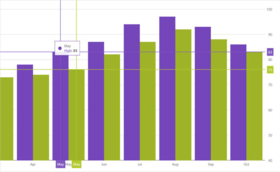
Data Chart is now available for customers of WPF Line of Business products. Render charts with millions of data points that are capable of millisecond updates. Enable heavy-duty data visualization and analysis on large volumes of data with high performance.
Funnel Chart
Visually showcase diminishing values with the new funnel chart, a single series chart that displays data in a funnel shape with a variable number of sections, each representing the data as different portions of 100%. The funnel chart makes it easy for end users to illustrate value "fallout" in the sales process or bottlenecks in the flow of a multi-step process.
Resource Washer
With Resource Washing, you can set the color (the WashColor) on groups of resources (WashGroups) in an existing ResourceDictionary to update the color of the controls in your applications. Now, you can take a basic looking application and re-brand it to your corporate colors. Or, you can set a WashColor at runtime to change the look of application. There are two wash modes which determine how the original color in the resource and the wash color are blended: SoftLightBlend and HueSaturationBlend.
Infragistics Excel
Import and export Microsoft Excel workbooks in high-fidelity XLS/XLSX/ExcelML file formats. With absolutely no Excel dependency, your WPF application can run completely independent of Excel, and Excel does not have to be installed alongside your application.
Inputs
The new xamInputs control offers a complete XAML cross- platform experience with key controls. The Inputs control can also be used with the cross-platform xamGrid cell to enhance data display and data entry. Controls include xamCurrencyInput, xamDateTimeInput, xamMaskedInput and xamNumericInput.
Multi-Column Combo
The xamMultiColumnComboEditor is designed to give you a more comprehensive display choice for dropdown data. The Multi-Column Combo acts just like a grid; it can automatically generate columns for every property on the data object contained in the IEnumerable that is set on the control’s ItemsSource property. The control’s AutoGenerateColumns property (which defaults to true) controls this behavior. Alternatively, the developer can manually specify which columns to display in the control by setting AutoGenerateColumns property to false, creating and adding columns directly to the control’s Columns collection.The multi-column combo supports auto-generation (and/or manual definition) of the following column types:
Grid
As an editable hierarchical data grid control designed for high performance, your users can work with hundreds of thousands of rows. With data and UI virtualization on rows and columns your users get superior performance and responsiveness. It's fully featured to show master/detail relationships between records with lightning-fast expansion, column movement, group-by and filter rows, and sorting.
Tile Manager
The xamTilesManager displays templated content tiles based on any ItemsSource you provide in the rows and columns of an animated, engaging, and interactive layout panel. Let your users browse tiles, maximize one or more tiles (automatically minimizing remaining tiles), collapse tiles, drag-and-drop tiles so as to rearrange their layout, and more using its glanceable user interface. Enable users to fully configure the layout by enabling moving and resizing of tiles and the ability to change the state of the tiles at run time. Users may expect you to save and load their custom layouts between sessions so they are not forced to reconfigure the xamTileManager every time the application restarts. For greater convenience, you can use our Persistence Framework to save and load the Tile arrangements.
Calculation Manager
The xamCalculationManager adds Microsoft Excel-like formula support to any control on the form, including native WPF & Silverlight controls and Infragistics XAML controls. It manages all formulas as well as getting values from sources and setting values on targets of those formulas. The Calculation Manager has many pre-defined functions that emulate Excel functions as well as allowing developers to register custom functions. In addition, the Calculation Manager automatically determines the order in which to solve formulas based on the dependencies of sources and targets.
Data Grid
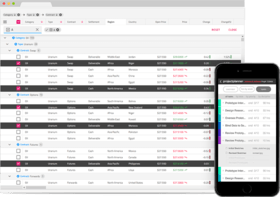
The WPF Data Grid control can be used to produce polished reports, tables, ledgers, product listings, and much more. Designed for WPF, it lets you present information in the tabular style familiar to users. The WPF grid provides your users with versatility when editing, sorting, filtering, grouping, and showing hierarchical data relationships (such as master-detail records).
Persistence Framework
With the Persistence Framework, you can persist control settings from any WPF dependency object (including non-Infragistics controls) using Infragistics’ Control Persistence Framework to manage saving and loading of those settings you want persisted to any external source, like a file or database. This framework makes it very easy for you to give your users the ability to save off their preferences and the layout of your application’s user interface down to the most detailed settings - such as which grid columns are fixes - and then re-load the same layout when they come back again.
NetAdvantage for WPF Line of Business Features:
xamDataGrid – a flexible WPF data grid, the xamDataGrid brings the time honored familiarity of tabular style data presentation and infuses it into WPF.
xamCarouselPanel - highly flexible layout control, which can best be used for simplified object layouts such as for navigation. The xamCarouselPanel gives developers and designers alike a tool with which to create unique, interactive and immersive applications.
xamCarouselListBox - the familiarity of the ListBox control meets the innovative layout capabilities of the xamCarouselPanel.
xamDataCarousel - the xamDataCarousel is a flexible data layout control.
xamDataPresenter - the xamDataPresenter combines the xamDataGrid and the xamDataCarousel into a single control, allowing you to provide a flexible and customizable user interface to your users.
xamEditors - included in this release are the xamTextEditor and xamMaskedEditor data editing controls. Use as stand-alone editors, or easily integrate into the xamDataGrid, the xamEditor controls help you ensure the validity of your user-entered data.
xamDockManager
xamChart - The xamChart is a new visual WPF control that presents your heavy-duty data using graphics to enable users to more quickly analyze and understand its relevance. This WPF chart control displays values using columns, pie wedges, cylinders and more using the advanced graphics rendering capabilities inherent in the WPF platform.
Chart Types - The xamChart control supports 25 different chart types, which will allow you to select the perfect look to accent the data in your application. xamChart includes all of the following chart types:
xamRibbon - The xamRibbon control is a menu control that replicates the Microsoft Office 2007 Ribbon functionality in a Microsoft Windows Presentation Foundation (WPF) application. Instead of using the plain, default, drop-down menu of decades past, you can use xamRibbon to give your application a stylish look and feel. Not only can you improve your application's look and feel, you can also improve usability by using xamRibbon's many features.
xamComboEditor - The xamComboEditor is an editor control that provides a drop-down list from which your users can select an item. As with the other xamEditors, the xamComboEditor can be plugged in to the xamDataGrid for use as an in-line data editor with drop-down list capabilities. Now it's easy for your users to edit the value of a data grid or data presenter cell from an enumerable collection. This can help make your WPF data-driven applications more user friendly, and decrease the risk of typographic errors during data entry.
Theme Packs - NetAdvantage for WPF includes several Theme Packs, designed by the Infragistics Visual Design Group, making it easy for you to give the controls a clean and modern look with a single property setting.
Fully supporting the Windows Presentation Foundation (WPF) platform, NetAdvantage for WPF controls enable a clear separation of application look & feel from behaviour, allowing teams of visual designers and software developers to collaborate more naturally. Visual Designers can style NetAdvantage for WPF control’s look and feel using XAML and Microsoft Expression Blend and software developers can define control behaviour using managed C# or VB.NET code with Visual Studio.
에서 제공개발처/발매처
주요 카테고리
관련 상품
관련 카테고리