par Acresso Software (formerly Macrovision) - Type de produit : Application / Wizard
InstallAnywhere 2008 Standard by Acresso Software (formerly Macrovision)
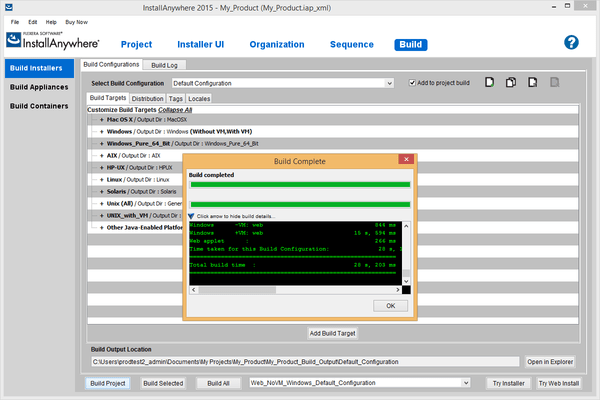
Deploy your application on any platform. InstallAnywhere Standard Edition enables developers to build highly customized deployment solutions. It's intuitive design brings intelligence to the process of deploying software onto any client or server platform. It automatically handles all of the installation details; it creates smaller installers that run faster than many other solutions, minimizes time-to-deployment and increases productivity.

Benefits
Create One Installer Project for Multiple Platforms and Multiple Languages
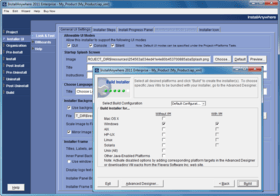
InstallAnywhere deploys software onto any client or server platform, handles all of the complexities automatically and configures your software exactly the way you want it every time. InstallAnywhere supports the latest editions of Windows, Mac OS X, Solaris, Linux, HP-UX, AIX, NetWare, and many more. And with built in support for 29 languages, you'll be deploying software to international markets in no time. Whether you’re creating applications written in Java, C++, PERL or C#, deploying EJBs or .NET Web services, RPM’s InstallAnywhere is designed to install and configure software – desktop, enterprise, or multi-tiered Web services – onto any platform, in one installer project.
Build Installers in Your Language
InstallAnywhere's developer environment, including the six-step Project Wizard and the Advanced Designer, is now available in localized language versions. Developers who speak French, German, and Japanese can author multiplatform installers using their native language. Create installers for the full range of platforms and all 29 target languages supported by InstallAnywhere.
Lowers Development and Support Costs
Having one installer for multiple platforms shortens time to market and lowers costs through shorter development times, simpler documentation, rapid QA, and fewer support calls. InstallAnywhere is packed with dozens of pre-built actions and panels, so you can build and deploy a single universal installer quickly and intuitively. Create installer functionality once: innovative Merge Modules and Templates can be re-used across development teams, product lines, and even ported along with your application in OEM applications. And InstallAnywhere's collaborative architecture lets multiple authors create installers on different platforms, saving valuable and expensive development time.
Best End-User Experience
Use your custom graphics, animation, and transparent images to create the ideal user experience that matches your software's unique look and feel. InstallAnywhere eases software deployment by creating a single powerful installer that functions on many platforms and behaves like a native application. In fact, Software Development magazine gave InstallAnywhere a five star rating in their installer product roundup, noting that "Your software has ten seconds to make a first impression. InstallAnywhere makes those seconds a pleasure instead of a chore." - Software Development, September 2003.
Five Minutes to Build an Installer
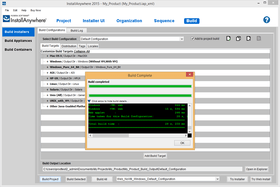
InstallAnywhere's six-step Project Wizard is one of the fastest and easiest approaches to creating an installer. The Project Wizard's simple interface provides the power you need to create an installer quickly. And InstallAnywhere shortens development cycles by integrating with popular IDEs and build tools. It can even automate the build process so there's no need to manually recreate installers every night.
Simplifies and Standardizes Software Deployment
InstallAnywhere provides a complete high quality installation toolset to produce full-featured, flexible installers. It's packed with tons of new features to make your complex server software deployment and client-side configurations a breeze. With InstallAnywhere, you concentrate on developing great software, not deploying it.
Unlimited Customization
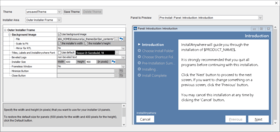
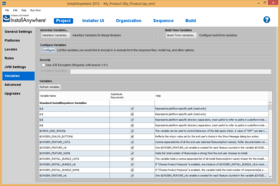
The InstallAnywhere IDE includes a fully graphical Advanced Designer interface that allows you to create installers without coding; yet its innovative APIs allow unlimited customization options so your installer has precisely the functionality you need. InstallAnywhere's unified look and feel from install to product delivers product branding, not installer branding. InstallAnywhere's componentized, rules-based architecture provides one complete toolset that solves most installation problems. Whether you're creating a simple installer for a client application, or deploying EJBs to multiple server locations across an enterprise, InstallAnywhere is an ideal installation solution.
The Standard in Multi-Platform Deployment
InstallAnywhere's fast, powerful, and intuitive installers are used by many enterprise software companies, including Borland, HP, IBM, Intel, Novell, and Sun Microsystems.
Available in Two Editions
InstallAnywhere is available in two different editions, all based on the same, multiplatform installation technology. The editions are designed to accommodate every need and budget, from large, multi-national enterprise development teams and commercial software vendors, to the smallest independent software authors.
Easy Evaluation Process
InstallAnywhere is available in a full-featured trial version. Simply download and use the six-step Project Wizard or the Advanced Designer to build an installer. Use it to deploy onto multiple platforms.
For details on what is included in the Standard and Enterprise Editions please see the "InstallAnywhere Editions Features Comparison" in the Evals & Downloads section.
What’s new in InstallAnywhere 2008 Value Pack 1?
Windows Server 2008 support- InstallAnywhere can target Windows Server 2008 installer environments. Available in Standard and Enterprise Editions
Support for IBM i5/OS for System i platform (formerly known as OS/400 platform) - First time InstallAnywhere support for the i5/OS (operating environment) for System i (hardware) ensures both local and remote install and uninstall scenarios are supported. Local installs would be run if the installation should be run directly from the i5/OS console (green screen), remote installations allow the ability to launch an installer from another machine (i.e. a Windows machine) and initiate actions on a remote i5/OS machine. Only available in Enterprise Edition
AIX –ODM support - Allows registration of an installation into the AIX native registry, which is an expansion on previous support for AIX installations. Available in both Standard and Enterprise Editions
Improvement of the Hebrew and Arabic runtime introduced in InstallAnywhere 2008 - With development advisor IBM, the bidirectional merge capabilities first introduced with InstallAnywhere 2008 as Hebrew and Arabic runtime support were tested and strengthened with specific improvements to mnemonics. Applicable only to Enterprise Edition.
What’s new in InstallAnywhere 2008? - With InstallAnywhere 2008, customers can:
more easily take advantage of latest technologies, including Windows Vista, Java 1.6, and Mac OS X 10.5 (Leopard)
have more flexibility - especially in developing build targets & deploying web applications
bring products to market faster with features designed to make installation creation easier, such as a new user interface for the hosts view, automated testing support, and more flexible VM pack locations
What’s new in InstallAnywhere Standard Edition V8.0?
Updated platform support to support the latest versions of popular operating systems
Integration with FLEXnet Connect software update and communication solution
Support for creating Section 508-compliant accessible installations
New services layer for enhancing custom code actions
New resizable dialogs, progress bar control, HTML panel display capability, and automated response file creation for silent installations
What's New in V7.x?
Support for J2SE 5.0
Installer support for digital signatures (Windows XP SP2 compliance)
Strict Java Virtual Machine selection
Shared components
Cross-product dependencies
Addition platform support
Action Groups
Dynamic Merge Modules
Improved Installer-Merge Module communication
More flexible Installer UI customization options
More Uninstaller actions and panels
Improved Source Control Management Software Compliance
Major Advanced Designer enhancements
Other Enhancements
Bugfixes
PartNumbers: PC-510234-147333 510234-147333 PC-510234-147341 510234-147341 PC-510234-170847 510234-170847 PC-510234-170848 510234-170848 PC-510234-147337 510234-147337 PC-510234-147343 510234-147343
Publisher PartNumbers: BHS5DUS Promo Code 5W4R5Z BHS6DUS Promo Code 4K2W7B HS095ZD HS095ZDU KGHSDK1 KSHSDK
PurchaseOptions: InstallAnywhere Standard Edition 2008 Value Pack 1 (individual downloads for Windows, AIX, HP-UX, Linux, Solaris and Mac OS X - max size 186 MB) 1 Developer License for all platforms , InstallAnywhere Standard Edition 2008 Value Pack 1 (individual downloads for Windows, AIX, HP-UX, Linux, Solaris and Mac OS X - max size 186 MB) 1 Developer Upgrade License from InstallAnywhere 2008 Standard Edition , InstallAnywhere Standard Edition with Maintenance 1 Developer License with Silver Maintenance Upgrade from any InstallAnywhere Standard Special Offer Price - Ends 31st October 2008 , InstallAnywhere Standard Edition with Maintenance 1 Developer License with Gold Maintenance Upgrade from any InstallAnywhere Standard Special Offer Price - Ends 31st October 2008 , InstallAnywhere Standard Edition Maintenance 1 Developer Silver Maintenance License (includes Subscription and Support) , InstallAnywhere Standard Edition Maintenance 1 Developer Gold Maintenance License (includes Subscription and Support)
Resources: Browse the InstallAnywhere Manual pages, Browse the InstallAnywhere Edition Features Comparison page, Download the InstallAnywhere Standard 2008 Value Pack 1 for Windows evaluation - Expires After 21 Days
Operating System for Deployment: Windows Vista, Windows XP, Windows ME, Windows 2000, Windows 98, Windows NT 4.0, Windows 95, Windows NT 3.51, UNIX System V Release 4, Sun Solaris 9, Sun Solaris 8, HP-UX 11.x, HP-UX 10.x, IBM AIX 5.x, IBM AIX 4.3.x, SGI IRIX 6.5.x, Linux Kernel V2.4.x, RedHat Linux 7.x, SUSE Linux 8.x, FreeBSD, FreeBSD 4.x
Architecture of Product: 32Bit, 64Bit, MAC
Product Type: Application
Application Type: Wizard
Built Using: JDK 1.1, Java 2 SDK (JDK 1.2), Java 2 SDK (JDK 1.3), Java 2 SDK (JDK 1.4)
General: Internet Enhanced, Includes Digital Signature, Marked as Safe for Initialization
Application Servers: Oracle WebLogic Server 7.0 (formerly BEA), Oracle WebLogic Server 6.1 with J2EE 1.3 Features(formerly BEA), Oracle WebLogic Server 6.1 (formerly BEA), IBM WebSphere (TM) Application Server 4.0, IBM WebSphere (TM) Application Server 5.0, Inprise Application Server, Iona iPortal Application Server, JBoss (TM) 2.0 (Formerly EJBoss/NextGen), Oracle Application Server 9i, Pramati Server 1.1, Silver Stream Application Server, Sun ONE Application Server 6.5, Sun ONE Application Server 7.0, Sybase Enterprise Application Server 3.5
Compatible Containers: Microsoft Visual Studio .NET, Microsoft Visual Basic .NET, Microsoft Visual C++ .NET, Microsoft Visual C# .NET, Microsoft Visual J++ 6.0, Microsoft Visual J++ 1.1, Microsoft Visual InterDev 6.0, Microsoft Office XP, Microsoft Office 2000, Microsoft Office 97, Microsoft Exchange Server 5.5, BizTalk Server, Microsoft Internet Information Server 5.0, Microsoft Internet Information Server 4.0, Microsoft FrontPage, Microsoft Internet Explorer 6.0, Microsoft Internet Explorer 5.5, Microsoft Internet Explorer 5.0, Microsoft Internet Explorer 4.0, JBuilder 7, JBuilder 6, JBuilder 5, JBuilder 4, JBuilder 3.5, JBuilder 3, JBuilder 2, JBuilder 1, IBM VisualAge for Java 4, IBM VisualAge for Java 3, Sybase PowerJ Pro 3.0, Oracle Database 9i, Oracle 9i JDeveloper, Oracle JDeveloper 3.0, Visual Café 4.0, Visual Café 3.0, Sun ONE Studio 4 (Formerly FORTE for Java), .NET Framework 1.0, NetBeans, Metrowerks CodeWarrior V6.0 for Java, IST Visaj, WebLogic Workshop, WebLogic Portal, Tuxedo, IBM WebSphere Studio, IBM DB2 8.x
Product Class: Component Development Tools, .NET Development Tool, Component Building Tools
Search Items: Special Offer, New Version May 03, New Version Dec 03, New Product July 04, New Product May 05, New Product Sep 05, Development and Testing Tools, Miscellaneous
Keywords: Macrovision Corporation macro vision install shield Installation Installing install installs uninstalling uninstall uninstalls setup MSI msi scripts Corporate Partner Zero g zerog install multi-platform multiplatform installation uninstall deploy installer java windows mac InstallAnywhere Installing Loading autoplay CD-ROM cdrom dvd demo uninstalling setup Mac OS macos Apple Deployment anywhere Linux HPUX HP-UX AIX Solaris