par Acresso Software (formerly Macrovision) - Type de produit : Application
InstallShield Express German Edition by Acresso Software (formerly Macrovision)
Quick and easy installations that support today's technologies. InstallShield Express is easy to use and shields setup authors from installation complexities of building a setup. You can rapidly build, test and implement Windows and mobile device installations in record time without any training. InstallShield Express keeps setup authors up to date with support for the latest technologies and industry standards, including Windows Vista, .NET 3.0 support and Try and Buy functionality. The Express Edition is a cost-effective solution that will fit into any budget, making it possible for everyone to create professional looking Windows or mobile device installations.
Create High-Quality Installations Quickly and Easily
InstallShield Express helps you create reliable Windows and mobile device installations, via simplified views, quick rebuild capabilities and intuitive wizards. You can rapidly build, test, and implement installations within a day and without any training.
Support for the Latest Technologies and Industry Standards
InstallShield Express keeps you up-to-date with support for the latest technology and industry standards, including Windows Installer 3.1, IIS 6.0, and more.
Support for Windows Installer 3.1
With the Express Edition, you can use the functionality found in Microsoft's Windows Installer 3.1 release to simplify your patch deployment and improve performance.
Support for IIS 6.0
Simplify the deployment of Web services with support for Microsoft Internet Information Services (IIS) 6.0. IIS 6.0 introduces many new features that can help increase the reliability, manageability, scalability, and security of your Web application infrastructure.
Configure Products to Run as Try and Buy Versions with Zero Code Modification
With the new Try and Buy functionality, prospective customers can use the latest version of your product with all of its features fully available-on a trial basis. Once they decide to buy, they can immediately activate the product using the InstallShield Activation Service.
Cost-Effective, High-Quality Installations
InstallShield Express provides value for setup authors with limited customization needs. It provides the most commonly required installation functionality at a fraction of the expected cost to help you better manage your installation projects and your budget.
Keep Users on the Most Current Version of Your Software
Communicate directly with end users after they have installed your application with the integrated Update Service Starter Edition. With just a few clicks, you can notify users of updates, patches, and marketing messages, improving service and satisfaction in the process.
.NET Support and Visual Studio .NET Integration
InstallShield is a setup solution for .NET software developers. You have the option of creating installations within the Visual Studio interface or using the intuitive InstallShield interface. You can also link the primary outputs of your .NET projects to your setups, scan .NET projects for file dependencies, configure .NET custom actions, and much more.
Benefits:
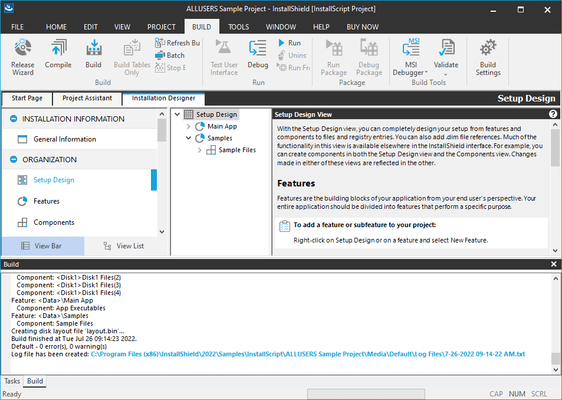
Jumpstart your installation using the Project Assistant’s simplified set of views. It quickly guides you through the installation process with no learning curve. Additional editing is enabled with a visual checklist of more detailed views dedicated to specific installation-authoring tasks.
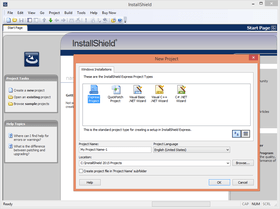
Accelerate your installation process with built-in wizards. Quickly add an Express project to a Microsoft .NET or Smart Device project solution by simply browsing to it and letting a wizard run. Express includes project wizards for Visual Basic 6, Visual Basic .NET, C# .NET, C++ .NET, and Smart Devices. These offer a great way to kick-start your project.
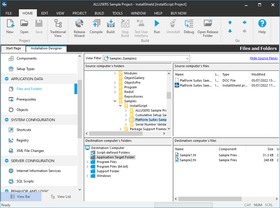
The Express Edition provides the easiest route for creating installations that require redistributable technologies. You can easily select them as part of your setup, assigning them to one or more features of your application. Just visit the Live Redistributables Technology Gallery and check the items you would like to include. The redistributables view will tell you where to get these objects and merge modules, and allow for direct downloads. Over 70 redistributable technologies are already included such as, Access, BDE, Crystal Reports, DAO, MDAC, and MSDE.
Use the Compact Installer to create setups with one of the smallest overheads of any installation engine. Rapidly build installations with a very low overhead (less than 100k) that will be downloaded over the internet. Easily mark files that need to be overwritten at installation time by simply selecting the Always Overwrite function.
Easily add Web services to any installation. A single dedicated view allows you to quickly build all aspects of Internet Information Services (IIS), including creating Web sites and configuring virtual roots. With dialog text editing, you can improve your end-user’s experience by editing text, graphics, and other content in your user-interface dialogs.
Here are just some of the features available in InstallShield Express:
Project Assistant - It’s now even easier to get a project started by using an alternate, simplified set of views to quickly guide you through the installation process. The Project Assistant enables you to switch to the more detailed views and back again while maintaining all updates
Compact Installer - For setups that will be downloaded over the internet, the Compact Installer lets you quickly deploy an installation with the smallest overhead (less than 100 KB) of any installation engine
Always Overwrite - Speed setup creation by marking files that will always need to be overwritten at installation time, regardless of version or modification date
EXCLUSIVE - Live Redistributable Gallery - This live gallery contains over 70 merge modules, making it extremely easy to add support for popular technologies such as Crystal Reports, Microsoft Access, and MDAC in your project. Never waste time trying to find the required files and registry entries for these technologies. When new merge modules or objects are available, they will automatically appear in the gallery as downloadable options
Visual Studio .NET Integration - Enjoy the convenience and familiarity of running Express completely inside the Visual Studio .NET shell or separately using its traditional IDE. Your views are integrated into the Visual Studio solution explorer and each view is presented as a workspace tab
Mobile Device Support - Easily create installations for mobile devices and expand your deployment to all Window CE platforms, including PocketPC 2003 and Smartphone 2003, and all Palm handheld devices
EXCLUSIVE - Update Service Starter Edition - Communicate directly with end users after they have installed your application with the integrated Update Service Starter Edition. It is extremely easy to use, letting you notify users of new updates, patches, and marketing messages with just a few clicks
What's new in InstallShield Express 2009?
Microsoft Visual Studio 2008 Support
Ability to Associate Setup Prerequisites with Features for Chaining Installations - Associate setup prerequisites with features so that the prerequisites that are associated with features are installed if an end user chooses to install the corresponding features and if the setup prerequisites are not already installed on the system.
Introduction of Value-Added Services with Yahoo!® Toolbar availability - A new overall initiative for Acresso, Value-Added Services, such as the opportunity to include the Yahoo! Toolbar in an ISV’s end user installation experience, provides the opportunity for installation customers to leverage new revenue-generating features in InstallShield.
Windows Mobile 6.x support
Digital Signing Improvements for Windows Mobile Powered Device Installations
.NET Compact Framework 3.5 and SQL Server Compact Edition 3.5 Redistributables Now Available for Mobile Devices
Support for Multi-Part .cab Files
Ability to compress files that are streamed into Setup.exe and to specify the compression level
What's new in InstallShield Express 2008?
Easier than ever to optimize installations for Windows Vista™
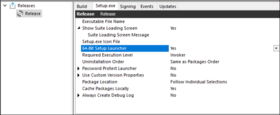
Digital signing tab in the Releases view to simplify the process of signing all executable files, which is now required under Windows Vista
Improvements in the handling of UAC. Preserve the security benefits of user account control while creating an efficient and user-friendly application environment within Windows Vista by optimizing the UAC prompts to your end-users
SaaS deployment support: IIS 7.0 & SSL certificates
.NET 3.0 support
Windows Embedded CE 6.x
New default end-user dialog theme provides a new, fresh look & feel for customer installations, also includes an easy-to-use interface to select dialog theme
What's new in V12?
“Get Ready for Vista” support
Enhanced! Multilingual User Interface (MUI) Support enhanced to create shortcuts that include support for MUI
New! Windows Installer 4.0 Log File Support on a Project-Wide Basis for easy to create installation logging
New! User Account Control (UAC) support and digital signature enhancements provide improved security for the software installation
New! Support for minimizing reboots through the Restart Manager infrastructure—fewer steps, faster installation
What’s new in V11.5?
Visual Studio 2005 Support
Pocket PC Windows Mobile 5.0 and Windows CE .NET 5.0 Support
.NET Framework 2.0 Support
Visual J# 2.0 Support
Microsoft Build Engine (MSBuild) Support
Trialware Expiration Dates
Referencing Developer Installation Manifest (DIM) Files
New and Enhanced features in InstallShield 11 Express
New - Windows Installer 3.1 Support
New - IIS 6.0 Support
New - Grow Your Revenue Using the InstallShield Activation Service
New - Try and Buy Functionality
Improved - IIS User Interface
Please note that cross platform support is no longer included in InstallShield 11 Express
PartNumbers: PC-510530-164262 510530-164262 PC-510530-164265 510530-164265 PC-510530-164268 510530-164268 PC-510530-164271 510530-164271
Publisher PartNumbers: IS15200EGUE IXE11500ZG KBQEGK KSQEGK
PurchaseOptions: InstallShield Express German Edition 2009 1 Developer License , InstallShield Express German Edition 2009 1 Developer Upgrade License from any active InstallShield Express (V11 and higher) , InstallShield Express German Edition 2009 1 Developer Bronze Maintenance License (includes Subscription and Support) , InstallShield Express German Edition 2009 1 Developer Silver Maintenance License (includes Subscription and Support)
Resources: Read the InstallShield Express German Edition help file, Browse the InstallShield Case Studies Web page, Download the Installshield Express German Edition 2009 evaluation onto your computer - Expires After 21 Days
Operating System for Deployment: Windows Vista, Windows XP, Windows 2000, Windows 98, Windows NT 4.0, Windows 95
Architecture of Product: 32Bit
Product Type: Application
Compatible Containers: Microsoft Visual Studio 2008, Microsoft Visual Studio 2005, Microsoft Visual Studio .NET 2003, Microsoft Visual Studio .NET, Microsoft Visual Studio 6.0, Microsoft Visual Studio 97, Microsoft Visual Basic 2008, Microsoft Visual Basic 2005, Microsoft Visual Basic .NET 2003, Microsoft Visual Basic .NET, Microsoft Visual Basic 6.0, Microsoft Visual Basic 5.0, Microsoft Visual Basic 4.0, Microsoft Visual C++ 2008, Microsoft Visual C++ 2005, Microsoft Visual C++ .NET 2003, Microsoft Visual C++ .NET, Microsoft Visual C++ 6.0, Microsoft Visual C++ 5.0, Microsoft Visual C++ 4.0, Microsoft Visual C# 2008, Microsoft Visual C# 2005, Microsoft Visual C# .NET 2003, Microsoft Visual C# .NET, Microsoft Visual J++ 6.0, Microsoft Visual J++ 1.1, Microsoft Visual InterDev 6.0, Microsoft Visual InterDev 1.0, Microsoft Visual FoxPro 6.0, Microsoft Visual FoxPro 5.0, Microsoft ActiveX Control Pad, Microsoft Office 2000, Microsoft Office 97, Microsoft Outlook, Microsoft Repository, Microsoft Exchange Server 5.5, Microsoft Exchange Server 5.0, Microsoft Site Server, Microsoft Internet Information Server 5.0, Microsoft Internet Information Server 4.0, Microsoft SNA Server, Microsoft FrontPage, Microsoft Internet Explorer 5.5, Microsoft Internet Explorer 5.0, Microsoft Internet Explorer 4.0, Microsoft Internet Explorer 3.0, CodeGear C++ 5.0 (formerly Borland), CodeGear C++ (formerly Borland), C++Builder 5, C++Builder 4, C++Builder 3, Delphi 5.0, Delphi 4.0, Delphi 3.0, IntraBuilder 1.5, Visual dBase 7.0, JBuilder 1, IBM VisualAge for Basic, IBM VisualAge C++ V4.0, IBM VisualAge C++, Sybase PowerBuilder 7.0, Sybase PowerBuilder 6.0, Sybase PowerBuilder 5.0, Sybase PowerJ Pro 3.0, Sybase SQL Anywhere 5.5, Watcom C/C++ 11.0, .NET Framework 3.5, .NET Framework 3.0, .NET Framework 2.0, .NET Framework 1.1, .NET Framework 1.0
Product Class: Component Development Tools
Search Items: New Version Mar 03, New Version Dec 03, New Product Aug 04, New Product Sep 05
Keywords: Macrovision Corporation macro vision install shield Installation Installing install installs uninstalling uninstall uninstalls setup MSI msi scripts Corporate Partner Installation Installing Loading autoplay CD-ROM demo demos uninstalling uninstall setup InstallShield Corporation Express German