經 Lidor Systems - 產品類型: 構件 / .NET WinForms / .NET 類
IntegralUI Containers by Lidor Systems
URLs: integralui-containers, integralui containers, integraluicontainers, lidor
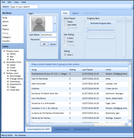
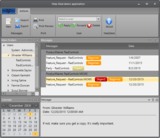
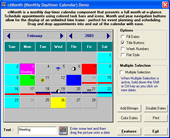
Collection of advanced user interface components. IntegralUI Containers is a set of four advanced container controls which are easy to use and fully customizable. The included controls are: Expander, which is an expandable container which also has the option to add custom command buttons in its header, SplitContainer which gives you the ability to present a group of controls in two resizable panels, TabControl with the unique ability to combine toolbar and tabs and TabDockContainer which gives you the ability to use pages as docking containers. All the controls have a highly customizable appearance and include theme support (including Vista).
IntegralUI Container includes Expander, SplitContainter, TabControl and TabDockContainer.
These controls provde the following feature set :
Expander
Use of command buttons in control header for specific tasks
General color and format styles for control appearance
Color styles for every state (disabled, hover, normal and selected) of control header
Color styles for every state (disabled, hover and normal) of command buttons
Customizable border with three shapes: squared, rounded and chamfered
Fading effect with five speed levels
Watermarks
Theme support
Visual Styles: Vista, XP and Classic
SplitContainer
Three ways to change the appearance of tab strip: using tabs, collapsing buttons or standard splitter
Choose among 7 predefined shapes of tabs
Use of command buttons in control tab strip for specific tasks
Option to set the minimal size of panels
Horizontal and vertical orientation of splitter and panels
General color and format styles for control appearance
Color style for customizing the appearance of control tab strip
Color styles for every state (hover, normal and selected) of panels
Color styles for every state (disabled, hover, normal and selected) of command buttons
Customizable border with three shapes: squared, rounded and chamfered
Fading effect with five speed levels
Watermarks
Theme support
Visual Styles: Vista, XP and Classic
TabControl
Unique ability to make combination of toolbar and tabs
Use standard left-right navigation or select the specified tab from a list
Tabs can be displayed in three modes: AutoSized, Compressed and Justified
Tabs can contain command buttons for specific tasks
Choose among 7 predefined shapes of tabs
Option to change the radius of tab corner
Use of animated gifs in each tab
Horizontal and vertical orientation of tab content
Tabs can be placed on each side: left, top, right and bottom
Add buttons, labels and separators to the toolbar in control tab strip
Toolbar can contain items on left and right side of the tab strip
Choose how tabs are closed: dispose or hide them
Option to set the maximum width for longer text
Rich styling features
High customization of every control part
Customizable tooltips
Customizable border with three shapes: squared, rounded and chamfered
Fading effect with five speed levels
Watermarks
Theme support
Visual Styles: Vista, XP and Classic
TabDockContainer
Tabs can be placed on left and right side of the tab strip
Each page acts as a docking container
Each tab can open docking container in horizontal or veritical orientation
Tabs can be docked on each side: left, top, right and bottom
Horizontal and vertical orientation of tab content
Fading effect with five speed levels
Rich styling features
High customization of every control part
Many options to change appearance of tabs
Watermarks
Theme support
Visual Styles: Vista, XP and Classic
IntegralUI Containers v2.1 What's New:
Option to show tabs in hierarchy with ability to be shown in different sides. For this purpose the following properties are added:
TabStripPlacement, for each page to determine the side on which page tab will be shown
UseParentTabStripPlacement, which determines whether page can have their own setting of side or from its parent TabControl
Pages, a collection of child pages added to this page
ParentPage, determines the parent page of the current page in hierarchy
Expanded, determines whether page will show its child pages
FlatList, a collection which holds all pages in linear mode. Best used for cycling through all pages
CurrentList, a collection of all pages that are currently scrollable in the TabControl. All hidden pages or pages that their parent is collapsed are not contained in this collection.
ShowOnMultipleSides, determines whether pages can be shown in different sides simultaneously
Option to show navigation buttons for all sides with hierarchical tabs
RightToLeft supported. Now tabs can be shown starting from right side and continuing to the left direction. Or from bottom to top.
Remove method to easy deleting the page from its parent collection
The TabControl designer is updated and now you can create hierarchical structure of TabPages from VS designer.
What's New in IntegralUI Containers v2.0:
Multiline tabs
Option to create tabs with rich content: text, images and hyperlinks in custom layouts
Predefined and Custom DragDrop operations
Content of page tab can be divided in multiple lines when resized
Option to change the color of drop marker
What's Fixed in IntegralUI Containers v2.0:
The order of drawing page tab is fixed for Left/Right tab placement and TrapezoidalLeft/TrapezoidalRight shape
Repaint of TabControl borders during resize
During justified mode no longer TabControl takes the max tab width and apply it to all tabs
There is no more confusion during StyleFromParent set to false for pages if their FormatStyle is changed
Using separate styles for specific pages in TabControl
Collection of advanced user interface components.
Pricing: IntegralUI Containers v2.1 1 Developer License, IntegralUI Containers v2.1 4 Developer Team License, IntegralUI Containers v2.1 8 Developer Team License, IntegralUI Containers v2.1 1 Site Wide License (Allows Unlimited Developers at a Single Physical Address), IntegralUI Containers v2.1 1 Enterprise License (Allows Unlimited Developers throughout your entire organization, regardless of location), IntegralUI Containers v2.1 1 Source Code Blueprint License (Current Developer, Site or Enterprise License Required) - (sent separately by email), IntegralUI Containers v2.1 with Annual Subscription 1 Developer License, IntegralUI Containers v2.1 with Annual Subscription 4 Developer Team License, IntegralUI Containers v2.1 with Annual Subscription 8 Developer Team License, IntegralUI Containers v2.1 with Annual Subscription 1 Site Wide License (Allows Unlimited Developers at a Single Physical Address), IntegralUI Containers v2.1 with Annual Subscription 1 Enterprise License (Allows Unlimited Developers throughout your entire organization, regardless of location), IntegralUI Containers Annual Subscription Renewal 1 Developer Annual Subscription Renewal License, IntegralUI Containers Annual Subscription Renewal 4 Developer Team Annual Subscription Renewal License, IntegralUI Containers Annual Subscription Renewal 8 Developer Team Annual Subscription Renewal License, IntegralUI Containers Annual Subscription Renewal 1 Site Wide Annual Subscription Renewal License (Allows Unlimited Developers at a Single Physical Address), IntegralUI Containers Annual Subscription Renewal 1 Enterprise Annual Subscription Renewal License (Allows Unlimited Developers throughout your entire organization, regardless of location), IntegralUI Containers Annual Subscription Renewal 1 Source Code Blueprint Renewal License (Current Source Code License and Current Developer, Site or Enterprise License Subscription Required) - (sent separately by email), IntegralUI Containers v2.1 Upgrade from previous versions 1 Developer Upgrade License, IntegralUI Containers v2.1 Upgrade from previous versions 4 Developer Team Upgrade License, IntegralUI Containers v2.1 Upgrade from previous versions 8 Developer Team Upgrade License, IntegralUI Containers v2.1 Upgrade from previous versions 1 Site Wide Upgrade License (Allows Unlimited Developers at a Single Physical Address), IntegralUI Containers v2.1 Upgrade from previous versions 1 Enterprise Upgrade License (Allows Unlimited Developers throughout your entire organization, regardless of location), IntegralUI Containers v2.1 Crossgrades 4 Developer Team License Crossgrade from 1 Developer License, IntegralUI Containers v2.1 Crossgrades 1 Site Wide License Crossgrade from 4 Developer License, IntegralUI Containers v2.1 Crossgrades 1 Site Wide License Crossgrade from 1 Developer License, IntegralUI Containers v2.1 Crossgrades with Annual Subscription 4 Developer Team License Crossgrade from 1 Developer License, IntegralUI Containers v2.1 Crossgrades with Annual Subscription 1 Site Wide License Crossgrade from 4 Developer License, IntegralUI Containers v2.1 Crossgrades with Annual Subscription 1 Site Wide License Crossgrade from 1 Developer License, IntegralUI Containers v2.1 Upgrade to IntegralUI Studio 1 Developer Upgrade License, IntegralUI Containers v2.1 Upgrade to IntegralUI Studio 4 Developer Team Upgrade License, IntegralUI Containers v2.1 Upgrade to IntegralUI Studio 8 Developer Team Upgrade License, IntegralUI Containers v2.1 Upgrade to IntegralUI Studio 1 Site Wide Upgrade License (Allows Unlimited Developers at a Single Physical Address), IntegralUI Containers v2.1 Upgrade to IntegralUI Studio 1 Enterprise Upgrade License (Allows Unlimited Developers throughout your entire organization, regardless of location)
Evals & Downloads: Read the IntegralUI Containers User Guide, Read the IntegralUI Containers End User License Agreement, Download the IntegralUI Containers v2.1 evaluation on to your computer - Expires after 30 days
Operating System for Deployment: Windows 7, Windows Server 2008, Windows Vista, Windows XP, Windows Server 2003, Windows 2000
Architecture of Product: 32Bit
Product Type: Component
Component Type: .NET WinForms, .NET Class
Built Using: Visual C# .NET
Compatible Containers: Microsoft Visual Studio 2010, Microsoft Visual Studio 2008, Microsoft Visual Studio 2005, Microsoft Visual Basic 2010, Microsoft Visual Basic 2008, Microsoft Visual Basic 2005, Microsoft Visual C++ 2010, Microsoft Visual C++ 2008, Microsoft Visual C++ 2005, Microsoft Visual C# 2010, Microsoft Visual C# 2008, Microsoft Visual C# 2005, .NET Framework 4.0, .NET Framework 3.5, .NET Framework 3.0, .NET Framework 2.0
Keywords: tab,container,split,tabstrip, integral ui container containers tab tabs tabbed size resize split dock docks docking
User Interface Collections UI
Toolbar tool bar tool-bar Toolbars Menu Menus Ribbon Ribbonbar
User Interface UI
Part numbers: PC-532244-339467 532244-339467 PC-532244-339468 532244-339468 PC-532244-339469 532244-339469 PC-532244-339470 532244-339470 PC-532244-339471 532244-339471 PC-532244-339472 532244-339472 PC-532244-339473 532244-339473 PC-532244-339474 532244-339474 PC-532244-339475 532244-339475 PC-532244-339476 532244-339476 PC-532244-339477 532244-339477 PC-532244-339478 532244-339478 PC-532244-339479 532244-339479 PC-532244-339480 532244-339480 PC-532244-339481 532244-339481 PC-532244-339482 532244-339482 PC-532244-339483 532244-339483 PC-532244-339495 532244-339495 PC-532244-339496 532244-339496 PC-532244-339497 532244-339497 PC-532244-339498 532244-339498 PC-532244-339499 532244-339499 PC-532244-339484 532244-339484 PC-532244-339485 532244-339485 PC-532244-339486 532244-339486 PC-532244-339487 532244-339487 PC-532244-339488 532244-339488 PC-532244-339489 532244-339489 PC-532244-339490 532244-339490 PC-532244-339491 532244-339491 PC-532244-339492 532244-339492 PC-532244-339493 532244-339493 PC-532244-339494 532244-339494
」技術提供