*What's New in IntegralUI Studio 2011 Vol2:
- New controls: Panel and TransparentPanel, presents a containers with gradient fill of its background and custom border appearance
- Option to fix items on top or bottom side in ListBox and TreeView, which can act like header and footer
- A DisplayMode property for items which will enable for an item to act as a separator in the list
- Option to embed new control: RatingControl which can use custom images to show rating values, includes star image as default
- Improved data load/save in TreeView with ability to load on demand data from large xml files or streams, which will provide instant control update
- Option to place child node above or below its parent node in TreeView and TreeListView controls
- A new ShowRootLines property which shows root lines even if there are no child nodes
- New method: IsChildOf, which determines whether a node is child of a specified node
- New method: GetPreferredSize, which returns the calculates and returns the actual size of node space
What's New in IntegralUI Studio 2011 Vol1:
- New control: RichContentControl which can present multiple pages of various objects arranged in custom layouts using HTML tags
- New control: RatingControl which can use custom images to show rating values, includes star image as default
- New control: NumberedListControl presents a numbered list of items acting like navigation panel
- Option to show items in ListView in Card view
- Option to align expand box in groups in ListView
- Option to fix items on top or bottom side in ListBox and act like header and footer
- Option to extend the current theme with custom colors for all controls
- A style for drawing subitems when they are focused
- Selection from keyboard using CTRL or SHIFT for all list controls
- Option to add space between tabs and tabstrip edge
- A new constructor for all list controls which accepts String and creates a default item with text
- Option to embedd Rating control in all list controls
- Serialization of images from ImageList in xml file
What's New in IntegralUI Studio 2010 Vol2:
-
Option to show tabs in hierarchy with ability to be shown in different sides. For this purpose the following properties are added:
- TabStripPlacement, for each page to determine the side on which page tab will be shown
- UseParentTabStripPlacement, which determines whether page can have their own setting of side or from its parent TabControl
- Pages, a collection of child pages added to this page
- ParentPage, determines the parent page of the current page in hierarchy
- Expanded, determines whether page will show its child pages
- FlatList, a collection which holds all pages in linear mode. Best used for cycling through all pages
- CurrentList, a collection of all pages that are currently scrollable in the TabControl. All hidden pages or pages that their parent is collapsed are not contained in this collection.
- ShowOnMultipleSides, determines whether pages can be shown in different sides simultaneously
- Option to show navigation buttons for all sides with hierarchical tabs
- RightToLeft supported. Now tabs can be shown starting from right side and continuing to the left direction. Or from bottom to top.
- Remove method to easy deleting the page from its parent collection
- The TabControl designer is updated and now you can create hierarchical structure of TabPages from VS designer.
- Pixel-based scrolling enabled for ListBox, TreeListView and TreeView controls
- New Key property in ObjectEventArgs, used to uniquely identify different objects
- Fully compatible with Visual Studio 2010
- The Key which specifies the text from XML content is carried with the editing events
- A built-in root node which will be used as parent for first level nodes and which retrieve the control Nodes collection
- IsRoot property which determines whether a node is the root node
- ItemObjectClicked and ContentObjectClicked events now carry also the MouseButtons
- Mouse wheel supported in ComboBox, ListControl and NumericUpDown controls
- EnsureVisible method for subitems. Using it will position the specified subitem to the center of the current view.
- Retrieving a subitem by its Key
What's New in IntegralUI Studio 2010:
- Great performance improvement during data load and control layout update
- Partially visible controls remain active
- RightToLeft support for TreeView control
-
New XML attributes
- assemblypath and resource for img tag, used to get references from emebedded resources
- selectedtextcolor for style tag, used for changing the color of text when selected
- r tag for regular font
- id for most tags, used to identify specific object
- Option to separately show/hide the scrollbars
- Option to create unique appearance of scrollbars using textures
- Four color styles for every state of the scrollbars
- CurrentList property, represents a flat list of all nodes that are currently visible and filtered
- Alignment of expand box, check box, state image and item icon
- EnsureVisible with option to choose the item position
- ItemSelectionChanged even which notifies when node changes its selection
- Option to edit nodes and subitems created with rich content. Also editing of specific text part.
- Option to determine which columns can be edited
- UpdateCurrentView, a new method with which only objects in current display area of the control are updated. Efficient fro example when specific subitem changes its visibility or to automatically resize the node/subitem height when contained control changes its size.
- Margin, a new property in format style of the node, with which you can change the space between other nodes. Now every node can have different distance from other nodes
- Multiline tabs
- Option to create tabs with rich content: text, images and hyperlinks in custom layouts
- Predefined and Custom DragDrop operations
- Content of page tab can be divided in multiple lines when resized
- Option to change the color of drop marker
What's new in IntegralUI Studio 2009 Vol2?
- 8 new built-in controls which can be used as a standalone and inside list controls using XML tags:
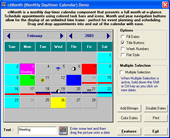
CheckBox, ComboBox, DateTimePicker, ListControl, MonthCalendar, NumericUpDown, ProgressBar, TextControl
- Advanced filter which allows data to be filtered by multiple values using AND, OR criteria and exact or prefix match
- XML Serialization for controls and images
- Improved performance during load process
- ApplyFocusStyle, a property which enables/disables FocusStyle for items. Useful during multi-selection
- Option to show tree hierarchy in flat mode
- Option to create XML content with images embedded in resource files
- Option to navigate through subitems
- Events for notification when column resizes
- Events for notification when values of subitems changes
- Edit when using XML tags for text in different locations (automatic and programmatically)
- LabelEditStyle for customization of edit box during item content editing
- PreserveVisibility, a property used to preserve visibility of items when required
*IntegralUI Studio features the following advanced .NET controls:
- Bar
- CheckBox
- ComboBox
- DateTimePicker
- Expander
- Group
- ListBox
- ListControl
- ListView
- MonthCalendar
- NumberedListControl
- NumericUpDown
- Page
- Panel
- ProgressBar
- RatingControl
- RichContentControl
- SplitContainer
- TabControl
- TabDockContainer
- TextControl
- TransparentPanel
- TreeListView
- TreeView
Docking Windows and Tabbed Documents Management
- Advanced Docking Windows management system
- Tab Control and Tabbed MDI solution in one place
- Rendering interface with five Visual Styles
- Four style for Appearance and functionality of tool and document windows
- Manage advanced layouts on a form, like the one in Visual Studio .NET
- Group several tool windows in one container, displayed with tabs
- Tear off tabs from tool or document windows to create floating windows
- Collapse tool windows in AutoHide Mode on any side of client area
- Multiple Dock-Hint Styles for exact dock location and size when a window is dragged over a potential dock target (RubberBand, TranslucentClone and TranslucentFill)
- Reposition docked windows quick and easy with drag/drop
- Each window can be in Static, Docked, Floating and Framed control state
- Tool windows can be programmatically docked anywhere in the layout
- Docking permissions and drag/drop operations for additional control over your application
- TabControl and Tabbed MDI functionality in one place
- Tabbed MDI layout mode with optional display of close, select and scrolling buttons
- Standard MDI with tiled and cascaded windows
- Drag tabbed MDI tabs to create new horizontal or vertical tab groups
- Tabbed MDI documents can be converted in and from tool windows simply with drag/drop
- Reorder tabs with drag/drop
- Render tabs and tabbed MDI in five Visual Styles; OneNote look is easy to achieve
- Three size modes of tabs for great control over their appearance (AutoSized, Compressed and Justified)
- Tabs can be displayed with a disabled style
- Access to the standard Ctrl+Tab and Ctrl+Shift+Tab methods for switching windows
Advanced Container Controls
- Unique ability to make combination of toolbar and tabs
- Use of command buttons in control header for specific tasks
- Three ways to change the appearance of tab strip: using tabs, collapsing buttons or standard splitter
- Use standard left-right navigation or select the specified tab from a list
- Tabs can be displayed in three modes: AutoSized, Compressed and Justified
- Tabs can contain command buttons for specific tasks
- Choose among 7 predefined shapes of tabs
- Use of animated gifs in each tab
- Horizontal and vertical orientation of tab content
- Tabs can be placed on each side: left, top, right and bottom
- Add buttons, labels and separators to the toolbar in control tab strip
- Toolbar can contain items on left and right side of the tab strip
- Choose how tabs are closed: dispose or hide them
- Option to set the maximum width for longer text
- Each page acts as a docking container
- Each tab can open docking container in horizontal or vertical orientation
- Tabs can be docked on each side: left, top, right and bottom
- Horizontal and vertical orientation of tab content
- Horizontal and vertical orientation of splitter and panels
- High customization of every control part
- Color styles for every state (disabled, hover, normal and selected) of control header, panels, tabs
- Color styles for every state (disabled, hover and normal) of command buttons
- Customizable border with three shapes: squared, rounded and chamfered
- Fading effect with five speed levels
- Watermarks
- Theme support
- Visual Styles: Vista, XP and Classic
Advanced Data Visualization Controls
Highly customizable appearance
- General color styles for checkboxes, scrollbars and control background
- Different color styles for every state of Columns, Groups and Items
- Styles can be inherited from the parent control
- Appearance of the Columns and Items can be set by custom images or color schemes
- Columns and items can have space between them
- Partial or Full Transparency
- Customizable border with three shapes and control over visibility of each border side
- Office 2007 fading effect with five speed levels
- Watermarks
- Theme support
- Visual Styles: Vista, XP and Classic
Columns
- Every column can have header and footer
- Header of column can contain text and image
- Text of the column header and footer can be formatted by using special XML tags
- Separate color style for each state of the column (Normal, Hovered and Selected state)
- Each column can contain text and image
- Fixing the columns to the left or right side of the control layout
- The width of the column can be fixed
- Permission over column reordering
Groups
- Color and format styles for each group
- Group can be expanded/collapsed
- The group header can have three different appearances
Items
- Separate color style for each state of the item (Normal, Disabled, Hovered, Selected and Focused)
- Each item can contain text, image, checkbox, flag and subitems
- Text of the item and subitems can be formatted by using special XML tags
- Control over item border shapes and visibility
- Item can be visible or hidden
- Every item can be grouped
- Context Menus
- Item text is editable
Behavior
- Multiple item selection
- Arrange items in four list view appearances
- LargeIcon
- List
- SmallIcons
- Details
- Permissions over column reordering, Drag&Drop operations, selection check, hover selection, label edit
- Advanced Drag&Drop operations
- Predefined – items can be reordered showing the reorder position mark
- Custom – create your own Drag&Drop operation
- Advanced sort operations
- Predefined – columns can be sorted by the content value: String, Integer and Double
- Custom – create your own sort operation
- XML encoding
- The columns, groups and items text can contain hyperlinks, substrings with different colors and font
- Text can be shown in multiple lines or paragraphs
- XML serialization
- Support for serialization in files
- Support for serialization in streams, including databases