by Lidor Systems - Product Type: Component / .NET WinForms / .NET Class
IntegralUI TreeListView by Lidor Systems
URLs: integralui-treelistview, integralui treelistview, integraluitreelistview, lidor
Add a combination of TreeView and ListView controls to your applications. IntegralUI TreeListView comes with a built-in Live Editor and advanced Drag & Drop support, fast node and node list creation, XML encoding of Nodes, Columns and Subitems, rich styling features, highly customizable appearance and theme support (including Vista). Images, text, check boxes and flags can be included in every node, giving you more flexibility in the creation of custom user interfaces.
Highly customizable appearance
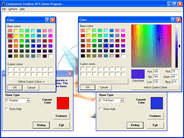
General color styles for checkboxes, scrollbars and control background
Different color styles for every state of Columns and Nodes
Styles can be inherited from the parent control
Appearance of the Columns and Nodes can be set by custom images or color schemes
Columns can be drawn over nodes
Columns can have space between them
Nodes can have space between them
Partial or Full Transparency
Customizable border with three shapes and control over visibility of each border side
Office 2007 fading effect with five speed levels
Watermarks
Theme support
Visual Styles
Vista
XP
Classic
Columns
Every column can have header and footer
Header of column can contain text and image
Text of the column header and footer can be formatted by using special XML tags
Control over border shapes, corners and visibility for the column header, body and footer
Separate color style for each state of the column (Normal, Hovered and Selected state)
Each column can contain text and image
Fixing the columns to the left or right side of the control layout
The width of the column can be fixed
Permission over reordering the columns
Column can be visible or hidden
Nodes
Separate color style for each state of the node (Normal, Disabled, Hovered, Selected and Focused)
Each node can contain subitems, text, image, checkbox, flag, hyperlinks and custom controls
Text of the node and subitems can be formatted by using special XML tags
Control over node border shapes and visibility
Node can be visible or hidden
Context Menus
Node text is editable
Behavior
Multiple node selection
Permissions over column reordering, Drag&Drop operations, selection check, hover selection, label edit
Advanced Drag&Drop operations
Predefined – nodes can be reordered showing the reorder position mark
Custom – create your own Drag&Drop operation
XML encoding
Use XML Tags to describe the column, node and subitems content
Text can be shown in multiple lines or paragraphs
XML serialization
Support for serialization in files
Support for serialization in streams, including databases
What's New in IntegralUI TreeListView v3.2:
Option to extend the current theme with custom colors for all controls
New RatingControl which can use custom images to show rating values, includes star image as default
New NumberedListControl presents a numbered list of items acting like navigation panel
New controls: Panel and TransparentPanel, presents a containers with gradient fill of its background and custom border appearance
A DisplayMode property for items which will enable for an item to act as a separator in the list
A style for drawing subitems when they are focused
Option to embed new control: RatingControl which can use custom images to show rating values, includes star image as default
Selection from keyboard using CTRL or SHIFT keys
A new constructor which accepts String and creates a default item with text
Serialization of images from ImageList to XML file is now supported
Option to place child node above or below its parent node
A new ShowRootLines property which shows root lines even if there are no child nodes
New method: IsChildOf, which determines whether a node is child of a specified node
New method: GetPreferredSize, which returns the calculates and returns the actual size of node space
What's New in IntegralUI TreeListView v3.1:
Row-based and pixel-based scrolling enabled
New Key property in ObjectEventArgs, used to uniquely identify different objects
Fully compatible with Visual Studio 2010
The Key which specifies the text from XML content is carried with the editing events
A built-in root node which will be used as parent for first level nodes and which retrieve the control Nodes collection
IsRoot property which determines whether a node is the root node
ItemObjectClicked and ContentObjectClicked events now carry also the MouseButtons
Mouse wheel supported in ComboBox, ListControl and NumericUpDown controls
EnsureVisible method for subitems. Using it will position the specified subitem to the center of the current view.
Retrieving a subitem by its Key
What's New in IntegralUI TreeListView v3.0:
Great performance improvement during data load and control layout update
Partially visible controls remain active
New XML attributes
assemblypath and resource for img tag, used to get references from emebedded resources
selectedtextcolor for style tag, used for changing the color of text when selected
r tag for regular font
id for most tags, used to identify specific object
Option to separately show/hide the scrollbars
CurrentList property, represents a flat list of all nodes that are currently visible and filtered
Alignment of expand box, check box, state image and item icon
EnsureVisible with option to choose the item position
ItemSelectionChanged even which notifies when node changes its selection
Option to edit nodes and subitems created with rich content. Also editing of specific text part.
Option to determine which columns can be edited
UpdateCurrentView, a new method with which only objects in current display area of the control are updated. Efficient fro example when specific subitem changes its visibility or to automatically resize the node/subitem height when contained control changes its size.
Margin, a new property in format style of the node, with which you can change the space between other nodes. Now every node can have different distance from other nodes
What's new in IntegralUI TreeListView V2.2?
8 new built-in controls which can be used as a standalone and inside list controls using XML tags:
CheckBox, ComboBox, DateTimePicker, ListControl, MonthCalendar, NumericUpDown, ProgressBar, TextControl
Advanced filter which allows data to be filtered by multiple values using AND, OR criteria and exact or prefix match
XML Serialization for controls and images
Improved performance during load process
ApplyFocusStyle, a property which enables/disables FocusStyle for items. Useful during multi-selection
Option to show tree hierarchy in flat mode
Option to create XML content with images embedded in resource files
Option to navigate through subitems
Events for notification when column resizes
Events for notification when values of subitems changes
LabelEditStyle for customization of edit box during item content editing
PreserveVisibility, a property used to preserve visibility of items when required
What's new in v2.1:
Option for Custom controls to remain visible during scrolling
Support for custom animated gifs in every item with control over animation
Option to edit the subitem text during runtime
Expand boxes can be placed in other columns
Option to manually stop the fading effect
What’s new in v2.0:
Improved creation of item's content with various objects: Text, Images, Hyperlinks, Custom Controls, CheckBoxes, Flags, etc.
Advanced formatting options by use of XML tags
A table based formatting of the item content, with which a complex data can be presented in a single item
Every content element can have their own color and format styles
Multiple images at different places in the single content
Multiple custom controls at different places in the single content
Content alignment for every element
Place various elements in paragraphs and tables
Ability to present custom animation along with process progress during execution of any operation
Enrich the control appearance with 5 new styles for every SubItem
Excel-like look and feel
Built-in keyword search
Built-in sorting and option to add custom sort operations
Built-in check box scenario with three states
Built-in controls: CheckBox
Customizable ToolTips
Option to change the roundness of control border corner
Improved performance during Expand/Collapse
TagString property for every list control
Multi-column selection
SubItem Frame selection
What's new in v1.2?
ItemDrag event, fired during start of a custom drag&drop operation
ItemMouseHover event, fired when mouse cursor hovers for some time over node space
ScrollPosChanged event, fired when there is a change in scrollbar value
ShowStateImages, property with which you can control the appearance of State Images
DropMarkerType, property with which you can change the appearance of drop marker during drag&drop operation
FindItem, method for searching an item with matching text
GetSubItem, method retrieves a reference to a subitem on which mouse cursor hovers
Add a combination of TreeView and ListView controls to your applications.
Pricing: IntegralUI TreeListView V3.2 1 Developer License, IntegralUI TreeListView V3.2 4 Developer Team License, IntegralUI TreeListView V3.2 8 Developer Team License, IntegralUI TreeListView V3.2 1 Site Wide License (Allows Unlimited Developers at a Single Physical Address), IntegralUI TreeListView V3.2 1 Enterprise License (Allows Unlimited Developers throughout your entire organization, regardless of location), IntegralUI TreeListView V3.2 1 Source Code Blueprint License (Current Developer, Site or Enterprise License Required) - (sent separately by email), IntegralUI TreeListView V3.2 with Annual Subscription 1 Developer License, IntegralUI TreeListView V3.2 with Annual Subscription 4 Developer Team License, IntegralUI TreeListView V3.2 with Annual Subscription 8 Developer Team License, IntegralUI TreeListView V3.2 with Annual Subscription 1 Site Wide License (Allows Unlimited Developers at a Single Physical Address), IntegralUI TreeListView V3.2 with Annual Subscription 1 Enterprise License (Allows Unlimited Developers throughout your entire organization, regardless of location), IntegralUI TreeListView V3.2 Upgrade from previous versions 1 Developer Upgrade License, IntegralUI TreeListView V3.2 Upgrade from previous versions 4 Developer Team Upgrade License, IntegralUI TreeListView V3.2 Upgrade from previous versions 8 Developer Team Upgrade License, IntegralUI TreeListView V3.2 Upgrade from previous versions 1 Site Wide Upgrade License (Allows Unlimited Developers at a Single Physical Address), IntegralUI TreeListView V3.2 Upgrade from previous versions 1 Enterprise Upgrade License (Allows Unlimited Developers throughout your entire organization, regardless of location), IntegralUI TreeListView Annual Subscription Renewal 1 Developer Annual Subscription Renewal License, IntegralUI TreeListView Annual Subscription Renewal 4 Developer Team Annual Subscription Renewal License, IntegralUI TreeListView Annual Subscription Renewal 8 Developer Team Annual Subscription Renewal License, IntegralUI TreeListView Annual Subscription Renewal 1 Site Wide Annual Subscription Renewal License (Allows Unlimited Developers at a Single Physical Address), IntegralUI TreeListView Annual Subscription Renewal 1 Enterprise Annual Subscription Renewal License (Allows Unlimited Developers throughout your entire organization, regardless of location), IntegralUI TreeListView Annual Subscription Renewal 1 Source Code Blueprint Renewal License (Current Source Code License and Current Developer, Site or Enterprise License Subscription Required) - (sent separately by email), IntegralUI TreeListView V3.2 Crossgrades 4 Developer Team License Crossgrade from 1 Developer License, IntegralUI TreeListView V3.2 Crossgrades 1 Site Wide License Crossgrade from 4 Developer License, IntegralUI TreeListView V3.2 Crossgrades 1 Site Wide License Crossgrade from 1 Developer License, IntegralUI TreeListView V3.2 Crossgrades with Annual Subscription 4 Developer Team License Crossgrade from 1 Developer License, IntegralUI TreeListView V3.2 Crossgrades with Annual Subscription 1 Site Wide License Crossgrade from 4 Developer License, IntegralUI TreeListView V3.2 Crossgrades with Annual Subscription 1 Site Wide License Crossgrade from 1 Developer License, IntegralUI TreeListView V3.2 Upgrade to IntegralUI Studio 1 Developer Upgrade License, IntegralUI TreeListView V3.2 Upgrade to IntegralUI Studio 4 Developer Team Upgrade License, IntegralUI TreeListView V3.2 Upgrade to IntegralUI Studio 8 Developer Team Upgrade License, IntegralUI TreeListView V3.2 Upgrade to IntegralUI Studio 1 Site Wide Upgrade License (Allows Unlimited Developers at a Single Physical Address), IntegralUI TreeListView V3.2 Upgrade to IntegralUI Studio 1 Enterprise Upgrade License (Allows Unlimited Developers throughout your entire organization, regardless of location)
Evals & Downloads: Read the IntegralUI TreeListView help file, Read the IntegralUI TreeListView User Guide, Read the IntegralUI TreeListView End User License Agreement, Download the IntegralUI TreeListView V3.2 evaluation on to your computer - Expires after 30 days
Operating System for Deployment: Windows 7, Windows Vista, Windows XP, Windows Server 2003, Windows 2000
Architecture of Product: 32Bit
Product Type: Component
Component Type: .NET WinForms, .NET Class
Compatible Containers: Microsoft Visual Studio 2008, Microsoft Visual Studio 2005, Microsoft Visual Basic 2008, Microsoft Visual Basic 2005, Microsoft Visual C++ 2008, Microsoft Visual C++ 2005, Microsoft Visual C# 2008, Microsoft Visual C# 2005, .NET Framework 3.5, .NET Framework 3.0, .NET Framework 2.0
Keywords: integral ui List Lists View tree view IntegralUITreeView IntegralUITree View
treeview, list, tree view, tree-view, list-view, listview, listbox
Part numbers: PC-517841-426008 517841-426008 PC-517841-426009 517841-426009 PC-517841-426010 517841-426010 PC-517841-426011 517841-426011 PC-517841-426026 517841-426026 PC-517841-426029 517841-426029 PC-517841-426012 517841-426012 PC-517841-426013 517841-426013 PC-517841-426014 517841-426014 PC-517841-426015 517841-426015 PC-517841-426027 517841-426027 PC-517841-426030 517841-426030 PC-517841-426031 517841-426031 PC-517841-426032 517841-426032 PC-517841-426033 517841-426033 PC-517841-426034 517841-426034 PC-517841-426016 517841-426016 PC-517841-426017 517841-426017 PC-517841-426018 517841-426018 PC-517841-426019 517841-426019 PC-517841-426028 517841-426028 PC-517841-426035 517841-426035 PC-517841-426020 517841-426020 PC-517841-426021 517841-426021 PC-517841-426022 517841-426022 PC-517841-426023 517841-426023 PC-517841-426024 517841-426024 PC-517841-426025 517841-426025 PC-517841-426036 517841-426036 PC-517841-426037 517841-426037 PC-517841-426038 517841-426038 PC-517841-426039 517841-426039 PC-517841-426040 517841-426040
ComponentSource offers a unique global service, used by over 1,000,000 software developers worldwide.