
比較 報表控制項
在幾分鐘內評估和購買最暢銷的產品。
專為開發人員設計以便按功能、框架和價格確定入圍產品。
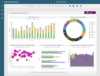
描述: A complete reporting solution to design, customize, publish, and view reports in your business applications. ActiveReports.NET helps you deliver beautiful reports with intuitive Visual Studio integrated report designers and rich controls. ActiveReports ... 閱讀詳情
描述: Reporting for WinForms, WPF, Blazor, ASP.NET Core, MVC and.NET MAUI. DevExpress Reports is a feature-complete reporting platform for the.NET Framework. Its ships with an easy-to-use Visual Studio report designer and a rich set of report controls, ... 閱讀詳情
描述: Render reports and dashboards in your applications. Stimulsoft Ultimate is a universal set of tools for creating reports and dashboards. The product includes a complete set of tools for WinForms, ASP.NET,.NET Core, Blazor, JavaScript, WPF, PHP, Java, ... 閱讀詳情

描述: Add flexible and feature rich reports to your Web applications. Stimulsoft Reports.WEB is a cross-platform reporting tool designed to create and build reports on the Internet. You can easily create, show, print and export reports. Stimulsoft Reports.WEB ... 閱讀詳情

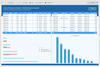
描述: JavaScript reporting solution for web applications. ActiveReportsJS is a powerful, lightweight reporting tool designed to seamlessly integrate advanced reporting capabilities into any JavaScript application. ActiveReportsJS enables developers to create, ... 閱讀詳情

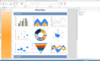
描述: Reporting and document creation library for WPF. FastReport.NET WPF is a powerful library for report generation which allows you to create, view, and export detailed, interactive reports using a lightweight, multi-functional reporting tool. Use it to ... 閱讀詳情
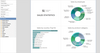
描述: Create reporting infrastructure for.NET business applications and cross-platform development. FastReport.NET Ultimate is a comprehensive reporting solution designed for developers working within the Microsoft.NET ecosystem. It provides a powerful suite of ... 閱讀詳情
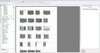
描述: Create reporting infrastructure for Delphi business applications and cross-platform development. FastReport VCL Ultimate is a comprehensive reporting suite designed for Delphi, C++Builder, FMX, and Lazarus developers seeking a complete reporting and ... 閱讀詳情

描述: Create application-independent reports. FastReport.NET WinForms is a reporting solution that features a visual report designer, a robust engine supporting data binding, script-based logic, and extensive export formats (such as PDF, HTML, Word, XPS, etc.). ... 閱讀詳情

描述: 靈活易用的報告。 SharpShooter Reports is designed for the.NET Framework, written in C#, and contains only 100% managed code. SharpShooter Reports provides the ability to generate reports of any complexity from multiple data sources and export the generated ... 閱讀詳情
聯繫電話: (888) 850 9911
傳真: +1 770 250 6199








 (10)
(10) (1)
(1)