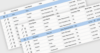
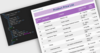
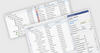
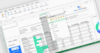
Screenshot Preview

KWizCom SharePoint Mobile Extensions

by KWizCom - Product Type: Component / Add-In / ASP.NET WebForms / ASP.NET AJAX (ATLAS) / Web Part / .NET Web Service

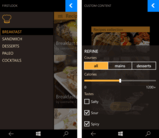
Easily create custom-tailored mobile SharePoint solutions. KwizCom SharePoint Mobile Extensions lets you produce in minutes a custom-tailored, focused mobile solution that answers your mobile users’ specific needs. With SharePoint Mobile Extensions you have full control over your SharePoint Mobile application. You define the exact layout – pages and what’s displayed on every page. You define which menus and actions will be visible, according to dynamic conditions. You define the exact logic. KwizCom SharePoint Mobile Extensions gives you the ability to produce the exact mobile business solution that your customers need.

From
₩1,193,200

Our regular prices are shown below. Please logon to see your discounted prices.

Price in Showing: All Prices | Renewals Only

KWizCom SharePoint Mobile Extensions V2.0.08  

Add to Cart ₩ 1,193,200 1 Server License
Mfr. Part No: KSME
Download (5.9 MB)
Add to Cart ₩ 1,259,500 1 Server License + Standard Support
Mfr. Part No: KSME+std
Download (5.9 MB)
Add to Cart ₩ 195,200 1 Development License
Mfr. Part No: DEV(KSME)
Verify Download (5.9 MB)

KWizCom SharePoint Mobile Extensions Support Renewal  

Add to Cart ₩ 195,200 Annual Support Renewal License
Mfr. Part No: STD(KSME)
Verify Download (124 KB)

Our prices include ComponentSource technical support and, for most downloadable products, an online backup and a FREE upgrade to the new version if it is released within 30 days of your purchase.  All sales are made on our standard Terms and Conditions and subject to our Return Policy. Please contact us if you require any licensing option not listed, including volume licensing and previous versions.

Our regular prices are shown above. Please logon to see your discounted prices.

With SharePoint Mobile Extensions You have full control over your SharePoint Mobile application:

  • You define the exact layout – pages and what’s displayed on every page
  • You define which menus and actions will be visible, according to dynamic conditions
  • You define the exact logic

No need to explain to your customers “This is how SharePoint works” from now on you can provide then without any code development, the exact mobile business solution that they need.

The Business Need
There are available solutions that enable you to connect to SharePoint sites using a smart phone. The problem with those solutions (including Microsoft’s mobile views), is that they just render the basic SharePoint lists in a “thin” layout which matches the smart phone’s interface. The results are too hard to use.

The Smartphone interface is much more limited than a PC or laptop; therefore you must provide mobile users with a smart interface that shows exactly what they need to perform their tasks while they are out of the office.

A much more Focused, Task-Oriented interface is required.
Contrary to the generic New-View-Edit SharePoint list pages that include too many irrelevant fields and menus, users need Task-oriented custom screens that show exactly what the they need, and include customized menus that enable them to perform the required actions in minimum time.

Who needs it?

  • Field-engineers
  • Sales agents
  • Support/Help-Desk employees
  • Anyone who needs the same level of SharePoint Workspace service while being out of the office

SharePoint Mobile Extensions Features:

  • Support WSS 3.0/4.0 and MOSS 2007/2010
  • Supports Blackberry, iPhone and Symbian based smartphones
  • Server-based deployment, no required installations on smartphones.
  • Custom mobile pages
  • Support for various field types including graphic KPI's and images
  • Advanced Forms capabilities*: Field-level security, View-level security, Custom default values, Field validation rules, View navigation, conditioned fields
  • Custom item-level actions/menus **
  • Custom list-level actions/menus **
  • Context-sensitive/conditions menus **
  • Attach a workflow to an action **
  • Extensible by development

* In order to have advanced forms capabilities, you will need to activate the SharePoint Mobile extensions feature.
** In order to be able to create custom list and list-item actions, you will need to activate the SharePoint List Custom Actions feature.


Product Search

Enter search words:

Quick Links

Publisher

Primary Category

Related Products

Related Categories

Why buy from ComponentSource?

ComponentSource offers a unique global service, used by over 1,000,000 software developers worldwide.

More Info | About Us