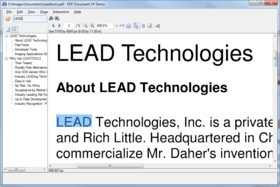
LEADTOOLS Raster Imaging - ActiveX/VCL (.NET Ready) - V14.5

by LEAD Technologies - Product Type: Component / Add-In / ActiveX OCX / VCL

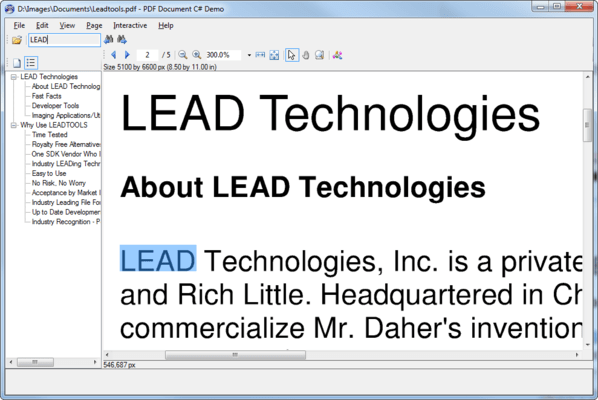
Screenshot of LEADTOOLS Raster Imaging - ActiveX/VCL  - V14.5Imaging components – Image processing SDK. LEADTOOLS Raster Imaging is an ActiveX and VCL toolkit with support for 140+ raster file formats (JPEG, GIF, TIFF...), compression, 80+ Image Transforms and Filters, loading and viewing options, scanning/capture with TWAIN, color conversion, thumbnail browser, image list, internet and database imaging functions and much more. LEADTOOLS offers a variety of programming controls and components to integrate graphics into your applications.

Average Review:  Average Review score for LEADTOOLS Raster Imaging - ActiveX/VCL  - V14.5 based on 1 review.

From
$445.50
Price in

Our regular prices are shown below. Please logon to see your discounted prices.

LEADTOOLS Raster Imaging V14.5

Add to Cart $ 445.50 1 Developer License Download (100.9 MB)
Add to Cart $ 95.04 1 Developer Special Upgrade License from V14.0 Verify Download (100.9 MB)
Add to Cart $ 191.04 1 Developer Upgrade License from previous version Verify Download (100.9 MB)

This product is available on the GSA Pricing ScheduleOur prices include ComponentSource technical support and, for most downloadable products, an online backup and a FREE upgrade to the new version if it is released within 30 days of your purchase.  All sales are made on our standard Terms and Conditions and subject to our Return Policy. Please contact us if you require any licensing option not listed above including volume licensing and previous versions.

Our regular prices are shown above. Please logon to see your discounted prices.

What's New in V14.5
This latest release of the LEADTOOLS family of imaging toolkits is packed with new and updated features. LEAD Technologies has used its 15 years of experience in developing imaging products, to create one of their most comprehensive toolkit lines yet. From advanced document and medical features to new file formats and TWAIN technology.

(for more information please view the What's New Web page in the Evals & Downloads section of this product page)

What's New in V14.0

Raster Imaging v14 includes over 100 new advanced image processing functions, increasing the number to over 200. New Image file formats including DjVu® (read only), MrSID® (read only), CIN, KDC, CRW, DCR, DCS, PSP, TIFF-FX, RTF, SFF, ECW, and WMZ are now supported. New and improved imaging common dialogs (more than 60 new dialogs) are now separated and grouped into several "modules" to reduce runtime real-estate requirements as well as to speed up the development process. New color conversion options are among a lengthy list of additions.

New Image Processing Functions include:

  • Registration marks detection
  • Edge detection
  • De-interlace: Remove interlacing lines from an image taken from a video source
  • Fast Fourier Transform
  • Correlation
  • Color leveling
  • Message Embedding (either a file or text)
  • Many more…

With LEADTOOLS Raster Imaging SDKs high level support you can cut through hours of coding with support for Color Conversion, Image Display, Image Compression (industry standards llike JPEG, LZW**, CCITT G4 and LEAD's own proprietary CMP), Printing, Internet/intranet imaging, Database imaging, Screen Capture, TWAIN v1.9 Scanning, Imaging Common Dialogs, Image Thumbnail Browser, Image List controls, and more!

LEADTOOLS recent image processing enhancements include features such as image unsharp mask, red eye removal, lossless transforms on JPEG and CMP, the ability to resize bitmaps during the load process, support for anti-aliasing, support for JPEG-LAB and TIFF-LAB, and much more. Expanded TWAIN Support includes performance of Memory Buffered Transfer using JPEG, RLE4, RLE8, PACKBITS, GROUP3 1D, GROUP3 1D EOL, GROUP3 2D, and GROUP 4, as well as the save of the Memory Buffered Transfer data to a file, with the buffers saved to it as they came from the source. New image format support in version thirteen includes IBM AFP, Wireless Bitmap (WBMP), Intergraph CIT, SMP, and many others.

LEADTOOLS Raster Imaging ships with sample source code for Visual Basic, C/C++, Visual C++ (MFC), C++ Builder, Visual J++, Visual FoxPro, Access, Delphi, and VB and Java script. And support for Visual Studio 6.0 database connectivity (Oracle, SQL, OLE DB, ODBC, and JET). You can use this extensive sample code to write an application in no time!

LEADTOOLS Raster Imaging components form the basis for most of the imaging technology found in LEAD Toolkits, encompassing file import/export, image acquisition, image transformation and processing, image display, printing, database connectivity, and more.


LEAD's basic Raster Imaging functionality includes:

  • File Format support - Read and write image files in over 80 of the most popular standard image formats, including JPEG, GIF, TIFF (including G3/G4, LZW, CMYK, JTIF, many more), PNG, BMP, MODCA/IOCA, PCX, TGA, and many more!
  • Image Processing - Use more than 200 digital filters and transforms to process images (or selected portions). Smooth, sharpen, edge detect/enhance, modify brightness/contrast/gamma, change hue and saturation, red-eye removalunsharp maskadd noise, resize and rotate images using various resampling techniques (including bicubic), and much more
  • Color Conversion - Convert between color modes, like 24-bit true-color, 8-bit indexed, 1-bit black/white, and many more. Changing the color mode changes the amount of data stored per pixel, which alters an image's memory/disk requirements
  • Compression - Compress images using a wide vaiety of compression algorithms, including JPEG, CMP, LZW, G3/G4, Huffman, run-length, and many more . LEAD offers comprehensive support for compression schemes found in standard raster file formats, as well as high-performance proprietary compression technologies that outperform the industry standards
  • Image Display/Effects - Render images or selected regions to display device while controlling position/scaling, resample method (normal/bilinear/bicubic), brightness/contrast/gamma, color-reduction/dithering, image(source) and device(destination) clipping, and more. Navigate large images using a small pan-window, browse a group of images using a thumbnail viewer, apply 2000+ paint transitions and effects between viewed images
  • Scanning via TWAIN - Control image acquisition from any device (scanner, digital camera, etc) which supports TWAIN. Use device's built in user-interface or create your own
  • Printing - Print images or selected regions while controlling position/scaling, halftoning/dithering. Print multiple images and text to a single or multiple pages
  • Database Imaging - Store images (any supported file-format/compression-technique) to a variety of databases, including SQL, Oracle or any database which supports ODBC, OLE DB, or bound VB data control connections
  • Common Dialogs - Utilize common dialogs for many common imaging tasks, such as file loading and saving with thumbnail preview, color conversion, input of filter parameters, and many more

If your application needs lower-level functionality, then take a look at the LEADTOOLS Raster Imaging Pro toolkit. This comprehensive SDK includes six programming interfaces: A low level API, a C++ class library, and easy to use, but powerful COM Objects, ActiveX and VCL controls.


Product Search

Enter search words:

Development Savings

Read our White Paper on
calculating ROI

Lines of Code: 1,809,679
Person Months: 1,810
Labor Cost: $9,048,395

Functions Required:

Effort per 1,000 LoC:

Labor Cost per Month:

Screenshot Gallery

Award Award