by Arction - Product Type: Component / .NET WinForms
LightningChart Pro has been discontinued. This version was announced as an end-of-life product from February 1st, 2012. If you are interested in LightningChart please purchase the moore versatile and faster LightningChart Ultimate
Support and maintenance still continue for existing customers and there is an upgrade option available.
LightningChart Pro by Arction
URLs: lightningchart-pro, lightningchart pro, lightningchartpro, arction
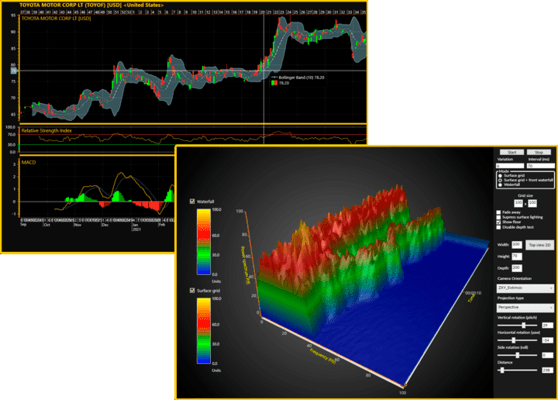
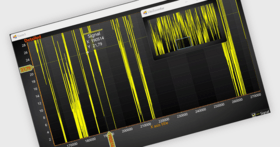
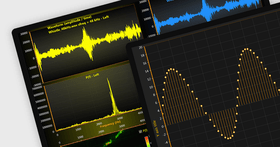
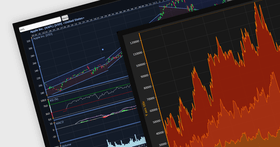
Super-fast real-time chart control library for .NET and Windows. LightningChart Pro is especially designed for professional data acquisition software, PC-based oscilloscopes and signal analyzers, scientific research, medical and other real-time measurement and signal monitoring applications. Being optimized for high-speed sampled signal data handling with innovative CPU overhead saving techniques, it is able to handle huge point counts, where other chart/graph controls get delayed, frozen or crashed.
LightningChart Pro package consists of the following components:
LightningChart Pro
ChartManager
SignalGenerator
LightningChart Pro
By utilizing the power of modern display adapters, the screen resolution can be very high even with the most demanding real-time measurements. There are many horizontal scrolling modes available, providing an ideal and smooth scrolling effect for every scenario. The data handling capacity is up to hundreds of millions of new data points / sec.
LightningChart Pro allows using many different series types, signal tracking cursors and signal markers. Data handling capacity and performance is excellent also in signal review and analysis applications. For that purpose, it has built-in customizable scroll bars, with 64-bit value range for direct usage as sample indexing in long high speed measurements. Appearance is fully customizable providing a very modern user interface. For easy properties setup, chart has a built-in Chart editor window.
Key properties
Draws huge amounts of measured data as graphs in real-time, very smoothly, up to hundreds of millions of new data points / sec.
Full 64-bit support. Utilizes over 2 GB memory (in 64-bit systems).
Various series types: SampleData, PointLines, FreeformLines, Bars, Bands, Constant lines
Built-in series tracking cursors
Series and chart event marker indicators
Many Y axes/chart: stacked or layered
Different X-axis real-time monitoring scrolling modes: Scrolling, sweeping, stepping, oscilloscope style level triggered
Automatic scale fitting, grids and divisions
Fast scale setting with mouse
Zoom and Pan operation
Comprehensive user interface customization: Fonts, alpha colors, line styles, point styles, bitmaps, fills, smoke effects, blinking effects, anti-aliased lines
Scrollbars with 64-bit value range
ChartManager
ChartManager is a component coordinating the interoperation of multiple LightningChart Pro components. For example it allows for series drag-drop from one chart to another.
SignalGenerator
SignalGenerator is a multi-functional signal generator component. It allows combining different waveform types into single, real-time output signal. The waveform components can be set with a built-in user interface or by code.
Waveform component types
Sine: adjustable Amplitude, offset, frequency and delay
Square: adjustable Amplitude, offset, frequency, delay and symmetry
Triangle: adjustable Amplitude, offset, frequency, delay and symmetry
Noise: random noise with adjustable amplitude and offset
The output signal sampling frequency can be freely set and the operating mode can be selected between threaded and timered modes. Several signal generators can be combined as one, synchronized, multi-channel output via master-slave relationship.
SignalGenerator is a very handy component when developing real-time monitoring solutions, with LightningChart Pro or other tools.
LightningChart Pro vs. Basic comparison
FeaturesProBasic
Real-time monitoring performanceVery good and fastVery good
Refresh rate (Frames per second)Up to display refresh rate, typically 60Delimited to 15
Y axis countUnlimited2
X axis scrolling modesScrolling
Stepping
Sweeping
Line series level triggered
Scrolling
Stepping
Series typesPointLine
FreeformLine
Bars
Bands
Constant lines
SampleData, single precision
SampleData, double precision
PointLine
FreeformLine
Bars
Bands
Constant lines
Overlay labelsYesNo
Fill styles for UI elementsColor
Gradient color
Bitmap with various options
Smoke animation
Event marker indicatorsSeries markers with series tracking
Chart markers
Point styles for PointLine series, LineSeries tracking cursors and marker indicatorsRectangle
Circle
Triangle
Flag
Flag with lightning
Cross
CrossAim
Bitmap
Series titlesInside graph
In legend box
Legend box propertiesCategorization (None, Y axes, series type)
Checkboxes for showing/hiding series
Layout (Horizontal, horizontal row span, vertical, vertical column span)
Y axes layoutLayered, common X axis
Stacked, common X axis
Stacked, local X axes
Axes propertiesMajor divisions
Major grid
Minor divisions
Minor grid
Value type: time, number
Scale nibs and mouse dragging for visible range editing
Division snapping for mouse dragging
Freely settable axis position
Grid lines with various line styles
Automatic / manual division tick spacing
Automatic / manual labels format
Reversed Y axes
Titles
Units
MiniScales
Royalty-free distributionYes
Chart editor dialogYes
Scrollbars with 64-bit value rangeYes
Export formatsPNG, BMP, JPG image export, with optional anti-aliasing
PrintingPrinting with print setup and preview
SignalGenerator componentYesNo
ChartManager componentYesNo
Technical supportHigh-priority e-mail support (typically response and problem solving within 1 business day)Low-priority e-mail support (typically response and problem solving within 3 business days)
Subscription duration2 years1 year
LightningChart Pro 1.5
Intel HD Graphics GPU driver bug overridden in x86 applications, precision forced by code.
Trial expired exception notified in demo application.
Trial nag animation replaced with static trial text in the center of the chart.
Arction DLLs install in the Lib folder.
SlimDx updated to March 2011 version.
Bug fixes.
LightningChart V1.4.1
Improved C++ features and documentation
LightningChart V1.3.2
Minor changes and bug fixes
What's New in LightningChart V1.3
MeasureText method added for measuring text with given font
XML files to be installed aside dll files into target directory
Stacked Y axis view zoom (left to right) changed not to zoom in Y dimension at all
PointLineSeries value table assign updates the "Zoom to fit" stat data properly
Scrollbar key press double-operation fixed
Scrollbar mouse wheel change raises also Scrolled event
DirectX render device does not show error message when error code 0 is got
EndScene call fixed when fast vertices are not supported
Demo application descriptions for each page
Bands drawing fixed, when other scrolling mode than sweeping is selected and Behind is false
GetXMinMax method added for all line series types
Zoom to fit fixed when series is outside the visible X range
Trial nag message made less disturbing
A couple of new samples in Demo application
ValuesChanged event added for Bands
Fixed delayed move after mouse button has been released, for Bands
ValueChanged event added for ConstantLines
Fixed delayed move after mouse button has been released, for ConstantLines
Fixed band color changing during resize or move
Scrollbar value change extra repaint removed
Extreme zoom jam fixed, when axis AutoDivSpacing is false
Histogram example added for Pro Demo application
Scatter example added for Pro Demo application
InvalidateData method added for all series. It notifies chart that data value array has been changed
ClipInsideXRange property added for ChartEventMarkers
BindToXAxis property added for ChartEventMarkers
Legend box icons freeing fixed with some properties
Render device info ToString method added
Show GPU info button added for demo application
Source code path added for demo application title
BuildInstructions.txt added for demo application
Timered drawing removed, some brakes installed instead. Allows fluent mouse operation
LightningChart Pro has been discontinued. This version was announced as an end-of-life product from February 1st, 2012. If you are interested in LightningChart please purchase the moore versatile and faster LightningChart Ultimate
Support and maintenance still continue for existing customers and there is an upgrade option available.
Fast real-time chart control library for .NET and Windows.
Pricing: LightningChart Ultimate package (without source) 4.1 Upgrade from Lightning Pro 1 Developer License Upgrade from LightningChart Pro without Source, LightningChart Ultimate package (with source) 4.1 Upgrade from Lightning Pro 1 Developer License Upgrade from LightningChart Pro with Source
Evals & Downloads: Read the LightningChart Pro help file, Read the SignalGenerator help file, Read the LightningChart Quick Reference Guide, Read the LightningChart product brochure, Read the Arction End User License Agreement, Download the LightningChart Pro 1.5 evaluation on to your computer - Expires after 30 days
Operating System for Deployment: Windows 7, Windows Vista, Windows XP
Architecture of Product: 32Bit, 64Bit
Product Type: Component
Component Type: .NET WinForms
Built Using: Visual C# .NET
Compatible Containers: Microsoft Visual Studio 2008, Microsoft Visual Studio 2005, Microsoft Visual Basic 2008, Microsoft Visual Basic 2005, Microsoft Visual C++ 2008, Microsoft Visual C++ 2005, Microsoft Visual C# 2008, Microsoft Visual C# 2005, .NET Framework 3.5
Keywords: LightningChart Pro Lightning Chart LightningCharts Charts real time real-time realtime Chart, acquisition, fast, plot, real-time
Arction
Chart Charting Charts Graph Graphing Graphs
Instrumentation instrument instruments
Mapping Maps Map GIS geographic geography
Part numbers: PC-534503-437154 534503-437154 PC-534503-437155 534503-437155
Publisher
Primary Category
Related Products
Related Categories
ComponentSource offers a unique global service, used by over 1,000,000 software developers worldwide.