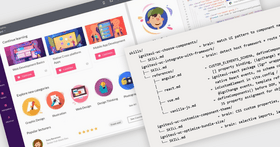
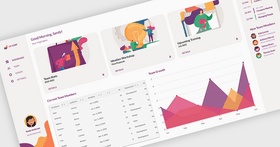
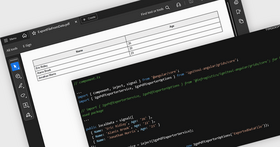
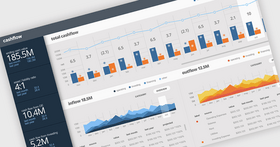
Screenshot Preview

Infragistics NetAdvantage for .NET 2006 - Summary

by Infragistics - Product Type: Component / ASP.NET WebForms / ASP.NET AJAX (ATLAS) / .NET WinForms / .NET Class / .NET Web Service / 100% Managed Code / Managed/Unmanaged Code - without COM / JavaScript / AJAX

If you are interested in upgrading your NetAdvantage 2006 to the latest version of NetAdvantage you can upgrade to NetAdvantage for .NET, NetAdvantage Select, NetAdvantage for Win Client and NetAdvantage for Web Client.

NetAdvantage for .NET includes NetAdvantage Web Client (ASP.NET and Silverlight) and NetAdvantage Win Client (Winforms and WPF).
NetAdvantage Select includes ASP.NET and Winforms only.
NetAdvantage Web Client includes Silverlight and ASP.NET only.
NetAdvantage Win Client includes Winforms and WPF only.


Summary

Infragistics NetAdvantage for .NET 2006 by Infragistics

URLs: netadvantage-for-net-2006, netadvantage for net 2006, netadvantagefornet2006, infragistics

Add, grid, scheduling, toolbars, menus, listbars, tree, UI and editing functionality to your .NET, Visual Studio 2005, ASP.NET and Tablet PC applications. Infragistics NetAdvantage 2006 is a comprehensive presentation layer toolset for designing commercial class user interfaces for all Microsoft development environments - Windows Forms (including Visual Studio 2005), ASP.NET and Tablet PC. Infragistics NetAdvantage is comprised of all major interface elements including grids, scheduling, charting, toolbars, menus, listbars, trees, tabs, explorer bars, UI and editors. Infragistics NetAdvantage 2006 includes .NET source code with Subscription options. Infragistics NetAdvantage 2006 includes Visual Studio 2005 support.

Infragistics NetAdvantage is a true framework, not just a collection of disparate controls. Infragistics labored hard before writing a line of code to devise a mature architecture based on shared assemblies and common object models. This creates what Infragistics refer to as leveraged learning, meaning the effort to learn the first of the interface elements lets you learn the rest much easier. It also makes it easier to create standardized interfaces for your applications and even create your own elements by extending and inheriting visual elements from Infragistics Presentation Layer Framework. Its a primary reason for corporations to standardize all their development teams on NetAdvantage.

Infragistics NetAdvantage includes the full .NET source code.

Priority Support: One years worth of priority phone and guaranteed response web-based technical support.

Subscription Service - This service is a convenient way to ensure customers are always using the latest versions of Infragistics components. Subscription Service entitles Program members to automatically receive all major upgrades (full version releases), new products included in the covered Suite, and minor updates (enhancements and service patches) for the period of one year. Because our development team is committed to keeping in step with new technology, the Subscription Service is the best way to ensure your applications are compatible with even the most recent changes in technology.

Infragistics NetAdvantage includes:

Windows Forms Rich Client Components

WinToolbars

WinChart

WinGrid

WinTree

WinSchedule

WinListbar

WinEditors

WinExplorerBar

WinMisc

WinInkProvider

Web Forms Components

WebChart

WebGrid

WebBars

WebNavigator

WebSchedule

NetAdvantge also includes NetAdvantage AppStylist.

What’s new in NetAdvantage for Windows Forms 2006 Volume 3?

Application Styling

New Eyedropper

New resource previews

New “used by” list

Selective importing

Office 2007 look and feel

New look and feel for WinEditors

New look and feel for WinSchedule

Office 2007 view style

New project upgrade add-In

WinChart

Can customize the appearance of chart’s background

Customization of charts on a per-series basis

Easier to hide and display chart series

New 3D Spline charts

New properties to determine the scrolled or scaled axis

Office 2007-style presets available for charts

WinFormattedLinkLabel

New WinFormattedTextEditor Control

WinToolbarsManager

Ribbon

New PopupGallery tool

WinTooltipManager

Formatted tooltips

What’s new in NetAdvantage for ASP.NET 2006 Volume 3?

Improved accessibility support

Office 2007 presets

New project upgrade Add-In

WebCalendar

Prioritizing day styles

Hiding days in other months

WebChart

Can customize the appearance of chart’s background

Customization of charts on a per-series basis

Easier to hide and display chart series

New 3D Spline Charts

Office 2007-style presets available for charts

WebDateChooser

WebDateChooser is now section 508-compliant

Set focus during page initialization

Set the image URL for the drop-down button

WebGrid

New/Modified events

New/Modified properties

Additions to the WebGrid CSOM

Additional enhancements to WebGrid

Enhanced row filtering

New WebAsyncRefreshPanel™ (WARP Panel™)

WebTab

New IsAsyncPostBack property

What's new in NetAdvantage 2006 for .NET Volume 2?

No Touch AJAX for ASP.NET

Save Time - Enable AJAX support without hand-coded JavaScript

Increase Performance - Eliminate postbacks with AJAX-enabled Grid, Tree, Tab, and Schedule

Empower Your Users – Simplify your interfaces with user-definable Grid row filtering

Leverage a Rich Toolset – Deliver robust scheduling applications with recurring appointments and disconnected user support

Application Styling for Windows Forms and ASP.NET

Apply Global Styling – Set application-wide look and feel with a single XML-based style library

Deliver Consistent Look & Feel – Use a style library to brand multiple applications across the enterprise

Update Styling Dynamically - Change application look and feel at runtime

Leverage Professionally Designed Styles - Create compelling user interfaces without a dedicated design team

Create Custom Styles - Visually design styles with NetAdvantage Style Studio

Empower Your Users– Provide style customization features by exposing the Style Studio at runtime

Intelligent Charting for Windows Forms

Create Compelling Experiences – Easily incorporate high-fidelity 3D Charts in your applications

Save Time – Quickly configure your charts with optimized default presets

Empower Your Users – Deliver resizable Flash and SVG charts on the Web

Leverage a Rich Toolset – Use the layout intelligence of the Chart to minimize axis label collisions

What's new in NetAdvantage 2006 Volume 1:

Additions to the ASP.NET controls that will significantly increase the performance of your Web applications include:

Performance enhancements to the NetAdvantage WebGrid that will improve the overall performance of your application

AJAX enabled LoadOnDemand capabilities with the NetAdvantage WebTree control

Improve the fidelity of your applications with new 3D charts:

New 3D rendering engine composed completely of 100% managed code, brings your 3D charts to life with the addition of lighting and shading, as well as perspective - all without sacrificing performance. Also included are easy to use design-time editors which can be used to quickly set the perspective on your 3D chart.

New tools expanding the types of applications you can build with NetAdvantage include:

ASP.NET Rich Text Editor

Spell Checker (ASP.NET only)

List View Control

Link Editor

FormattedLinkRenderer

Control Tab for Windows Forms

Traverse Grid

IsDroppedDown

Nine-Grid Brush

3 Sort State

ChildRows

ReadOnly Property

ListView/ListBox

Ctrl-Tab

Copy/Paste Excel

Extended functionality provided by Infragistics for CAB – Microsoft’s Composite UI Application Block through:

NetAdvantage controls supported as workspaces – DockManager, Tab, TabbedMDI, ExplorerBar, ToolbarsManager

UIElementManager – provides you with a common way of adding and using UIElements to develop a standard application shell

NetAdvantage now supports Visual Studio 2005 - with the NetAdvantage for Visual Studio 2005 release, organizations can:

Seamlessly integrate their NetAdvantage applications with Visual Studio 2005

Easily migrate existing applications built with prior versions of NetAdvantage to Visual Studio 2005

Simplify deployment of ASP.NET applications

Three Top Benefits - Infragistics NetAdvantage

Easily, and with great flexibility, give your applications the precise look and feel of todays most popular interfaces those of Microsoft Office, Windows, and other Microsoft applications.

Built on frameworks and common object models, NetAdvantage is a single integrated toolset for creating commercial class user interfaces for Microsoft environments easy to learn and easy to move from one interface element to the next, and from one environment to the next.

Create applications with the rich look and feel your clients are used to, even with thin client delivery in ASP.NET

Add, grid, scheduling, toolbars, menus, listbars, tree, UI and editing functionality to your .NET, Visual Studio 2005, ASP.NET and Tablet PC applications.

Evals & Downloads: Read the NetAdvantage for Visual Studio 2005 White Paper - Requires Acrobat Reader, Read the Using NetAdvantage elements in Windows Sharepoint Services White Paper - Requires Acrobat Reader, Read the Infragistics NetAdvantage End User License Agreement

Operating System for Deployment: Windows Server 2008, Windows Vista, Windows XP, Windows Server 2003

Architecture of Product: 32Bit

Product Type: Component

Component Type: ASP.NET WebForms, ASP.NET AJAX (ATLAS), .NET WinForms, .NET Class, .NET Web Service, 100% Managed Code, Managed/Unmanaged Code - without COM, JavaScript, AJAX

Compatible Containers: Microsoft Visual Studio 2008, Microsoft Visual Studio 2005, Microsoft Visual Basic 2008, Microsoft Visual Basic 2005, Microsoft Visual C++ 2008, Microsoft Visual C++ 2005, Microsoft Visual C# 2008, Microsoft Visual C# 2005, Microsoft Windows SharePoint Services, .NET Framework 3.5, .NET Framework 3.0, .NET Framework 2.0

Product Class: User Interface Components

Keywords: infragistics netadvantage 2006, netadvantage 2006, upgrade infragistics netadvantage 2006, renew infragistics netadvantage 2006, upgrade netadvantage 2006, renew netadvantage 2006, upgrade netadvantage 2006, netadvantage 2006 renewal

infragistics, netadvantage, infragistic, ultra suite, calendar widgets, data widgets, netadvantage net, netadvantage 2009, infragistics 2009, infragistics controls, netadvantage for net, infragistics asp.net, activethreed, protoview, sheridan software

Product Suites Suite bundles bundle

Entry data-entry

Explorer exploring explore

Chart Charting Charts Graph Graphing Graphs

datagrid controls, datatable controls, datagrid components, datatable components, datagrid, data grid, data table, net gridview, net datagrid, data grid, grid control, net datatable, c# gridview, c# datagrid, asp.net datagrid, grid asp, vb.net datagrid

ecommerce e commerce e-commerce e-business e-sales

treeview, list, tree view, tree-view, list-view, listview, listbox

Toolbar tool bar tool-bar Toolbars Menu Menus Ribbon Ribbonbar

User Interface UI

User Interface Collections UI

Calendar calendaring calendars Scheduling Schedule Schedules

Product Search

Enter search words:

Why buy from ComponentSource?

ComponentSource offers a unique global service, used by over 1,000,000 software developers worldwide.

More Info | About Us

Screenshot Gallery

Click for full screen preview

Screenshot of Infragistics NetAdvantage for .NET - for .NET - 2006 Volume 3 Screenshot of Infragistics NetAdvantage for .NET - for .NET - 2006 Volume 3 Screenshot of Infragistics NetAdvantage for .NET - for .NET - 2006 Volume 3 Screenshot of Infragistics NetAdvantage for .NET - for .NET - 2006 Volume 3 Screenshot of Infragistics NetAdvantage for .NET - for .NET - 2006 Volume 3
Award