de Nevron - Tipo de producto: Componente / ASP.NET WebForms / ASP.NET AJAX (ATLAS) / .NET WinForms / .NET Class / 100% Managed Code / AJAX
Nevron Chart for .NET (Windows Forms and ASP.NET) - Enterprise by Nevron
Deliver rich charting functionality to your applications and Web page. Nevron Chart for .NET is a leading charting solution for ASP.NET and Windows application development. The component has been designed from the ground up to meet your charting requirements and wrap them in a well thought and consistent programming model. Whether you need to build business, scientific, financial or presentation charting enabled applications or even full featured, integrated BI solutions Nevron Chart will deliver data visualization to your WinForm or WebForm applications. Included support for many advanced features including: customizable legends, unlimited axes, improved zooming and scrolling capabilities, data grouping, data filtering, full set of chart and gauge types, advanced formula support, financial and statistical functions, moving averages, trends, price/range/volume indicators and many more. Nevron Chart for .NET is also the complete charting framework that will instantly enable you to perform advanced data intelligence features like scrollable axes, zooming, drill down and full AJAX support with ease. The component can display virtually any 2D Chart, 3D Chart or Gauge with presentation, out of the box quality.
Nevron Chart for .NET delivers powerful charting capabilities to your WinForms and WebForms applications with a hight standard quality.
The Enterprise Edition contains everything included in the Professional Edition plus Polar, Radar, Shape, Mesh Surface, Venn, XYZ graphs and more.
For the differences between editions, please refer to the "Features List" in the Evals & Downloads section.
Main Features include:
Charting Types
Bar - Clustered, Stacked, Stacked%, XYZ scatter stack and XYZ scatter cluster multi bar modes. Smooth edge and cut edge bar styles as well as the standard pyramid, cylinder, ellipsoid, cone, inverted pyramid and inverted cone styles. Support for cluster stack combinations
Line - line series can be displayed as simple lines, tape, tube or stretched ellipsoids. Overlapped, Stacked and Stacked% multi line modes are supported. XY Scatter mode
Area - Stacked and Stacked% multi area modes are supported. XY Scatter mode. Supports markers
Pie - Visualized as standard pies, torus segments or smooth edge pies. Rim, center or spider modes for pie data labels
Point - Points can be visualized as bar, cylinder, cone, inverted cone, pyramid, inverted pyramid, sphere, ellipse, cross, diagonal cross or star shape. XY and XYZ scatter modes are supported
Bubble - Bubbles can be visualized as bar, cylinder, cone, inverted cone, pyramid, inverted pyramid, sphere, ellipse, cross, diagonal cross or star shape. XY and XYZ scatter modes are supported
Stock - Stick and candle styles are supported. Open High Low and Close High Low chart subtypes are also supported. XY Scatter mode (date time stocks)
Floating Bar - Smooth edge and cut edge bar styles as well as the standard pyramid, cylinder, ellipsoid, cone, inverted pyramid and inverted cone styles
Radar - Contour and filled area styles. Supports markers. A special - elevated center feature
Polar - Contour and filled area styles. Supports markers. Radian and degree label formatting
High Low - High low area with built-in appearance logic. Supports markers. XY scatter mode is also supported (date time range chart)
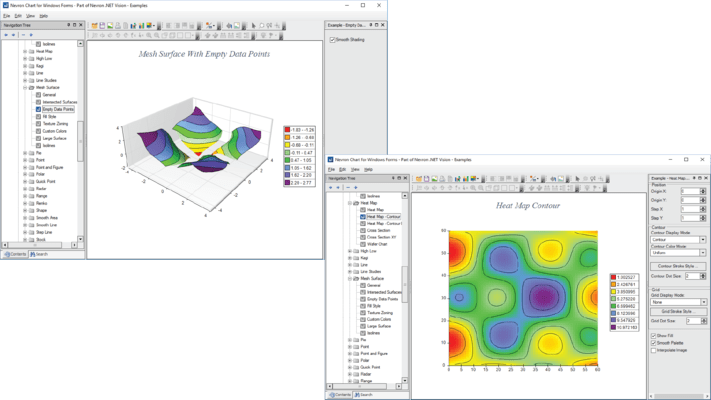
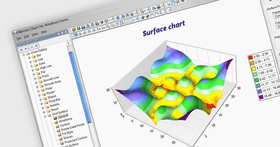
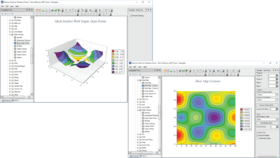
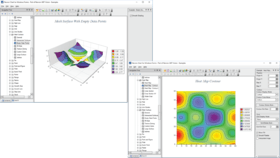
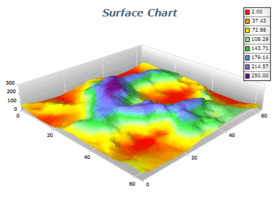
Mesh Surface - Surface connecting the user specified X, Y, Z data points. The Mesh surface can be filled with an automatic or user defined palette. Smooth palette filling is supported. Several frame styles are supported including: Mesh, Contour, Dots, Mesh - Contour. The frame can be uniformly displayed or synchronized with the used palette. Flat mode is also supported (Mesh Contour chart)
Grid Surface - Surface connecting the regularly spaced data points (forming a grid). The Grid surface can be filled with an automatic or user defined palette. Smooth palette filling is supported. Several frame styles are supported including: Mesh, Contour, Dots, Mesh - Contour. The frame can be uniformly displayed or synchronized with the used palette. Flat mode is also supported (Grid Contour chart)
Shape - a versatile rendering series. The ultimate scatter plotter. Can display shapes with the following styles: Smooth edge, cut edge bar, pyramid, cylinder, ellipsoid, cone, inverted pyramid and inverted cone. The user controls the (X, Y, Z) position of the shape as well as its size along the X,Y and Z dimensions. Can also be used for complex composite object rendering
Smooth Line (Spline) - 2D Smooth line, 3D Smooth Line, XY Scatter Smooth Line, XYZ Scatter Smooth Line
Float bar (also called Gantt) - Date Time float bar, Date Time Clustered Float Bar
Venn - 2, 3, 4, 5 etc. Venn set
Step Line - 2D Step Line, 3D Step Line, DateTime Step Line
Error Bar - Y Error Bar, XY Error Bar, XYZ Error Bar
Flexible integrated legend - Lots of predefined styles, positions and data layout strategies. Header and Footer
Built in Functions and Formulas support - The component has extensive custom formula support with 50+ predefined functions including commonly used financial indicators like: Relative Strength Index, MACD, Bollinger Bands, Average True Range, Momentum, Stochastic Oscillator, Directional Movement System, Moving Averages, Median Price, Typical Prices, Weighted Close, Envelopes, Chaikin's Volatility, Commodity Channel Index, Detrended Price Oscillator, Mass Index, Performance Indicator, Rate of Change, TRIX, Williams %R, Accumulation / Distribution, Chaikin Oscillator, Ease of Movement, Money Flow Index, Negative Volume Index, On Balance Volume, Positive Volume Index, Price and Volume Trend, Covariance, Correlation, Median
Full Visual Studio design time support - State of art editors. Improved wizard. Creating a chart based on template and modifying its data and other settings takes not more than a few minutes
Editors available at runtime - All design time editors are available at runtime including the Wizard
Excel-like fill effect editors - You can not only specify any filling you can specify in Excel but you can also visually create any custom gradient with the built-in advanced gradient editor
Advanced control over the axis scaling and position - Static and dynamic axis positioning strategies and settings. Lots of predefined text layout schemes. 4 scaling modes - DateTime, Numeric, Logarithmic and Dimension scale. Paging with lots of customizations
Axis labeling abilities Stripes - constant lines as planes or simple lines, custom axis labels, axis cursors, range selections
Ability to display several charting types simultaneously Advanced chart margins and fit strategy control
Ability to display several series simultaneously Making a chart type combination chart has never been easier and more flexible
Ability to display multiple charts and legends in the component canvas - Charts can be described on one or more legends. Legends can describe multiple charts
Image borders Fancy skin effects which add this such important final touch to your chart image
Watermarks - Ideal for company logos and trademarks - can be displayed on top or behind the chart image with user controlled transparency
Labels - Headers, footers as well as custom positioned labels
Interactivity Trackball, zoom, offset, mouse cursor change, mouse tooltips and more
Extensive drill down support. Lots of events for both WinForms and WebForms
Advanced 3D view control - 360 degrees rotation, viewer rotation, orthogonal and perspective projections, offset, zoom as well as a lot of predefined projection schemes
Advanced control over the scene lighting - Lots of predefined lighting schemes. Up to 9 light sources. Spot and Directional light
Integrated layout manager - Support for docking, nesting and anchoring of panels. AutoSize and custom size, bounds mode and more makes the creation of complex, scaleable layouts easy and comprehensible
Measurement Unit support - All styles and lengths are specified as a pair of value and measurement unit. More than 20 different measurement units (pixel, inch, millimeter, display etc.)
Annotation support - Annotation support that also allows nesting of panels and anchoring panels to key elements of the chart like data points or legend data items. Arrow, Rectangular Callout, Rounded Rectangular callout, Cut edge rectangular callout and Oval callout
Advanced logic features and services - Master slave axes, master slave range selections and master slave cursors
Modular design - Build on top of the Nevron Presentation Framework and Nevron DOM (Document Object Model) Framework. Custom binary and XML structured serialization
SVG support - Nevron chart can export images with interactive features in SVG format
Editor direct update feature The chart editor supports direct update feature allowing you to instantly preview the changes in the chart DOM
Nevron DOM Compatible - The chart is compatible with the Nevron DOM (Document Object Model), allowing you to subscribe for each property change made from code or from the user
AutoRefresh property When set to true the control will automatically refresh when some of its properties are modified from code
Custom Binary and Custom XML serialization The custom serialization capabilities of the control allow for version tolerant serialization of the control state in binary and XML form
Rendering of chart walls Improved rendering of chart walls now allows for transparent walls. Added front and top walls
WinForm specific features
Built in UI components - Grid and Toolbar components for WinForms. The grid is data aware and supports true date time editing as well as fill effect, line style and cursor type editing. The most frequently used commands are exposed by the Toolbar, which also supports custom buttons and runtime visual configuration
Ability to leverage the video board hardware acceleration - This feature is very useful for real time applications because it frees your CPU from drawing the chart and transfers all the rendering to the CPU of the video board
Print Manager - Advanced built-in printing and print - preview support
Web Forms specific features
Server side events (postback) and HTML image maps - The image maps generated by the component can display tooltips, redirect the client browser to a specified URL or change the mouse cursor
Server side persistency - The component can preserve its state across roundtrips
Ability to inject custom client side script - With the help of this feature you can seamlessly integrate the image maps generated from the component with any type of client side VBScript or JScript
Ability to directly stream an image to the client browser - This is an indispensable feature when building scalable and secure server side applications
Built-in temporary file clean up - The component automatically detects when a temporary file is expired and deletes it from the server. You can also assign disk space usage quota for the directory holding the temporary files in order to ensure that you cannot exceed the space used by your web server application
Built-in browser detection - By leveraging the power of the .NET regular expressions you can instruct the component to generate different responses depending on the browser accessing the page
What’s new in Nevron Chart for .NET Q2 2008?
Styling Support - The control features an embedded styling support, allowing you to quickly apply a style sheet in order to change the appearance of the chart contents. In addition you can create your own, custom style sheets using a set of style sheet configurators and palettes. The styling mechanism is also open for extension.
Automatic Pie Data Label Layout - The layout algorithm used to resolve label overlapping in 2D is extended to support 3D pie charts as well. The pie chart labels are automatically positioned in a manner that doesn't allow them to overlap with each other. The label layout is similar to the spider mode.
Improved Panel Layout - All content panels in the control are extended to support Margins and Padding allowing for a fine gradient control over the panels spacing.
Improved Text Rendering Speed - The text rendering speed for all labels has been significantly improved.
Improved Hit Testing Speed in 3D - Hit testing speed in 3D has been improved. You will find out that the new version behaves much better when hit testing large data sets.
Border Style - All content panels now support a border style allowing you to place a border around the panel content. Radial Gauges have been extended to support custom border styles like Circle, Cut Edge Circle and Rounded Outline.
Paint Effects - All content panels now support a paint effect that emulates the reflection of glass or gel cap over the panel content. This feature allows for the creation of more visually appealing gauges and charts.
Automatic Jittering - In WinForms applications using 3D charts the control can automatically detect a period of inactivity between chart refresh calls and use it to anti alias the 3D scene. This greatly improves the visual appearance of 3D charts as jagged edges are removed at minimal performance cost.
Redesigned Examples - All examples of the components have been redesigned in order to take advantage of the improvements in styling, borders, paint effects and layout.
Nevron Chart for .NET Q1 2008 introduces:
Scale Breaks
The component introduces scale breaks with controllable position, scale break inflate and style (wave, straight, zig zag and scientific). There are two types of scale breaks:
Automatic Scale Breaks
Custom Scale Breaks
Automatic Chart Axis Labels Orientation
Automatic Gauge Axis Labels Orientation
Automatic Pie Data Label Layout
Dynamic image map in AJAX mode
Controller-Tools Architecture in AJAX mode
New AJAX tools Based on the controller-tools architecture
Print Manager for Web Forms
What's New Q4 2007:
Nevron Chart for .NET Q4 2007 - Nevron Chart for .NET is powerful, flexible, extensible and user-friendly. It aims to provide your applications with data visualization capabilities, which will significantly improve the looks and penetration of your product. Nevron Chart for .NET is a unique component, because it combines visual richness with a vast amount of charting and gauge types grouped together in a comprehensible and extensible API. This makes Nevron Chart for .NET the only complete component for building rich presentation, financial, scientific and business dashboards for WinForm and WebForm deployment. Following is a list of the new features introduced in this release:
Nevron Chart is now compatible with SQL Server and State Server session state modes.
You can chose from all .NET raster image formats in AJAX mode.
Extended server side interface for AJAX configuration. Now event queueing can be configured at server side
Added CallbackExecuting and CallbackExecuted events for generalized handling of AJAX callbacks. The INHttpHandlerCallback interface is extedned with OnCallbackExecuting and OnCallbackExecuted methods.
Custom command events in AJAX mode now provide a way to return custom result to the client from within custom command handlers.
Added image map in AJAX mode. Now mouse events interception at client side can be filtered by custom regions, defined when the web control is initialized at the server, saving in this way bandwith and server resources.
Nevron Chart for .NET - New Features in version Q3 2007
Improved AJAX Support for Web Forms (VS 2005 Specific)
Improved browser compatibility
Extended client side JavaScript class interfaces
The Nevron Instant Callback technology was added as an alternative to the MS AJAX Callback, which greatly improves the performance of the web controls
Configurable event queuing at client side makes mixing of mouse move, mouse click events and auto refresh possible and native to the web site visitors
Improved behavior of the web controls on communication breakdown; a wait message is displayed and the server is queried periodically for availability; when the connection with the server is reestablished, the web controls continue normal operation
Improved Web Controls in Postback Mode (VS 2005 Specific)
HttpHandler image generation was added as an alternative to the traditional temporary image files used by Nevron web components. Now Nevron web components register an *.AXD virtual file in web.config and stream on demand images to the client through it.
New Charting Types
Kagi - Kagi is a type of financial chart that illustrates the forces of supply and demand on a security. It is focused on price action and disregards the passage of time
Renko - Renko is a type of financial chart that is very effective for traders to identify key support and resistance levels. It filters minor price movements and emphasizes on general trends
Point and Figure - Point and Figure is a type of financial chart that is designed to filter non-significant price changes and to focus on the main price trends. Point and Figure charts are usually used for longer term price movements
Three Line Break - Three Line Break is a price change financial chart that is similar in concept to Kagi, Renko and Point and Figure
Ability to Drag Gauge Indicators
Added is the ability to drag gauge indicators with the mouse as well as to protect gauge indicators from dragging. You can also use the new Value Snapping to snap gauge indicators to certain values when dragging.
Improved Performance
The chart axis zoning and calculation is optimized. The conversion from logical to scale units and vice versa is optimized.
Improved Value Snapping
All objects that reference an axis value can now snap in variety of ways including: snap to major ticks, snap to minor ticks, numeric snapping (based on an origin value and step), date time snapping (based on an origin date and date/time step) and ruler min max snapping.
Improved Data Zooming
You can now set how the axis scrollbar treats the reset button – by resetting the axis view range to it’s default state or by reverting the state to the last valid zoom in operation thus enabling you to perform better data drilldown.
Ability to export images in EMF file format
The component can save images in EMF file format as well as to copy EMF images to the clipboard.
Nevron Chart for .NET - New Features in version Q2 2007
AJAX Support for Web Forms -Nevron Chart for .NET Q2 2007 now supports ASP.NET 2.0 AJAX 1.0. Nevron web controls allow AJAX callback handling of the following mouse events: click, double click, move, down and up. Also, the web controls can be forcibly refreshed at client-side and auto-refresh feature is available. For more details on AJAX in Nevron web controls refer the AJAX topic
New Charting Types -Triangulated Surface series - this charting type can display a set of points with X, Y and Z coordinates as a 3D surface. In contrast to the Mesh Surface chart, the Triangulated Surface doesn't require the points to be ordered in a network. The control creates a triangular network automatically
Improved Grid Surface and Mesh Surface - Grid Surface and Mesh Surface series now support smooth shading
Data Binding with Custom Data Sources - The chart now supports data binding with custom data sources that implement the IBindingList and (optionally) the ITypedList interfaces
Gauges for .NET - The component introduces new linear and radial gauge panels allowing you to display virtually any linear or radial gauge. Gauge features include multiple indicators, multiple gauge axes, intelligent gauge scale decorations and many more. The gauges in Nevron Chart for .NET use extensively the Nevron Smart Shape technology as well as the Nevron Scale technology. Developers familiar with chart scale programming will find the new gauge axis API very easy and straightforward
What's New in Nevron Chart for .NET Q1 2007:
New Series - Standard Smooth Area, XY Smooth Area and Date-Time Smooth Area
Numeric Display Panel
Improved Visual Studio 2005 Integration
What's New in Q4 2006:
Redesigned Scale Model - The Axes of Nevron Chart now employ a declarative scale model to describe the axis scale, scale decorations and wall decorations. This is combined with a set of scale configurators that can be used to describe and extend any type of scale. Following is a list of the major advantages of this model:
Label Fitting - the scale can now automatically detect and resolve label overlapping - this is implemented in both 2D and 3D
Better Date Time Support – you can now specify non-regular time units (e.g. units that cannot be expressed through milliseconds and are dependent on some reference date). The month, quarter and year are example of such units
Distance Based Scale Decoration - this is the ability to control the distance between scale decorations (ticks, labels etc) depending on the scale size in device units – this feature automatically reduces / increases the number of ticks and labels on the scale depending on the size of the chart. Smaller charts will be less decorated which improves the chart readability
Interlace and Sampled Stripes - this feature allows you to dynamically highlight ranges of data on the chart
Scale Sections - Scale sections allow you to alter the appearance of different scale elements if they fall in a specified range. This allows you to visually highlight important ranges of data that the user has to pay special attention to
Custom scale programming - you can now modify the standard defined axis scales in any way you see fit or create custom ones
Redesigned Axis Positioning - The Axes in Nevron Chart now use anchors to attach to different places in the chart. There are two types of anchors - Dock and Cross anchors.
Dock anchors allow you to dock the axis to one of the 12 edges of a 3D cube. Each edge is called a zone. This type of docking allows you to stack axes on the sides of the chart without overlapping
Cross axis anchors allow you to position the axes to cross another axis either at a certain value or at a percentage of the crossed axis length
Improved Axis Paging - The component has improved axis paging supporting both numeric and date time data. This is integrated with automatic scrolling and automatic small step scroll size calculation
Better Scalability - The Series in the component were extended to support the NLength format. As a result you can now specify for each series how the size that is not scaled on the axes should be treated. For example you can have a point series with data points 10px wide and tall or 10 percent wide and tall from the chart area. In the first case points will have the same size as the chart resizes, whereas in the second they will follow the dimensions of the chart
Guidelines - Guidelines allow you to align panels (charts, legends, titles etc.) either vertically or horizontally. This feature is very useful when you create multiple charts.
What's New in Q3 2006?
Chart for .NET
Document - View - Controller Architecture
Support for Multithreading
New Charting Types
New 2D Rendering Device
Background Decorator
PartNumbers: PC-514043-163465 514043-163465 PC-514043-163468 514043-163468 PC-514043-163474 514043-163474 PC-514043-163471 514043-163471 PC-514043-163480 514043-163480 PC-514043-163482 514043-163482 PC-514043-163484 514043-163484 PC-514043-163486 514043-163486 PC-514043-163476 514043-163476 PC-514043-163478 514043-163478 PC-514043-163488 514043-163488 PC-514043-163490 514043-163490
Publisher PartNumbers: N.CH.NET.74.ENT N.CH.NET.74.ENT+SSCR N.CH.NET.74.ENT+SSCR+SUP.GOLD N.CH.NET.74.ENT+SSCR+SUP.SILVER N.CH.NET.ENT.SSCR.RNEW N1S N2S
PurchaseOptions: Nevron Chart for .NET Q2 2008 Enterprise 1 Developer License , Nevron Chart for .NET Q2 2008 Enterprise 1 Developer License, per Developer from 5 up to 9 Developers (Minimum quantity 5) , Nevron Chart for .NET Q2 2008 Enterprise with Subscription 1 Developer License with Subscription , Nevron Chart for .NET Q2 2008 Enterprise with Subscription 1 Developer License with Subscription, per Developer from 5 up to 9 Developers (Minimum quantity 5) , Nevron Chart for .NET Q2 2008 Enterprise with Subscription + Support Service 1 Developer Subscription License + Priority Support Service for 1 year , Nevron Chart for .NET Q2 2008 Enterprise with Subscription + Support Service 1 Developer License with Subscription + Priority Support Service for 1 year, per Developer from 5 up to 9 Developers (Minimum quantity 5) , Nevron Chart for .NET Q2 2008 Enterprise with Subscription + Support Service 1 Developer License with Subscription + Premium Support Service for 1 year , Nevron Chart for .NET Q2 2008 Enterprise with Subscription + Support Service 1 Developer License with Subscription + Premium Support Service for 1 year, per Developer from 5 up to 9 Developers (Minimum quantity 5) , Nevron Chart for .NET Q2 2008 Enterprise - Renewal Support/Subscription License 1 Developer Renewal Subscription License , Nevron Chart for .NET Q2 2008 Enterprise - Renewal Support/Subscription License 1 Developer Renewal Subscription License, per Developer from 5 up to 9 Developers (Minimum quantity 5) , Nevron Chart for .NET Q2 2008 Enterprise - Renewal Support/Subscription License Priority Support Service , Nevron Chart for .NET Q2 2008 Enterprise - Renewal Support/Subscription License Premium Support Service
Resources: Browse the Nevron Chart Features List, Read the Nevron .NET Vision Readme, Read the Nevron License Agreement, Download the Nevron .NET Vision Q2 2008 Suite for Visual Studio 2008 evaluation on to your computer - Displays Evaluation Messages, Download the Nevron .NET Vision Q2 2008 Suite for Visual Studio 2005 evaluation on to your computer - Displays Evaluation Messages
Operating System for Deployment: Windows Vista, Windows XP, Windows ME, Windows 2000, Windows 98, Windows NT 4.0
Architecture of Product: 32Bit
Product Type: Component
Component Type: ASP.NET WebForms, ASP.NET AJAX (ATLAS), .NET WinForms, .NET Class, 100% Managed Code, AJAX
Built Using: Visual C# .NET
Compatible Containers: Microsoft Visual Studio 2008, Microsoft Visual Studio 2005, Microsoft Visual Basic 2008, Microsoft Visual Basic 2005, Microsoft Visual C++ 2008, Microsoft Visual C++ 2005, Microsoft Visual C# 2008, Microsoft Visual C# 2005, .NET Framework 3.5, .NET Framework 3.0, .NET Framework 2.0
Search Items: New Version Nov 03, New Product Aug 04, New Product Jan 05
Keywords: Nevron Instrumentation instrument instruments Chart Charting Charts Graph Graphing Graphs Professional Partner chart .net nevron web 3d graph pie chart charting .NET component control
Autor
Categoría principal
Productos relacionados
Categorias relacionadas