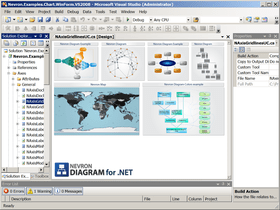
by Nevron - Product Type: Component / ASP.NET WebForms / ASP.NET AJAX (ATLAS) / .NET WinForms / .NET Class / 100% Managed Code / AJAX
Nevron Diagram for .NET - Enterprise by Nevron
Add quality diagramming and graphing capabilities to your WinForms and WebForms applications. Nevron Diagram for .NET fully supports Visual Studio 2005 and .NET Framework 2.0. Nevron Diagram for .NET (Windows Forms and ASP.NET) is designed to meet a vast number of customization and extensibility requirements. Built on top of the solid Model - View - Controller architecture, it will provide your applications with consistent, intelligent and powerful diagramming capabilities. It is a fully managed, extensible and powerful diagramming framework, which can help you create feature rich diagramming solutions in both WinForms and WebForms projects. The product is based on the solid Model - View - Controller architecture, which ensures the scalability of its object model. The API has been thoroughly refined to be as native and intuitive as possible. The Enterprise Edition contains everything included in the Professional Edition plus pan and zoom window functionality, layout functionality, templates and more. Includes both Visual Studio 2003 and Visual Studio 2005 compatible components.
Overview
Nevron Diagram for .NET comes with an extensive Document Object Model (DOM), which can help you model virtually any type of diagram. The DOM implements core diagramming elements, such as drawing documents, library documents, masters, layers, shapes, groups, connectors, ports etc. You can easily subclass any DOM element and extend its capabilities. Drawings can be exported to various raster and scalable graphics formats (.png, .bmp, .jpg, .svg etc.). Documents can be serialized in XML, binary and SOAP formats. Implemented are a lot of automatic layouts. Drawings can be displayed in both WinForm and WebForm views.
Powerful and Extensive DOM
The objects that you use to construct a diagram document are organized in a powerful hierarchy in which you can plug at any level. The content of a document is hierarchy organized, which help you easily inspect and manage its content. The entire DOM supports a remarkable Undo/Redo system.
Unmatched Support for Libraries
Custom and commonly used shapes as well as entire drawing clippings can be stored for later reuse in libraries. Libraries contain masters, which can be instanced in any drawing. Library views help you preview libraries in several different styles.
Visual Impact and Speed
The only diagram on the market with such remarkable visual impact and speed. You can apply image filters, gradients, textures and advanced shadow effects on all type shapes including texts. The component supports XML formatted texts, which help you display stunning texts with mixed font, size, subscript and superscript formatting as well as with mixed style.
Events and Interactivity
The component fires tons of events, which will inform you about any change made in a document or in a view. There is support for event listeners, bubbled and broadcasted events. No interactivity feature is left behind - there is support for auto scrolling, panning, preview ghosts, glue highlighting, selection and interactive highlighting, drag drop previews etc. DOM elements can respond to user actions.
Extensive Documentation and Examples
The component features a complete User's Guide, Programmers Reference and a huge set of examples for C# and VB.NET wrapped in state of the art example browsers for Windows Forms and ASP .NET.
The Nevron Diagram installation system will automatically add the chart control to the Visual Studio Toolbox allowing you to immediately start development without customizing VS by yourself. Nevron Diagram for .NET includes both Windows Forms and ASP.NET and has full support Visual Studio 2003 and Visual Studio 2005.
Features
Diagram Document Object Model
Hierarchical Documents - elements reside in a hierarchy, the root of which is a diagramming document.
Styles and Stylesheets - the visual appearance of all elements is consistently controlled with styles. Styles can be composed from the element ancestors in the hierarchy or directly from stylesheets. Cascade stylesheets are supported.
Abilities, Protection and Permissions - each element exposes a set of abilities, which defines the actions, which can be performed with it. The element protection defines the abilities, which are explicitly disabled. The element permissions provide an easy way to obtain the allowed element abilities.
Measurement Units - currently supported are three measurement unit systems: GDI+, Metric and English, with complete set of the respective measurement units. You can also plug your own measurement unit systems (for example extend the component to support the Japanese measurement units).
Documents - documents are the root elements in element hierachies. They provide core support for services, view management and data exchange capabilities. Multiple views can display and edit a single document simultaneously. Currently there are two types of documents:
Drawing Documents - drawing documents are assembled from stencils, layers and guidelines. They provide you with the ability to define a vector drawing.
Library Documents - library documents are assembled from masters. They provide you with the ability to store and manage reusable drawing content
Masters - masters are collections of diagram elements, which can be instanced in any drawing.
Stencils - stencils can display reusable content. Currently provided are arrowheads and point stencils, which can host any model. Stencils are specially optimized to display predefined content.
Layers - the content of each drawing is neatly organized in layers. Layers can be nested.
Models - models are the primary diagram building blocks. Models can be freely transformed. There are two types of models:
Primitive Models - primitive models serve as atomic parts for aggregate models. Implemented is a complete set of graphical primitives (open figures, closed figures and texts)
Aggregate Models - aggregate models are assembled from other primitive and/or aggregate models
Shapes - shapes are aggregate models, which represent logical abstractions. Shapes can be involved in complex relationships. Each shape can optionally have multiple ports, labels and control points. There are two types of shapes:
2D Shapes - these are shapes, which are treated as boxes
1D Shapes - these are shapes, which are treated as lines. 1D shapes have start and end plugs, which can be connected to the ports of other shapes
Groups - groups are shapes, which are assembled from other shapes.
Data Structures - provided is an easy and intuitive way to build a graph or a tree from a set of connected shapes. Implemented is an extensive set of commonly used graph and tree algorithms (breadth first traversal, depth first traversal, spanning trees etc.). In this way the component can serve as a powerful graph drawing and analysation tool.
Routing and Routable Connectors - provided is built-in support for routing and routable connectors. The routing can easily be extended.
Bridges and Bridgeable Shapes - bridges (hops) are a special type of decoration, which is displayed on bridgeable shapes self-intersections or intersection with other bridgeable shapes.
Print Manager - drawings can be printed on single or multiple pages. Implemented is built in support for print preview and page setup.
Image Exporter - an entire drawing or only portions of it can be exported to image of any type (JPG, PNG, BMP etc.). For drawings defined in absolute measurement units (e.g. inches, millimeters etc.) you can also specify the target device resolution (helps you generate ready to print images).
Undo and Redo - the entire DOM API is protected by history. Any property or method, which modifies the elements state records history. The history can contain an unlimited number of actions. History actions can be grouped in transactions. Transactions can be committed or rolled back. Nested transactions are supported. The history is implemented as a service so you can easily override it, stop or pause it.
Batches - batches serve as a functionality layer between documents and views. Batches are designed to operate with multiple elements and record a single history transaction. Batches take into account the element permissions. Most of operations, which views and commands perform with elements are implemented with the help of batches.
Event Handling - all events are fired from an event sink service, which provides you with the ability to consistently intercept all types of events regardless of the diagram you work with. Interactivity events (mouse, keyboard and drag drop events) support event bubbling
Shape Factories
Nevron Diagram for .NET comes equipped with numerous predefined vector shapes, which can come handy in many applications. The predefined shapes are consistently created by shape factories. Currently implemented are the following shape factories:
Basic Shapes Factory
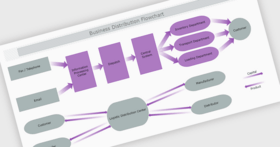
Flowcharting Shapes Factory
Network Shapes Factory
Brainstorming Shapes Factory
Symbol Shapes Factory
Traffic Signs Shapes Factory
Simple Network Shapes Factory
Electrical Symbols Shapes Factory
Floor Plan Shapes Factory
Country Flags Shapes Factory - General purpose shapes, which represent country flags
WinForm View, Controller and Tools
In WinForm the viewing and editing of documents is achieved with the help of views and controllers. Following is a brief summary:
Fully Extensible - views, controllers and tools can be extended with ease.
Views - views help you display and edit documents. Views implement core support for tools and selection. Several views can display and edit a single document simultaneously. Currently there are two primary types of views:
Drawing Views - drawing views help you display and edit drawing documents. Drawing views are feature rich and help you zoom, pan, stretch and fit documents. Drawing views can edit numerous shapes features via interactive editors (trackers). They provide an extensive support for snapping.
Library Views - library views help you display and edit library documents. Libraries can be displayed in several styles: Icons only, Icons and names, Icons and Details, List and Thumbnails.
Controller - a single controller is attached to every view. The controller stores a collection of tools to which it delegates view events for processing. In this way the views behavior and functionality can easily be configured, extended or overridden.
Tools - tools are replaceable controller parts. Implemented is a myriad of tools, which help you create new elements as well as edit the currently existing ones.
Pan and Zoom Control - this control provides a bird's-eye view of the document edited in another drawing view (called master view). It also provides you with an easy and intuitive way to zoom and pan the master view.
Layouts
Layouts can help you automatically arrange diagram elements. Following is a brief summary:
Fully Extensible - all layouts can easily be extended. You can also create your custom layouts.
Layout Items- all layouts operate with layout items, which makes it possible for them to arrange multiple structures.
Layout Animation - the effect of all layouts can be animated.
Tree Layout- implemented is a very powerful tree layout with lots of customization settings.
Force Directed Layout - implemented is a generic force directed layout with many customization settings.
Table Layout - implemented is a table layout, which can order any set of elements in a tabular manner.
Templates
DOM content can easily be created with the help of programmable templates. Following is a brief summary:
Fully Extensible - all templates can easily be extended. You can also create your own custom templates.
Visual Template Editing - the template editing can be performed visually with the help of the built-in wizard.
Diagram Designer Components
Nevron Diagram for .NET implements a complete set of components which can help you create a feature rich diagram designer in minutes. Following is a brief summary:
Commands and Commander - any user action, which can be executed from a menu, toolbar or context menu is represented by a diagram command. Diagram commands are UI independent. Diagram commands are maintained by a commander, which also serves as bridge between Nevron UI and diagram commands.
Command Bars Manager - this is a modern look and feel docking bars manager, which visually exposes the power of the Nevron Diagram for .NET with the help of the Nevron UI Suite.
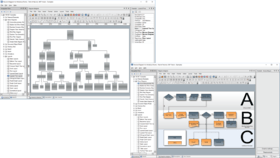
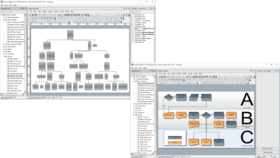
Library Browser - the library browser facilitates the library management. The library browser can display multiple libraries as well as help you create new libraries and edit the currently existing ones.
Property Browser - the property browser can help you instantly edit the properties of the document, active layer, selection or the view.
Status bar - the status bar is a useful control, which displays important information about the current state of a view.
Nevron Diagram for .NET Q1 2008 introduces:
Supportfor inward–outward port connections
Powerful support for graph, tree and cells layouts.
Graph Layouts
Force Directed Layouts
Layered Graph Layout
Orthogonal Graph Layout
Radial Graph Layout
Tree Layouts
Layered Tree Layout
Compact Depth Tree Layout
Tip Over Tree Layout
Balloon Tree Layout
Cell Layouts
Stack Layout
Flow Layout
Dock Layout
Dynamic image map in AJAX mode
Controller-Tools Architecture in AJAX mode
New AJAX tools Based on the controller-tools architecture
Print Manager for Web Forms
What's New Q4 2007:
Nevron Diagram for Q4 2007 - The product has been designed from the ground up to meet a vast number of customization and extensibility requests. Built on top of the solid Model - View - Controller architecture it will provide your applications with consistent, intelligent and powerful diagramming abilities. Nevron Diagram for .NET is a unique component, since it integrates state-of-art vector and raster 2D graphics technologies and wraps them in an easy to use - yet completely customizable framework. As a result your applications can easily reuse it to instantly gain significant advantage in visual impact and intelligence. Following is a list of the new features introduced in this release:
Nevron Diagram is now compatible with SQL Server and State Server session state modes.
You can chose from all .NET raster image formats in AJAX mode.
Extended server side interface for AJAX configuration. Now event queueing can be configured at server side
Added CallbackExecuting and CallbackExecuted events for generalized handling of AJAX callbacks. The INHttpHandlerCallback interface is extedned with OnCallbackExecuting and OnCallbackExecuted methods.
Custom command events in AJAX mode now provide a way to return custom result to the client from within custom command handlers.
Added image map in AJAX mode. Now mouse events interception at client side can be filtered by custom regions, defined when the web control is initialized at the server, saving in this way bandwith and server resources.
Planned Improvements
Although in this release there are no major changes in the diagram, there are huge improvements, which Nevron is currently developing for this component. Since they are beyond the scope of a single quarterly release, they will be embedded in the diagram when completely tested and implemented.
New Layouts
Graph Layouts
Layered graph layout – hierarchically arranges graphs.
Barycenter graph layout – implements the barycenter layout method.
Spring layout – classical layout, which simulates spring and electrical forces. Different coefficients (spring stiffness, length, electrical charge) will be specifiable on a per object basis.
Symmetrical layout – implementation of the Fruchertman and Reingold force model. Tries to achieve a symmetrical drawing in which the edges are equal in length.
Custom force directed layout – lets you define your own set of forces, or use the currently provided forces.
Common for all force directed layouts are the following constrain forces:
Magnetic field force –impose an orientation of the edges. Magnetic fields can be combined. Supported are parallel, Polar and Concentric magnetic fields. Edge magnetization (bidirectional or unidirectional) can be specified on a per edge basis.
Bounce back force – tries to additionally push overlapping vertices apart.
Tree Layouts
Layered tree layout – layouts the tree in layers. Tries to improve the breadth tree size.
Compact tree layout – layouts the tree by improving both the breadth and depth tree sizes. Does not obey to layering in order to achieve compact tree drawing.
Tip-over tree layout – layouts the parent children horizontally or vertically. The parent children arrangement is specified on a per parent basis.
Radial tree layout – layouts the tree layers in concentric circles.
Pages - The diagram component will support pages. Each page will support different logical and display units, layers etc. The page will be controlled by a formula sheet.
Formula Shapes - Nevron diagram will support formula shapes. More details on this feature will be published additionally.
Nevron Diagram for .NET - New Features in version Q3 2007
Improved AJAX Support for Web Forms (VS 2005 Specific)
Improved browser compatibility.
Extended client side JavaScript class interfaces.
The Nevron Instant Callback technology was added as an alternative to the MS AJAX Callback, which greatly improves the performance of the web controls.
Configurable event queuing at client side makes mixing of mouse move, mouse click events and auto refresh possible and native to the web site visitors.
Improved behavior of the web controls on communication breakdown; a wait message is displayed and the server is queried periodically for availability; when the connection with the server is reestablished, the web controls continue normal operation.
Improved Web Controls in Postback Mode (VS 2005 Specific)
HttpHandler image generation was added as an alternative to the traditional temporary image files used by Nevron web components. Now Nevron web components register an *.AXD virtual file in web.config and stream on demand images to the client through it.
Ability to export images in EMF file format
The component can save images in EMF file format as well as to copy EMF images to the clipboard.
What’s New in Q2 2007:
AJAX Support for Web Forms -Nevron Diagram for .NET Q2 2007 now supports ASP.NET 2.0 AJAX 1.0. Nevron web controls allow AJAX callback handling of the following mouse events: click, double click, move, down and up. Also, the web controls can be forcibly refreshed at client-side and auto-refresh feature is available. For more details on AJAX in Nevron web controls refer the AJAX topic
New shapes - Food shapes - included are 22 shapes related to food and Weather shapes - included are 26 shapes related to weather
What's New in Nevron Diagram for .NET Q1 2007:
Travel shapes - General shapes for displaying travel networks and diagrams.
Improved Visual Studio 2005 Integration
What's New in Diagram for .NET Q3 2006?
New shapes
Simple Network shapes
Electrical Symbols shapes
Floor Plan shapes
Country Flags shapes
Integration with Nevron Geometry
Nevron Diagram for .NET has been integrated with the new geometry objects in the Nevron Presentation Framework. This change was made due to needed performance optimizations in the implementation of these fundamental structures and because their current implementation in the .NET framework lacks many important features and properties. One of the major advantages of using the new geometry structures is that the diagram is now better serialized in XML.
PartNumbers: PC-516539-157062 516539-157062 PC-516539-157063 516539-157063 PC-516539-157065 516539-157065 PC-516539-157064 516539-157064 PC-516539-157068 516539-157068 PC-516539-157069 516539-157069 PC-516539-157070 516539-157070 PC-516539-157071 516539-157071 PC-516539-157066 516539-157066 PC-516539-157067 516539-157067 PC-516539-157072 516539-157072 PC-516539-157073 516539-157073
Publisher PartNumbers: N.DIA.NET.74.ENT N.DIA.NET.74.ENT+SSCR N.DIA.NET.74.ENT+SSCR+SUP.GOLD N.DIA.NET.74.ENT+SSCR+SUP.SILVER N.DIA.NET.ENT.SSCR.RNEW N1S N2S
PurchaseOptions: Nevron Diagram for .NET Q1 2008 Enterprise 1 Developer License , Nevron Diagram for .NET Q1 2008 Enterprise 1 Developer License, per Developer from 5 up to 9 Developers (Minimum quantity 5) , Nevron Diagram for .NET Q1 2008 Enterprise with Subscription 1 Developer License with Subscription , Nevron Diagram for .NET Q1 2008 Enterprise with Subscription 1 Developer License with Subscription, per Developer from 5 up to 9 Developers (Minimum quantity 5) , Nevron Diagram for .NET Q1 2008 Enterprise with Subscription + Support Service 1 Developer Subscription License + Priority Support Service for 1 year , Nevron Diagram for .NET Q1 2008 Enterprise with Subscription + Support Service 1 Developer License with Subscription + Priority Support Service for 1 year, per Developer from 5 up to 9 Developers (Minimum quantity 5) , Nevron Diagram for .NET Q1 2008 Enterprise with Subscription + Support Service 1 Developer License with Subscription + Premium Support Service for 1 year , Nevron Diagram for .NET Q1 2008 Enterprise with Subscription + Support Service 1 Developer License with Subscription + Premium Support Service for 1 year, per Developer from 5 up to 9 Developers (Minimum quantity 5) , Nevron Diagram for .NET Q1 2008 Enterprise - Renewal Support/Subscription License 1 Developer Renewal Subscription License (per developer) , Nevron Diagram for .NET Q1 2008 Enterprise - Renewal Support/Subscription License 1 Developer Renewal Subscription License, per Developer from 5 up to 9 Developers (Minimum quantity 5) , Nevron Diagram for .NET Q1 2008 Enterprise - Renewal Support/Subscription License Priority Support Service , Nevron Diagram for .NET Q1 2008 Enterprise - Renewal Support/Subscription License Premium Support Service
Resources: Browse the Nevron Diagram Features List, Read the Nevron .NET Vision Readme, Read the Nevron License Agreement, Download the Nevron .NET Vision Q1 2008 Suite for Visual Studio 2005 evaluation on to your computer - Displays Evaluation Messages, Download the Nevron .NET Vision Q1 2008 Suite for Visual Studio 2008 evaluation on to your computer - Displays Evaluation Messages, Download the Nevron Diagram for .NET Standalone Designer
Operating System for Deployment: Windows Vista, Windows XP, Windows 2000, Windows 98, Windows NT 4.0
Architecture of Product: 32Bit
Product Type: Component
Component Type: ASP.NET WebForms, ASP.NET AJAX (ATLAS), .NET WinForms, .NET Class, 100% Managed Code, AJAX
Built Using: Visual C# .NET
Compatible Containers: Microsoft Visual Studio 2008, Microsoft Visual Studio 2005, Microsoft Visual Basic 2008, Microsoft Visual Basic 2005, Microsoft Visual C++ 2008, Microsoft Visual C++ 2005, Microsoft Visual C# 2008, Microsoft Visual C# 2005, .NET Framework 3.5, .NET Framework 3.0, .NET Framework 2.0
Product Class: User Interface Components
Search Items: New Version Nov 03, New Product Aug 04, New Product Jan 05
Keywords: Nevron Flow Diagramming diagram diagrams flowchart Professional Partner Nevron Diagram, Diagram