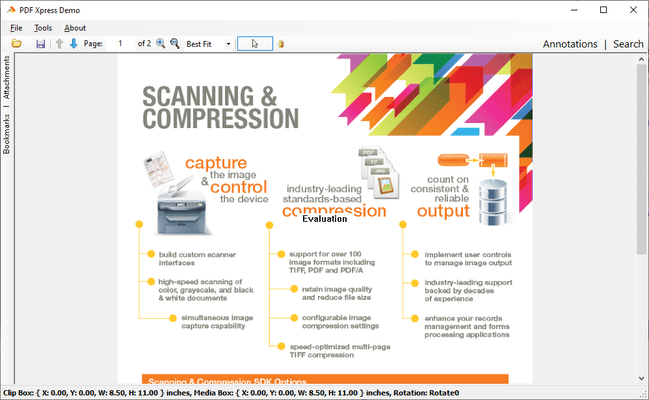
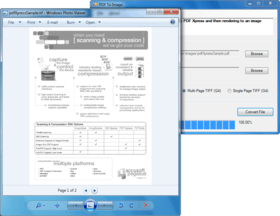
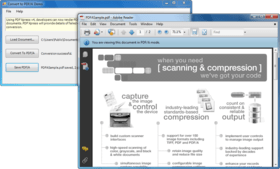
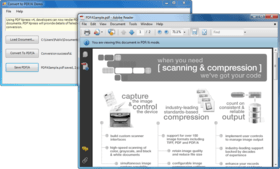
Screenshot Preview

PDFXpress .NET - Summary

by Accusoft Pegasus (formerly Pegasus Imaging Corp.) - Product Type: Component / .NET WinForms

Summary

PDFXpress .NET by Accusoft Pegasus (formerly Pegasus Imaging Corp.)

URLs: pdfxpress-professional, pdfxpress professional, pdfxpressprofessional, accusoft-pegasus, accusoft pegasus, accusoftpegasus

High-level PDF and PDF/A SDK. PDF Xpress SDK lets you easily create, modify, and render PDF and PDF/A files from within your applications. Now available for 32/64-bit .NET. Create new PDF documents, create image-only PDF/A compliatn documents. Split, merge, insert, move and delete pages from existing PDF documents. Extract text and use PDF Xpress features to return location and context of test search results. Read, modify and delete PDF document metadata, annotations, bookmarks, thumbnails, and watermarks. Rapidly display large PDF images such as engineering drawings. Determine whether color information may be safely removed to reduce file size.

Features:

Programming environments: Win32 visual development environments

Sample code is included for: C#, VB.NET, VB 6, Delphi 7/8

Deploys within .NET as a managed control

Can also be used in any development environment that hosts ActiveX/COM

PDFXpress Professional edition delivers both read and write support

PDFXpress Reader edition is offered for those requiring only PDF viewing capability

Client/Server web development capabilities

Can be used in a multi-threaded environment

Customer-acclaimed technical support

PDF Reading Support

Read single and multi-page PDF files

Read Post Script-based PDF files

Read color image PDF files encoded to JPEG (both sequential and progressive), JPEG 2000, GIF, BMP, PNG, and RAW image input

Render pages to 24-bit color or 1-bit bitonal

Render (read) the page or specified section of a PDF document

Specify resolution

Read Native PDF files

Read black and white image PDF files encoded to TIFF (CCITT G3-1D, CCITT G3-2D, CCITT G4), and JBIG2

Will render to a DIB, Bitmap (.NET only), or EPS stream

Obtain the bookmarks associated with a PDF document

Configure whole image or rectangle selection viewing

Specify annotation viewing options (faces of certain PDF annotations only)

PDF Writing Support

Create a new PDF document

Create color image PDF files encoded to JPEG (both sequential and progressive), JPEG 2000, GIF, BMP, PNG, RAW image input

Add PDF bookmarks to a file, linking to locations within the document that can be displayed to form a document outline in Acrobat Reader

Add pages made of images to an existing document

Split a single PDF file into multiple files

Rotate, scale, or clip imported pages when placing in a new PDF file

Create black and white image PDF files encoded to TIFF (CCITT G3-1D, CCITT G3-2D, CCITT G4), and JBIG2

Create files from an image memory stream, no file required

Specify thumbnail generation and storage with the associated page in the PDF document

Merge two PDF files into a single PDF file

Delete pages from a PDF file

Save a created or modified PDF document with linearization

Additional File Formats

Use ImagXpress to support additional file format conversion and compression beyond PDF

What's New in this PDF Xpress v4 Service Pack (V4.0.34.0):

Updated Adobe PDF library

Improved memory management

Enhanced handling of improperly formatted images

Improved debug logging

New Features in PDF Xpress Version 4

AnyCPU (64-bit and 32-bit) support for .NET.

The namespace has been changed from PegasusImaging.WinForms.PdfXpressX (where X was 1, 2, or 3) to Accusoft.PdfXpressSdk.

Added new GetAnnotationSubtype method to get the annotation subtype at a specified annotation index from the specified page.

Added new DeleteAnnotation method to delete an annotation at a specified annotation index from the specified page. Available in the Professional Edition only.

Added exception class AnnotationSubtypeMissingOrInvalidException that is thrown when an annotation dictionary

has an invalid (not a name object) or missing /Subtype key.

Changes/Fixes from PDF Xpress Version 3

Debug logging wasn't correct for certain render routines which made diagnosing issues difficult; this has been fixed.

AddImage() would sometimes result in a PDF document that Adobe Acrobat would report as having "insufficient image data" when adding a JPG image with non-interleaved components. Now PDF Xpress checks for this and adjusts accordingly so that documents that are created no longer have this error in Acrobat and display correctly.

AddImage() would sometimes result in a PDF document that Adobe Acrobat would report as having "insufficient image data" when adding a TIF image that had the tag T4Options set to 4. This value refers to options for CCITT3 compression, however the problematic images were actually using CCITT4 compression and simply had the T4Options tag left over (likely from a conversion from CCITT3 to CCITT4). PDF Xpress now checks that the compression is valid first. PDF documents that are created from these types of images no longer have this error in Acrobat and display correctly.

A memory leak that was seen when rendering to a DIB has been fixed.

What's New in V3.0:

Ability to add a watermark from a source Document or text to a Document

Ability to remove watermarks from a Document

Ability to add text to a Document

Ability to create image-only PDF/A-compliant documents

Added event that is raised for each PDF annotation successfully exported

ActiveX control is now delivered as one .dll

Added ability to render to Device Context

What's New in V2.0:

The PDF Xpress v2 Software Development Kit (SDK) offers expanded capabilities to access and modify content within PDF documents. PDF Xpress empowers developers requiring PDF support within applications, and is delivered as both a .NET component and an ActiveX COM control.

PDF Xpress provides technology to software engineers building applications for creation, modification, and viewing of PDF files. Software engineers may extract text from PDF files, and use PDF Xpress v2 features to return the location and context of text search results. Annotations, bookmarks, thumbnails, and metadata can also be added, modified, or deleted. New page insert and move options offer PDF Xpress v2 users the flexibility to repurpose and reconfigure PDF documents – merging multiple PDFs or splitting a single PDF into multiple documents. Optimized rasterization enables high resolution display of large images, such as engineering drawings. Seamless interaction with PDF Xpress v2 is facilitated by new read-from-memory and write-to-memory support. By using PDF Xpress v2 in conjunction with other Pegasus Imaging components, developers can write applications to create highly compressed image-only or image-over-text PDF documents, and enable end users to view and modify PDF files.

PDF Xpress v2 Professional includes the following new capabilities:

Upgraded PDF support, taking advantage of many performance improvements and enhancements

PDF v1.6 document creation

Text extraction and use of PDF Xpress features to return location and context of text search results. (Extract text from Normal or Searchable Image PDFs then identify text matches using any desired technique. PDF Xpress will provide the context and location of the match phrase.)

Searchable Image (Image with Hidden Text) PDF Creation - using OCR Xpress with PDF Xpress sample code (PDF Xpress v2 provides the ability to construct an image-over-text PDF, using text output from OCR Xpress, and the associated image compressed by ImagXpress. This enables the developer to create highly compressed image-over-text PDFs, with searchable text.)

PDF Document Load From Memory & Save To Memory - without the need to store as a file

Page Insertion – Insert a page or range of pages from one PDF document into another (this capability can be used to merge multiple PDFs into one PDF or split one PDF into multiple PDFs)

Page Move – Move a page from one location to another in a PDF document

PDF Annotations Export to XFDF (XML) – Express annotations from the PDF document as XML data

PDF Annotations Import from XFDF (XML) – Create, modify, and delete PDF annotations using XML data

Thumbnail Delete – Delete a thumbnail in a PDF document, in addition to create and replace

Bookmark Modify & Delete – Modify and delete bookmarks in a PDF document, in addition to read and add

Document Metadata Read, Modify, & Write

Large File Optimized Rasterization (i.e. for display of large engineering drawings)

The Reader Edition contains a subset of features found within the Professional Edition. PDF Xpress includes the following new capabilities in the v2 Reader Edition:

Upgraded PDF support, taking advantage of many performance improvements and enhancements

Text extraction and use of PDF Xpress features to return location and context of text search results. (Extract text from Normal or Searchable Image PDFs then identify text matches using any desired technique. PDF Xpress will provide the context and location of the match phrase.)

PDF Document Load From Memory

PDF Annotations Export to XFDF (XML) – express annotations from the PDF document as XML data

Document Metadata Read

Large File Optimized Rasterization (i.e. for display of large engineering drawings)

High-level PDF and PDF/A SDK.

Pricing: PDFXpress V4.0.34.0 Professional .NET 1 Developer License, PDFXpress V4.0.34.0 Professional .NET 1 Developer Upgrade License from PDFXpress Professional V3.0, PDFXpress V4.0.34.0 Professional .NET Deployment Licensing(A minimum of 5 client licenses is required for first time purchases) 1 Client Runtime License, price per client (5 to 9) (minimum quantity 5), PDFXpress V4.0.34.0 Professional .NET Deployment Licensing(A minimum of 5 client licenses is required for first time purchases) 1 Client Runtime License, price per client (10 to 24) (minimum quantity 10), PDFXpress V4.0.34.0 Professional .NET Deployment Licensing(A minimum of 5 client licenses is required for first time purchases) 1 Client Runtime License, price per client (25 to 49) (minimum quantity 25), PDFXpress V4.0.34.0 Professional .NET Deployment Licensing(Servers are licensed per core, annually. Minimum 2 core per server.) 1 Server (CPU) Deployment License (Minimum quantity 2 per server)

Evals & Downloads: Read the PDFXpress Professional .NET help file, Browse the Licensing Information Web pages, Download the PDFXpress V4.0.34.0 Professional .NET evaluation on to your computer - Expires after 30 days

Operating System for Deployment: Windows 7, Windows Vista, Windows XP, Windows Server 2003, Windows ME, Windows 2000, Windows 98, Windows NT 4.0, Windows 95, Windows NT 3.51

Architecture of Product: 32Bit

Product Type: Component

Component Type: .NET WinForms

Compatible Containers: Microsoft Visual Studio 2010, Microsoft Visual Studio 2008, Microsoft Visual Studio 2005, Microsoft Visual Studio .NET 2003, Microsoft Visual Studio .NET, Microsoft Visual Basic 2010, Microsoft Visual Basic 2008, Microsoft Visual Basic 2005, Microsoft Visual Basic .NET 2003, Microsoft Visual Basic .NET, Microsoft Visual C++ 2010, Microsoft Visual C++ 2008, Microsoft Visual C++ 2005, Microsoft Visual C++ .NET 2003, Microsoft Visual C++ .NET, Microsoft Visual C# 2010, Microsoft Visual C# 2008, Microsoft Visual C# 2005, Microsoft Visual C# .NET 2003, Microsoft Visual C# .NET, Microsoft Access 2003, Microsoft Access 2002, Microsoft Access 2000, Microsoft Internet Explorer 6.0, Microsoft Internet Explorer 5.5, C#Builder, .NET Framework 4.0, .NET Framework 3.5, .NET Framework 3.0, .NET Framework 2.0, .NET Framework 1.1, .NET Framework 1.0

Keywords: PDF Adobe Acrobat view viewer display pdf open

Pegasus Image Imaging accusoft

pdf

Part numbers: PC-515550-315531 515550-315531 PC-515550-315537 515550-315537 PC-515550-315533 515550-315533 PC-515550-315534 515550-315534 PC-515550-315535 515550-315535 PC-515550-315536 515550-315536

Product Search

Enter search words:

Why buy from ComponentSource?

ComponentSource offers a unique global service, used by over 1,000,000 software developers worldwide.

More Info | About Us

Screenshot Gallery

Click for full screen preview

Screenshot of PDF Xpress - Professional .NET - V4.0.34.0 Screenshot of PDF Xpress - Professional .NET - V4.0.34.0 Screenshot of PDF Xpress - Professional .NET - V4.0.34.0 Screenshot of PDF Xpress - Professional .NET - V4.0.34.0 Screenshot of PDF Xpress - Professional .NET - V4.0.34.0
Award