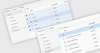
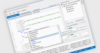
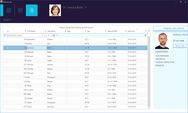
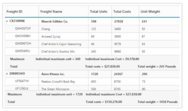
Screenshot Preview

DropMaster - 개요

by Raize Software - 상품타입: Component / VCL

요약

 *

DropMaster by Raize Software

URLs: raize-dropmaster, raize dropmaster, raizedropmaster, raize

Add support for drag and drop between applications. DropMaster is a set of 4 native VCL controls for use in Delphi and C++Builder. While the VCL components included with Delphi and C++Builder permit drag and drop between windows in the same application, DropMaster allows developers to add support for drag and drop between applications. The drag and drop can be between the developer's new application and existing applications such as the Microsoft Office suite, a web browser, etc., or between two custom-written applications. DropMaster also comes with a collection of more than 40 example applications, which demonstrate the features of the DropMaster components in real-world situations. They also represent the results of extensive research into the drag and drop behavior of many popular commercial applications.

DropMaster is a set of 4 native VCL controls for use in Delphi and C++Builder. While the VCL components included with Delphi and C++Builder permit drag and drop between windows in the same application, DropMaster allows developers to add support for drag and drop between applications. The drag and drop can be between the developer's new application and existing applications such as the Microsoft Office suite, a web browser, etc., or between two custom-written applications.

DropMaster's functionality is divided according to whether you want to allow the user to drag from his application to elsewhere, i.e., a drag source, or from elsewhere to his application, i.e., a drop target. In addition to the actual drag and drop functionality, the components expose several events that allow the developer to get feedback on the drag and drop process while it is happening, or to modify it.

The 4 DropMaster components are:

TDMTextSource

TDMTextSource deals with dragging data from your application to another. For simple use, you can assign a TWinControl on your form to the DonorComponent property, detect the drag in the control's OnMouseDown event, and call the Execute method. Appropriate content (e.g., selected text or list items, etc.) is then dragged to the other application. For more sophisticated use, there is a Text property to which you can assign any content you like.

TDMTextSource is also the component that is used for dragging arbitrary formats other than text, through the use of its CustomFormatData property. In particular, you can drag more than one format, and the target application can accept any of those available. For example, when you drag cells from Excel, the data are made available in many different formats, from plain text, to a bitmap of the cells, etc.

TDMTextTarget

TDMTextTarget deals with accepting data dragged into your application from another. You assign a TWinControl on your form to the AcceptorControl property, and write an OnDrop handler to tell the TDMTextTarget how to deal with the data that has just been dropped. Natively, TDMTextTarget knows how to accept text, RTF, HTML, lists of files, and URLs.

TDMTextTarget is also the component that is used for accepting arbitrary formats other than text, through the use of its CustomFormat property. In the OnDrop event you can find out what formats are available and decide which to process.

TDMGraphicSource

Other than the native formats in TDMTextTarget, graphic images are the most commonly requested data types for drag and drop. For convenience, we provide TDMGraphicSource which works just like TDMTextSource, except that it has DonorImage and Picture properties (of type TImage and TPicture, respectively), which correspond to the DonorComponent and Text properties of TDMTextSource. Dragging a picture becomes as easy as assigning it to a property, detecting the drag, and calling Execute.

TDMGraphicTarget

TDMGraphicTarget can accept pictures dragged from another application. For convenience, it deals with multiple formats like DIBs, bitmap handles, metafiles and enhanced metafiles, so the developer need only provide a home for the TPicture data that is accepted. Of course, there is ample opportunity for customizing the process as with the other components.

DropMaster comes with a collection of more than 40 example applications, which demonstrate the features of the DropMaster components in real-world situations. They also represent the results of extensive research into the drag and drop behavior of many popular commercial applications.

DropMaster comes with complete source code for all components, packages, and design editors at no additional charge. Documentation is provided in an extensive context-sensitive online help system. DropMaster also features one-step installation, automatic help integration and dynamic component registration.

What's New in DropMaster 2:

The biggest change in DropMaster 2 is support for RAD Studio 2009 and RAD Studio 2010, which is based on a Unicode string format as opposed to an AnsiString format. DropMaster 2 adds the necessary capabilities to handle processing drag-and-drop operations between Unicode-enabled Delphi 2009/C++Builder 2009 applications with other Delphi 2009/C++Builder 2009 applications, as well as between Delphi 2009/C++Builder 2009 applications and applications built with earlier versions of Delphi and C++Builder.

In supporting the new Unicode-based VCL introduced in RAD Studio 2009 (Delphi 2009/C++Builder 2009), a number of support functions have also been added. And finally, asynchronous transfer support has been added to the TDMTextSource component.

Add support for drag and drop between applications.

Pricing: DropMaster 2.1 1 Developer License, DropMaster 2.1 5 Developer Team License, DropMaster 2.1 1 Developer Upgrade License, DropMaster 2.1 - Academic License 1 Academic License

Evals & Downloads: Read the DropMaster help file, Read the DropMaster License Agreement

Operating System for Deployment: Windows ME, Windows 2000, Windows 98, Windows NT 4.0

Architecture of Product: 32Bit

Product Type: Component

Component Type: VCL

Compatible Containers: Embarcadero RAD Studio 2010, C++Builder 2010, C++Builder 2009, C++Builder 2007, C++Builder 2006, Delphi 2010, Delphi 2009, Delphi 2007 for Win32, Delphi 2006 (10.0), Delphi 2005 (9.0), Delphi 7.0

Product Class: User Interface Components

Keywords: VCL Drag and Drop master

Raize Software Solutions

User Interface UI

Part numbers: PC-512086-251718 512086-251718 PC-512086-251716 512086-251716 PC-512086-251755 512086-251755 PC-512086-251717 512086-251717

Mfr. Part No: DM2 DM2ACAD DM2TEAM DM2UDM15

주의

제품 리뷰의 한국어 번역이 완료되지 않는 제품은 Google통역 서비스와 연동되어 표시되어 있습니다.통역 기계에 의한 자동 번역인 관계로 한국어 표기가 조금 부자연 스러운 점 양해 바랍니다.
에서 제공
FireFox와 Opera에서는 Flash가 필요합니다.

상품검색

검색어를 입력해주세요:

Quick 링크

개발처/발매처

주요 카테고리

관련 상품

ComponentSource에서 구입하는 이유?

ComponentSource는 세계 1,000,000명 이상의 개발자에게 각종 글로벌 서비스를 제공합니다.

상세 | About Us