주의 : 이 제품정보에는 한글안내가 포함되어 있지 않습니다.
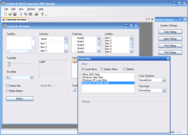
Visual Studio Add-on for developing mobile business applications. Resco MobileBusiness Toolkit is a Microsoft Visual Studio Add-On that allows developers to easily build mobile business applications, such as Sales Force Automation or Field Service. Applications created with the MobileBusiness Toolkit can be used on a variety of Windows Mobile-based Pocket PCs and Smartphone devices. It allows the user to manage business related information such as customers, contacts, products, services, orders and business meetings. The default application created using the MobileForms Toolkit can serve as a prototype of a future mobile solution and can also be used as a demo for presentation purposes.
일반 적인 소비자 가격은 하기에 표시되어 있습니다. 고객님의 할인가격은 표시 하시려면 로그인 해주시기 바랍니다.
Resco MobileBusiness Toolkit 2008 Volume 2 Standard Edition
| 주문 |
₩ 1,952,100 |
1 Developer License with Subscription |
|
다운로드 (9.9 MB) |
| 주문 |
₩ 1,171,200 |
Pre Renewal Subscription License |
확인 |
다운로드 (29 KB) |
| 주문 |
₩ 1,561,600 |
Post Renewal Subscription License |
확인 |
다운로드 (29 KB) |
Resco MobileBusiness Toolkit 2008 Volume 2 Professional Edition
| 주문 |
₩ 3,904,200 |
4 Developer Team License with Subscription |
|
다운로드 (9.9 MB) |
| 주문 |
₩ 2,342,500 |
Pre Renewal Subscription License |
확인 |
다운로드 (29 KB) |
| 주문 |
₩ 3,123,300 |
Post Renewal Subscription License |
확인 |
다운로드 (29 KB) |
Resco MobileBusiness Toolkit 2008 Volume 2 Enterprise Edition
| 주문 |
₩ 7,808,400 |
1 Enterprise License with Subscription (Allows Unlimited Developers at a Single Physical Address) |
|
다운로드 (9.9 MB) |
| 주문 |
₩ 4,685,000 |
Pre Renewal Subscription License |
확인 |
다운로드 (29 KB) |
| 주문 |
₩ 6,246,700 |
Post Renewal Subscription License |
확인 |
다운로드 (29 KB) |
가격에는 ComponentSource의 기술지원 요금이 포함되어 있습니다. 또한 다운로드 판매를 하고 있는 상품의 대부분은 온라인 백업요금이 포함되어 있어서 구입날로부터 30일 이내에 새로운 버전이 발매된 경우 무료로 업그레이드해 드리고 있습니다. 모든 주문에 대해서 당사표준 계약조건 및 반품조건 의 내용이 적용됩니다. 다음의 경우,고객 서비스로연락하시기 바랍니다. (상기의 리스트에 게재되지 않은 대량의 라이센스나 구 버전 등의 라이센스 옵션이 필요한 경우)
일반 적인 소비자 가격은 상기에 표시되어 있습니다. 고객님의 할인가격은 표시 하시려면 로그인 해주시기 바랍니다.
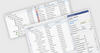
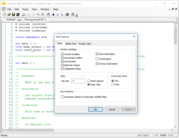
Resco MobileBusiness Toolkit is fully integrated with Microsoft Visual Studio and most of the functionality is offered together with C# source code. This way developers can take advantage of the familiar development environment and easily customize the resulting mobile application to meet customer specific needs and integrate it into existing data structures.
The MobileBusiness Toolkit can save most of client’s application development cost. Moreover, developers with little experience in mobile application development get clear guidelines on how to build a well designed and easy to use mobile UI.
The MobileBusiness Toolkit consists of three layers integrated with Microsoft Visual Studio:
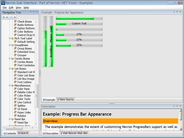
- Resco MobileForms Toolkit — a suite of versatile UI controls designed specifically for mobile devices. All the controls are accessible directly from the Visual Studio toolbox
- Resco MobileBusiness Controls — a suite of advanced controls providing business related UI and functionality. (For example, the CustomerList control provides an advanced list of customers with a powerful filter and a convenient programming interface.) MobileBusiness Controls is provided together with C# source code
- Resco MobileBusiness Forms — a set of forms using MobileBusiness Controls as the main form content and comprising the final mobile application. MobileBusiness Forms is provided together with C# source code
Target User
Although the solution can be used by any mobile application developer, it is most suitable for ERP/CRM providers/integrators who would like to extend the functionality of their solutions to mobile devices.
Solution Architecture
The MobileBusiness Toolkit consists of three layers integrated with Microsoft Visual Studio:
- Resco MobileForms Toolkit — a suite of versatile UI controls designed specifically for mobile devices. All the controls are accessible directly from the Visual Studio toolbox.
- Resco MobileBusiness Controls — a suite of advanced controls providing business related UI and functionality. (For example, the CustomerList control provides an advanced list of customers with a powerful filter and a convenient programming interface.) MobileBusiness Controls is provided together with C# source code.
- Resco MobileBusiness Forms — a set of forms using MobileBusiness Controls as the main form content and comprising the final mobile application. MobileBusiness Forms is provided together with C# source code.
The Mobile Application's UI
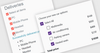
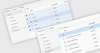
A mobile application created with the MobileBusiness Toolkit has an intuitive and easy-to-use user interface and functionality similar to popular Windows Mobile applications such as Pocket Outlook Calendar or Contacts.
The application’s UI consists of the following parts:
- Home screen provides an easy access to the application modules
- Today screen shows the most recent information
- Customer related forms serve as the main CRM module having the look of Pocket Outlook and the feel of operating a familiar user interface
- Products and Services form with its powerful filter provides an exceptionally quick method of searching for desired products regardless of how many product records a related database contains
- Customer Visits can be viewed in Agenda, Day, Week, Month and Year views and all the related forms work the same way as Pocket Outlook Calendar
- Ordering form is an easy and intuitive way of order taking
Pocket Outlook Integration
- Pocket Outlook Contacts and Calendar based data are integrated directly with the MobileBusiness application
- Outlook Contacts and MobileBusiness based data are displayed in the same form
- Allows to link an Outlook Contact to a business customer and to add new Outlook Contacts directly from the MobileBusiness based application
- Pocket Outlook Calendar based appointments and MobileBusiness based meetings are displayed in the same form, so the user has a perfect overview of his/her time schedule
- Allows adding new Outlook Calendar appointments directly from the MobileBusiness application
Solution Customization
- The solution is fully integrated with Microsoft Visual Studio
- Although most of the customization can be done in Visual Studio Designer, all the business classes and controls are provided with C# source code, so it is possible to implement this way also significant UI and functionality customizations to meet specific customer requirements
- If your company doesn’t have enough experience with mobile application development, we can do the customization for you. Please, send us an e-mail with your customization requirements
Data Store and Back-Office Integration
- Resco MobileBusiness Toolkit uses the local database of Microsoft SQL Server CE (also known as SQL Server Compact Edition) as a data store. The Toolkit contains a set of advanced data classes dedicated to database handling. Although the classes are ADO .NET based, they take account of the limited mobile device environment, which means that alternative data access technologies are also used to keep the mobile application performance at the highest level possible. Structure of the local database can be freely modified and since all the data classes are provided together with C# source code, it is possible to customize them to meet whatever specific requirements there may be
- Because of a large diversity of the ERP/CRM systems in various regions, the MobileBusiness Toolkit doesn’t, in general, provide Back-Office integration. Nevertheless, there are several ways to achieve this. The most convenient way is to add an SQL Server database to the corporate network, which would serve as a replication database. The synchronization between the replication and the mobile databases can be implemented through one of the following technologies:
- Synchronization with SQL Server can be implemented through Merge Replication, which is a standard part of SQL Server CE. Read this MSDN article, to learn more about how to program SQL Server CE Merge Replication using the .NET Compact Framework
- Synchronization with an ERP/CRM system can be implemented through Web Service
- Synchronization with an ERP/CRM system can be implemented through the Microsoft Sync Framework