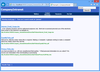
Screenshot Preview

SeeSearchWords

經 PHD Computer Consultants - 產品類型: 構件 / 100% 受控代碼

‏請注意: 除非另有說明,此為英語產品

*

Highlight users' search words. SeeSearchWords highlights search words in ASPX pages. Your users can find information more quickly. Currently Google, MSN, Yahoo and Ask Jeeves are supported, along with DotNetNuke (DNN) version 3 and 4 searches. By default, SeeSearchWords highlights search words in bold red on yellow, with an information header at the top of the page. It highlights similar words - for a search for 'learn', SeeSearchWords will highlight 'learn', 'learning' and 'learns'.

₩34,200

‏我們的常規價格如下。 請登錄後查看打折後的價格。

價格

SeeSearchWords V2.5   *

加入購物車 ₩ 34,200 1 Machine License  *
Mfr. 部件號: Product 130
下載 (200 KB)

SeeSearchWords V2.5 Academic License   *

加入購物車 ₩ 25,700 1 Academic License  *
Mfr. 部件號: Product 130
驗證 下載 (200 KB)

我們的價格包括ComponentSource的技術支持。對於大多數可下載的產品,還提供線上備份和免費升級為新版本,若新版本在購買後的30日內發佈的話。  所有銷售都是按照我們的標準條款 進行的,並且適用我們的退貨政策. 請 聯繫我們 若您需要任何未在列出的License選擇,包括批量License及以前的版本。

‏我們的常規價格見上。 請登錄後查看打折後的價格。

 *

SeeSearchWords adds navigation arrows to let the user move between instances of the search words. It also lets you customise virtually all aspects of the software, including the highlighting and header HTML. Further search engines can be supported by adding new URL patterns. Two further sets of similar-words-rules are provided - for French and German.

SeeSearchWords is an ASP.NET component, designed to be added to an existing web application. It only highlights HTML pages that are serviced by ASP.NET, so will typically not highlight words in static .htm files.

Installation must be done manually by adding the runtime DLLs to the web application 'bin' directory and carefully altering the application 'Web.Config' file - SeeSearchWords parameters are specified in a ‹SeeSearchWords› section. Additional configuration information can be specified in further files.

SeeSearchWords runs in ASP.NET in .NET framework 1.1.

SeeSearchWords is compatible with DNN 3 and 4 with Friendly URLs on and off.

Source code not included.

Note: After installation, please make sure to create an Application name. Go to Properties of installed directory. Click "Create" at "Application name" in the Directory tab. (If the button is shown "Remove", that means it's already created and you don't have to do anything.


注意

還未完成翻譯的產品說明, 我們提供了Google 翻譯的連結方便您使用. 但請注意, 自動翻譯有時候可能會有翻譯錯誤.
由「」技術提供
在Firefox 和Opera 需要Flash.

產品搜索

輸入搜索詞:

快速連結

發佈者

首要類別

相關產品

為什麼從ComponentSource購買?

ComponentSource 提供獨特的全球國際服務, 在世界各地共有超過1,000,000 開發者客戶.

更多訊息 | 關於我們

獎勵