Screenshot Preview

SeeSearchWords - Summary

by PHD Computer Consultants - Product Type: Component / 100% Managed Code

Summary

SeeSearchWords by PHD Computer Consultants

URLs: seesearchwords, phd-computer, phd computer, phdcomputer

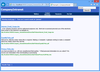
Highlight users' search words. SeeSearchWords highlights search words in ASPX pages. Your users can find information more quickly. Currently Google, MSN, Yahoo and Ask Jeeves are supported, along with DotNetNuke (DNN) version 3 and 4 searches. By default, SeeSearchWords highlights search words in bold red on yellow, with an information header at the top of the page. It highlights similar words - for a search for 'learn', SeeSearchWords will highlight 'learn', 'learning' and 'learns'.

SeeSearchWords adds navigation arrows to let the user move between instances of the search words. It also lets you customise virtually all aspects of the software, including the highlighting and header HTML. Further search engines can be supported by adding new URL patterns. Two further sets of similar-words-rules are provided - for French and German.

SeeSearchWords is an ASP.NET component, designed to be added to an existing web application. It only highlights HTML pages that are serviced by ASP.NET, so will typically not highlight words in static .htm files.

Installation must be done manually by adding the runtime DLLs to the web application 'bin' directory and carefully altering the application 'Web.Config' file - SeeSearchWords parameters are specified in a ‹SeeSearchWords› section. Additional configuration information can be specified in further files.

SeeSearchWords runs in ASP.NET in .NET framework 1.1.

SeeSearchWords is compatible with DNN 3 and 4 with Friendly URLs on and off.

Source code not included.

Note: After installation, please make sure to create an Application name. Go to Properties of installed directory. Click "Create" at "Application name" in the Directory tab. (If the button is shown "Remove", that means it's already created and you don't have to do anything.

Highlight users' search words.

Pricing: SeeSearchWords V2.5 1 Machine License, SeeSearchWords V2.5 Academic License 1 Academic License

Evals & Downloads: Read the SeeSearchWords License Agreement, Download the SeeSearchWords V1.5 Free Edition on to your computer - Limited functionality

Operating System for Deployment: Windows XP, Windows Server 2003

Architecture of Product: 32Bit

Product Type: Component

Component Type: 100% Managed Code

Built Using: Visual C# .NET

Compatible Containers: Microsoft Visual Studio .NET 2003, Microsoft Visual Studio .NET, Microsoft Visual Basic .NET 2003, Microsoft Visual Basic .NET, Microsoft Visual C++ .NET 2003, Microsoft Visual C++ .NET, Microsoft Visual C# .NET 2003, Microsoft Visual C# .NET, Microsoft Internet Information Server 6.0, Microsoft Internet Information Server 5.0, .NET Framework 1.1

Keywords: see search word seesearch word seesearchword search, highlight, DNN, DotNetNuke, engine

PHD Computer Consultants PHDCC

Search searching searches

Part numbers: PC-516151-221400 516151-221400 PC-516151-221401 516151-221401

Mfr. Part No: Product 130

Product Search

Enter search words:

Quick Links

Publisher

Primary Category

Related Products

Why buy from ComponentSource?

ComponentSource offers a unique global service, used by over 1,000,000 software developers worldwide.

More Info | About Us

Award