經 Perpetuum Software - 產品類型: 構件 / Add-In / Web Part
SharePointListSearch has been moved to a CodePlex Open Source project and is no longer available for sale.
SharePointListSearch by Perpetuum Software
URLs: sharepointlistsearch, perpetuum
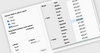
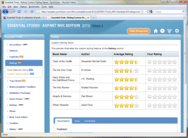
Easily filter Sharepoint Lists. SharePointListSearch is a filter for SharePoint lists which allows the creation of customizable forms for searching and filtering information. SharePoint List Search can be used for any ListViewWebPart located on the page, work with already filtered data, and also analyze information by multiple fields. A DropDown filter for the columns with fixed values is included. With the help of SharePointListSearch a user can save all the latest custom settings, and also use multiple filter. Filter headers can be set automatically.
Filter SharePoint lists with SharePointListSearch.
Data sources usually contain hundreds and thousands of records; and the work with such data sources without filtering is continuous and inconvenient. We all have situations when it’s necessary to view only some part of all existing records. This is where a filter able to search data addressing the set criteria is often needed.
SharePointListSearch filter is an essential tool for quick data search and filtering in SharePoint lists. Now you can include only the needed part of records in a data view and avoid all unnecessary information. After using the filter only those rows which address the criteria set for the columns are displayed in the list. Filtering doesn’t change the order of the elements; it allows displaying data only in the sequence used earlier.
With SharePointListSearch it’s possible to use a filter for any ListViewWebPart located on the page. The product gives you the ability to work with already filtered lists. You can filter data not only by an exact match but also by the part of the word written in the filter.
The ability to save latest custom settings makes the product even more convenient. That’s why you don’t need to set analogous criteria in order to work with the same lists under the next page opening. DropDownList menu which is implemented for the fields with fixed values makes multiple filters available to the user.
Filtering is a quick and easy method to search the needed records from the large amount of data. Now with the help of SharePointListSearch all the relevant information is on a single page.
SharePointListSearch Features:
Using filter in any ListViewWebPart located on the page.
With the help of Filter Web Part it’s possible to create a form able to search for information in any needed SharePoint lists.
Filtering by the part of the word.
In order to filter the list you should use a textbox and write all the necessary information there. As a result you will be able to search data by the part of the word written in the filter.
Work with filtered list.
SharePointListSearch filter can be used for filtered lists; it allows more careful data search.
DropDown menu for the fields with fixed values.
DropDown menu is an important component which allows data filtering by choosing the necessary criteria in the DropDown list with fixed values.
The ability to save latest custom settings.
Working with SharePointListSearch user doesn’t need to input all the required criteria of filtering every time he opens the page. The ability to save the latest conditions of search makes the work with the product more convenient and effective.
Multiple filter in DropDown filter.
In order to avoid all the possible problems with filtering large lists user has an ability to work with several filters at once. Such instrument prevents difficulties while filtering tables when filter is set for every column.
SharePointListSearch has been moved to a CodePlex Open Source project and is no longer available for sale.
Easily filter Sharepoint Lists.
sharepointlistsearch sharepointlist search sharepoint listsearch sharepoint list search searching search sharepoint webpart web part webparts
Evals & Downloads: Read the SharePointListSearch Getting Started Guide
Operating System for Deployment: Windows Server 2008, Windows Server 2003
Architecture of Product: 32Bit
Product Type: Component, Add-In
Component Type: Web Part
Compatible Containers: Microsoft SharePoint 2007
Keywords: Perpetuum Software Perpetum 9Rays.Net
Search searching searches
Document documents docs files filing storage manage manages management
」技術提供