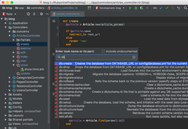
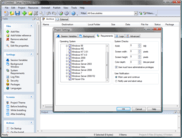
Screenshot Preview

SlickEdit for Mac OS X - Summary

by SlickEdit - Product Type: Application

Summary

SlickEdit for Mac OS X by SlickEdit

URLs: slickedit-mac-os-x, slickedit mac os x, slickeditmacosx, slickedit

Write more code faster and more accurately in over 40 programming languages on 7 different platforms. Whether used as a stand alone development environment or as a complementary editor, SlickEdit provides programmers a tool to create, navigate, modify, build, and debug code faster and more accurately. SlickEdit's useful features include Code Navigation, Preview Tool Window, References Tool Window, Syntax Expansion, Surround With, Auto-Completions and many more.

Speed

From the instant you launch SlickEdit you’ll appreciate its speed. For quick changes you can launch SlickEdit, make your edits, and close down in less time than it takes for other IDEs to finish loading. Because the engine is native C++, you will experience very rapid response times to keyboard and mouse commands. SlickEdit also contains various project wizards to move into actual coding faster by automating project set-up steps.

SlickEdit uses its' intelligence to auto complete symbols and automatically expand function syntax. For most languages, SlickEdit will auto indent while you are typing, paste code at the proper indent level, and also beautify code at the touch of a button. Java Live Errors alerts you to any syntactical errors while typing, saving you time fixing compiler errors. Advanced functionality such as Surround With enables you to choose a code block and surround it with language-specific structures. Many other rapid coding features await you inside SlickEdit.

Power

Developers need power when they code and SlickEdit delivers. When coding, SlickEdit provides outstanding symbol analysis. For many of the 40 supported languages, SlickEdit provides intelligent coding assistance that performs expression type, scope and inheritance analysis as code is written. SlickEdit automatically displays the prototype for a function when the function operator is typed and lists the members when typing a member access operator.

Navigate code with ease in SlickEdit. SlickEdit's tag-driven navigation engine enables a user to jump to a symbol’s definition or to where it has been used throughout the project, even if the files containing the results are not currently open.

SlickEdit’s C++ refactoring engine is second to none. With 18 different refactorings including extract method and modify parameter list, SlickEdit will save you countless hours when performing refactoring operations. SlickEdit enables you review and accept or reject every change that the refactoring engine has made.

When you need to difference files/projects or merge multiple files together, SlickEdit’s difference and merge tool gives you ultimate power. SlickEdit enables you to compare two files, two directories, or two source trees providing both a traditional file difference view and a symbol difference view. SlickEdit also gives you full editing capabilities during difference and merge operations, which saves you time.

Flexibility

Each developer has an individual coding style and is most effective when coding that way. SlickEdit recognizes this and has designed its tool to accommodate varying programming styles. Starting with the workspace almost everything can be configured. All windows are dockable, tabs can be moved anywhere, and toolbars can be hidden. Fonts and coloring are fully customizable, including background, text, and different types of symbols.

SlickEdit supports 13 different key-binding emulations, and you can also re-bind any key and bind operations to the mouse wheel. Viewing code is configurable with code collapsing, soft wrap, hex views, display of line numbers and display of special characters. Even searching with SlickEdit is flexible. Syntax-driven search enables you to restrict your search to specific code elements such as include/exclude comments, symbols, and strings.

Features

Code Navigation

Use Ctrl+Dot to jump from a symbol to its definition. Use Ctrl+/ to list all of the references for the current symbol and optionally jump to the first reference.

Preview Tool Window

Displays the definition of the current symbol in the editor window, allowing you to see the definition without having to open a separate buffer.

References Tool Window

Displays the list of references for a symbol. Use a single keystroke to open the References view for the current symbol, or you can type or select a symbol in the Symbol drop-down list.

Syntax Expansion

Expands common block structures (if, for, try, etc.) when the initial keyword is typed.

Surround With

Use to surround existing lines of code with a new structure (if, for, try, etc.). The existing code is automatically placed inside braces and

indented.

Auto-Completions

Reduce keystrokes by automatically completing symbols as you type.

DIFFzilla®

Provides editable dynamic differencing and merging for files, directories, and source trees.

Comment Wrapping

Automatically wraps comments to the next line as you type.

Smart Line Selections

Line selections for single or multiple lines are pasted above or below the current line of code.

SmartPaste®

Line selections are automatically formatted when pasted.

SlickEdit 2011 delivers a wide range of powerful new features and existing feature enhancements, including:

64-bit Versions for Windows and Linux

Support for the Git Version Control System

Updated Microsoft Visual Studio 2010 Support

Multithreading

Auto-Reload Performed on a Thread

Updated JUnit Support

Support for Ruby Debugging

Dynamic Debugger Enhancements

What's New in SlickEdit 2010

File Tabs Enhancements - Now you can order the files tabs by most recently opened, most recently viewed, and by dragging and dropping to manually order the tabs. An icon has been added to the File Tabs tool window to display a list of open buffers so that you can select one to edit.

WinDbg Support - You can now use the SlickEdit debugger front end with WinDbg, allowing you to debug applications on Microsoft Windows without having MS Visual Studio installed.

Set Options for All Languages - SlickEdit now provides the capability to set many options for all languages instead of for each language you use.

Microsoft Visual Studio 2010 Support - SlickEdit has been updated to support changes to the project files introduced in Visual Studio 2010.

Subword Navigation - To facilitate navigation, copying, and deletion within a symbol name, Subword Navigation will stop at words within CamelCased words, and also following an underscore or dash. This feature can be enabled for all languages by selecting Tools → Options → Editing → Cursor Movement and setting Subword Navigation to True.

Auto-Close and Overtype - Typing an open parenthesis, square bracket, angle bracket, double quote or single quote will automatically insert the corresponding closing symbol. When the cursor is positioned in front of a closing symbol, typing the closing symbol will move the cursor after the closing symbol instead of inserting another closing symbol. This feature can be configured for each language.

Subversion History - When using the Subversion source control tool, SlickEdit builds a version cache that allows us to quickly build and display a version history for the file, including branches.

Subversion File Status - File trees and lists, such as the Project tool window, now display different icons next to file names to represent their status in SVN.

Eclipse Emulation - An Eclipse emulation has been added that contains the key bindings for commonly used operations. To enable this emulation select Tools → Options → Keyboard and Mouse → Emulation.

Doc Comment Updates - You can now update an existing doc comment to match changes made in the function signature.

Google Web Toolkit Support - SlickEdit now includes support for the Google Web Toolkit, used to build browser-based applications. New Java and Python project types are provided to help build and deploy your code.

Outline View for XML - The Defs tool window can now show a customizable outline for XML files. This displays the information you find interesting so you can better understand and navigate these files.

Notifications - SlickEdit displays icons in the status line to notify you of actions being performed by the editor. A pop-up message is briefly displayed with additional information about that operation. Different notification icons are displayed for background tasks, feature notifications, and when the debugger is listening for a connection.

Product Improvement Program - This feature collects anonymous information about your use patterns in SlickEdit. It reports on things like the languages, project types, and tool windows you use. This information will help SlickEdit to make better choices for future enhancements. No personally identifying information, source code, file names, project names, workspace names, or other confidential information is sent. You can opt out of the program using Tools → Quick Start Configuration or by selecting Tools → Options → Application Options → Product Improvement Program.

Additional Enhancements - Along with the new features listed above, SlickEdit have made many other enhancements in SlickEdit 2010. The following are particularly noteworthy:

Backup History Enhancements: Backup History now allows you to store a comment with any entry in the history list. This is helpful when you have a long list of revisions and you need to find a specific one.

Tagging for Properties Files: Tagging is now extended to .property files to allow navigation between property references and their declarations.

Tagging for Docbook: Docbook files are now tagged to allow navigation between elements with IDs (such as sect1 and sect2) and references to those elements (such as xref).

Basic language support for Erlang, Haskell, F#: Color coding and basic tagging support is now offered for these languages.

New in SlickEdit 2009

Symbol Coloring

Smart Open - File Open Enhancements

Code Diff

Export and Import Options

Quick Start Configuration Wizard

Python Debugger

PHP Debugger

Perl Debugger

Relocatable Bookmarks and Breakpoints

System Verilog Language Support

Vera Language Support

D Language Support

New in SlickEdit

XML/HTML Formatting - Automatically format XML/HTML as you edit according to user-defined formatting schemes

Dynamic Surround - Type a block keyword, and then use the arrow keys to pull subsequent lines into the block, indented at the correct levels

Windows Vista and Solaris x86 Support - SlickEdit 2007 is now available on Microsoft Windows Vista and Solaris x86

For more details, please refer to the SlickEdit New Features Document from the Evals & Downloads page.

Write more code faster and more accurately in over 40 programming languages on 7 different platforms.

Pricing: SlickEdit 2011 for Mac OS X 1 Developer Named User License, SlickEdit 2011 for Mac OS X 1 Developer Concurrent User License, SlickEdit 2011 for Mac OS X - Upgrade License 1 Developer Named User Upgrade License from SlickEdit 2009 or 2010, SlickEdit 2011 for Mac OS X - Upgrade License 1 Developer Concurrent User Upgrade License from SlickEdit 2009 or 2010, SlickEdit 2011 for Mac OS X - Maintenance and Support License Maintenance and Support License for 1 Developer Named User, SlickEdit 2011 for Mac OS X - Maintenance and Support License Maintenance and Support License for 1 Developer Concurrent User

Evals & Downloads: Read the SlickEdit help file, Read the SlickEdit User Guide, Read the Slick-C Macro Conventions and Best Practices for End Users Document, Browse the SlickEdit Language Support Web page, Read the BBEdit Emulation Document, Read the Brief Emulation Document, Read the Code Warrior Emulation Document, Read the Code Wright Emulation Document, Read the CUA Emulation Document, Read the Epsilon Emulation Document, Read the GNU Emacs Emulation Document, Read the ISPF Emulation Document, Read the SlickEdit Emulation Document, Read the VI Emulation Document, Read the Vim Emulation Document, Read the Visual C++ Emulation Document, Read the Visual Studio Emulation Document, Read the Xcode Emulation Document, Read the SlickEdit End User License Agreement, Download the SlickEdit 2011 for Mac OS X evaluation on to your computer - Expires after 15 days

Operating System for Deployment: MacOS 10.6, MacOS 10.5, Mac OS X

Architecture of Product: 32Bit

Product Type: Application

Compatible Containers: Microsoft Visual Studio .NET 2003, Microsoft Visual Studio .NET, Microsoft Visual Studio 6.0, Microsoft Visual C++ .NET 2003, Microsoft Visual C++ .NET, Microsoft Visual C++ 6.0, JBuilder 9, JBuilder 7, .NET Framework 1.1, .NET Framework 1.0

Keywords: C/CJava Editor IDE SlickEdit Java GUI Builder

SlickEdit Slick Edit

Development

Code Creation Editing

Syntax

Part numbers: PC-514936-372535 514936-372535 PC-514936-372542 514936-372542 PC-514936-372540 514936-372540 PC-514936-372544 514936-372544 PC-514936-372537 514936-372537 PC-514936-372546 514936-372546

Mfr. Part No: SVMX-N2011-CON # SVMX-N2011-STD UVMX-N2011-CON # UVMX-N2011-STD VMXMAINT11 VMXMAINT11-CON #

Product Search

Enter search words:

Why buy from ComponentSource?

ComponentSource offers a unique global service, used by over 1,000,000 software developers worldwide.

More Info | About Us

Screenshot Gallery

Click for full screen preview

Screenshot of SlickEdit - for Mac OS X - 2011 Screenshot of SlickEdit - for Mac OS X - 2011 Screenshot of SlickEdit - for Mac OS X - 2011 Screenshot of SlickEdit - for Mac OS X - 2011 Screenshot of SlickEdit - for Mac OS X - 2011
Award Award