SocketTools .NET Edition - Summary

by Catalyst Development Corporation - Product Type: Component / .NET Class / 100% Managed Code

Summary

SocketTools .NET Edition by Catalyst Development Corporation

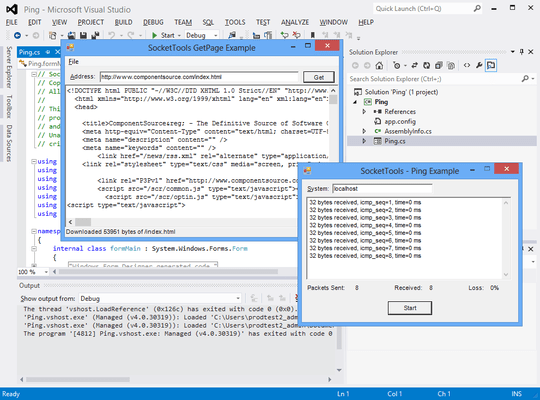
Add internet communication functionality to your .NET applications. SocketTools .NET Edition is a collection of managed code classes, designed to simplify the integration of Internet functionality into applications built using the Visual Studio development platform. The SocketTools .NET Edition is ideal for the Visual Basic or C# developer who requires the ease of use and rapid development features of a component, without the complexities of the native socket classes and without requiring in-depth knowledge of how the various Internet protocols are implemented. SocketTools .NET includes nineteen class libraries and components which can be used to develop applications that meet a wide range of needs. Included are classes for uploading and downloading files, sending and retrieving email messages, remote command execution, terminal emulation and more.

The following are just some of the features in the SocketTools .NET Edition:

Managed code classes written in C#, compatible with any Visual Studio.NET language

Class interfaces that are very similar to the SocketTools COM interfaces

Low resource utilization and no external dependencies on third-party libraries

A comprehensive product with 19 .NET class libraries for all of the major protocols

Fully compatible with Visual Studio.NET 2003 and Visual Studio 2005

Includes both high level and lower level interfaces for maximum flexibility

Support for both synchronous and asynchronous network connections

Thread-safe implementation with full support for multithreaded applications

Support for proxy servers using FTP and HTTP, including automatic proxy detection

An extensive Developer's Guide and online Technical Reference

A professional technical support staff and extensive online support resources

No runtime licensing fees or additional royalties

A trusted company with over 10 years experience developing Internet components

The following protocols are supported by the SocketTools .NET Edition:

Domain Name Services (DNS)

File Encoding and Compression

File Transfer Protocol (FTP)

Finger Protocol

Gopher Protocol

Hypertext Transfer Protocol (HTTP)

Internet Control Message Protocol

Internet Message Access Protocol

Multipurpose Internet Mail Extensions (MIME)

Network News Transfer Protocol (NNTP)

Post Office Protocol (POP)

Remote Access Services (RAS)

Remote Command Protocol

Simple Mail Transfer Protocol (SMTP)

Telnet Protocol

Terminal Emulation

Time Protocol

Whois Protocol

Windows Sockets (SocketWrench)

Domain Name Services (DNS)

Using this component, you can perform standard queries against a nameserver, with the enhancements such the ability to enumerate all mail exchange (MX) records sorted in priority order. The component also supports addition record types such as SOA, HINFO and TXT records.

File Encoding and Compression

Using this component, you can encode and decode files using the standard encoding methods such as Base64, Quoted-Printable and Uuencoding. The class also now supports yEnc file encoding, as well as support for URL, UTF-7 and UTF-8 text encoding. Additional data compression options have been added as well, including the ability to select the algorithm and level of compression.

File Transfer Protocol (FTP)

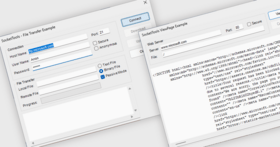
The class provides both high level functions that enable you to upload or download a file in a single function call, as well as lower level remote file I/O functions for direct control over the transfer by your application. New features include direct transfers to and from memory buffers as well as files, the ability to control what features are enabled for a specific server, and a variety of new functions such as the ability to change a file's modification time and permissions.

Finger Protocol

The component provides an interface for connecting to a server, requesting information about a user and returning that information to the program. You can use this component to obtain information about a user on a remote host, such as the last time they've logged in, whether or not they have any unread mail and what projects they're currently working on. The Finger protocol can also be used to list the users on a system and validate that a user is active.

Gopher Protocol

The Gopher protocol is a document retrieval protocol that pre-dates the Hypertext Transfer Protocol. The advantage that Gopher offers is that it is a simpler, lightweight protocol that doesn’t have the inherent overhead and complexity of a typical HTTP server. It is most commonly used with internal corporate networks to provide access to documents, although its use is less common today than it was several years ago. The component has been improved to support more document types, along with added functions to make it easier to process an item index or directory. The component also supports retrieving documents with a single function call, storing the contents in memory or in a file on the local system.

Hypertext Transfer Protocol (HTTP)

The component has been significantly enhanced to make accessing resources over the World Wide Web even easier and faster than before. Download the entire contents of a document and store it in memory using a single function call. Post data to a server and the output of the script is returned to your program in memory without requiring that you manually read and process the data stream. With full support for HTTP 1.1, including persistent connections and chunked data processing, the class handles all of the complex protocol details.

Internet Control Message Protocol

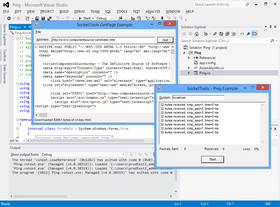
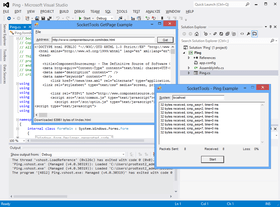
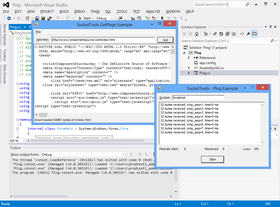
The Internet Control Message Protocol (ICMP) is commonly used to determine if a remote host is reachable and how packets of data are routed to that system. Users are most familiar with this protocol as it is implemented in the ping and tracert command line utilities. The Ping command is used to check if a system is reachable and the amount of time that it takes for a packet of data to make a round trip from the local system, to the remote host and then back again. The Tracert command is used to trace the route that a packet of data takes from the local system to the remote host, and can be used to identify potential problems with overall throughput and latency. The component can be used to build in this type of functionality in your own applications, giving you the ability to send and receive ICMP echo datagrams in order to perform your own analysis. New features include a simplified interface for sending ICMP datagrams, as well as the ability to generate a complex traceroute in a single function call.

Internet Message Access Protocol

The IMAP component enables you to manage those messages on a server, creating new mailboxes, moving message and deleting messages and previewing sections of a message. This component integrates with the Mail Message (MIME) component to make it easy to process those messages and present them to a user.

Multipurpose Internet Mail Extensions

Using the component, you can easily create complex multipart messages, including those with alternative content formats, such as plain text and styled HTML in the same message. You can also attach files, extract attachments, create custom headers, export messages and perform a variety of other message related functions. The Mail Message component integrates with the IMAP, NNTP, POP3 and SMTP libraries to provide the services they need to process mail messages and news articles. New features include the ability to create multipart alternative content messages in a single function call, expanded support for encoded headers and nested multipart messages and improved performance when handling large file attachments.

Network News Transfer Protocol

There have been significant improvements to this component, enabling applications to easily list available newsgroups and articles, the ability to download complete articles in a single function call and tighter integration with the Mail Message component.

Post Office Protocol

This is the most popular e-mail protocol used by Internet Service Providers (ISPs) and the SocketTools component provides a complete interface for managing a user’s mailbox. This component is typically used in conjunction with the Mail Message component, which is used to process the messages that are retrieved from the server.

Remote Access Services

Remote Access Services (RAS) enables an application to establish a dial-up Internet connection with a service provider, typically using an analog modem. The standard SLIP and PPP protocols are supported, along with a variety of configuration options which can be used to specify how the session is created. You can use existing dial-up networking entries as well as create new ones and even monitor active connections created by other applications. For programs which need to support dial-up as well as broadband connections, RAS provides seamless integration with the standard Windows dial-up networking services.

Remote Command Protocol

The Remote Command protocol is used to execute a command on a server and return the output of that command to the client. The SocketTools component provides an interface to this protocol, enabling applications to remotely execute a command and process the output. This is most commonly used with UNIX based servers, although there are implementations of remote command servers for the Windows operating system. The SocketTools component supports both the rcmd and rshell remote execution protocols and provides functions which can be used to search the data stream for specific sequences of characters. This makes it extremely easy to write Windows applications which serve as light-weight client interfaces to commands being executed on a UNIX server or another Windows system. The component can also be used to establish a remote terminal session using the rlogin protocol, which is similar to how the Telnet protocol functions.

Simple Mail Transfer Protocol

The Simple Mail Transfer Protocol (SMTP) enables applications to deliver e-mail messages to one or more recipients. The component provides an interface for addressing and delivering messages, and extended features such as user authentication and delivery status notification. Unlike Microsoft’s Messaging API (MAPI) or Collaboration Data Objects (CDO), there is no requirement to have certain third-party e-mail applications installed or specific types of servers installed on the local system. The SocketTools component can be used to deliver mail through a wide variety of systems, from standard UNIX based mail servers to Windows systems running Exchange or Lotus Notes and Domino. Using the SocketTools component, messages can be delivered directly to the recipient, or they can be routed through a relay server, such as an Internet Service Provider’s mail system. The Mail Message component can be integrated with this component in order to provide an extremely simple, yet flexible interface for composing and delivering mail messages.

Telnet Protocol

The Telnet component provides an interface for establishing the connection, negotiating certain options (such as whether characters will be echoed back to the client) and handling the standard I/O functions needed by the program. The component also provides functions that enable a program to easily scan the data stream for specific sequences of characters, making it very simple to write light-weight client interfaces to applications running on the server. This component can be combined with the Terminal Emulation component to provide complete terminal emulation services for a standard ANSI or DEC-VT220 terminal.

Terminal Emulation

The Terminal Emulation component provides a comprehensive interface for emulating an ANSI or DEC-VT220 character terminal, with full support for all standard escape and control sequences, color mapping and other advanced features. The component functions provide both a high level interface for parsing escape sequences and updating a display, as well as lower level primitives for directly managing the virtual display, such as controlling the individual display cells, moving the cursor position and specifying display attributes. This component can be used in conjunction with the Remote Command or Telnet Protocol component to provide terminal emulation services for an application, or it can be used independently. For example, this component could also be used to provide emulation services for a program that provides serial modem connections to a server.

Time Protocol

The Time Protocol component provides an interface for synchronizing the local system’s time and date with that of a remote server. The component enables developers to query a server for the current time and then update the system clock if desired.

Whois Protocol

The WhoIs protocol component provides an interface for requesting information about an Internet domain name. When a domain name is registered, the organization that registers the domain must provide certain contact information along with technical information such as the primary name servers for that domain. The WhoIs protocol enables an application to query a server that provides that registration information. The SocketTools component provides an interface for requesting that information and returning it to the program so that it can be displayed or processed.

Windows Sockets (SocketWrench)

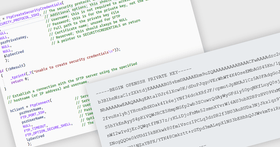
At the core of all of the SocketTools networking libraries is the Socket interface which provides a low level method for sending and receiving data over the Internet or a local intranet. The SocketWrench component provides a simpler interface to the class library, without sacrificing features or functionality. Using SocketWrench, you can easily create client and server applications while avoiding many of the mundane tasks and common problems that programmers face when developing Internet applications. The .NET Edition also seamlessly integrates support for SSL and TLS, allowing you to implement secure client and server applications without requiring that you use additional classes, third-party libraries or understand how to use Microsoft’s cryptography libraries

What's new in SocketTools .NET Edition V6.0?

SocketTools 6.0 has been released and offers developers exciting new features, improved performance and full compatibility with the Windows Vista and Windows Server 2008 operating systems. Version 6.0 includes several new components, including a new SSH component for secure interactive terminal sessions and remote command execution, integrated support for secure file transfers using SFTP and a new Internet Server component that allows you to build a customized, scalable, multi-threaded server with only a few lines of code. The SocketTools 6.0 components are compatible with version 4.0 and 5.0 and support side-by-side deployment, simplifying the upgrade process so that you can spend your time improving your software, not rewriting it.

PartNumbers: PC-517198-167358 517198-167358 PC-517198-167369 517198-167369 PC-517198-167359 517198-167359 PC-517198-167356 517198-167356 PC-517198-167357 517198-167357 PC-517198-167374 517198-167374 PC-517198-167375 517198-167375

Publisher PartNumbers: NET6-E NET6-EU NET6-EU2 ST-PS ST-SS

PurchaseOptions: SocketTools .NET Edition V6.0 1 Developer License , SocketTools .NET Edition V6.0 1 Developer Upgrade License from V5 , SocketTools .NET Edition V6.0 1 Developer Upgrade License from V4 , SocketTools .NET Edition V6.0 1 Developer License with Standard Support , SocketTools .NET Edition V6.0 1 Developer License with Priority Support , SocketTools .NET Edition Support Renewals Standard Support Contract Renewal , SocketTools .NET Edition Support Renewals Priority Support Contract Renewal

Resources: Read the SocketTools .NET Edition help file, Download the SocketTools .NET Edition V6.0 evaluation on to your computer - Expires After 30 Days

Operating System for Deployment: Windows Server 2008, Windows Vista, Windows XP, Windows Server 2003, Windows 2000

Architecture of Product: 32Bit

Product Type: Component

Component Type: .NET Class, 100% Managed Code

Compatible Containers: Microsoft Visual Studio 2008, Microsoft Visual Studio 2005, Microsoft Visual Studio .NET 2003, Microsoft Visual Basic 2008, Microsoft Visual Basic 2005, Microsoft Visual Basic .NET 2003, Microsoft Visual C++ 2008, Microsoft Visual C++ 2005, Microsoft Visual C++ .NET 2003, Microsoft Visual C# 2008, Microsoft Visual C# 2005, Microsoft Visual C# .NET 2003, .NET Framework 3.5, .NET Framework 3.0, .NET Framework 2.0, .NET Framework 1.1

Keywords: Internet Communication IP comms Catalyst Development Corporation socket tools Author

Product Search

Enter search words: