Softek Barcode Reader Toolkit for Windows - .NET/ ActiveX/ OCX/ DLL/ COM Object - V7.1.3

de Softek Software - Tipo de producto: Componente / .NET WinForms / 100% Managed Code / ActiveX OCX / ActiveX DLL

Por favor note que la información sobre este producto no está disponible en español.
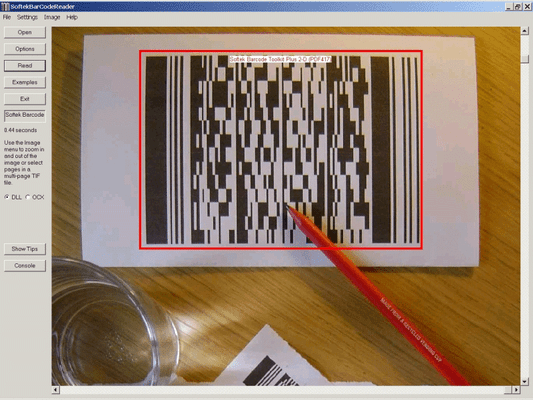
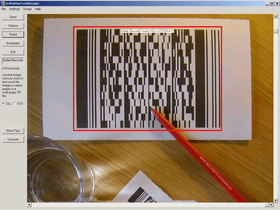
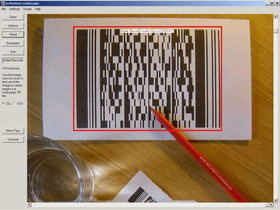
Captura de pantalla Softek Barcode Reader Toolkit for Windows - .NET/ ActiveX/ OCX/ DLL/ COM Object - V7.1.3Read normal 1D and 2D barcodes from images and bitmaps. Softek Barcode reader Toolkit for Windows lets you read normal (1D) and 2-D barcodes from image files and bitmaps held in memory. Developers have a choice of 4 different types of interface and access to several example projects. Image Formats supported: TIF, JPG, BMP. The following types of barcode are currently supported by Softek Barcode reader Toolkit for Windows: PDF-417 (PDF417), Code-39, Code-128,Code-2-of-5 Interleaved, Codabar, EAN-8, EAN-13, Patch Codes, UPC-A and UPC-E. All licenses include 12 months Support and Upgrade Cover.

Desde
379,400₩

Más Vendido

 
Precio en

Nuestros precios Standard están indicados abajo. Inicia una sesión para ver sus precios con descuento.

Softek Barcode Reader Toolkit for Windows V7.1.3

Añadir a la Cesta ₩ 379,400 1 User/Developer License (Not Run-time Royalty Free) includes 1 Year Support and Upgrade Cover
Ref. Fabricante: 001/1
Descarga (3.9 MB)
Añadir a la Cesta ₩ 760,300 4 User/Developer License (Not Run-time Royalty Free) includes 1 Year Support and Upgrade Cover
Ref. Fabricante: 001/2
Descarga (3.9 MB)
Añadir a la Cesta ₩ 1,217,400 8 User/Developer License (Not Run-time Royalty Free) includes 1 Year Support and Upgrade Cover
Ref. Fabricante: 001/3
Descarga (3.9 MB)
Añadir a la Cesta ₩ 1,522,100 1 Server License (Not Run-time Royalty Free) includes 1 Year Support and Upgrade Cover
Ref. Fabricante: 001/4
Descarga (3.9 MB)
Añadir a la Cesta ₩ 4,569,400 1 Site Wide License (Allows Unlimited Users/Developers at a Single Physical Address) (Not Run-time Royalty Free) includes 1 Year Support and Upgrade Cover
Ref. Fabricante: 001/5
Descarga (3.9 MB)

Softek Barcode Reader Toolkit for Windows V7.1.2

Añadir a la Cesta ₩ 4,569,400 1 Distribution License (Allows you to deploy your application externally outside your organization) includes 1 Year Support and Upgrade Cover
Ref. Fabricante: 001/6
Descarga (32 KB)

Softek Barcode Reader Toolkit for Windows - Source Code Escrow Annual Subscription

Añadir a la Cesta ₩ 1,554,700 Source Code Escrow Annual Subscription - (An Escrow Agreement will be sent to you for signature - please read Licensing section below) Descarga (43 KB)

Softek Barcode Reader Toolkit for Windows - Support and Upgrade Cover Renewals

Añadir a la Cesta ₩ 74,700 Cost Level A Support and Upgrade Cover Renewal Verificar Descarga (21 KB)
Añadir a la Cesta ₩ 150,800 Cost Level B Support and Upgrade Cover Renewal Verificar Descarga (21 KB)
Añadir a la Cesta ₩ 303,200 Cost Level C Support and Upgrade Cover Renewal Verificar Descarga (21 KB)
Añadir a la Cesta ₩ 455,600 Cost Level D Support and Upgrade Cover Renewal Verificar Descarga (21 KB)
Añadir a la Cesta ₩ 607,900 Cost Level E Support and Upgrade Cover Renewal Verificar Descarga (21 KB)
Añadir a la Cesta ₩ 760,300 Cost Level F Support and Upgrade Cover Renewal Verificar Descarga (21 KB)
Añadir a la Cesta ₩ 912,700 Cost Level G Support and Upgrade Cover Renewal Verificar Descarga (21 KB)

Este producto esta disponible con precios reservados al GSA Schedule.Nuestros precios incluyen servicio técnico de ComponentSource y, para la mayoría de los productos disponibles para descarga, una copia de seguridad en línea y una actualización GRATUITA a la nueva versión si ésta se publica en un período de 30 días después de la compra.  Todas las ventas están sujetas a nuestros Términos y condiciones standard y a nuestra Política de devolución. Por favor, póngase en contacto con nosotros si necesita alguna opción de licencia no incluida en la lista anterior, incluida la compra por volumen de licencias y versiones anteriores.

Nuestros precios Standard están indicados arriba. Inicia una sesión para ver sus precios con descuento.

OVERVIEW

Softek Barcode reader Toolkit for Windows enables application programmers to read barcodes from image files and bitmaps held in memory. The image files can be from any source, but will typically come from a scanner or computer fax modem. The barcode recognition engine is contained in a single library file, which makes product upgrades a simple matter. The application programmer has the choice of 4 different interfaces to choose from.

The choice of interface will depend on the type of language being used and the type of application to be developed. A few lines of code are all that is needed to read a barcode from an image. As can be seen from this example using the Active X control:  

nBarStrings = SoftekBarcode1.ScanBarCode(ImageFile)   

If (nBarStrings > 0) Then    For n = 1 To nBarStrings   

BarString = SoftekBarcode1.GetBarString(n)   

MsgBox (BarString)   

Next n   

End If   

As the above code shows, it’s a simple two-step process to read a barcode. Softek Barcode reader Toolkit for Windows has the following Toolkit interfaces:   

DLL Interface - The DLL allows programmers to access the properties and methods of the toolkit via functions prefixed with 'st'. For example, the ScanBarcode method is called stScanBarcode and the LineJump property can is set and retrieved using the functions SetLineJump and GetLineJump   

ActiveX Control or OCX - The Active X Control can be embedded in a form or dialog and the methods and properties of the toolkit accessed through the associated object   

Visual Basic Wrapper Class - The wrapper class provides access to the DLL via a simple Visual Basic class. Most of the properties and methods of the toolkit are supported through this interface   

COM Object - The COM object allows access to most of the properties and methods in the toolkit, although some of the methods differ slightly in operation from the other interfaces.   

100% Managed .Net Component - The managed component allows programmers working within the .Net framework to access most of the methods and properties of the toolkit. This interface is also thread safe.

Image Formats Supported:   

  • TIF
  • JPG
  • BMP   

The following types of barcode are currently supported: 

  • PDF-417   
  • CODE-39   
  • CODE-128   
  • CODE-2-of-5 Interleaved   
  • Codabar   
  • EAN-8   
  • EAN-13   
  • Patch Codes   
  • UPC-A   
  • UPC-E   

Barcode Widths:    The main requirement is for each black or white bar in a barcode to be clearly visible on the image. All barcodes have at least 2 sizes of bar and the image needs to be of high enough quality to show this. For example, a Code 39 barcode consists of 9 bars per character, of which 3 must be wide and 6 must be narrow. The wide bars should be around 2.5 times the size of the narrow bars - but for simplicity we will say 2 times the size. This means that each character needs at least 12 pixels in an image. This assumes that each pixel in the image lies either entirely in a black bar or entirely in a white bar. In practise, this isn't possible and so the resolution should allow around 36 pixels per character.    So, to encode a string of 10 characters (including the start and stop *) you will need at around 360 pixels. If the barcode is 1 inch wide on the paper then you will need to scan at a resolution of around 400 DPI. If the barcode is 2 inches wide then you will need to scan at a resolution of at least 200 DPI.    Some types of barcode have more than 2 widths of bar and a higher resolution still will be needed to ensure that the different widths can be distinguished on the image.    As for barcode height - if you have a very wide barcode then you need to ensure that it is high enough to cope with any skewing that takes place when the image is scanned.    In summary - the success of a project can depend on specifying the correct barcode size and image resolution:

Code39 Number of Characters 10, Minimum Number of Pixels (approx) 340   

Code 2 of 5 (interleaved) Number of Characters 10, Minimum Number of Pixels (approx) 190   

Code128 (code set A) Number of Characters 10, Minimum Number of Pixels (approx) 280   

Code128 (code set B) Number of Characters 10, Minimum Number of Pixels (approx) 280   

Code128 (code set C) Number of Characters 10, Minimum Number of Pixels (approx) 170   

EAN13 Number of Characters 13, Minimum Number of Pixels (approx) 190   

EAN8 Number of Characters 8, Minimum Number of Pixels (approx) 140   

UPC-A Number of Characters 12, Minimum Number of Pixels (approx) 190   

UPC-E Number of Characters 8, Minimum Number of Pixels (approx) 120   

PDF-417 requires around 50 pixels per column, although some success can be achieved with column sizes as low as 30. 


Soporte

All licenses include 12 months Support and Upgrade Cover including:

  • Free upgrades to the toolkit
  • Advice and help on using the toolkit api
  • Analysis of problem barcodes
  • Support is available during UK office hours with a response in no more than 3 working days

Búsqueda de productos

Escriba palabras de búsqueda:

Award Award