
.NET 및 JavaScrip 그리드 비교
베스트셀러 그리드를 바로 평가하고 구입하세요.
기능, 플랫폼 및 가격으로 제품을 선정할 수 있도록, 특별히 개발자를 위해 설계되었습니다.
설명: JavaScript data grid that looks and feels like a spreadsheet. Handsontable is a JavaScript/HTML5 data grid component with a spreadsheet look and feel that is independent from any external framework. It can be easily modified or extended with custom ... 더 읽기

설명: 2D 또는 3D 레이아웃에서 데이터를 표시하고 수정합니다. Xceed DataGrid for WPF Professional은 Vista, XP, Media Center 또는 클래식 스타일과 같은 전통적인 표와 카드 보기 외에 데이터를 3D 레이아웃으로 표시하고 편집할 수 있는 그리드 컨트롤입니다. 기능으로는 풍부한 제자리 편집, UI 가상화로 그룹화, 생산 품질 보기(표와 카드), 내장된 데이터 유효성 검사를 포함합니다. Xceed DataGrid ... 더 읽기
설명: Add extensive grid, printing, layout and skinning functionality to your Delphi and C++Builder applications with this suite of components. ExpressQuantumPack is a suite of VCL components that includes ExpressQuantumGrid Suite- for adding grid, treelist, ... 더 읽기
설명: Add extensive grid, printing, pivot table, tree list, layout and skinning functionality to your Delphi and C++Builder applications. ExpressGridPack is a suite of VCL components that includes ExpressQuantumGrid Suite- for adding grid, treelist, and data ... 더 읽기
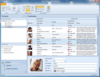
설명: Visual Studio (Windows 양식) 환경 내에서 데이터 조작 도구를 개발 합니다. Janus GridEX for.NET은 데이터베이스에 직접 삽입하는 완전히 편집 가능한 Outlook 스타일의 데이터 인식 그리드 컴포넌트입니다. 그리드는 정교한 데이터 조작을 수행할 수 있는 독특한 데이터 바인딩 방식을 구현합니다. 또한 Janus의 grid for.NET은 그룹이나 정렬 기능의 희생 없이 데이터를 모든 형식으로 관리하는 언바운드 모드를 ... 더 읽기
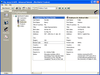
설명: 애플리케이션에 다용도 데이터 바운드 또는 언바운드 그리드를 추가 합니다. Janus GridEX 2000 으로 탭, 버튼바, 툴 팁 등을 모두 갖춘 Microsoft Outlook 에 비슷한 사용자 인터페이스를 작성할 수 있습니다. 디스크나 인터페이스상의 서버에서 그리드 레이아웃 전체를 동적으로 로드 및 저장하는 기능에 의하여 효율적인 사용자 인터페이스를 작성할 수 있습니다. Janus GridEX 2000 에는 다국어 소트 기능이 구성되어 있습니다. ... 더 읽기
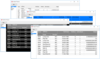
설명: Lightweight and full featured, cross-platform grid / tabular control. TeeGrid offers a very fast grid component for Embarcadero RAD Studio, Delphi and C++, VCL and Firemonkey frameworks and Lazarus FreePascal. Fully compatible with VCL and FMX it offers ... 더 읽기

설명: High-performance UI controls, Reporting and Analytics. DevExpress Universal helps you build applications for Windows, Web, mobile and tablet with all of the DevExpress single platform controls and more. The feature-complete Universal Subscription includes ... 더 읽기

설명: Comprehensive software development package. DevExpress DXperience helps you build applications for Windows, Web, mobile and tablet with all of the DevExpress single platform controls and more. The DevExpress DXperience Subscription includes hundreds of ... 더 읽기

설명: All the WinForms component suites and libraries produced by DevExpress in one package. DevExpress WinForms includes 190+ components and UI libraries, it has everything you'll need to create high-impact business solutions for the Windows Forms ... 더 읽기
전화 : 00798 14 800 6332
팩스 : +1 770 250 6199









 (1)
(1)
 (4)
(4)

 (68)
(68)